Has your Xfinity cable suddenly gotten stuck showing just a single channel? This frustrating issue can have several causes, from problems with your remote control to hardware failures in the cable box itself. The good news is that with some basic troubleshooting, you can likely get your Xfinity service back up and running across all channels in no time. This guide will walk you through the most common reasons for Xfinity getting stuck on one channel and provide fixes you can try before contacting customer support.
- Dead remote batteries are the #1 cause — swap them first even if your current ones seem to have charge left
- Power cycling fixes most temporary glitches — unplug your cable box for at least 30 seconds before reconnecting
- Channel lock and favorites settings can restrict access — check your box menu for accidentally activated locks
- Loose HDMI or coax cables degrade signal quality — inspect and reseat all connections on both the TV and cable box
- Persistent sticking across multiple reboots points to hardware failure — contact Xfinity Support for a refresh signal or box replacement
#Why Does Xfinity Get Stuck on One Channel?
Before jumping into the step-by-step solutions, let’s first understand the likely culprits behind Xfinity sticking on a single station:
-
Remote Control Issues – Problems like low batteries, damage, or interference with the IR sensor can prevent changing channels.
-
Unavailable Channel – Attempting to tune to a channel that you don’t subscribe to or isn’t offered in your area.
-
Favorite Channel List – The channel may not be included in your set “favorites” list.
-
Activated Channel Lock – Accidentally locking a channel would cause an inability to change away from it.
-
Cable Box Problems – Hardware issues like a faulty tuner or bad signal connection can cause a unit to stick on a channel.
-
Network Outage – Very rarely, a larger cable network outage could lead to this.
Now let’s explore how to troubleshoot and resolve an Xfinity cable box stuck on one channel situation.
#Is the Remote Control the Culprit?
The vast majority of the time that an Xfinity cable box seems stuck on one channel, the underlying problem is with the remote control. Either the batteries need replacing or the remote is slightly damaged.
Here is how you can test whether the Xfinity remote control is the issue:
-
Try replacing the batteries with brand new ones. Even if existing ones still have some charge, swap them.
-
Check if buttons light up when pressed. If not, that could indicate issues.
-
Use the built-in buttons on the cable box, if available. See if they change channel.
-
Eliminate any objects that could block IR signal path from remote.
-
If possible, pair a different remote to box and test if it works properly, such as an XR2v or XR11 model Xfinity voice remote.
-
Try rebooting remote by removing batteries and pressing buttons.
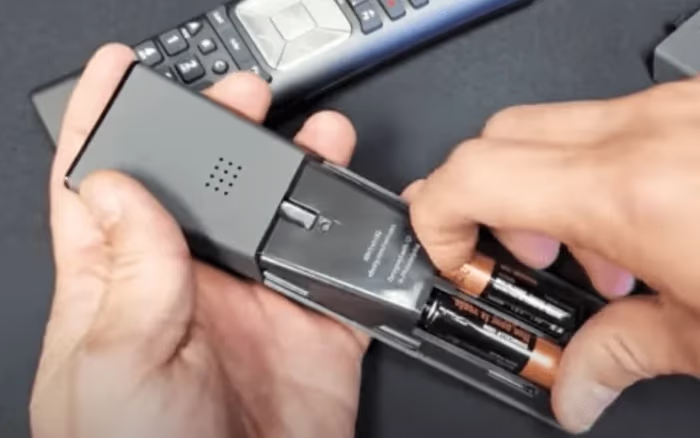
If the remote works correctly on the Xfinity box when line-of-sight is established, focus troubleshooting on the box itself next.
#Step 2: Verify Channel Availability and Preferences
Assuming the Xfinity remote tested out okay, next look at channel availability and settings as potential culprits:
-
Check channel eligibility for your subscriber package.
-
Test tuning to a different random channel not part of your favorites. Failure likely points to box issues rather than a “Xfinity XRE-03007” restricted channel for your region.
-
Use web or box menu to view Favorite channels list and add any that are missing.
-
Double check channel lock settings haven’t been activated.
Testing a variety of channels instead of only the stuck one can help narrow down where the problem lies. Getting stuck on an unavailable channel would present differently from a hardware fault.
#How Do You Power Cycle an Xfinity Cable Box?
Before considering more advanced troubleshooting or arranging for replacement equipment, the next easiest step is power cycling the various components. Here is the standard order for cycling cable boxes, TVs and receivers:
-
Turn off TV and cable box
-
Unplug TV power cable and disconnect box from outlet
-
Wait at least 10-30 seconds before reconnecting devices
-
Plug in and turn on television power
-
Reconnect Xfinity cable box power
-
Turn on cable box and test changing channels
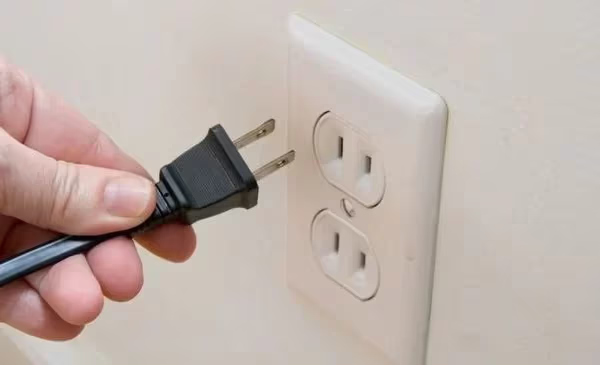
This full reboot flushes out temporary glitches and re-establishes signal connections between components. Be patient during the reboot process. It may take 5-10 minutes for your stations to fully load.
#Step 4: Inspect Cables, Connections and Box
Interference along cables and faulty hardware can also result in Xfinity sticking on one channel only. Some issues to investigate:
-
Try disconnecting and securely reconnecting the HDMI/other cables between devices.
-
Loose connectors or bent cables can impact signal.
-
Check condition of cable box for damage or raised temperatures during use.
-
If the problem happens on multiple TVs simultaneously, it may indicate a drop or pole issue.
-
Splits or imperfections in the cable wire can degrade TV signal performance.
-
For frequent channel sticking, the box may need to be replaced if no other cause is found.
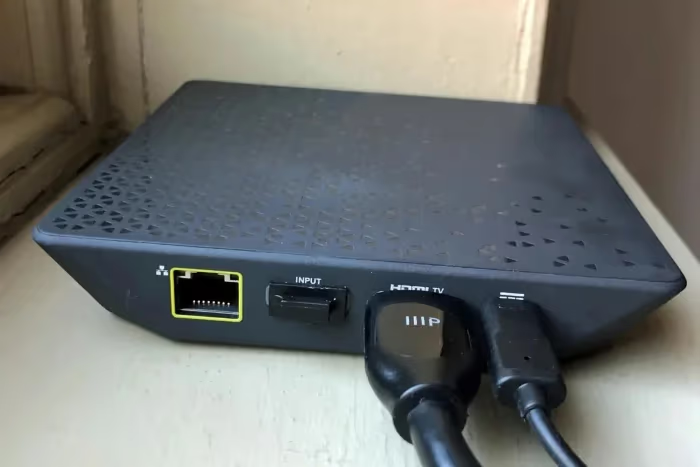
Carefully inspecting all connections can identify points of signal loss. If your infrastructure has existed for years without maintenance, dropped cables or weather damage could be factors. Cable boxes also fail over time.
#Additional Troubleshooting Tips
Some other helpful pointers if your attempts to get Xfinity functioning on all channels again have not yet succeeded:
-
When power cycling equipment, hold down the power buttons for 60+ seconds. Longer power flushing can resolve a variety of problems.
-
Factory reset the cable box to software defaults if possible. This removes any glitched configuration.
-
Contact Xfinity Support about sending a refresh signal to your box or evaluating connectivity metrics remotely before rolling a technician, especially if you are also experiencing Xfinity TV no sound issues indicating larger problems.
-
Swap your box temporarily with a neighbor’s if the issue persists across troubleshooting to help diagnose whether a Dish TV vs Xfinity hardware performance difference exists indicating equipment flaws.
-
Loose wiring in walls can be difficult to fully rule out without professional help if the other steps prove the equipment functional.
Stay calm and methodical when working through tests for your Xfinity cable sticking on a single channel. The problem is likely solvable through one of the above troubleshooting measures without requiring equipment replacements or installer visits.
#Bottom Line
-
First focus troubleshooting on remote batteries and function. Bulky devices can also interfere with IR signal.
-
Confirm channel subscriptions support your package and no accidental channel locks are activated.
-
Power cycle TV + cable box equipment, as this commonly resolves temporary glitches.
-
Inspect all cabling for damage and loose connections that could degrade performance.
-
For persistent issues across boxes and TVs, contact Support about refresh signals or replacements.
#Frequently Asked Questions
#What should I try first when my Xfinity is stuck on one channel?
The quickest fix is putting new batteries in your Xfinity remote. Even batteries with some charge remaining can cause operational issues. Make sure no objects block the remote IR sensor on your cable box as well.
#Why is my Xfinity still stuck after a power cycle?
If a full reboot of equipment doesn’t restore function, inspect all cabling on the back of your TV and cable box. Loose HDMI connections or crimped coax cables can impact signal strength. You may need a replacement cable or box if the connections look worn.
#Can a working remote still cause channel sticking?
Yes, a remote can appear functional but still send weak or inconsistent signals. Try using the physical buttons on the cable box itself to rule out the remote entirely. If channels change with the box buttons, the remote needs replacing.
#Why does my Xfinity stick on a channel every few weeks?
Intermittent issues like this commonly come from wiring problems in walls or connection points outside the home. Signal degradation causes temporary sticking that seems to resolve only to crop up again later. Have a technician inspect your setup for points of signal loss.
#Does a factory reset fix Xfinity channel sticking?
A factory reset can resolve software glitches that cause channel sticking. Keep in mind that this erases your saved preferences, DVR settings, and favorite channel lists. Only try this after simpler fixes like power cycling and cable checks have failed.
#How do I request a refresh signal from Xfinity?
Call Xfinity Support or use the My Account app to request a signal refresh sent to your cable box. This process takes about 10 minutes and re-establishes the connection between Xfinity’s network and your equipment. It resolves many authorization and tuning issues without a technician visit.
#When should I replace my Xfinity cable box?
Consider a replacement if the box overheats frequently, shows visual artifacts, or continues sticking on channels after all troubleshooting steps. Xfinity provides free equipment swaps at local service centers. Boxes older than 3-4 years are more prone to tuner failures.