Lost your Westinghouse TV remote? No need to panic. You can still control your TV using universal remote codes. This guide covers everything you need to know about programming a universal or replacement remote to work with Westinghouse TVs.
- Most common 4-digit codes — 0915, 0013, and 0002 work with the widest range of Westinghouse TV models
- Three code formats exist — 3-digit, 4-digit, and 5-digit codes depending on your universal remote brand
- Auto code search — most universal remotes can scan for the correct code automatically if manual entry fails
- Cable provider remotes work too — DirecTV, Dish Network, and Xfinity remotes have built-in Westinghouse codes
- Smart TV alternatives — Westinghouse Roku and Fire TV models can be controlled through phone apps and voice assistants
#Introduction to Universal Remote Codes for Westinghouse TVs
Universal remotes can control multiple devices like TVs, soundbars, DVD players etc. By using specific remote control codes you can program any universal remote to operate your Westinghouse TV.
The key is finding the right 4 digit, 5 digit or 3 digit universal remote code that works with your specific Westinghouse TV model. We have researched and compiled a list of the most common codes as a starting point below.
#How Do You Program a Universal Remote for Westinghouse TV?
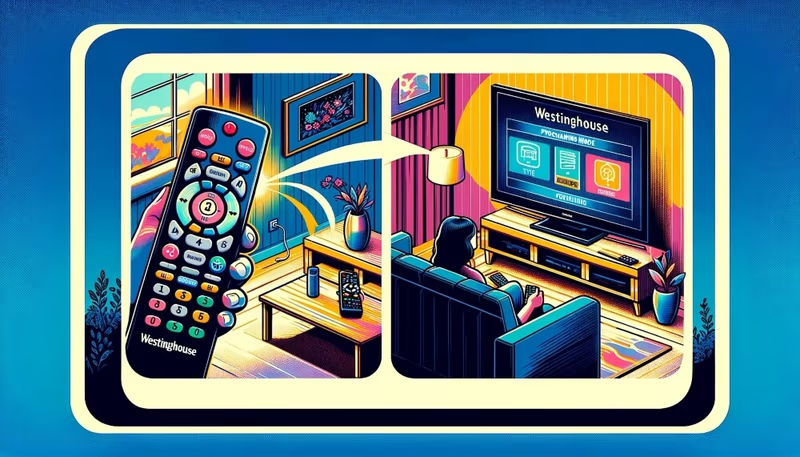
Here are step-by-step instructions on how to program a universal or replacement remote to control your Westinghouse TV:
Step 1: Turn on your Westinghouse TV
Step 2: Locate the setup or programming button on your universal remote. This is usually a button labeled “Set” or “Setup”. Press and hold it until the LED light on the remote starts blinking, indicating it is in programming mode.
Step 3: Enter one of the following Westinghouse universal remote codes:
All In One Westinghouse Remote Codes 0027, 0912, 0478, 0916, 0002, 3241
3 Digit Codes 003, 795, 797, 500, 697, 553
4 Digit Codes 0002, 0915, 0013, 1216
5 Digit Codes 10000, 10451, 11712
See full lists in next section for more codes to try.
Step 4: The remote’s LED should stop blinking if a valid code for Westinghouse TV is accepted. Then press the power button on the remote and see if your Westinghouse TV turns off. If it does, the code works! If not, repeat previous steps and try other codes from our lists below until one works for your specific TV.
Step 5: Once the Power button turns the TV off/on, test other buttons like volume and channel controls verify full functionality. If some buttons don’t work, try a different code.
Step 6: To lock in the code for future use, press and hold the Setup button again for 3 seconds so the LED light flashes twice. This confirms the code is set for your Westinghouse TV.
And that’s it! By following those steps you should now be able to fully control your Westinghouse TV with a universal or replacement remote.
#Full List of Westinghouse TV Universal Remote Codes
Here are all the known working 3 digit, 4 digit and 5 digit universal remote control codes for various Westinghouse TV models:
#All In One Remote Codes
-
0027
-
0912
-
0478
-
0916
-
0002
-
3241
#3 Digit Codes
-
003
-
795
-
797
-
500
-
697
-
553
-
808
-
551
-
574
#4 Digit Codes
-
1489
-
0885
-
0143
-
3411
-
1430
-
1300
-
0890
-
1216
-
1454
-
4797
-
0114
#5 Digit Codes
-
10000
-
10451
-
11712
-
11282
-
11577
-
12438
Try all of these on your remote one-by-one until your Westinghouse TV successfully responds to Power ON/OFF and other primary buttons.
#What Are the Alternative Ways to Control Your Westinghouse TV?
If none of the standard universal remote codes work, try these alternative programming methods:
Auto Code Search: Instead of entering a code, put your universal remote into auto search mode to discover the correct code. Turn TV on and press power+TV or device button simultaneously then press channel/volume to cycle through codes. When the TV turns off, the correct code is found. Save it to the remote before the next step.
Manual Code Entry: Some remotes allow directly inputting any code. Turn TV on then enter setup mode on the remote. Input any valid Westinghouse code from above lists manually using the number buttons. Try power on/off when finished to see if code works.
Consider Harmony Remotes: Logitech Harmony series remotes have a database of over 250,000 device codes that work without needing to manually program codes. While pricier, they offer the most compatibility for controlling Westinghouse TVs and other home theater devices.
#TV Service Provider Universal Remote Codes
Many cable/satellite service providers offer multi-function remotes that also include codes compatible with Westinghouse TVs. Here are some of the major provider’s remote codes worth trying:
DirecTV: 11100, 10000, 10834
Dish Network: 500, 578, 622
Xfinity/Comcast: 10000, 11756, 10451
So if you have a DirecTV, Dish or Xfinity remote, give those codes a go when pairing with your Westinghouse TV.
#Remote Codes for Westinghouse Smart TVs
Modern Westinghouse smart TVs run on Roku or Amazon Fire TV operating systems. This gives you additional options for controlling them with remote control apps or voice assistants:
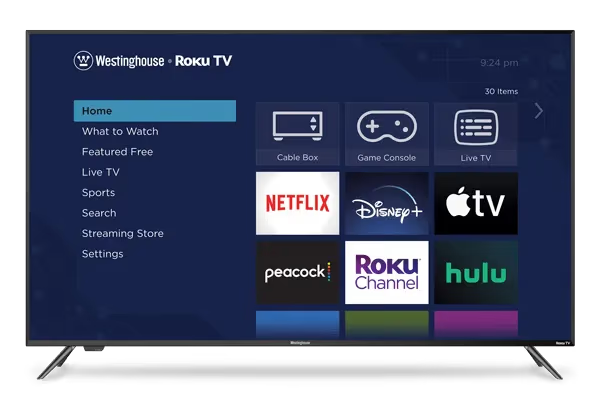
Roku TV OS: Install Roku app on your phone or use voice assistants like Alexa/Google Home that are compatible with Roku platform to control Westinghouse Roku TVs. Troubleshoot issues like Westinghouse Roku TV remote not working.
Amazon Fire TV: Use remote apps or Alexa voice controls to power Westinghouse Fire edition TVs. Fix problems like Westinghouse TV keeps turning off randomly.
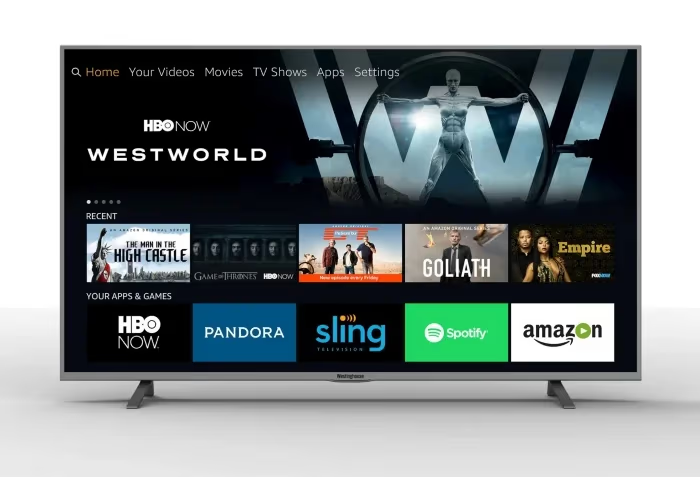
If you own a Westinghouse smart TV powered by Roku or Amazon Fire TV, use those ecosystems to control your TV with apps and voice commands.
#Troubleshooting Westinghouse TV Remote Issues
If you’re having issues getting your Westinghouse TV to work properly with a universal or replacement remote, try these troubleshooting tips:
-
Check remote battery level and replace dead batteries
-
Remove any obstructions between remote and IR sensor on TV
-
Make sure you’re in the proper mode (TV/DVD etc) if using a multi-device remote
-
Try re-programming the remote with alternative codes from our list
-
Attempt manual code entry option on your remote
-
Test with different universal remote like Logitech Harmony
-
Factory reset your Westinghouse TV if programming remote becomes unresponsive
-
Consult Westinghouse support if problems persist like no sound or screen flickering
Following those guidelines should help get your universal remote communicating with your Westinghouse TV.
#FAQ
#What are the most common Westinghouse TV remote codes?
The most universally compatible codes across models are 0915, 0013, and 0002. Newer smart TVs may require specialized codes, so check the full list above if these don’t work.
#Do all Westinghouse TV models use the same remote codes?
No, codes can vary across models. Refer to the specific codes listed in this guide for your model. Newer Westinghouse sets may have additional codes not listed here.
#Why won’t my universal remote connect to my Westinghouse TV?
The most likely cause is using an invalid code. Verify you’re in the correct programming mode, check batteries, remove obstructions, and retry using our listed codes. If manual entry fails, try auto code search mode instead.
#How do I reset my Westinghouse TV without a remote?
Locate the small reset/pinhole button on the rear panel of your TV. Use a paperclip to press and hold it for 10-20 seconds until the screen goes black. This restores your Westinghouse TV to factory settings.
#Can I use my cable provider remote with a Westinghouse TV?
Yes. DirecTV, Dish Network, and Xfinity remotes all have codes that work with Westinghouse TVs. Check the provider-specific codes section above for the numbers to enter during setup.
#What should I do if the code stops working after a power outage?
Some universal remotes lose stored codes after a power interruption or battery replacement. Simply re-enter the same code using the setup process outlined in this guide. Writing down your working code saves time if this happens again.
#How do I control a Westinghouse Roku TV without the original remote?
Download the free Roku app on your smartphone, which turns your phone into a full remote. You can also use Alexa or Google Home voice assistants if your Roku TV is connected to Wi-Fi.
#Bottom Line
This guide provides all the Westinghouse TV universal remote codes and programming instructions you need to control your Westinghouse television with a replacement or universal remote.
We’ve curated the most common 3, 4 and 5 digit codes that cover most models, so reference our lists and follow the step-by-step programming guidelines outlined earlier. With some trial and error, you should get your Westinghouse TV powered on/off and accessing channels/volume in no time.
If you have any issues or questions, check our troubleshooting tips and FAQ section. With the right universal remote code for your Westinghouse TV, you’ll keep enjoying entertainment even without the stock remote control!