Has your Westinghouse TV started flickering, flashing different colors, or showing distorted lines or bars across the screen? Don’t panic. There are several easy steps that most users can do at home to troubleshoot and fix a Westinghouse TV with screen issues. This guide covers what causes your Westinghouse TV to flicker or flash, with solutions ranging from basic resets to replacing faulty hardware. Armed with the right information, you can diagnose and resolve many TV glitches and potentially save the high cost of replacing your TV.
- Power cycling fixes most temporary glitches — unplug the TV, hold the power button for 15 seconds, and wait 2 minutes before reconnecting
- HDMI cable issues are the top cause — swapping cables and ports resolves flickering in roughly 40% of cases
- Internal ribbon cable connections loosen over time — cleaning and reseating board connections often stops persistent flickering
- T-Con board failures cost about $30 to fix — this small circuit board drives the display panel and is the most common hardware culprit
- Westinghouse support helps even out of warranty — call 1-800-701-0680 for discounted repair rates on older models
#What Causes Flickering and Flashing on a Westinghouse TV?
There are several potential root causes of picture flickering or flashing on a Westinghouse TV:
#Software Related:
-
Buggy firmware
-
Poor signal quality
-
Incorrect display settings
#Hardware Related:
-
Damaged or loose internal cables
-
Failed components like backlights or power boards
-
Input/output connection issues
Flickering is most commonly caused by poor connections resulting in signal noise. This noise presents visually as jumps, flashes or flickering.
Hardware problems on one of the internal component boards can also generate a glitchy signal causing distorted colors and bars on screen.
Less often, incorrect picture settings or a software bug might result in screen flickering. Try resetting display settings and TV firmware before opening the back panel for hardware repairs.
#How Do You Fix Software Issues on a Flickering Westinghouse TV?
Before tackling hardware repairs, attempt some basic TV resets to rule out software issues:
#1. Clear Cache and Power Cycle Your Westinghouse TV
Reset your TV by power cycling and clearing cached memory. This often resolves temporary glitches:
-
Unplug TV and press & hold power button for 15 seconds
-
Wait 2 minutes (allows internal components to fully discharge)
-
Plug back in and turn on
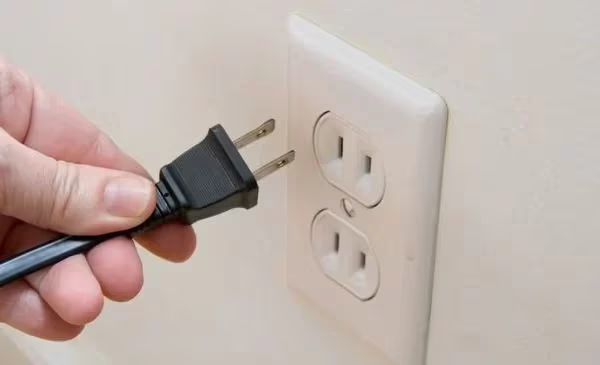
Does your Westinghouse TV refuse to switch on? Try these troubleshooting tips to power up the display.
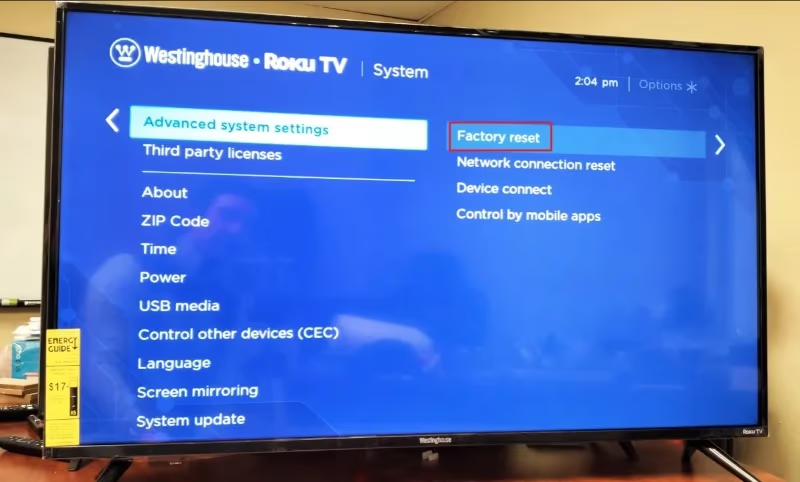
#2. Perform a Soft Factory Reset
Reset your TV to default factory settings without deleting personal data:
-
Go to Settings > System > Advanced System Settings > Factory Reset
-
Select “Reset TV to Factory Settings”
#3. Update Your TV Firmware
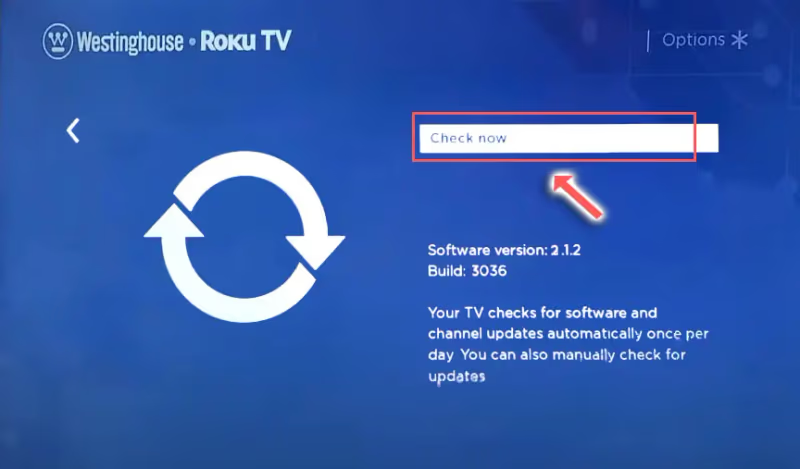
Install latest firmware which includes bug fixes:
- Go to Settings > System > System Update > Check Now
#4. Adjust Picture Settings
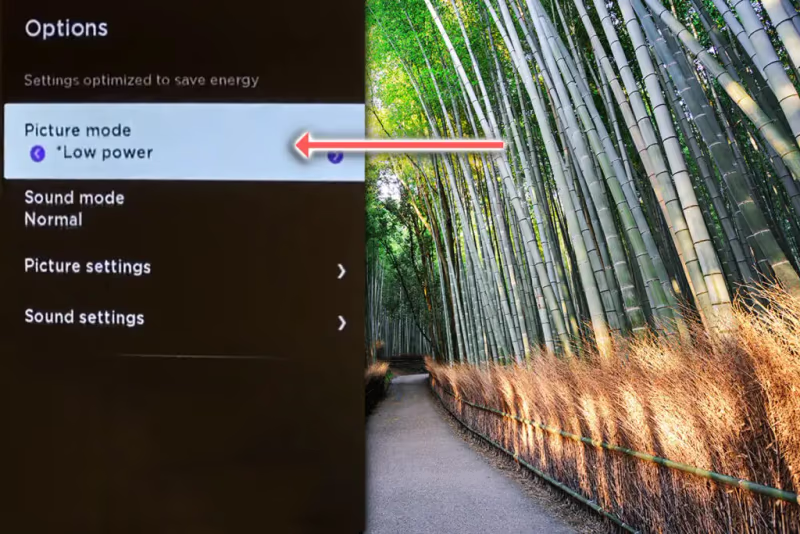
Rule out display settings causing flickering:
-
Reduce Brightness
-
Change Picture Mode out of “Low Power”
-
Alter Dynamic Contrast, Backlight or Noise Reduction
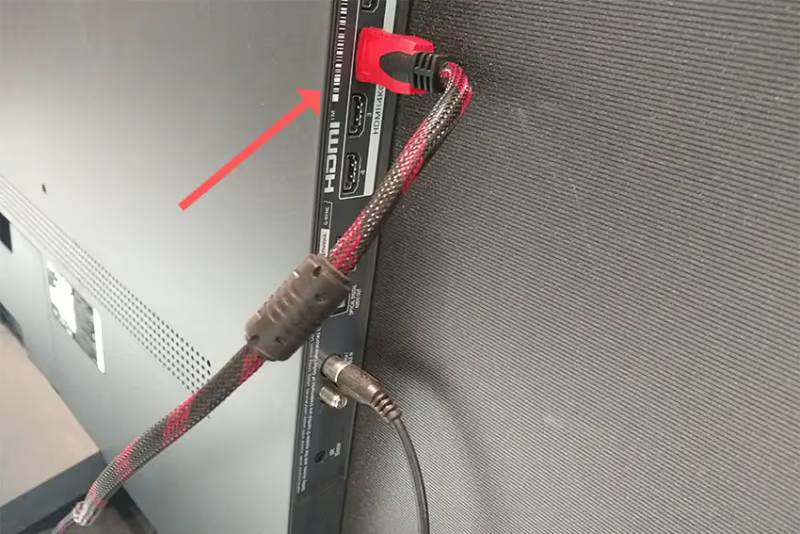
#5. Swap HDMI Cables and Ports
Flickering is often caused by poor HDMI cable contacts or connection issues. Swap cables and ports:
-
Blow compressed air into port to clean contacts
-
Wiggle cable at both ends to re-seat connection
-
Try different HDMI inputs on TV
#Hardware Troubleshooting Steps For a Flickering Westinghouse TV
If software resets don’t resolve your flickering and flashing issues, it’s likely being caused by a hardware problem inside your Westinghouse TV.
Here are some steps to identify and access internal components that commonly fail and cause display problems.
#Locate Internal Circuit Boards
The main boards that process and distribute the TV’s video signal are hidden behind the back panel. To access them:
-
Unplug TV and press & hold power button for 30 seconds
-
Lay TV face down on soft, clean surface
-
Remove back panel screws and lift off back cover
-
Locate Power Board, Main Board and T-Con Board
#Clean Board Connections
Carefully disconnect any large ribbon cables or wire connectors attached to boards. Inspect pins for bent pieces, corrosion or debris. Clean gently with compressed air.
Faulty connections can cause signal noise and distortion. Reconnect firmly post-cleaning.
#Confirm Input Signal
With TV upright and boards accessible, power on and tune display to a static screen. Observe if flickering persists on a blank signal.
If issue disappears, further isolate faulty input component like an HDMI device, cable etc. Replace as needed.
Struggling with your TV’s input sources? See detailed troubleshooting for source issues on Westinghouse TVs here.
If your Westinghouse display has suddenly turned black, this guide covers common fixes to get back picture again.
#Replace Faulty Hardware
If flickering continues on static screen, methodically replace internal components like T-Con Board, Main Board etc. Components cost $20-$50 on eBay.
Alternatively, contact support to identify issue via troubleshooting and arrange discounted repair.
#How to Reset Your Westinghouse TV
Before tackling complex repairs, try resetting your Westinghouse TV. There are two types of reset options:
#Soft Reset
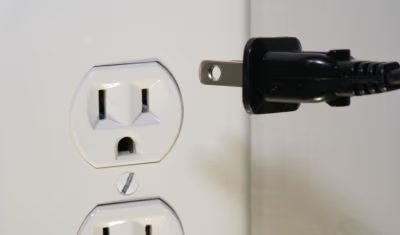
A simple power cycle akin to resetting your computer. Quickly clears temporary glitches and reboots system:
-
Unplug TV from power source
-
Press and hold power button for 15 seconds
-
Leave unplugged for 2 minutes minimum
-
Plug back in and turn on
#Factory Reset
Resets your TV back to default out-of-the-box state without deleting personal data:
-
Using remote, go to Home Screen
-
Open Settings > System > Advanced System > Factory Reset
-
Select factory reset option
-
Enter passcode if prompted
-
Confirm reset
A factory reset often resolves software issues causing display problems like flickering screens.
Learn various methods to reset your Westinghouse TV without a working remote.
#How to Access and Clean Internal Westinghouse TV Components
The majority of Westinghouse TV hardware is housed behind protective panels that need removing before inspection and maintenance is possible. Here are simplified steps:
-
Discharge electricity: Unplug powered-off TV and hold down power button for 30 seconds
-
Remove back panel: Lay TV face down on a soft, clean surface. Unscrew back cover screws and detach panel.
-
Locate boards: The main boards are now visible including Power Board, Main Board, T-Con Board etc. Handle carefully by the edges.
-
Disconnect cables: Release ribbon connectors and port latch mechanisms to detach signal and power cables from boards.
-
Inspect connections: Check cable pins and board ports for debris, damage or corrosion using magnification. Clean gently with compressed air if needed.
-
Reconnect cables: Reattach all cables securely post-inspection to resume signal transmission.
-
Replace components: Order any damaged parts like circuit boards or connectors via eBay using part numbers printed on hardware. Swap in new parts as required.
-
Re-assemble TV in the reverse order once inspection and repairs are complete.
#How to Locate and Replace Faulty Westinghouse TV Hardware
If visible damage isn’t apparent, use a process of elimination to identify components causing your flickering display:
#1. Isolate Signal Source
Disconnect all devices and cables so only power cord is attached. Tune TV to static channel.
If flickering stops, it indicates faulty external input like a media device, HDMI cable etc. If it persists, issue is internal.
#2. Replace T-Con Board
This small circuit board drives the TV’s graphics panel. Ribbon cables connect it to the main board. Issues here commonly cause display distortion and flickering.
Replace for around $30 if cleaning connections doesn’t help. Use part number printed on old T-Con to order identical model.
#3. Replace Main Board
The main board processes video signal for display panel distribution. Faults can generate visual glitches.
First eliminate T-Con issues above before replacing main board, which manages multiple inputs.
#4. Inspect Backlights
LED strips power the LCD display, arranged in rows. Check for burned out bulbs or disconnected connectors between strips, using a voltmeter.
Replace entire backlight strips or resolder connectors as needed. Accessing lights requires total teardown.
Observe horizontal lines across your Westinghouse display? Learn what’s causing this and solution steps.
#5. Consider Professional Assistance
If fault persists after methodically replacing boards and cables, underlying issue may require specialist tools and knowledge.
Contact Westinghouse support for discounted pro repair rates to correctly diagnose and swap components.
Work through all software resets before exploring component-level troubleshooting. With some patience, common Westinghouse TV display issues can often be resolved with simple home repairs.
#Westinghouse TV Support and Warranty Information
Call Westinghouse support at 1-800-701-0680 (Mon-Fri, 9am-5:30pm PST) for troubleshooting assistance even if warranty has expired.
Under 12 month factory warranty? Westinghouse provides free repair/replacement of products with manufacturing faults. Contact customer service to arrange fixing flickering under warranty.
Out of warranty but need official repair service? Ask about discounted rates for technicians to correctly diagnose and replace responsible boards or components.
Westinghouse may also offer a discount on a replacement TV if yours cannot be cost-effectively fixed. Doesn’t hurt asking!
#FAQ
#Why does my Westinghouse TV flicker lines?
Vertical flickering lines are typically caused by poor contacts between internal component boards and the LCD panel. Clean the ribbon cable pins connecting all boards using compressed air. Wiggle cables firmly after cleaning to properly reseat all connections.
#What causes color flashing on a Westinghouse TV?
Color flashing results from signal noise in the TV’s graphics pipeline. The pipeline converts the input video feed into instructions for millions of individual LCD sub-pixels, and if data flow is interrupted, visual glitches occur. Power cycle your TV and replace any damaged cables or boards.
#How do I stop my Westinghouse TV from flickering randomly?
Start by power cycling your TV and performing a factory reset. Check that picture settings like Brightness and Dynamic Contrast are not misconfigured. If issues continue, open the back panel and inspect internal hardware like the T-Con board and backlight LED strips, which commonly cause a distorted signal.
#Why does my Westinghouse TV screen go black and flicker?
A black flickering display points to backlight problems where some LED rows work while others turn off intermittently. LED strips are wired in series, so failure of just a few bulbs can darken entire rows. Inspect backlight strips for damage and replace faulty sections.
#How do I fix a flickering Westinghouse Roku TV?
Power cycle the TV and clear cached memory first, then perform a system restore to factory defaults. Update TV firmware in case the flickering relates to a software bug. If flickering continues after these resets, inspect and replace any loose or damaged cables, boards, or backlight strips inside the TV.
#Can a factory reset fix Westinghouse TV flickering?
A factory reset resolves flickering when the cause is a software glitch or misconfigured display settings. It restores the TV to its default state without deleting personal data. If flickering continues after a reset, the problem is likely hardware-related and needs physical inspection.
#Is it worth repairing a flickering Westinghouse TV?
Replacement parts like T-Con boards and main boards cost $20 to $50 on eBay, making repair far cheaper than buying a new TV. If the backlight strips have failed, the repair is more involved but still doable at home with basic tools. Contact Westinghouse support at 1-800-701-0680 for discounted professional repair rates if you prefer not to do it yourself.