YES Network is available on Roku as a free channel in the Roku Channel Store. You need either a cable/satellite TV login or a direct streaming subscription to watch live New York Yankees, Brooklyn Nets, and New York Liberty games on your Roku device. The entire setup takes about five minutes.
- YES Network app is free to download — authentication through a TV provider or direct subscription ($24.99/month) is required to watch
- Regional blackout rules apply — you must be located in New York, Connecticut, northeast Pennsylvania, or parts of New Jersey to stream
- Five major cable providers carry YES — Optimum, Spectrum, Verizon Fios, Xfinity, and DIRECTV all include the channel
- All Roku models are supported — Roku Express, Streaming Stick, Ultra, and Roku TV all run the YES Network app
- Live games stream in up to 1080p — quality depends on your internet speed, with 10 Mbps recommended for reliable HD playback
#What Providers Carry YES Network?
You cannot watch YES Network without a valid subscription. Two paths get you access.
The first is through a traditional TV provider. These cable and satellite companies include YES Network in their sports packages:
- Optimum (Altice USA)
- Spectrum (Charter)
- Verizon Fios
- Xfinity (Comcast)
- DIRECTV and DIRECTV STREAM
Check your channel lineup before assuming you have access. Not every package tier includes regional sports networks, and some providers have dropped YES in recent years due to carriage disputes.
The second path is a direct subscription through the YES Network website. This over-the-top option costs $24.99 per month with no annual contract. It works well for cord-cutters who only care about Yankees, Nets, and Liberty coverage.
#How Do You Add YES Network to Roku?
The installation process is straightforward and identical across all Roku models. Here is the step-by-step walkthrough.
#Step 1: Open the Channel Store
From your Roku home screen, scroll to “Streaming Channels” or select the search icon. Type YES Network in the search bar.
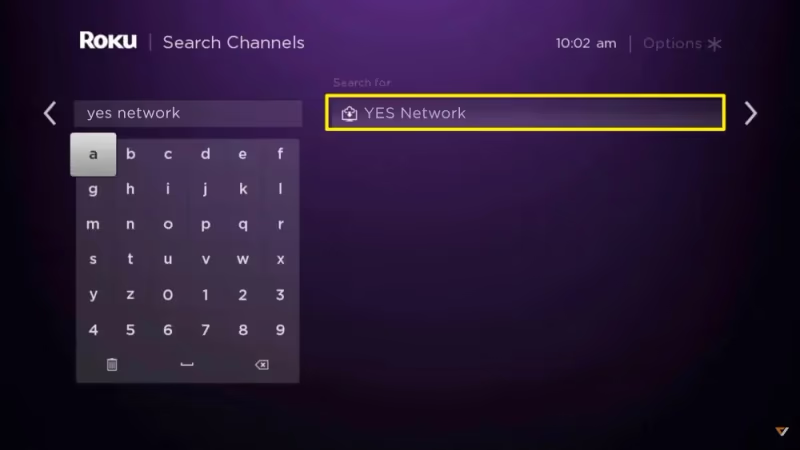
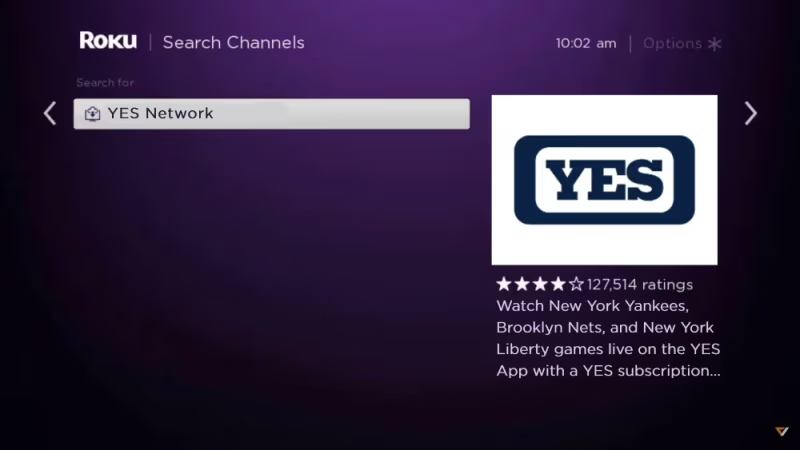
The YES Network app will appear at the top of search results, published by Yankees Entertainment and Sports Network.
#Step 2: Install and Launch
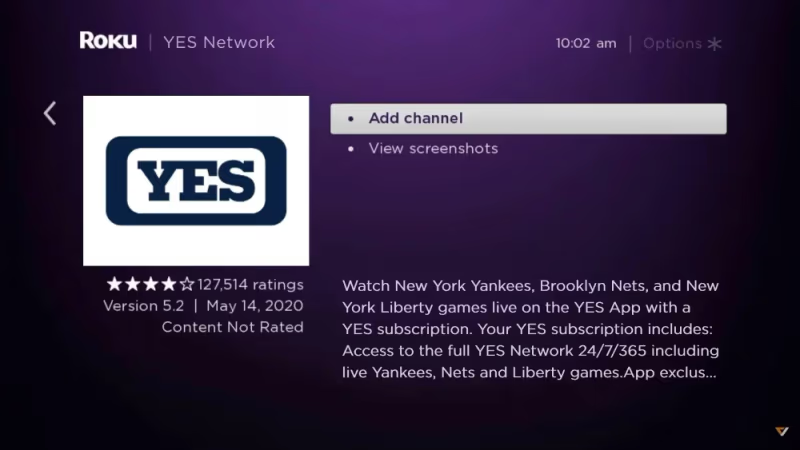
Select Add Channel to install the app on your Roku. Wait for the download to finish, then select Go to Channel.
#Step 3: Sign In
The app will prompt you to log in. Choose your TV provider from the list and enter your credentials. If you have a direct subscription, select “YES Network” as your provider and use the email and password you created at checkout.
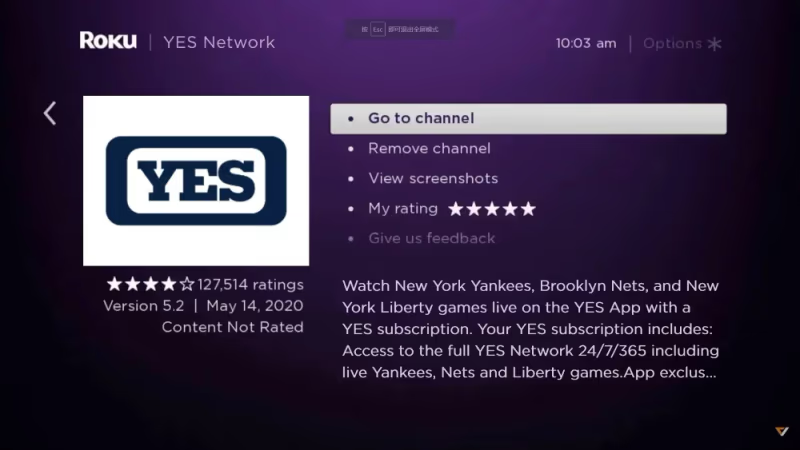
After signing in, you land on the home screen with live games, replays, and on-demand programming ready to go. The whole process takes under five minutes from start to finish.
#What Can You Watch on YES Network?
YES Network is more than live game broadcasts. It is the official regional sports network for three major New York teams, and the programming reflects that.
Live game coverage includes every locally televised Yankees regular season and spring training game, Brooklyn Nets regular season matchups, and New York Liberty WNBA games. Pre-game and post-game shows are included with every broadcast.
Original programming fills the schedule between games. Shows like “Yankees Hot Stove” during the offseason, “Nets Pregame” analysis, and behind-the-scenes features give fans content year-round. Classic game replays are available on demand.
The app also has interactive features. Pick-N-Play lets you make predictions during live games, and the stats overlay shows real-time data without leaving the broadcast. These features work on all Roku devices, though the experience is smoother on newer hardware like the Roku Ultra or Streaming Stick 4K.
#Does YES Network Work Outside the Broadcast Region?
No. Regional blackout restrictions limit YES Network streaming to its licensed broadcast territory. You need to be physically located in one of these areas:
- New York state
- Connecticut
- Northeast Pennsylvania
- Northern and central New Jersey
If you try to stream from outside these regions, the app will display a location error and block playback. This applies whether you authenticate through a cable provider or a direct subscription.
Travelers who normally live in the broadcast area will lose access when they leave. The app checks your IP address and device location to enforce these restrictions. Some viewers use VPN services to work around blackouts, but YES Network’s terms of service prohibit this and the app actively detects common VPN providers.
For out-of-market Yankees games specifically, MLB.TV is the legal alternative. It carries all out-of-market regular season games at $149.99 per year or $24.99 per month.
#Troubleshooting YES Network on Roku
Problems with the YES Network app usually fall into a few categories. Here are the most common issues and their fixes.
App won’t load or crashes on launch. Remove the channel from your Roku, restart the device by going to Settings > System > System restart, then reinstall the app from the Channel Store. This clears cached data that can cause crashes. If you need help restarting your device, check our guide on how to restart Roku TV.
Login fails with valid credentials. Try signing in through the YES Network website first to confirm your account is active. If that works but the Roku app still rejects your login, use the “Activate on web” option instead. This generates a code on your TV screen that you enter at yesnetwork.com/activate on your phone or computer.
Buffering or low video quality. YES Network recommends at least 10 Mbps for HD streaming. Test your Roku’s connection speed at Settings > Network > Check connection. If speeds are low, move your Roku closer to your router or connect it via ethernet if your model supports it. Streaming other content on the same network, like Disney+ or YouTube, can consume bandwidth and degrade YES Network performance.
“Not available in your area” error while inside the broadcast zone. This usually means your IP address is geolocating incorrectly. Restart your router to get a fresh IP assignment. If the problem persists, contact your internet provider to confirm your IP maps to a location within YES Network’s territory.
#Bottom Line
Getting YES Network on Roku takes a subscription and a five-minute app installation. Start by confirming your TV provider includes the channel, or sign up directly at watchyesnetwork.com for $24.99 per month. Download the app from the Roku Channel Store, sign in, and you are ready for live Yankees, Nets, and Liberty coverage. If you run into buffering or login issues, the troubleshooting steps above will resolve most problems quickly.
#FAQ
#Is there a free trial for YES Network’s direct subscription?
YES Network has offered free trial periods in the past, typically around MLB Opening Day and the start of the NBA season. These promotions are not always available. Check watchyesnetwork.com for current offers before committing to the $24.99 monthly plan.
#Can I use a family member’s cable login for YES Network on Roku?
Yes, as long as the account holder’s TV provider subscription includes YES Network. Most providers allow simultaneous streaming on multiple devices within the same household. Using the login from a different address may trigger location verification and block access.
#Does YES Network on Roku support 4K streaming?
No. YES Network currently streams at a maximum resolution of 1080p on Roku. There is no 4K or HDR support as of 2026. Audio is standard stereo, not Dolby Atmos or surround sound.
#Why are some Yankees games blacked out on YES Network?
National broadcast exclusivity causes these blackouts. When a Yankees game airs on ESPN, Fox, or Apple TV+, YES Network cannot stream it simultaneously. The game will appear on the YES schedule but show a blackout notice when you try to watch. Check the MLB schedule to see which games are nationally televised.
#What is the difference between YES Network and MLB.TV?
YES Network covers in-market games for the Yankees, Nets, and Liberty, plus original programming and talk shows. MLB.TV only carries out-of-market baseball games and has no basketball or WNBA content. If you live in the New York area and want Yankees coverage, YES Network is the right choice. MLB.TV is for fans who live outside the broadcast region.
#Can I watch YES Network on multiple Roku devices at the same time?
The direct subscription plan allows streaming on two devices simultaneously. Cable provider authentication varies by provider, but most allow at least two concurrent streams. If you hit a device limit, sign out of the app on one device before signing in on another.
#Does the YES Network app work on older Roku models?
The app runs on most Roku devices manufactured after 2015 with Roku OS 9.4 or later. Very old models like the original Roku HD or Roku 2 XS may not support the app. Go to Settings > System > About on your Roku to check your software version and model number. If your device is too old, the Roku Express is an affordable upgrade at under $30.
#How do I cancel a YES Network direct subscription?
Log in to your account at watchyesnetwork.com, go to Account Settings, and select Cancel Subscription. Cancellation takes effect at the end of your current billing cycle, so you keep access until the period you already paid for expires. There is no cancellation fee or early termination penalty.