The NBA app on Apple TV gives you direct access to live games, highlights, and full-game replays when paired with an NBA League Pass subscription. If you prefer channels like ESPN, ABC, or TNT for national broadcasts, live TV streaming services such as YouTube TV and fuboTV have you covered without a cable box.
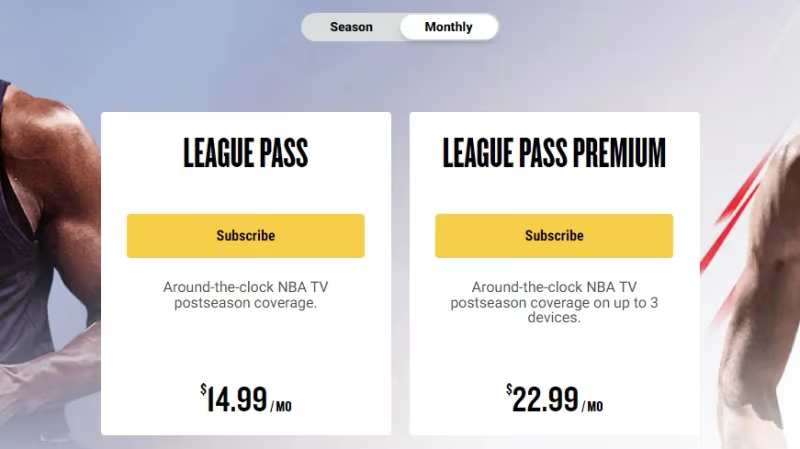
- NBA League Pass costs $14.99/month and streams every out-of-market game directly through the NBA app on Apple TV
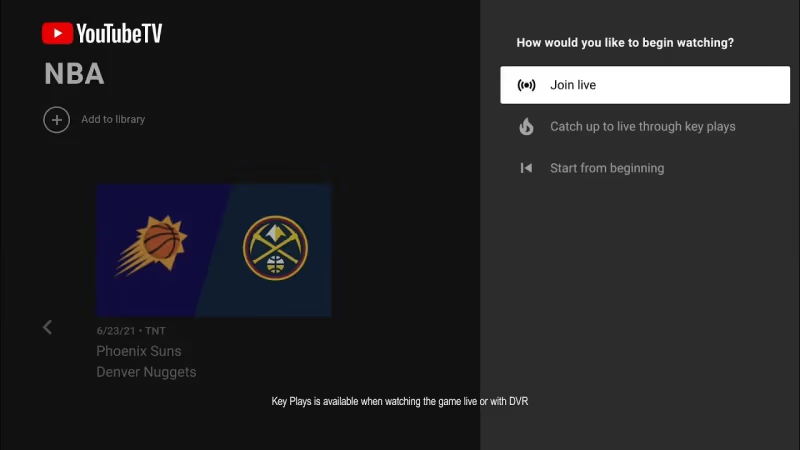
- YouTube TV ($72.99/month) includes ESPN, ABC, TNT, and NBA TV with unlimited cloud DVR storage
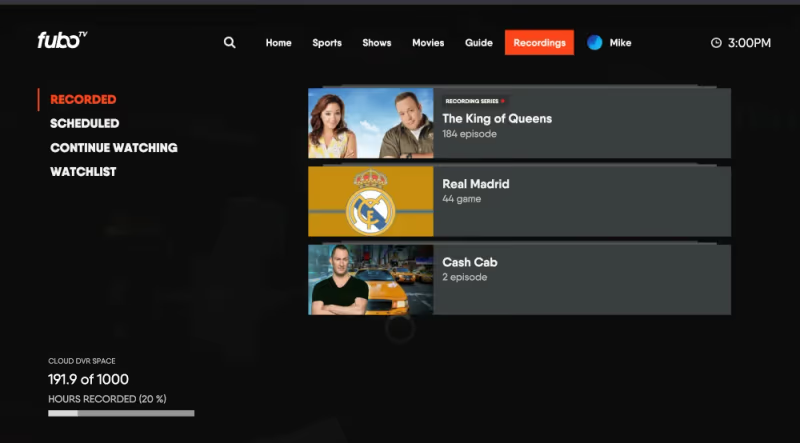
- fuboTV ($79.99/month) carries NBA TV plus 1,000 hours of cloud DVR for recording games
- AirPlay lets you cast NBA content from an iPhone or iPad to any Apple TV model on the same Wi-Fi network
- Local blackouts apply to in-market games on League Pass, but live TV services carry local ABC and regional sports channels
#What Is the Best Way to Watch NBA on Apple TV?
It depends on which games you want. NBA League Pass and live TV streaming services serve different purposes.
NBA League Pass is built for fans who follow out-of-market teams. It streams every game not broadcast nationally, plus full-game replays and condensed recaps. The catch: local and nationally televised games are blacked out. So if your team plays on ESPN or your regional sports network, League Pass won’t show it live.
Live TV streaming services fill that gap. YouTube TV, fuboTV, Sling TV, and Hulu + Live TV all carry the major channels that broadcast NBA games. You get ESPN, ABC, and TNT in most packages. Some also include NBA TV as part of a sports add-on.
Here is a quick breakdown:
| Service | Monthly Cost | NBA TV | Cloud DVR | Free Trial |
|---|---|---|---|---|
| NBA League Pass | $14.99+ | Via NBA App | No | No |
| YouTube TV | $72.99 | Yes | Unlimited | Yes |
| fuboTV | $79.99 | Yes | 1,000 hrs | Yes |
| Sling TV | $40+ | Add-on | 50 hrs | No |
| Hulu + Live TV | $76.99 | No | Unlimited | Yes |
| DIRECTV STREAM | $79.99 | Choice+ | Unlimited | Yes |
For most fans, YouTube TV offers the strongest combination of NBA coverage, DVR flexibility, and app reliability on Apple TV.
#How Do You Set Up the NBA App on Apple TV?
The NBA app is free to download. Getting games running takes about five minutes.
- Open the App Store on your Apple TV and search for “NBA.”
- Download the NBA app (free).
- Launch the app and sign in with your NBA League Pass credentials. If you do not have a subscription yet, visit NBA.com/league-pass to subscribe first.
- Browse the schedule and select a live game or replay.
The app also shows scores, standings, player stats, and push notifications for close games. You can customize alerts by team so you only get pinged for matchups you care about.
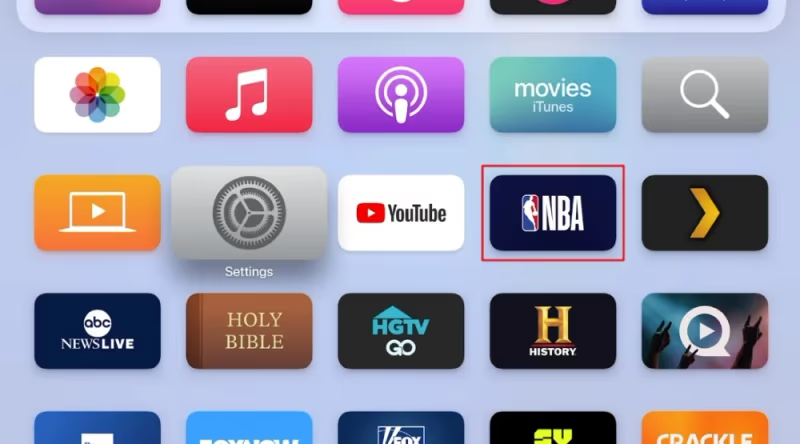
For League Pass subscribers, the app supports multiple camera angles on select games and a “League Pass Audio” option if you want to listen to local radio broadcasts while watching.
#Watching National NBA Broadcasts Without Cable
National games air on ESPN, ABC, and TNT throughout the regular season and playoffs. You do not need a cable subscription to get these channels. Each of the major live TV streaming services includes them.
YouTube TV is the most popular option among cord-cutters. It carries ESPN, ABC, TNT, and NBA TV in its base package. The unlimited DVR means you can record every game and watch later without storage limits.
fuboTV is another strong choice, especially for sports fans who also follow soccer, NFL, or college basketball. It includes NBA TV and offers 1,000 hours of DVR storage. The interface on Apple TV runs well, though some users report occasional lag during peak viewing hours.
Sling TV costs less but requires the Orange + Blue plan ($55/month) to get both ESPN and TNT. NBA TV is available as a Sports Extra add-on for $11/month. If budget matters more than completeness, Sling is worth considering.
Most of these services offer free trials, so you can test streaming quality on your Apple TV before committing to a monthly plan.
#How Does AirPlay Work for NBA Games?
AirPlay lets you mirror or cast video from an iPhone or iPad to your Apple TV. This is useful when an app is not available on Apple TV directly, or when you want to start watching on your phone and move to the big screen.
To use AirPlay for NBA content:
- Connect your iPhone or iPad and your Apple TV to the same Wi-Fi network.
- Open the NBA app (or any streaming app showing the game) on your iOS device.
- Start the live stream or highlight video.
- Tap the AirPlay icon in the video player and select your Apple TV from the list.
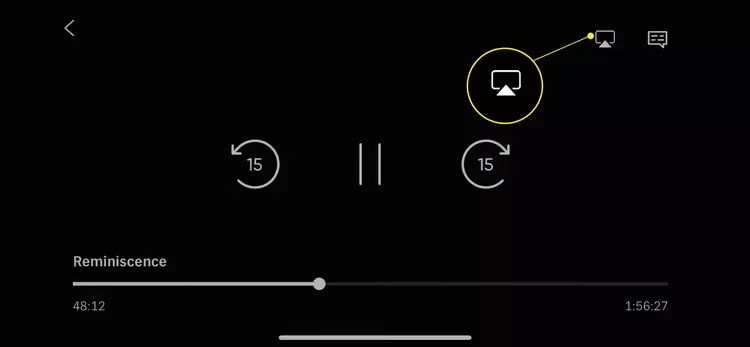
The video will appear on your TV within a few seconds. AirPlay works with every Apple TV model that supports tvOS. Keep your phone plugged in during long games since AirPlay uses more battery than normal playback.
If AirPlay does not appear as an option, check that AirPlay is enabled in your Apple TV settings under AirPlay and HomeKit. Both devices must be on the same network.
#Dealing With NBA Blackouts on Apple TV
Blackout restrictions are the biggest frustration for League Pass subscribers. The NBA blacks out in-market games and any game airing on national TV through ESPN, ABC, or TNT. This means you cannot watch your local team live on League Pass if you live in their broadcast territory.
There are a few ways to work around this. Live TV streaming services like YouTube TV or fuboTV carry your local ABC station and regional sports network, so those blacked-out games are still accessible through a different app. You can also watch the blacked-out game on League Pass three hours after it ends as a full replay.
Some fans use a VPN to change their location and bypass blackouts on League Pass. This works, but it technically violates the NBA’s terms of service. The NBA has increased VPN detection in recent seasons, so results vary.
If you follow an out-of-market team, League Pass blackouts rarely affect you. The service works best for fans who moved away from their team’s city or who follow multiple teams across the league.
#Which NBA Games Are Free on Apple TV?
The NBA app occasionally offers free preview games, especially during opening week, Christmas Day, and the start of the playoffs. These are clearly marked in the app schedule and do not require a League Pass subscription.
ESPN also streams select games for free on the ESPN app during the regular season, though most require a TV provider login. ABC games are available free through the ABC app if your live TV service includes a local ABC affiliate.
During the NBA Finals, many streaming services extend free trials. That is often the cheapest way to watch the championship series without paying full price.
#Troubleshooting NBA Streaming Issues on Apple TV
Buffering, app crashes, and login problems are common during high-traffic games. Here is how to fix the most frequent issues.
#App Crashes or Freezes
Force-close the NBA app by double-pressing the TV button on your Siri Remote, swiping up on the NBA app card, then reopening it. If the problem continues, delete the app and reinstall it from the App Store. This clears any corrupted cache data.
#Buffering or Poor Video Quality
Check your internet speed. The NBA app needs at least 25 Mbps for reliable HD streaming. If your Apple TV connects over Wi-Fi, try moving it closer to your router or connecting it directly with an Ethernet cable. Refer to our Apple TV buffering guide for more detailed fixes.
#Login Issues
Make sure your League Pass subscription is active by logging in at NBA.com/account. If you subscribe through a live TV service, verify that your streaming account credentials work in that service’s own app first.
#Game Not Showing Up
The game is likely blacked out in your area. Check the NBA app for a blackout notice on the game tile. Switch to your live TV streaming app to see if the game airs on a local or national channel instead.
#Bottom Line
Apple TV supports every major way to watch NBA games. Use League Pass through the NBA app for out-of-market games and replays. Pick up YouTube TV or fuboTV if you need ESPN, ABC, TNT, and local channels for nationally televised and in-market games. AirPlay fills any remaining gaps by casting from your phone.
Start with the free NBA app to browse schedules and highlights. If you want live games, YouTube TV’s free trial is the fastest way to test the full experience on your Apple TV before paying.
For NBA streaming on other devices, check out our guides for Fire TV Stick and Roku.
#FAQ
#Can you watch NBA games on Apple TV without a subscription?
The NBA app shows scores, highlights, and news for free. Live games require either an NBA League Pass subscription or a live TV streaming service. The NBA does offer occasional free preview games during marquee events like Christmas Day and the first week of the season.
#Does NBA League Pass include playoff games?
No. League Pass covers regular-season out-of-market games only. Playoff games air exclusively on ESPN, ABC, and TNT, so you need a live TV streaming service or cable package to watch them. The NBA Finals typically air on ABC, which some streaming services include in their base plan.
#What internet speed do you need for NBA streaming on Apple TV?
The NBA app recommends at least 25 Mbps for HD streaming. For 4K content on supported games, you will want 50 Mbps or higher. Use an Ethernet connection instead of Wi-Fi if your Apple TV sits near your router, since wired connections reduce buffering during peak traffic.
#Is YouTube TV or fuboTV better for watching NBA?
YouTube TV edges ahead for most NBA fans. It includes ESPN, ABC, TNT, and NBA TV in its base package with unlimited DVR. fuboTV also carries these channels and adds more international sports content, but its interface on Apple TV can feel slower during busy viewing periods. Both offer free trials worth testing.
#How do you record NBA games on Apple TV?
You cannot record directly on the Apple TV itself. Cloud DVR is handled by your streaming service. YouTube TV and Hulu + Live TV offer unlimited cloud DVR storage. fuboTV provides 1,000 hours. Set a game to record in your streaming app, and it saves to the cloud automatically. League Pass handles this differently by offering full-game replays within three hours of the final buzzer.
#Can you watch local NBA games on Apple TV?
Yes, but not through League Pass. Local games are blacked out on NBA League Pass. You need a live TV service that carries your regional sports network, such as YouTube TV or DIRECTV STREAM. Check YouTube TV’s channel lineup for your zip code before subscribing.
#Do Apple TV 4K and older Apple TV models both support NBA apps?
Both Apple TV 4K and Apple TV HD (4th generation) run the NBA app and all major live TV streaming apps. The Apple TV 4K supports higher resolution streams and Dolby Atmos audio for apps that offer it. Older Apple TV models (3rd generation and earlier) have a more limited app selection and may not support newer versions of the NBA app.