Are you looking for the best way to watch MTV on your Firestick device in 2026? Whether you want to stream classic reality shows like The Real World or catch up on Teen Mom, this guide will show you multiple methods to access MTV through the Firestick.
- Official MTV app — available free from the Amazon Appstore on all Firestick models
- Cable login required — activate with Spectrum, Xfinity, DirecTV, or other supported providers for full access
- Cordcutter options — Philo ($25/mo), YouTube TV ($64.99/mo), and FuboTV ($69.99/mo) all include MTV
- Screen mirroring works — cast MTV from your phone or tablet without any activation steps
- On-demand library — watch full seasons of Catfish, Teen Mom, The Hills, and other MTV series
#Overview
-
MTV brings reality TV, music videos and pop culture to Firestick
-
Official MTV app available from Amazon Appstore
-
Activate with cable provider login for full access
-
Alternatively use live TV streaming services
-
Or cast from mobile device to Firestick
After outlining the key things the MTV app offers and installation instructions, we’ll cover how to activate it with your cable login.
For cordcutters without cable, I’ve also included the best alternatives to watch MTV without cable using live TV streaming services. Lastly, you can simply cast MTV from your phone or tablet if you prefer.
By the end of this guide, you’ll know the easiest ways to watch MTV on your Fire TV Stick model, whether it’s the new 4K Max, older 4K and HD versions, or even Fire TV Cube.
You can also check out our guides on watching BET, CW, and movies still in theaters on Firestick.
Disclosure: This post contains affiliate links, which means we may receive a small commission if you purchase a recommended product using our links. This adds no additional cost to you but helps support our site.
#What Does the MTV App Offer?
The MTV app lets you watch new and classic shows from MTV channels on your Firestick. This includes access to hundreds of episodes from popular MTV reality series, plus MTV News updates.
Here’s a quick look at some of the key things offered:
-
Latest episodes – New shows available next day
-
Full series – Stream full seasons on-demand
-
Bonus content – Deleted scenes, cast reactions
-
Live events – Awards shows, red carpet specials
-
MTV classics – Relive favorite retro shows
-
CMT access – Country music content included
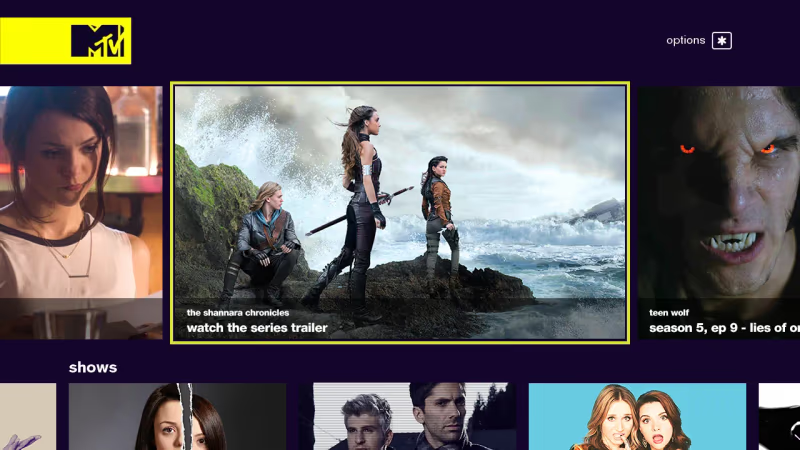
So whether you want to watch Catfish, Double Shot at Love, The Hills or catch MTV Unplugged performances, the app makes it easy to access new and older programs. It’s a great addition alongside other entertainment apps like Crackle and Red Bull TV.
However, you’ll need to login with cable provider details to unlock full access. The good news is that the MTV app supports major providers like Spectrum, Xfinity, DirecTV, Optimum, and many more.
If you’ve cut the cord, then later in this guide we’ll also cover the best live TV streaming options. But first, let’s go through installing the app.
#Downloading MTV App on Firestick
MTV has an official app for Firestick available right from the Amazon Appstore. Here is the step-by-step process to get MTV on your device:
- From your Firestick home screen, select the Search option
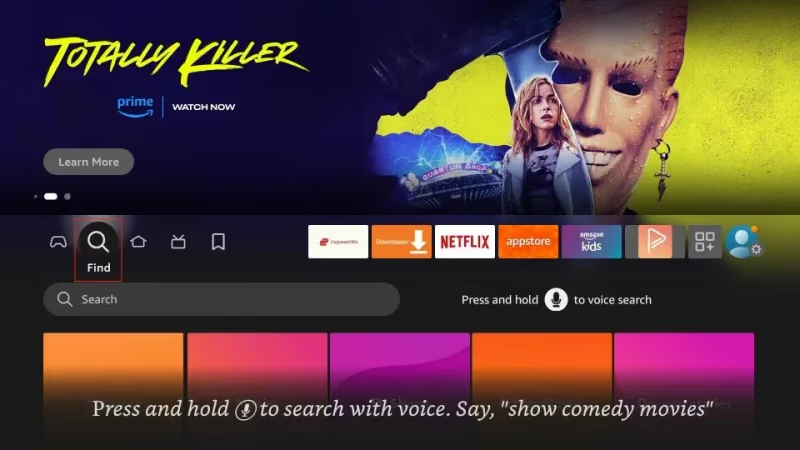
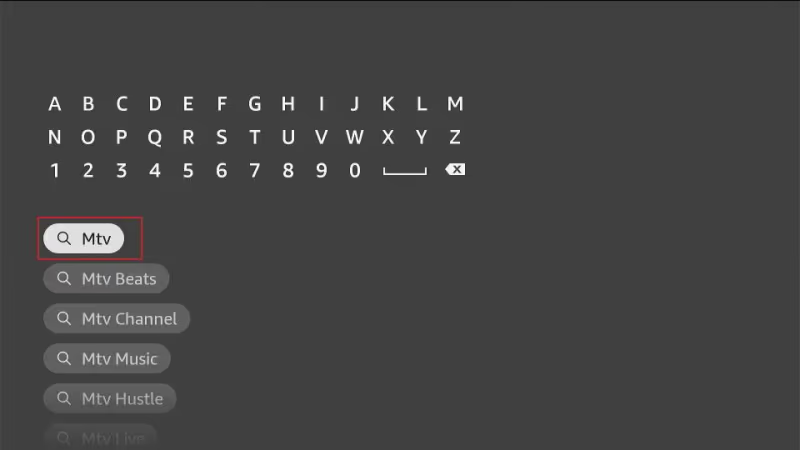
- Type in “MTV” using the onscreen keyboard
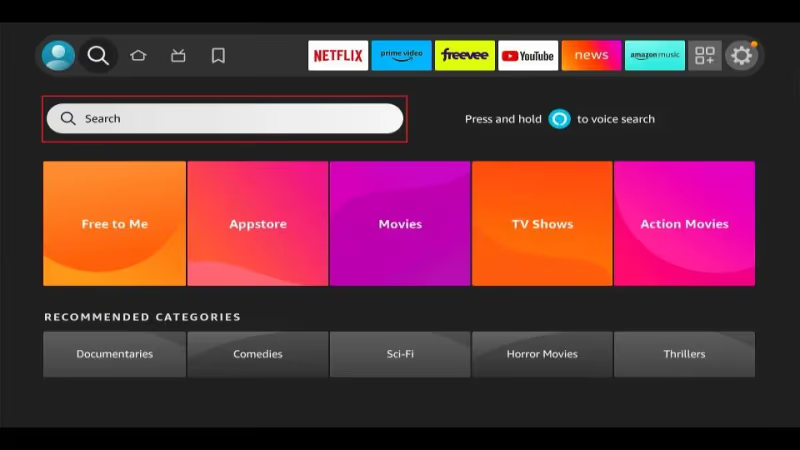
- Highlight the MTV app result that appears
- Click to enter the MTV app page
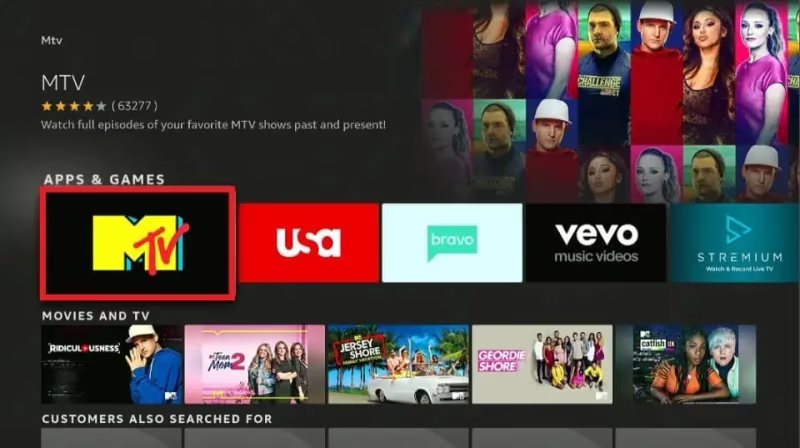
- Select Get / Download to install the app
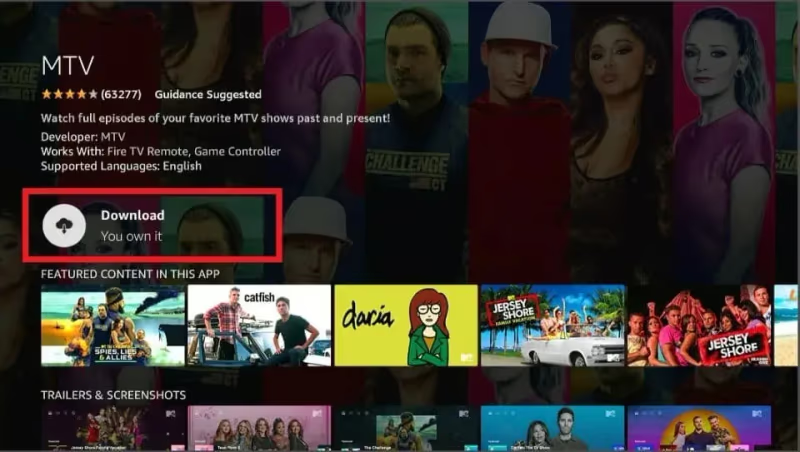
- Wait for MTV app installation to finish
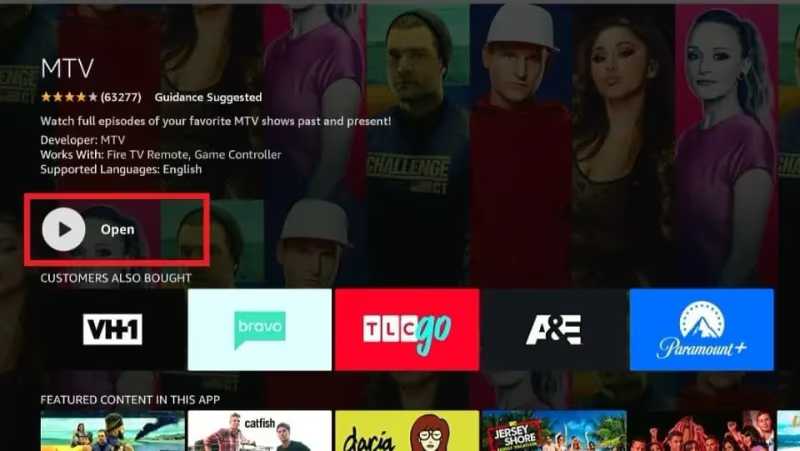
Once downloaded and installed, you can access the new MTV icon from your Firestick app menu.
We recommend moving it to the front row or even your home screen. This adds convenient one-click access to launch straight into watching MTV shows. You can do the same with other entertainment apps like live sports.
#Activating MTV App on Fire TV
With the MTV app ready to launch, next we need to activate it using your cable or live TV streaming login.
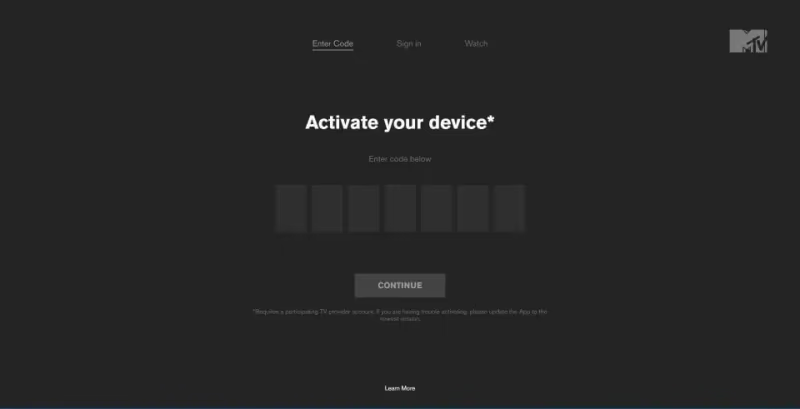
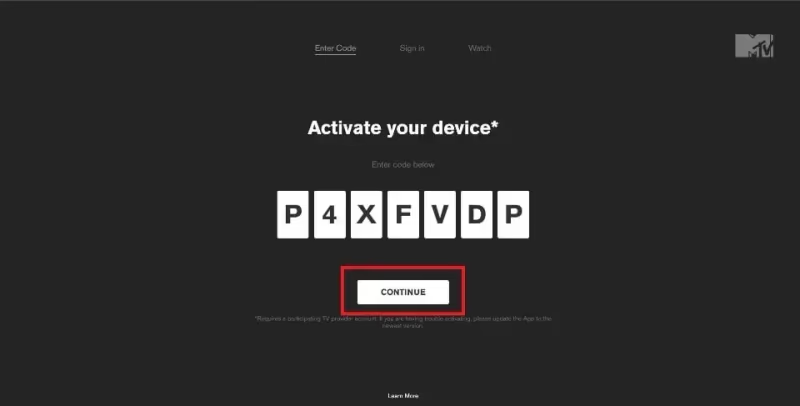
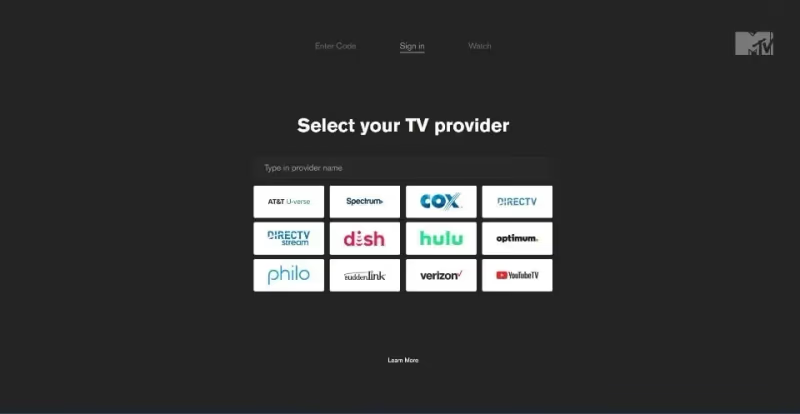
You’ll be prompted to select your provider after opening the app. An activation code will then display on screen which is used to link your account.
Here is an overview of what’s involved:
-
Open MTV app and select your cable/streaming provider
-
Note down the on-screen activation code
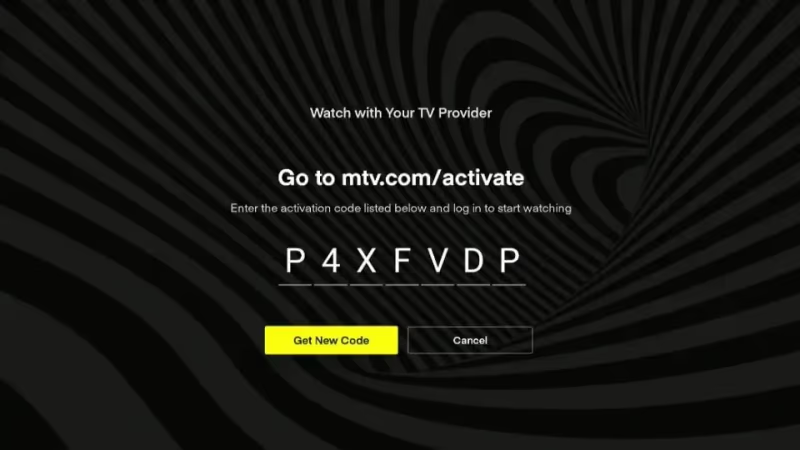
- Visit mtv.com/activate and enter this code
- Sign in with your provider account credentials
-
Click Continue to complete activation
-
Relaunch MTV app on Firestick to unlock full access
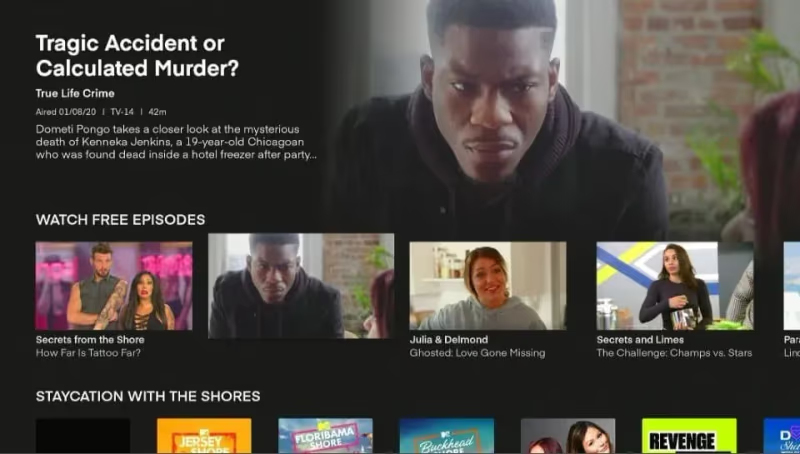
Once your TV provider account is successfully linked, you’ll have unlocked the entire MTV streaming catalog. This process is similar to activating apps for PPV events and other networks.
This includes both latest premieres the day after airing, as well as complete series to binge on-demand. For cable subscribers, it’s a handy way to watch MTV without renting a cable box.
But what if you’ve cut the cord and no longer have cable? Let’s go over some alternative streaming options for cordcutters next.
#How Can You Watch MTV Without Cable?
Don’t worry if you no longer have a cable subscription, as you’ve still got plenty of ways to watch MTV on Firestick without cable.
The best options are to use a live TV streaming service that includes MTV in the channel lineup. Here are the main ones available:
| Service | Price | Pros | Cons |
|---|---|---|---|
| Philo | $25/month | Cheapest option, lots of reality/MTV shows | No sports or locals |
| FuboTV | $69.99/month | Wide channel selection, includes MTV Live | More expensive |
| YouTube TV | $64.99/month | Straightforward interface, unlimited DVR | Pricier, some regional restrictions |
Philo is the most affordable live TV streaming service including MTV for just $25 monthly. It has a custom line-up focused on entertainment, lifestyle and reality programs.
So you get popular channels like MTV, VH1, Discovery and more without the high costs of sports, news and locals. Philo also includes unlimited DVR recordings.
The next step up is YouTube TV or FuboTV that provide more well-rounded channel packages. But they are pricier at $65+ per month. If sports are a priority, check our guide to the best Firestick sports apps, including how to watch NBA.
We have full reviews comparing all the best live TV streaming options if you want to learn more. Philo, Fubo and YouTube TV all offer free trials to test them out.
Once signed up, you can then use your streaming service credentials when activating the MTV app. Just select the provider from the list instead of cable.
This will unlock the full MTV streaming library to watch new and past seasons without needing cable.
#Casting MTV from Mobile Devices
Another handy option is to simply cast MTV from your phone or tablet directly to the big screen.
You can use screen mirroring to show the MTV app on both Android and iOS devices. This avoids any activation requirements and uses your existing app login.
Here is an overview of the process:
-
Download MTV app on your phone/tablet
-
Ensure phone and Firestick are on same WiFi network
-
Open quick settings and tap Screen Mirroring tile
-
Select your Firestick to initiate casting
-
Launch MTV app on mobile device
-
Stream shows and see them on your TV!
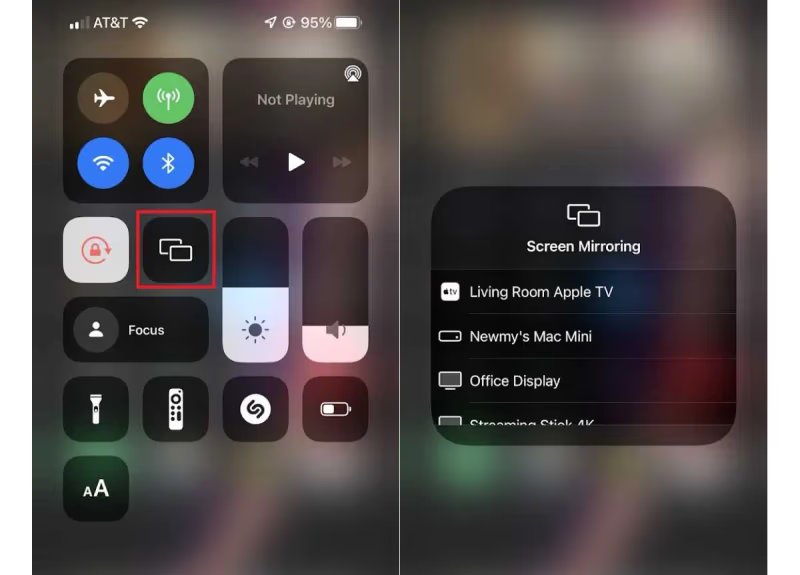
Casting only takes a moment to setup and provides an easy way to get MTV from mobile onto the big screen. Just note it does require keeping your phone/tablet active to act as the streaming source.
An alternative is using the PlayOn Cloud mobile app to cast MTV shows from your device. It acts as a remote control so your phone isn’t tied up streaming the entire time.
#Bottom Line
-
Official MTV app available for easy Firestick access
-
Log in with cable credentials to unlock full catalog
-
Use live TV streaming services without cable
-
Cast from phone/tablet using screen mirroring
-
Enjoy classic and current MTV series on-demand
So that wraps up our guide detailing multiple ways to watch MTV on Firestick models!
Whether using the dedicated app or one of the casting workarounds, all the main methods are covered here step-by-step.
Now just decide if you prefer using cable, streaming or mobile device to access MTV. Then follow the instructions outlined above to get your favorite reality shows on the big screen.
Hopefully you found this Firestick MTV setup guide useful. But if you have any issues or questions, leave a comment below!
#Frequently Asked Questions
#Do I need cable to activate the MTV app?
No cable is needed. You only need an active login from a supported TV provider, which includes cable companies, streaming services like Philo, FuboTV, or YouTube TV, and satellite providers like DirecTV.
#Can I watch MTV live on Firestick?
Yes, when you activate with a cable or live streaming provider, you get access to live MTV channels. This includes MTV, MTV2, MTV Classic, and MTV Live.
#Why does the MTV app require activation?
The MTV app shows limited content without activation to encourage you to link your cable or streaming account. Once activated, you unlock the full catalog of new shows, past seasons, live events, and bonus content. This is standard for most TV network apps on Firestick.
#Is the MTV app free on Firestick?
The app itself is free to download from the Amazon Appstore. However, most content is locked behind a TV provider login. Without one, you can only watch a small selection of clips and previews. For full access without cable, Philo starts at $25 per month.
#Can I use a VPN to watch MTV outside the US?
Yes, connecting your Firestick to a US-based VPN server lets you appear located in the US. This unlocks access to stream American MTV channels from other countries. Pick a VPN with fast servers to avoid buffering during playback.
#How do I cast MTV from my phone to Firestick?
Make sure your phone and Firestick are on the same Wi-Fi network, then enable screen mirroring from your phone’s quick settings. Select your Firestick from the list of available devices. Open the MTV app on your phone and whatever you play will show on your TV.
#What MTV shows are available on Firestick?
The MTV app includes full seasons of popular shows like Catfish, Teen Mom, The Challenge, Ridiculousness, and Jersey Shore. You also get MTV Unplugged performances, award shows, and bonus content like deleted scenes. The library updates regularly with new episodes the day after they air.
#Does Philo include all MTV channels?
Philo includes the main MTV channel along with other Paramount-owned networks like VH1, Comedy Central, and CMT. It does not include MTV Live or MTV2, which are available on FuboTV and some cable packages. For most viewers, the main MTV channel covers the majority of popular shows.