Watching MSNBC on your Roku device provides a convenient way to stay up-to-date with the latest news and political commentary. As a leading liberal cable news network, MSNBC offers original reporting and talk shows analyzing current events from a progressive viewpoint. In this guide, you’ll learn multiple methods for streaming MSNBC on Roku, along with troubleshooting tips to ensure access.
- Three methods available — add the MSNBC channel, install the official app, or use screen mirroring from your phone or laptop
- Cable credentials required — full access to live and on-demand MSNBC shows needs a valid TV provider login
- Free content is limited — without authentication, only a small selection of MSNBC clips and highlights are available
- Screen mirroring works as a backup — if the channel or app fails, casting from another device still gets MSNBC on your TV
- Troubleshooting is straightforward — most streaming issues resolve by restarting the app, checking Wi-Fi, or re-entering your provider credentials
#What Are the Benefits of Watching MSNBC on Roku?
Here are some of the main advantages of accessing MSNBC through your Roku device:
-
Convenience — Stream MSNBC from one central place alongside other streaming channels. No need to switch inputs.
-
Live Broadcasting – Watch MSNBC in real-time as news unfolds along with regularly scheduled shows.
-
On Demand – Access previous episodes of MSNBC programs on demand.
-
Works Anywhere – View MSNBC on any TV with a Roku device connected, at home or when traveling.
-
No Cable Subscription Required – Stream for free with limited programming or authenticate via cable credentials.
-
Other Features — Use Roku features like voice search, closed captions, and smooth streaming quality.
Accessing MSNBC via Roku provides cable-like news viewing from the comfort of your streaming platform.
#What Do You Need to Stream MSNBC on Roku?
To watch MSNBC on your Roku device, ensure the following requirements are met:
-
Active Roku Device – A current generation Roku streaming player, Roku stick, or Roku TV is required. Verify your device supports channel additions.
-
High Speed Internet – A reliable broadband internet connection is necessary for streaming MSNBC.
-
MSNBC Account – While some MSNBC content may be freely available, typically a cable subscription, streaming service log-in, or MSNBC app sign-up is needed to unlock full MSNBC access.
-
TV Subscription – To watch all MSNBC shows on demand without restrictions, you must authenticate your cable, satellite, or live TV streaming service account details within MSNB’s channel/app. Unauthenticated viewing is limited.
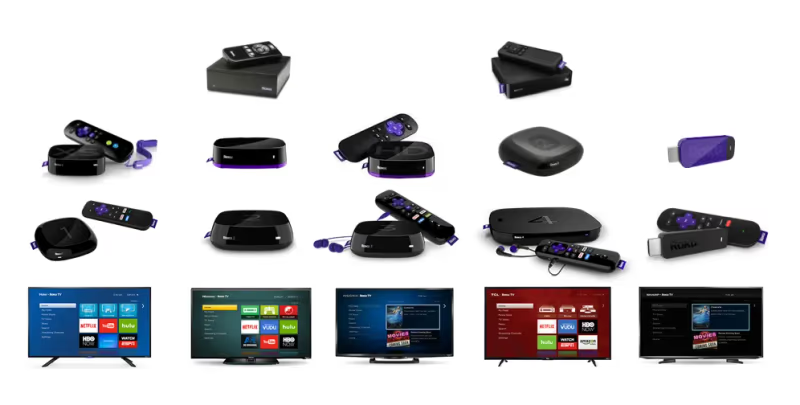
As long as your Roku device is connected to the internet and you have valid credentials to verify, you should be able to stream MSNBC programming without issue.
#Method 1: Add MSNBC Channel on Roku
The easiest way to watch MSNBC on your Roku is by adding the MSNBC channel directly through the Roku Channel Store.
Here is the complete process:
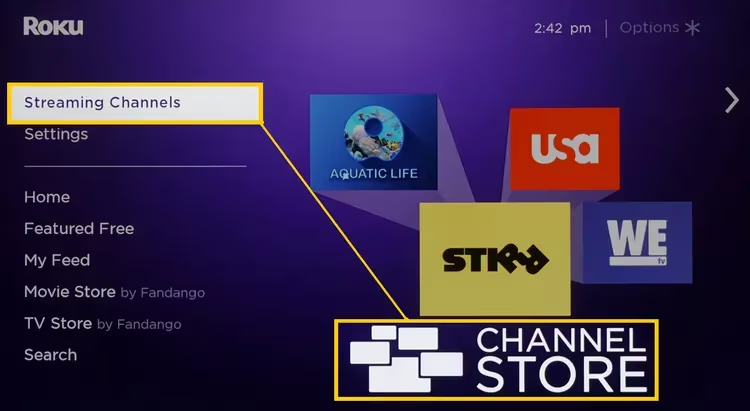
- From your Roku’s home screen, select “Streaming Channels” in the sidebar menu.
-
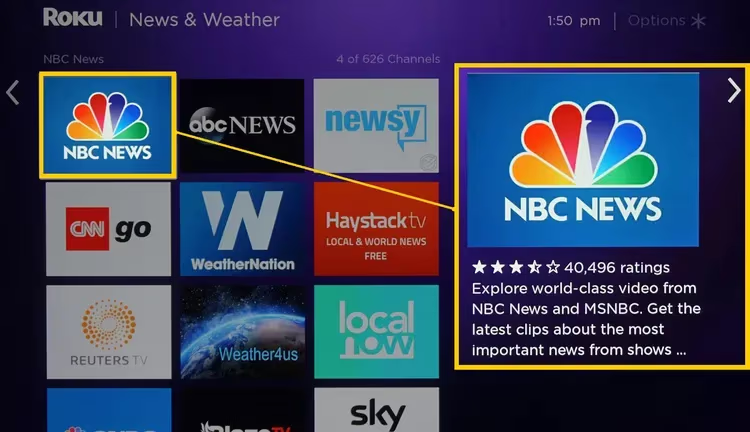
Type “MSNBC” into the Roku Channel Store search bar.
-
Select the MSNBC channel from the search results list.
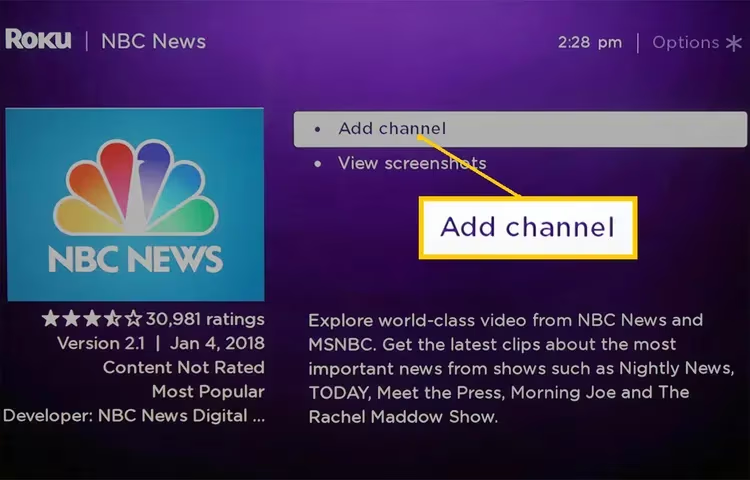
- Choose “Add Channel” on the MSNBC channel page.
-
If prompted, sign into your Roku account by inputting your PIN.
-
Allow time for the channel installation to complete.
-
Return to the Roku home screen to find the newly added MSNBC tile.
-
Launch the MSNBC channel tile and begin watching!
Note: MSNBC may prompt cable provider authentication to unlock full content access. See Authentication section below for details.
Adding via the built-in Roku channel store allows you to conveniently watch MSNBC from your Roku home screen alongside any other channels you access frequently.
#Method 2: Use MSNBC App on Roku
In addition to the channel, there is also an official MSNBC application available for download onto Roku devices.
Benefits: While similar to the channel, the MSNBC app on Roku may offer a more optimized, app-like viewing experience on certain devices/screens.
Follow these instructions to get MSNBC via the Roku app:
-
From the Roku home screen, go to “Streaming Channels” and launch the “Roku Channel Store”.
-
Enter “MSNBC” into the Channel Store search box.
-
Select the MSNBC application from the search results.
-
Choose “Add Channel” to install the MSNBC app.
-
When prompted, sign into your Roku account with your PIN to authorize adding the new app.
-
Return to the home screen once installation is finished.
-
Launch the newly added MSNBC app tile.
-
Sign in with your TV provider or MSNBC credentials if requested.
-
Start watching MSNBC app programming!
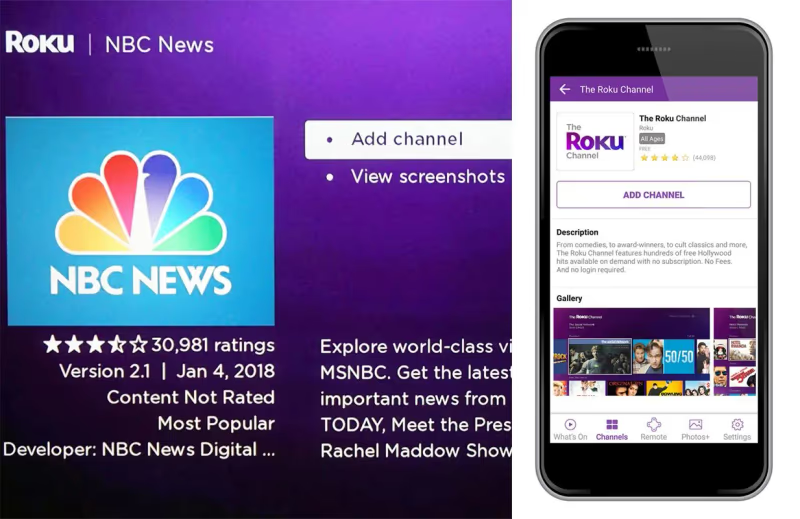
The MSNBC Roku app allows you to watch news and shows on demand in a customized interface.
#Method 3: Screen Mirroring to Roku
If you’re unable to directly access MSNBC video content through the Roku channel or app, screen mirroring provides another workaround.
Screen mirroring wirelessly displays (“casts”) the screen of your smartphone, tablet or laptop onto your TV via Roku.
Here is how to screen mirror MSNBC:
-
Ensure your Roku and device with MSNBC access are connected to the same Wi-Fi.
-
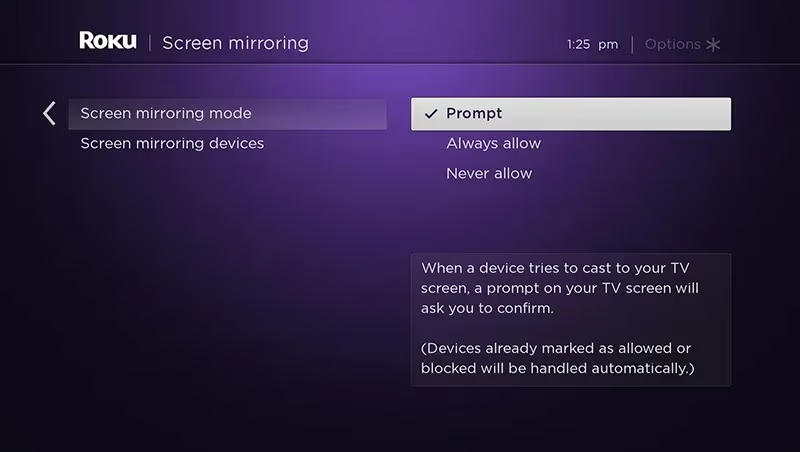
On Roku, go to Settings > System > Screen Mirroring > Turn On
-
Open MSNBC app or access MSNBC shows on your phone, tablet, or laptop.
-
Initiate casting/screen mirroring from this device to your Roku.
-
Select your Roku model as the casting destination target.
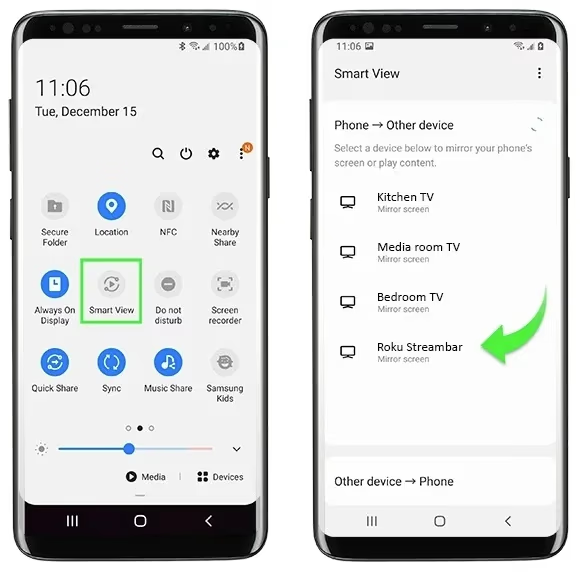
- Your device’s MSNBC screen will now be displayed on your TV through the Roku.
While slightly more complicated, casting MSNBC from another device onto the Roku delivers MSNBC where streaming access is otherwise restricted. Quality and lag may vary.
#Authentication for Full MSNBC Access on Roku
Without proper authentication, MSNBC video content available on Roku may be limited.
To unlock full access:
- If prompted while accessing the channel or app, input your valid cable TV, satellite TV or live TV streaming service username/password. Examples requiring authentication include Spectrum, Xfinity, DirecTV, YouTube TV, Hulu Live TV, Sling TV.
This verification process confirms your active subscription status, removing restrictions to allow complete MSNBC viewing.
Some MSNBC programming may be available for free without needing credentials, but on demand selections will be minimal.
#Troubleshooting MSNBC on Roku
Here are solutions for common issues streaming MSNBC on Roku devices:
Can’t Find MSNBC Channel/App
-
Refresh the Roku home screen
-
Double check spelling/capitalization when searching
-
Try alternate adding methods (channel vs. app)
MSNBC App Won’t Open
-
Force close and restart the MSNBC app
-
Uninstall and reinstall MSNBC app
-
Restart your Roku device
MSNBC Not Working on Roku
-
Check for internet/Wi-Fi connection issues
-
Sign out and back into MSNBC app
-
Input/re-input cable provider credentials
-
Update payment details if subscribed through MSNBC app
-
Check for MSNBC service outage status online
MSNBC Video Not Available Message
-
Verify your subscription status is active
-
Retry cable TV provider sign in process
-
Ensure your MSNBC subscription includes streaming rights
MSNBC Buffering/Lagging on Roku
-
Try closing and reopening the MSNBC channel/app
-
Check internet speeds/router connectivity
-
Restart router and Roku device
-
Upgrade internet speed plan if slow speeds
Can’t Screen Mirror MSNBC to Roku
-
Update Roku OS and mirroring software
-
Enable screen mirroring capabilities on Roku (see Method 3 instructions)
-
Reboot devices and reconnect to same Wi-Fi
-
For phones/tablets, allow MSNBC app permissions to cast
If MSNBC technical issues on Roku continue despite troubleshooting, you may need to contact Roku or MSNBC support with details.
#MSNBC Alternatives on Roku
If you are unable to resolve MSNBC streaming problems on your Roku, some alternative news channels to consider include:
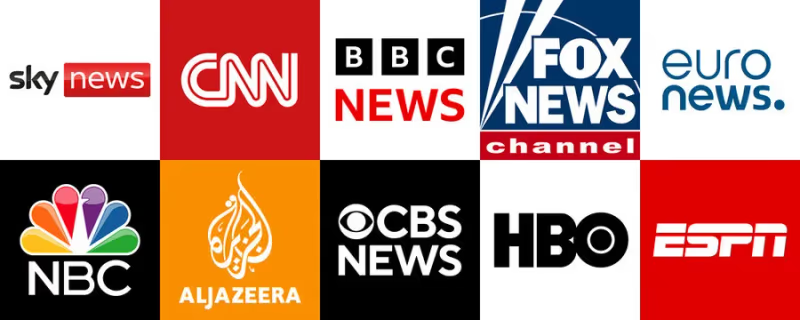
While not identical, these free Roku news channels offer a mix of live and on demand content to stay informed. Consider adding as needed if MSNBC access remains restricted.
#Frequently Asked Questions
#Is MSNBC free on Roku?
MSNBC offers a small selection of free clips and highlights on Roku without any login. Full access to live streams and on-demand episodes requires cable, satellite, or live TV streaming credentials.
#Why does MSNBC require TV provider verification on Roku?
Authentication confirms you have an active paid subscription that includes MSNBC. Without it, the channel restricts most live and on-demand content to protect licensing agreements with cable and satellite providers. Once verified, all restrictions are removed.
#Can I watch MSNBC without cable on Roku?
Yes. Live TV streaming services like YouTube TV, Hulu + Live TV, Sling TV, and fuboTV all include MSNBC in their channel lineups. Sign up for any of these services and use those credentials to authenticate on Roku.
#Why does MSNBC keep buffering on my Roku?
Buffering usually points to a slow or unstable internet connection. Run a speed test and confirm you have at least 10 Mbps download speed. Restarting your router and Roku device often fixes temporary network hiccups. If the problem continues, try connecting your Roku to the router with an Ethernet adapter instead of Wi-Fi.
#Does MSNBC on Roku support closed captions?
Yes. Open the MSNBC channel, press the star (*) button on your Roku remote, and select Closed Captioning from the options menu. You can turn captions on, off, or set them to appear only on replay.
#Can I watch MSNBC live on Roku?
The MSNBC channel and app both support live streaming on Roku. You get the same real-time broadcast as cable TV, including breaking news coverage and scheduled shows like Morning Joe and The Rachel Maddow Show.
#How do I fix MSNBC error messages on Roku?
Start by signing out of the MSNBC app and signing back in. If that does not work, uninstall and reinstall the channel from the Roku Channel Store. Check that your TV provider subscription is still active, and contact Roku or MSNBC support if errors persist after these steps.
#Bottom Line
-
Streaming MSNBC on Roku provides a convenient centralized platform for real-time news and commentary alongside other entertainment channels like Patreon.
-
You can get MSNBC video access on Roku via the direct channel, official MSNBC app, or by screen mirroring from other devices.
-
Typically cable, satellite or streaming TV credentials are required to unlock full MSNBC access with minimal restrictions.
-
If encountering technical issues with MSNBC on Roku, solutions involve app reinstallation, inputting credentials, Roku and internet troubleshooting, and contacting support.
-
Alternatives like NBC News can help fill MSNBC content gaps if problems persist.
With multiple options for enabling MSNBC via Roku devices, along with helpful troubleshooting, cord cutters can now stay on top of breaking news events and deep analysis easily on their TVs.