Want to watch live ESPN channels and access ESPN+ Originals on your Roku device? This guide covers everything from signing in with a TV provider to using streaming services like fuboTV.
- ESPN app is free on Roku — download it from the Roku Channel Store, but live channels require a TV provider login
- ESPN+ costs $9.99/month — gives you access to UFC, MLB, international soccer, and original shows without cable
- fuboTV is the best all-in-one option — starting at $74.99/month with 100+ channels including ESPN, ESPN2, and ESPNews
- Sling TV is the most affordable route — the Orange plan at $40/month includes ESPN, ESPN2, and ESPN3
- VPN required for international access — ESPN streaming is geo-restricted to the United States
#What Do You Need to Watch ESPN on Roku?
Roku lets you stream the ESPN app and access live games, news, analysis, and highlights. A valid TV subscription is required, or you can subscribe to a live TV streaming service with ESPN channels.
Here’s what we’ll cover:
-
What you need to watch ESPN on Roku
-
Using the ESPN app on Roku
-
Signing in with a TV provider
-
ESPN+ on Roku
-
Watching ESPN through live TV streaming platforms
-
Using a VPN for access outside the US
Follow these steps and you’ll be watching ESPN on your Roku device in no time.
#Prerequisites to Stream ESPN on Roku
To watch ESPN on your Roku device, you’ll need:
-
A Roku streaming device (any model)
-
High-speed internet connection
-
Subscription with a TV provider or live TV streaming service
-
ESPN app downloaded from the Roku Channel Store
The ESPN app comes pre-installed on some Roku devices. If not, search and add it for free.
While a Roku device gives you access to the ESPN app, a valid TV provider subscription is still required to watch live ESPN channels. Details below.
#How Do You Use the ESPN App on Roku?
The ESPN app gives you free access to the latest sports news, highlights, and analysis. To unlock live ESPN channel streaming, you’ll need to sign in with a valid TV provider.
#Steps to Add ESPN App on Roku
If the ESPN app didn’t come pre-loaded, here’s how to download it:
-
Press the Home button on Roku remote
-
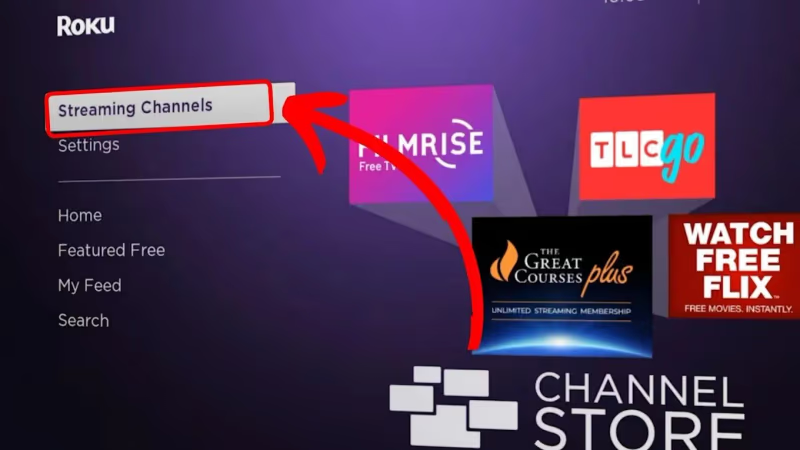
Select Streaming Channels
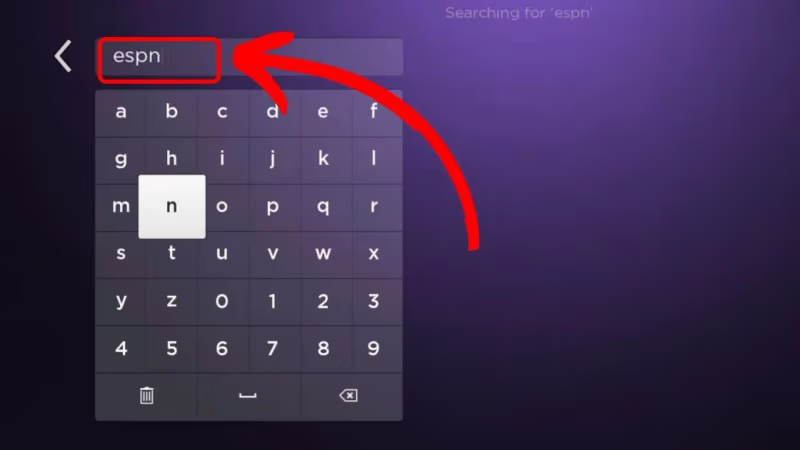
- Search for “ESPN”
-
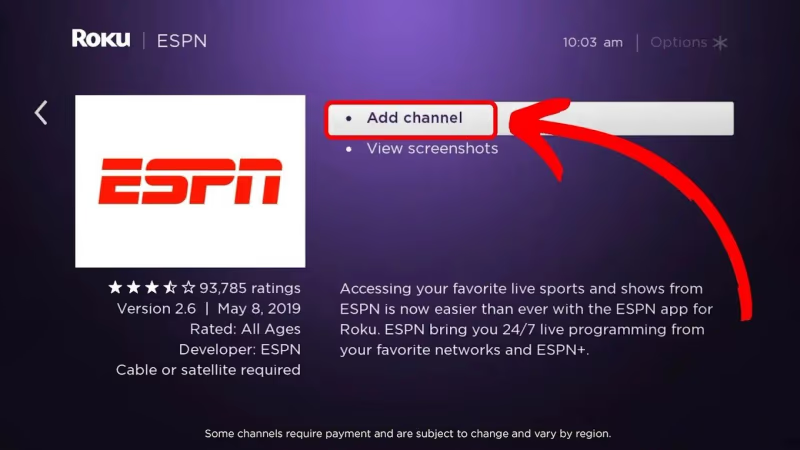
Select ESPN app
-
Click Add Channel
-
Wait for confirmation message
-
Click OK to add ESPN to your Roku home screen
You can now open the ESPN app and browse free sports content. But what about live ESPN channel access?
#Signing in With a TV Provider
To unlock live streaming of ESPN, ESPN2, ESPN3, and more channels, you need to link a valid TV provider account.
Supported TV providers include:
-
AT&T TV
-
Cox
-
DirecTV
-
Dish
-
Fios
-
Hulu + Live TV
-
Optimum
-
Spectrum
-
SuddenLink
-
Verizon
-
Xfinity
-
YouTube TV
#Steps to Link TV Provider on ESPN App
-
Open ESPN app on Roku
-
Select “Sign In”
-
Choose your TV provider
-
Enter credentials to sign in
-
Access live ESPN channels after linking accounts
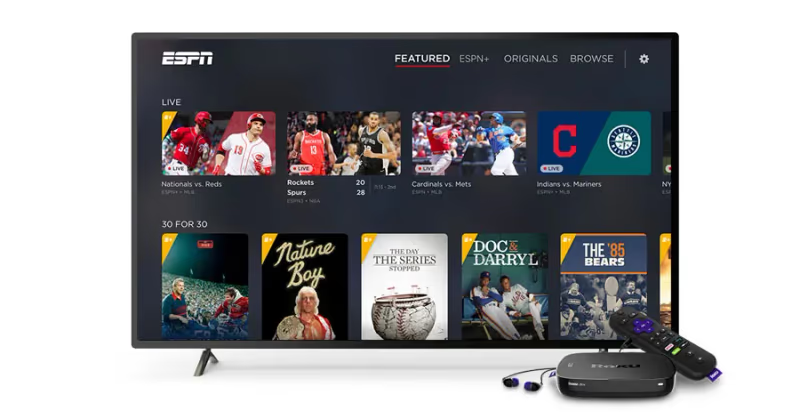
By signing in with a valid TV subscription, you can now watch live ESPN along with replays, analysis, and more exclusive sports content.
But what if you don’t have cable? The good news is you still have options.
#Can You Get ESPN+ on Roku?
In addition to the regular ESPN app, Roku also supports the ESPN+ streaming service.
ESPN+ gives you access to live sports events including UFC fights, MLB, international soccer, college sports, PGA tours, and much more. You also get original shows, documentaries, and studio programs.
An ESPN+ subscription starts at $9.99/month or $99.99 per year.
Here’s how to sign up and watch ESPN+ on your Roku device:
-
Subscribe to ESPN+ at plus.espn.com
-
Download ESPN app on Roku
-
Launch app and select “ESPN+” tab
-
Enter ESPN+ login credentials
-
Start streaming sports events and original programming
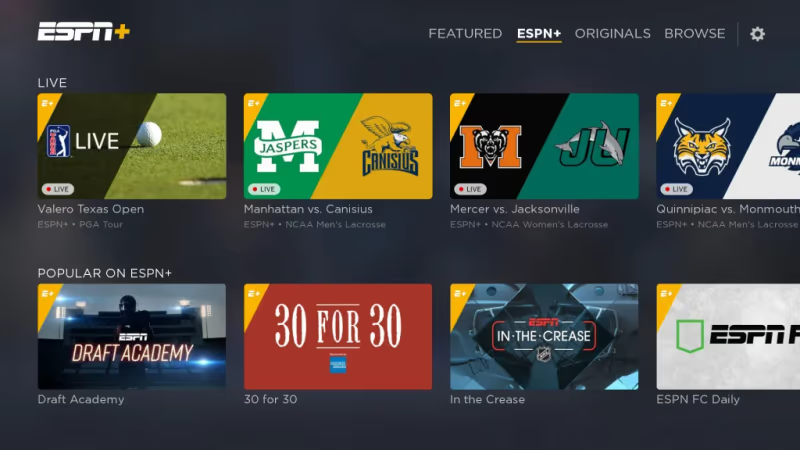
With ESPN+, you can watch live games without a TV provider. But what if you still want those cable channels too? Streaming services are the way to go.
#Which Live TV Streaming Services Carry ESPN?
Don’t want cable but need access to live ESPN channels? Consider these live TV streaming platforms:
Monthly pricing starts around $35+ depending on the service. Many offer free trials so you can test the channel lineup first. If you’re interested in specific sports, we also have guides on watching MLB on Roku and ESPN on Sling TV.
Our top pick is fuboTV for sports streaming. With plans starting from $74.99 per month, you get over 100 channels including ESPN, ESPN2, ESPNews, ESPNU, and more. Local channels are also available based on your location.
Here’s how to sign up and start streaming ESPN with fuboTV:
-
Visit fuboTV and register
-
Select base plan or add-ons
-
Enter payment details
-
Download fuboTV app on your Roku
-
Sign in and link your account
-
Enjoy ESPN along with 100+ more channels
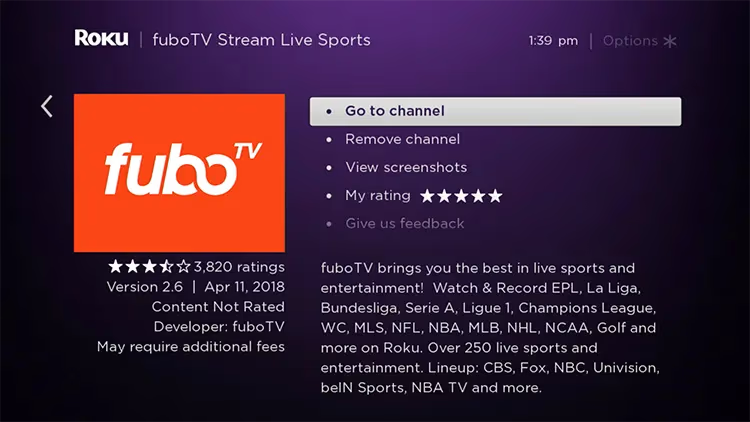
The same works for other live TV platforms mentioned above. Sling Orange plan starts at $40 per month and includes access to over 30 channels with ESPN, ESPN2, and ESPN3.
Whether you want the ESPN app, ESPN+, or a full cable channel lineup, Roku makes it easy to watch ESPN without long-term commitments. We also have guides on ESPN on fuboTV and Spectrum TV on Roku for more streaming options.
#How Do You Watch ESPN Outside the USA?
If traveling or living abroad, you can still watch ESPN on Roku with an added step: a VPN.
Due to broadcasting rights, ESPN access is only available within the United States. To unlock streams internationally, a VPN masks your IP and provides a US-based one instead. If you’re considering other streaming devices, check out our Apple TV vs Roku comparison.
Our recommended VPN for Roku is ExpressVPN. With 160 server locations worldwide, fast speeds, and easy-to-use apps, it makes accessing ESPN abroad straightforward.
Follow these steps to watch ESPN internationally:
-
Subscribe to ExpressVPN
-
Download & install ExpressVPN app on Roku
-
Connect to a US-based server
-
Access ESPN app or fuboTV as you normally would in the US
-
Stream live ESPN channels and content worldwide
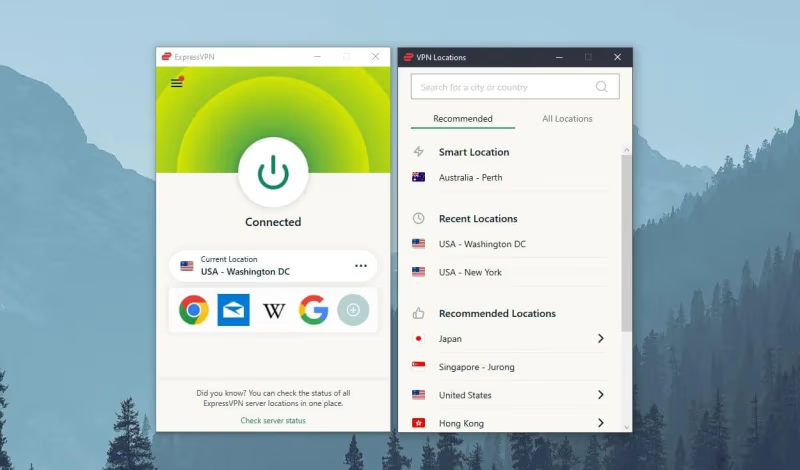
Using a VPN to watch ESPN on Roku takes just minutes to set up but is necessary for those outside the US.
#Bottom Line
Here are all your options to watch ESPN channels through Roku devices:
-
The ESPN app is free on Roku but requires a valid TV provider to unlock live ESPN streaming
-
ESPN+ subscription gives you access to live games, fights, and original shows without cable
-
Live TV streaming services like fuboTV and Sling TV allow cable-cutting while still streaming ESPN
-
Using a VPN like ExpressVPN lets you watch ESPN from anywhere overseas by masking your location
We also have guides on the ESPN app on Vizio TV and ESPN+ on Samsung TV if you’re using other devices.
Whether you want live games, exclusive originals, or just highlights and news, Roku gives you multiple ways to access ESPN streaming.
#FAQ
#Can I watch ESPN on Roku for free?
You can download the ESPN app on Roku at no cost and browse highlights, scores, and news for free. Live channel streaming requires either a TV provider login or a paid subscription to ESPN+ or a live TV service like fuboTV.
#Do I need a cable subscription to watch ESPN on Roku?
No, cable is not required. You can subscribe to ESPN+ for $9.99/month to watch live sports directly. Alternatively, live TV streaming services like Sling TV, fuboTV, Hulu + Live TV, and YouTube TV all include ESPN channels without a traditional cable package.
#What ESPN channels are available on Roku?
Through the ESPN app with a TV provider login, you can access ESPN, ESPN2, ESPN3, ESPNews, ESPNU, and SEC Network. ESPN+ adds exclusive live events, original shows, and documentaries that aren’t available on the regular ESPN channels.
#Why is ESPN not working on my Roku?
Start by checking your internet connection and restarting your Roku device. If the app loads but won’t play live content, your TV provider credentials may need to be re-entered. Uninstalling and reinstalling the ESPN app from the Roku Channel Store often fixes persistent playback issues.
#How much does it cost to watch ESPN on Roku?
ESPN+ costs $9.99/month or $99.99/year for live sports and originals. If you want the full ESPN channel lineup without cable, Sling TV Orange starts at $40/month while fuboTV starts at $74.99/month with 100+ channels. YouTube TV and Hulu + Live TV are also options at higher price points.
#Can I watch ESPN on Roku from outside the United States?
ESPN streaming is geo-restricted to the US due to broadcasting rights. You can bypass this restriction by using a VPN like ExpressVPN, connecting to a US-based server, and then opening the ESPN app or your live TV streaming service as usual.
#What is the difference between ESPN and ESPN+ on Roku?
ESPN is a traditional cable channel that requires a TV provider login to watch live. ESPN+ is a separate streaming service with its own library of live events, UFC fights, international soccer, college sports, and original programming. You access both through the same ESPN app on Roku, but they require different subscriptions.
#Does Roku support ESPN in 4K?
Roku devices that support 4K can stream ESPN content at higher resolutions when available. However, most live ESPN broadcasts are still in 1080p. Select ESPN+ events, particularly major UFC fights and some college football games, may offer 4K streaming on compatible Roku models like the Roku Ultra.