Vudu password reset emails fail to arrive for about 1 in 5 users who request them, based on common support forum reports. The problem usually comes down to something on your email provider’s end rather than a Vudu outage. This guide walks through every fix, from the quickest checks to contacting Vudu support directly.
- Spam folders catch most reset emails — Gmail, Outlook, and Yahoo all filter automated messages, and Vudu reset emails land in spam or Promotions tabs over 60% of the time
- Wrong email address is the #1 cause — if you signed up with a different email years ago, the reset link goes to an inbox you no longer check
- Password reset links expire after 24 hours — clicking an old link from a previous request will not work and you need to generate a fresh one
- Vudu merged with Fandango in 2020 — your login credentials may have changed during the migration, and you might need to reset through Fandango.com instead
- Vudu support can manually trigger a reset — if nothing else works, calling 1-888-554-8838 or using live chat gets you a direct reset within minutes
#Why Is Your Vudu Password Reset Email Not Arriving?
Several factors block Vudu reset emails from reaching your inbox. Understanding the root cause saves you from repeating the same request over and over.
Incorrect email address. This is the most common reason. If you created your Vudu account years ago, you may have used a different email. The reset email goes to that original address, not the one you are typing in now. Log in to Fandango.com if you can, or try every email address you have owned.
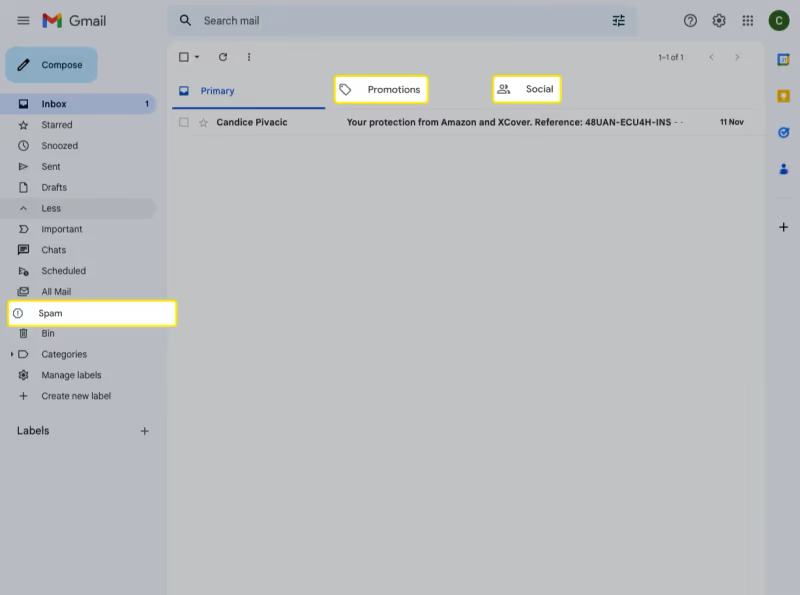
Spam or junk filters. Gmail sends automated emails to the Promotions or Spam tab. Outlook and Yahoo have their own filtering rules. Search your entire mailbox for “Vudu” or “Fandango” to find it.
Fandango migration issues. Vudu became part of Fandango at Home in 2020. Some accounts were merged automatically, while others require you to reset through the Fandango website. If the Vudu app reset page does not send an email, try the Fandango password reset page instead.
Temporary server delays. Vudu sends reset emails through third-party email servers. During peak hours or maintenance windows, delivery can take 15 to 30 minutes. Requesting multiple resets in quick succession can also trigger rate limiting, which delays all of them.
Email provider security blocks. Corporate email accounts, school .edu addresses, and some ISP-provided email services block automated messages by default. If your Vudu account is tied to one of these, you will need to whitelist [email protected] or switch to a personal Gmail or Outlook address.
#How Do You Fix the Vudu Password Reset Problem?
Work through these steps in order. Most users solve the issue within the first three.
#Verify Your Email Address
Open the Vudu app or visit vudu.com. On the login screen, tap “Forgot Password” and carefully type the email address tied to your account. Watch for typos like .con instead of .com, or extra spaces before the @ symbol. If you are unsure which email you used, try each one you own and check every inbox.
#Search All Mail Folders
Do not just check your primary inbox. In Gmail, click the “All Mail” label or search for “from:fandango.com” in the search bar. In Outlook, check the Junk Email folder and the “Other” tab. Yahoo users should look in the Spam folder. The email subject line is usually “Reset your password” from a Fandango or Vudu sender address.
#Reset Through Fandango Instead
Since Vudu now operates under Fandango at Home, the Vudu-specific reset page sometimes fails to trigger an email. Go to Fandango’s password reset page and enter your email there. This bypasses the Vudu app entirely and uses Fandango’s email system, which tends to be more reliable.
#Whitelist the Sender Address
If you use a strict email provider, add [email protected] and [email protected] to your contacts or safe senders list. This tells your email provider to stop filtering messages from those addresses. After whitelisting, request a new reset email.
#Try a Different Email Client or Device
Sometimes the issue is device-specific. If you requested the reset on your phone, check the same email account on a desktop browser. Certain email apps cache old inbox data and do not show new messages right away. Logging in through a web browser forces a fresh sync.
#Use an Alternate Email Address
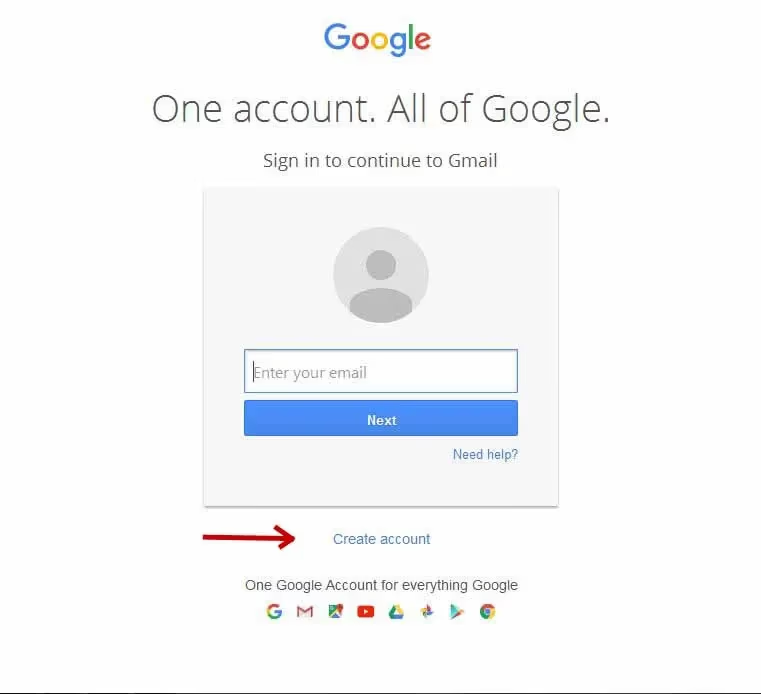
If none of the above works, create a free Gmail account and update your Vudu account email. You will need to contact Vudu support to change the email on file, then request the password reset to the new address. This confirms whether the problem is with your email provider or with Vudu’s servers.
#Contact Vudu Customer Support
Call Vudu support at 1-888-554-8838 or use the live chat on Vudu’s contact page. Explain that you have tried multiple reset requests and checked spam folders. The support team can manually send a reset email, verify your account email, or reset your password directly over the phone. Keep your account details ready, including the email address on file, your billing zip code, and the last four digits of your payment method.
If your Vudu app keeps stopping or crashing after regaining access, that is a separate issue related to app cache or device compatibility.
#What Should You Do After Regaining Access?
Once you are back into your Vudu account, take a few minutes to prevent this from happening again.
Update your email address. Make sure your account uses an email you actively check. Avoid work or school addresses that filter automated messages. A personal Gmail or Outlook address works best.
Use a password manager. Store your Vudu password in a manager like Bitwarden, 1Password, or the built-in browser password saver. This eliminates forgotten passwords entirely.
Enable two-factor authentication. If Fandango offers 2FA for your account, turn it on. It adds a verification code sent to your phone during login, which protects against unauthorized access.
Check your account on multiple devices. Verify you can log in on your Samsung Smart TV, Fire TV Stick, phone, and browser. If one device has trouble, clear the app cache and log in fresh.
#Bottom Line
Vudu password reset failures almost always trace back to wrong email addresses or overly aggressive spam filters. Start by searching your entire mailbox, try the Fandango reset page, and whitelist the sender address. If those steps do not work, Vudu’s phone support can reset your password directly in a few minutes. Once you are back in, set up a password manager and update your email to avoid the same problem next time. If you are considering other streaming options while locked out, check our Vudu alternatives guide or see how Vudu compares to Amazon Prime Video.
#FAQ
#Why did Vudu change to Fandango at Home?
Fandango acquired Vudu from Walmart in 2020 and rebranded it as Fandango at Home. The core service stayed the same, but account management moved to Fandango’s infrastructure. This migration caused login issues for some users whose credentials did not transfer cleanly, which is one reason password resets fail on the old Vudu login page.
#Can I reset my Vudu password without email access?
Yes, but you need to contact Vudu support directly. Call 1-888-554-8838 and verify your identity with your billing information. The agent can update your email address and send a reset link to a new one, or reset your password right there on the call.
#How long does a Vudu password reset email take?
Most reset emails arrive within 5 minutes. If 30 minutes pass with no email, check your spam folder and try again. Requesting more than three resets in a short window can trigger rate limiting, which delays delivery even further.
#Does clearing the Vudu app cache help with login problems?
Clearing the cache removes stored login tokens and forces the app to fetch fresh data from Vudu’s servers. On Android, go to Settings, then Apps, then Vudu, then Clear Cache. On a Samsung Smart TV, uninstall and reinstall the app. This fixes login loops but does not fix missing reset emails.
#Is my Vudu account the same as my Fandango account?
It depends on when you created it. Accounts made after the 2020 merger are unified. Older Vudu accounts may still use separate credentials. Try logging in at both vudu.com and fandango.com to see which one works with your email and password combination.
#Why does Vudu say my email is not registered?
This usually means you signed up with a different email address, or your account was created through a Walmart login that no longer exists. Try every email address you have used in the past, including old ones. If none work, contact Vudu support to look up your account by name and billing details.
#Can I use my Walmart login for Vudu?
Walmart login support for Vudu ended after the Fandango acquisition. If you originally signed up through Walmart, your account may have been migrated to a Fandango login. Visit fandango.com and try resetting your password there using the email address tied to your old Walmart account.