Want to access Vudu’s massive on-demand library right from your Samsung Smart TV? Streaming your favorite movies and shows is easy once you set up the Vudu app. This step-by-step guide covers everything you need to know to get Vudu up and running on compatible Samsung televisions.
- Vudu works on Samsung Smart TVs from 2016 and newer running the Tizen OS platform
- No monthly subscription required — Vudu uses a pay-as-you-go model with rentals from $1.99 and purchases from $4.99
- Free content is available with over 1,000 ad-supported movies and TV episodes at no cost
- Setup takes under 5 minutes by downloading the app from Samsung’s Smart Hub Apps panel
- HD 1080p streaming with surround sound is supported on all compatible Samsung models
#What Is Vudu and How Does It Work?

Vudu is an on-demand video streaming service owned by Walmart that gives you access to a library of over 150,000 new release movies, next-day TV shows, and popular films to buy or rent.
Unlike subscription streaming options like Netflix or Hulu, Vudu uses a transactional model where you pay as you go to access individual pieces of content. There’s no recurring monthly cost. You pick what you want and only pay for those titles.
Prices typically range from $1.99 to $5.99 for movie rentals and $4.99 to $19.99 for movie purchases. But Vudu also has plenty of free movies and TV episodes supported by ads.
As long as you have a compatible TV or streaming device and steady internet, just create an account and sign in to start streaming your picks. The Vudu app comes pre-installed on lots of Smart TVs and media players.
Don’t worry if your Samsung model doesn’t have the app built-in. You can still manually download it by following this guide.
Check out this Vudu review for a detailed breakdown on pros and cons.
#How Do You Set Up Vudu on a Samsung Smart TV?
Want to access Vudu’s on-demand catalog of new releases and old favorites directly through your Samsung television? Getting set up takes just a few quick steps.
Here are the basics to get streaming Vudu content ASAP:
#Supported Samsung Smart TV Models
First, your Samsung television will need to be relatively recent and have built-in Smart TV capabilities.
Specifically, your model will need the latest Tizen smart TV platform to download and install third-party apps like Vudu. This includes:
-
2016 models and newer
-
Select 2015 Samsung SUHD TVs
You can quickly check for Tizen support by going into your menu settings and looking at the About Screen. If you see Tizen OS displayed, you’re all set!
Older Samsung Smart Hub televisions lack Tizen and the required apps marketplace. Models from 2013-2014 and earlier won’t work.
If you prefer using a dedicated streaming device over your Smart TV, check out this guide on how to set up Vudu on Fire Stick.
#Downloading the Vudu App
If your television runs on the Tizen platform, downloading the Vudu is a breeze. Just follow these instructions:
-
Using your remote, go to the Smart Hub on your Samsung home screen
-
Navigate to the panel labeled Apps
-
Search for and select the Vudu app
-
Click to download and install the app onto your television
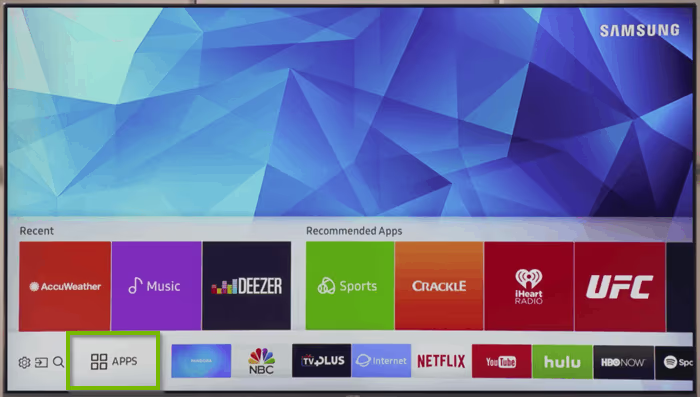
Once installed, the Vudu icon will now be accessible on your Samsung Smart TV’s menu where you can open it anytime.
#Logging Into Your Vudu Account
To start watching, you’ll need to log into your Vudu account. When launching the freshly installed application, you’ll be prompted to either:
-
Sign into an existing Vudu account using your email and password
-
Create a new Vudu account if you aren’t currently registered
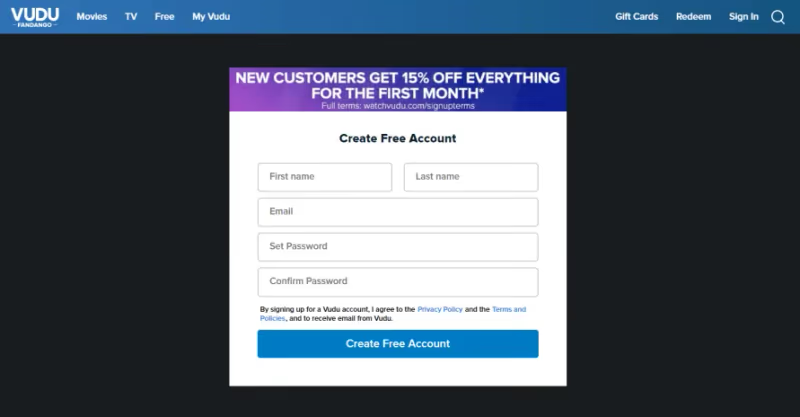
Registering only takes a minute if you don’t have an account yet. Enter your email, create a password, and provide basic info like your name and billing details.
And that’s it! With your account credentials entered, you’ll have full access to Vudu’s on-demand catalog through your Samsung television.
Having login issues like an unresponsive Vudu password reset? Here are some troubleshooting tips.
#How Do You Find and Stream Content on Vudu?
Browsing Vudu’s large library is fun and easy with Samsung’s intuitive Smart TV interface. You have a few options:
#Searching for Specific Titles
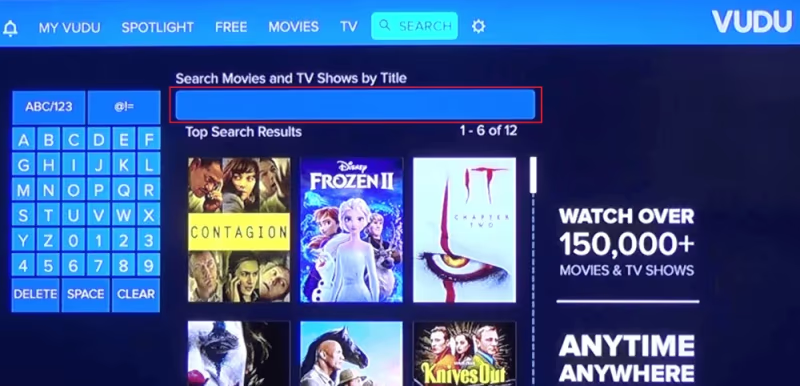
Know what you want to watch? Just use the search function. Vudu has movies, shows, and shorts spanning every genre imaginable from action, to comedy, romance, and sci-fi.
Search for keywords like movie titles, actor names, directors, etc. Results will populate below so you can select what you’re looking for.
#Browsing Categories and Genres
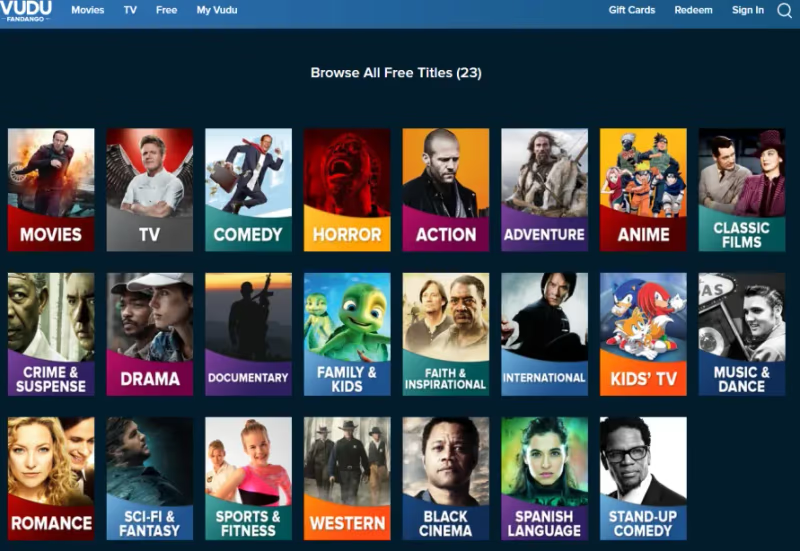
Not sure what you’re in the mood for? No problem! Scroll horizontally through top level categories like Movies, TV Shows, Free, and more.
Selecting any header will bring up genre-based subcategories you can continue filtering down. Find options tailored to you like New Releases, Drama Movies, Kids Animation, and more.
#Checking Out Recommendations
For even more ideas, look for the Recommended For You row. Vudu will suggest popular and relevant titles to watch next based on your viewing history and preferences.
#Renting, Buying and Watching
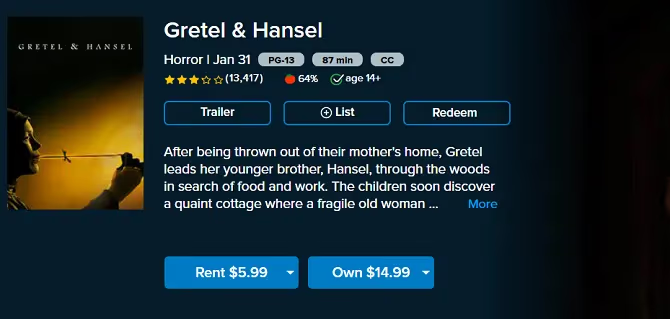
Once you select something, you’ll be taken to the details page showing options to either rent or purchase the title.
Entering your payment method on file the first time will make future checkouts a breeze. Then your chosen movie or TV show will begin streaming instantly in full HD quality!
#Enjoying Free Ad-Supported Content
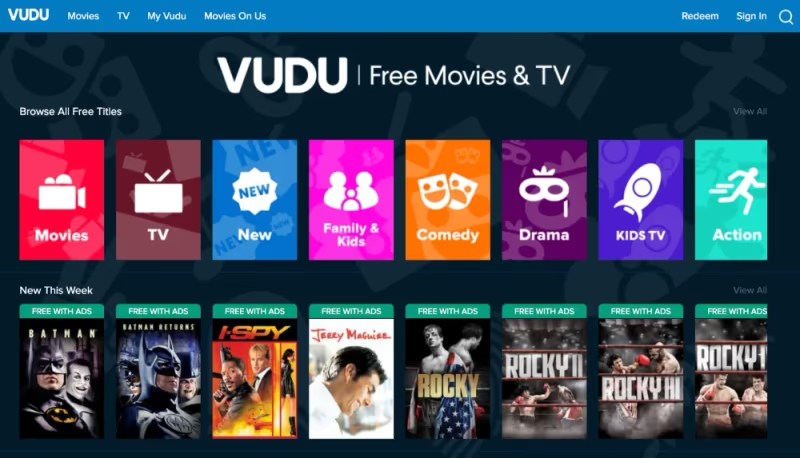
Alongside premium rentals and purchases, Vudu also has select films viewable for free with ads. This includes multiple original streaming series and over 1000 popular catalog titles spanning classics, indies and box office hits.
Just browse the Free section to discover what’s currently available at no cost. You won’t find the newest releases here, but it’s a nice perk that lets you enjoy great shows without spending a dime!
#Vudu Viewing Experience on Samsung Smart TVs
Thanks to Samsung’s display tech paired with Vudu’s top-notch streaming capabilities, expect a great viewing experience as soon as you start playing content.
You’ll be able to enjoy:
-
Full HD 1080p Resolution for crisp, clear image quality
-
Surround sound audio support for an immersive listening experience through your TV’s built-in speakers
-
Cross-device compatibility across Samsung models, letting you stream through your smartphone app and continue watching on the big screen
And unlike mobile devices or computers, watching on your television allows you to recline back at any distance for big screen movie magic that still looks sharp.
It works great for solo viewing or family movie nights!
Problems like Vudu repeatedly stopping during playback can also occur. This usually stems from connectivity issues.
#Troubleshooting Vudu on Samsung Smart TVs
Hopefully you can get Vudu up and running without any major headaches. But should issues arise, here are some quick troubleshooting tips:
#Buffering Problems
Choppy playback or buffering pauses likely stem from internet connectivity problems. First restart your Wi-Fi router and modem devices. Or try switching to a wired ethernet connection if available for faster, more reliable speeds.
Also double check your television’s operating system is fully updated. Go into the settings menu and enable auto firmware updates if you haven’t already. Outdated firmware can sometimes cause streaming problems.
#App Not Compatible Message
Seeing a warning about the Vudu app not being compatible with your television? This means your Samsung model is outdated and lacks the required Tizen OS platform.
2015 model year or newer is needed, so you’ll unfortunately have to upgrade your hardware to successfully run Vudu.
#Other Playback Issues
For additional troubleshooting, head into Vudu’s settings menu on your Samsung device. Here you can adjust options for subtitles, video quality, parental controls, and more that could potentially resolve the issues you’re running into.
You can also visit Vudu’s online support page which has FAQs and resources based on common streaming errors.
#Bottom Line
With Vudu set up on your compatible Samsung Smart TV, a huge world of on-demand entertainment awaits. You now have the ability to:
-
Stream new release movies, next-day TV shows, and more
-
Rent or buy titles individually without a recurring subscription
-
Enjoy free ad-supported films and exclusive series
-
Experience high-quality HD 1080p playback
-
Continue shows between devices without interruption
Grab some popcorn and put on your favorite flick tonight!
Still have questions about using Vudu on your Samsung television? Let me know in the comments!
#FAQ
#Can I watch Vudu for free on my Samsung Smart TV?
Yes. Vudu has a dedicated Free section with over 1,000 movies and TV episodes supported by ads. You won’t get the newest releases, but there’s a solid catalog of classics, indie films, and box office hits available at no cost.
#What Samsung TV models support the Vudu app?
Samsung Smart TVs from 2016 and newer that run the Tizen OS platform can download and run the Vudu app. Select 2015 Samsung SUHD models also support it. Older Smart Hub TVs from 2014 and earlier are not compatible.
#Do I need a subscription to use Vudu?
No. Vudu does not charge a monthly subscription fee. It uses a transactional model where you pay per title, with rentals starting at $1.99 and purchases from $4.99. The free ad-supported library requires no payment at all.
#How do I download the Vudu app on my Samsung TV?
Open the Smart Hub on your Samsung home screen, navigate to the Apps panel, search for Vudu, and select it to download. The whole process takes about a minute. Once installed, the Vudu icon appears in your TV’s app menu.
#Why does Vudu keep buffering on my Samsung TV?
Buffering usually points to a Wi-Fi connectivity issue. Restart your router and modem first. If that doesn’t help, try a wired ethernet connection for more stable speeds. Also make sure your TV’s firmware is up to date, since outdated software can cause streaming hiccups.
#Can I start watching Vudu on my phone and continue on my Samsung TV?
Yes, Vudu supports cross-device viewing. As long as you’re signed into the same account on both devices, you can pause a movie on your phone and pick it up right where you left off on your Samsung TV. Your purchase and rental history syncs automatically.
#What video quality does Vudu support on Samsung TVs?
Vudu streams in full HD 1080p on compatible Samsung Smart TVs, with surround sound audio support through your TV’s built-in speakers. Some titles are also available in 4K UHD and HDR on supported hardware, giving you sharp picture quality on larger screens.