Vudu is a popular streaming platform for buying, renting and watching movies and TV shows online. However, many users report frustrations with frequent buffering, lagging, freezing and errors during playback. There are 17 troubleshooting tips covered here to help identify and resolve these Vudu streaming issues.
- Internet speed matters most — Vudu requires at least 25 Mbps for buffer-free HD streaming
- Router reboot clears cached issues — unplugging for 30 seconds fixes many connectivity problems
- Outdated apps cause freezing — always install the latest Vudu app update from your device’s app store
- Too many devices split bandwidth — disconnect unused devices before streaming in HD or 4K
- Lower playback quality reduces buffering — dropping from 4K to HD cuts bandwidth demand significantly
#Why Does Vudu Keep Buffering or Freezing?
Before jumping into fixes, it helps to understand what causes Vudu to buffer or freeze in the first place:
Internet Connection Issues – Slow internet speeds, WiFi dead zones, and router problems can all interrupt and degrade video streaming performance. This leads to endless buffering wheels, playback failures and more. Having multiple devices fighting for bandwidth makes things worse.
Outdated Firmware – Vudu apps and devices like smart TVs rely on up-to-date firmware to function properly. Outdated software can trigger a range of streaming problems.
Too Many Devices Connected – The more devices using the internet simultaneously, the less bandwidth available per device for smooth HD streaming. Phones, laptops, tablets and more bog things down.
App Needs Update – Like device firmware, apps need periodic updates as well. Outdated Vudu apps may suffer performance lags, freezes and crashes.
Server or App Issues – Backend problems with Vudu’s servers can interrupt streaming through no fault of the user. Buggy apps also ruin the viewing experience.
Now let’s explore the top fixes and troubleshooting steps for these buffering and freezing issues:
#How Do You Fix Vudu Buffering and Freezing?
The solutions covered here address connectivity problems, device configurations, app errors and advanced tweaks to stop interruptions.
#Internet Connection Issues
Since Vudu streaming relies entirely on internet speeds, the first area to address is connection quality. For suggested Vudu alternatives if internet issues persist, check out this list of top options.
Check if Vudu Servers Are Down
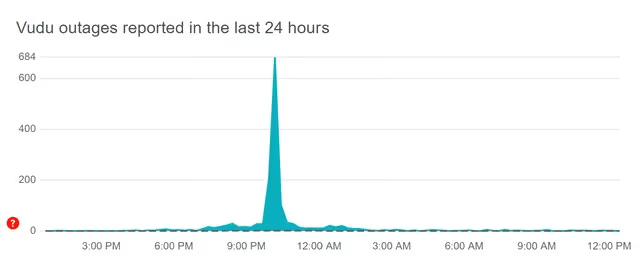
Use DownDetector to quickly check for any Vudu outages. If servers are down, buffering is unavoidable until fixed on Vudu’s end.
Test Internet Speed and Connection
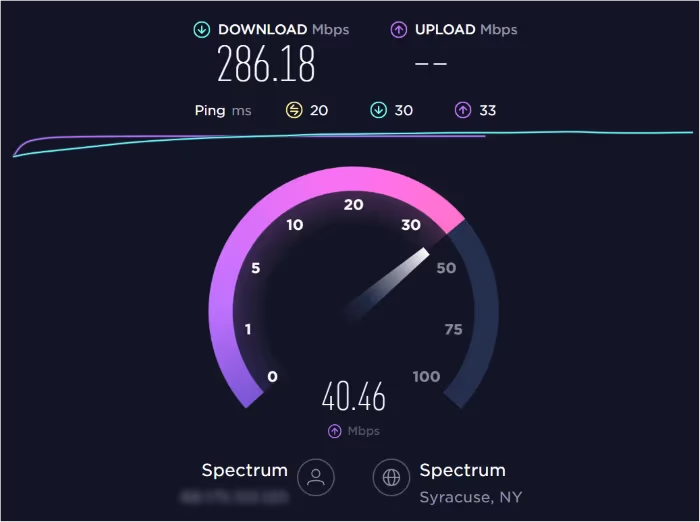
Use Speedtest.net to check your internet speeds. Consistent speeds above 25 Mbps should allow buffer-free Vudu streaming in HD. Also try moving closer to the router or connecting devices directly via Ethernet cable.
Reset Router
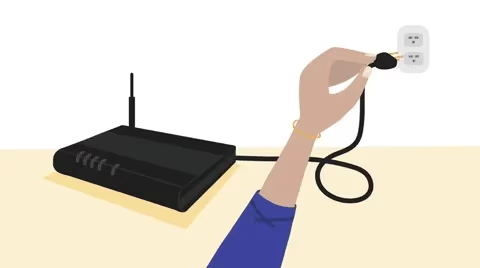
Reboot router by unplugging and reconnecting power. This clears memory caches helping internet speeds. Also see how to reset Vudu’s password if needed.
Upgrade Internet Plan
Faster internet packages with 50, 100 or 200+ Mbps provide plenty of bandwidth for smooth Vudu streaming across devices.
#Device and App Issues
Don’t forget to also troubleshoot the devices and apps powering your Vudu streaming. Vudu on Firestick, for example, is a popular setup.
Update Vudu App
Install the latest Vudu app updates which patch bugs and optimize performance. Updates are released periodically.

Update Device Software and Firmware
Outdated firmware on streaming devices and smart TVs can undermine app performance. Always run the latest OS, software and firmware.
Delete and Reinstall Vudu App
Deleting and freshly installing Vudu often resolves persistent glitches and errors. Backup saved content first before uninstalling. Vudu on Samsung TVs may require reinstallation as well for troubleshooting.
Restart Vudu App and Device
Quickly rebooting an app or device flushes memory leaks allowing streaming to resume uninterrupted.
Remove Any VPNs or Ad Blockers
VPN connections and ad blockers degrade streaming speeds. Disable them when using Vudu.
#What Advanced Steps Can Fix Persistent Vudu Issues?
For trickier playback problems, these steps dig deeper:
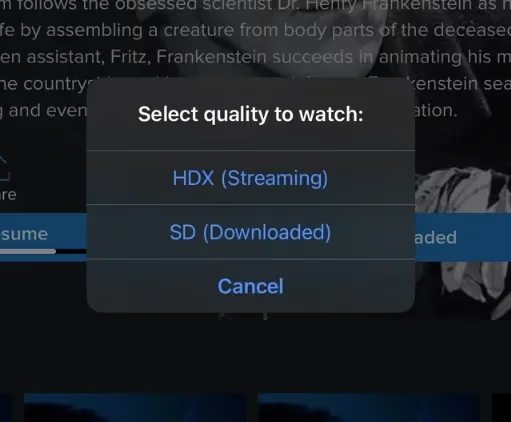
Lower Playback Quality
HD and 4K streams require maximum bandwidth. Lowering video quality reduces buffering issues.
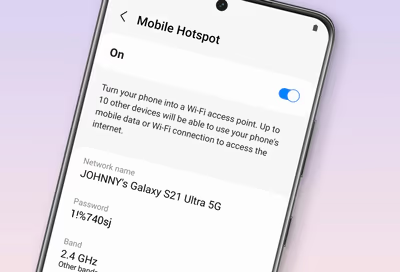
Use Mobile Hotspot
If Vudu buffers over home WiFi, try streaming over a mobile hotspot to test. This helps isolate the problem source.
Disconnect Other Devices
The more devices using home internet simultaneously, the higher likelihood of buffering. Disconnect secondary devices where possible.
Close Background Apps – Apps running quietly in the background consume internet resources. Shut them down to prioritize Vudu.
Factory Reset Device – For stubborn device-specific problems, a full factory reset may be necessary. Backup data first.
Contact Vudu Support – Vudu’s customer support can help diagnose and troubleshoot persistent buffering issues.
#Bottom Line
Fixing Vudu buffering ultimately requires optimizing internet connectivity while also updating streaming devices, apps and configurations. In a Vudu vs Netflix comparison, both services require good connectivity and configs.
-
Internet speeds above 25 Mbps ensure smooth Vudu streaming
-
Connect devices directly to router via Ethernet if possible
-
Update Vudu app and device software/firmware
-
Restart devices and router to flush memory issues
-
Lower streaming quality if bandwidth still lacking
#FAQs
#Why does Vudu keep buffering on my smart TV?
Outdated TV firmware is the most common cause. Other factors include slow internet speeds, active VPN connections, and too many devices sharing bandwidth at the same time. Updating your TV’s firmware and restarting your router usually fixes it.
#Why does Vudu buffer and then stop playing?
Your internet speed is too slow to sustain streaming. Check your connection with Speedtest.net and make sure you have at least 25 Mbps. If speeds are lower, upgrade your plan or connect via Ethernet cable for a more stable connection.
#Why won’t Vudu stop buffering no matter what I try?
There may be deeper hardware or software conflicts on your device. Try factory resetting the device or contact Vudu tech support for help. Some users prefer switching to Vudu alternatives like Netflix or comparing Vudu vs Amazon Prime.
#Is Vudu buffering caused by server outages?
Yes, server-side issues can cause buffering that no local fix will resolve. Check DownDetector to see if other users are reporting problems. If servers are down, wait for Vudu to restore service before troubleshooting your own setup.
#Does lowering video quality stop Vudu buffering?
Lowering playback quality from 4K or HD to SD reduces the bandwidth Vudu needs. This is one of the fastest fixes when your internet speed is borderline. You can change quality settings directly within the Vudu player during playback.
#Can a VPN cause Vudu to freeze or buffer?
VPNs route your traffic through remote servers, which adds latency and reduces speed. Disabling your VPN while streaming on Vudu often eliminates buffering. Ad blockers can also interfere with video playback and should be turned off.
#How fast should my internet be for Vudu streaming?
Vudu recommends at least 9 Mbps for HDX content and 25 Mbps for UHD. For households with multiple devices streaming at once, 50 Mbps or higher is a safer target. A wired Ethernet connection delivers more consistent speeds than WiFi.
#Should I delete and reinstall Vudu to fix freezing?
Reinstalling Vudu clears corrupted cache files and app data that cause freezing. Back up any downloaded content before uninstalling. After reinstalling, sign back in and test playback to confirm the issue is resolved.