Your Toshiba TV red light is blinking and the screen stays black. This happens when the TV receives power but an internal fault stops it from booting fully. The standby LED flashes in a repeating pattern instead of staying solid, and pressing the power button does nothing.
The fixes below are ordered from quickest to most involved, and most owners solve this within the first three steps.
- Power cycling fixes roughly 30% of cases — unplug the TV, hold the power button for 15 seconds, wait 60 seconds, then plug back in
- Blink counts can indicate the fault type — 2 blinks often points to a backlight issue, while 5-6 blinks suggests a main board failure on most Toshiba models
- A failed power supply board is the most common hardware cause — swollen capacitors on the board are visible without any test equipment
- Factory reset via the pinhole button clears software-related boot loops — press and hold the recessed button for 15-20 seconds with a paperclip
- Toshiba warranties cover defects for one year from purchase — keep your receipt and contact Toshiba support before attempting board-level repairs
#Why Is Your Toshiba TV Red Light Blinking?
The red standby LED communicates error states through blink patterns. A single blink every few seconds is normal standby behavior. Rapid, repeated blinking is the TV telling you something failed during startup.
Common triggers include:
- Power surge damage to the internal power supply board
- Backlight LED failure preventing the panel from illuminating
- Corrupted firmware causing a boot loop
- Overheating from blocked ventilation
- Loose internal ribbon cables that shifted during transport
The number of blinks between pauses sometimes narrows down the fault. Two repeated blinks often point to backlight problems, while longer sequences (5-6 blinks) can indicate main board issues. These codes vary by model, so treat them as hints rather than definitive diagnoses.
#How Do You Fix a Toshiba TV With a Blinking Red Light?
Start with the fastest fixes first. Each step rules out a category of problems so you do not waste time on unnecessary repairs.
#1. Power Cycle the TV
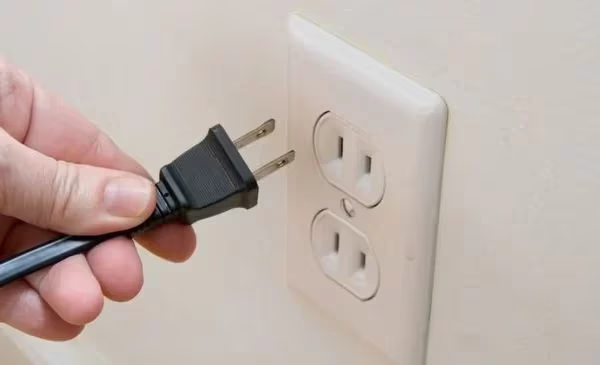
Unplug the power cord from the wall outlet. Press and hold the physical power button on the TV (not the remote) for 15 seconds. This drains residual charge from the capacitors inside. Wait a full 60 seconds before plugging back in.
This step clears temporary faults in the power management system. It works surprisingly often because many blinking-light issues stem from a software glitch that locked up the standby controller.
#2. Replace Remote Batteries and Re-pair
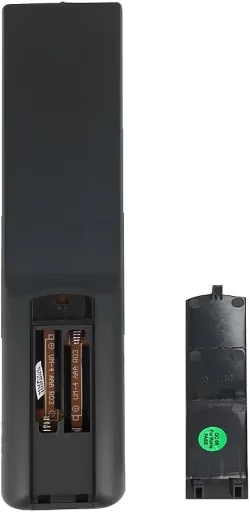
Dead or weak remote batteries cause pairing failures with Bluetooth-equipped Toshiba Fire TV models. The TV can enter a blinking state while waiting for a valid remote signal during startup.
Remove the old batteries and press every button on the remote once to discharge any stored charge. Insert fresh batteries. Hold the Home button for 10 seconds to re-pair the remote with the TV.
If the TV responds, the issue was a Toshiba Fire TV remote not working correctly with the TV’s Bluetooth receiver.
#3. Check All Cable Connections
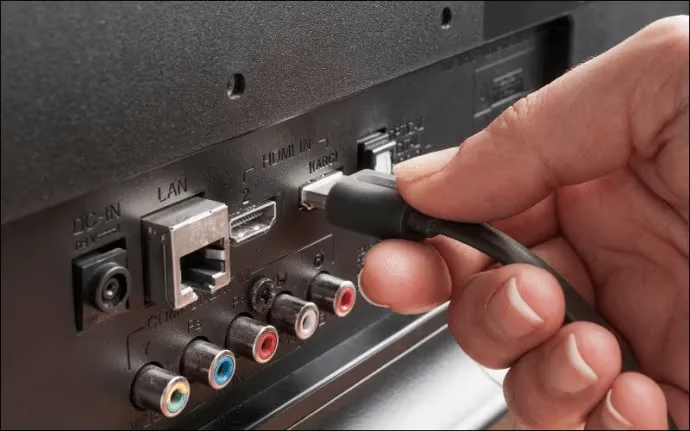
Disconnect and reseat every cable connected to the TV. That includes the power cord, HDMI cables, and any AV or optical connections. A loose HDMI connection can trigger CEC-related boot errors on some Toshiba models.
Inspect each port for bent pins, corrosion, or dust buildup. Try connecting the power cord to a different outlet to rule out a faulty socket. If you notice HDMI not working on your Toshiba TV, that port may need replacement.
#4. Try a Different Power Outlet
Plug the TV directly into a wall outlet, bypassing any power strip or surge protector. Power strips degrade over time and may not deliver consistent voltage. A voltage drop as small as 10% can prevent the TV from completing its startup sequence.
If the TV works on a different outlet, the original circuit is the problem. Consider using a UPS (uninterruptible power supply) for consistent voltage delivery.
#5. Factory Reset via the Pinhole Button
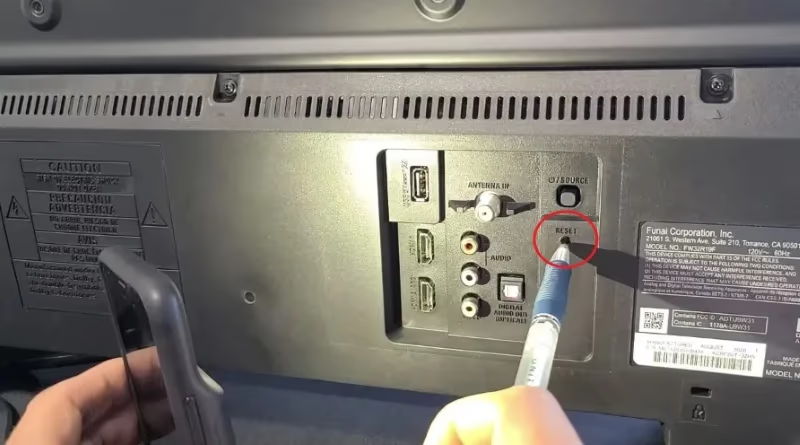
Find the recessed reset button on the back or side panel of your Toshiba TV. Use a straightened paperclip to press and hold this button for 15-20 seconds. The TV will restart and clear all stored settings.
This reset wipes saved Wi-Fi passwords, app logins, and picture settings. It also clears corrupted firmware states that cause boot loops. The red light should stop blinking after the TV completes its fresh setup process.
A factory reset erases all personalized settings, installed apps, and saved accounts. Note down your Wi-Fi password and streaming service credentials before proceeding.
#6. Update the Firmware
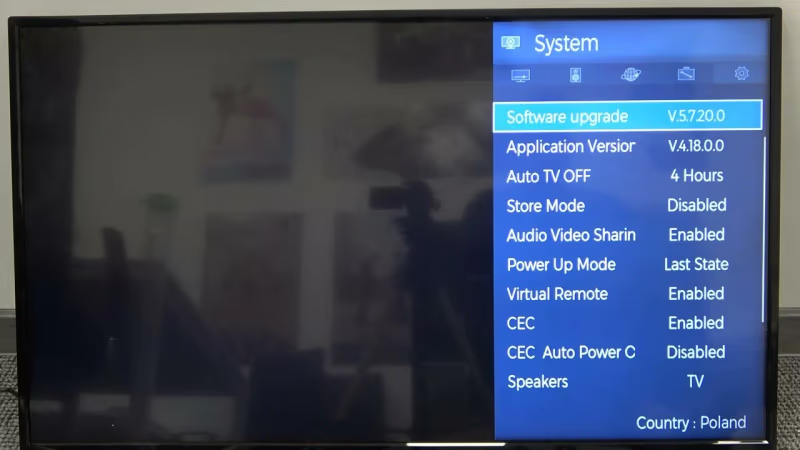
Outdated firmware can contain bugs that cause startup failures. If your TV turns on intermittently, access the update menu during a working session.
On newer Toshiba Fire TV models, go to Settings > Device & Software > About > Check for Updates. On older models, navigate to Support > Software Update > Update Now. You can also download firmware from the Toshiba TV support page onto a USB drive and install it manually.
#7. Inspect Internal Boards for Visible Damage
If none of the software fixes resolved the blinking, the problem is likely hardware. The three boards that commonly fail are:
- Power supply board: converts AC wall power to DC for the TV. Look for swollen or leaking capacitors (small cylindrical components with bulging tops).
- Main board: handles processing and video output. Check for burn marks or discolored solder joints.
- T-CON board: controls the display panel timing. A failed T-CON can cause the TV to blink without displaying anything.
Unplug the TV and wait 30 minutes before opening the back panel. Inspect each board visually. Swollen capacitors on the power supply board are the single most common hardware cause of blinking red lights on Toshiba TVs manufactured between 2018 and 2023.
#8. Replace Failed Backlight LED Strips
When backlights fail, the TV receives power and the main board boots, but the screen stays dark. The red light blinks because the TV detects that the panel is not illuminating.
Replacing backlight strips requires removing the back cover, disconnecting ribbon cables, and carefully separating the panel layers. This repair takes 1-2 hours and costs $20-50 in parts. If you notice Toshiba TV flickering before the blinking started, degraded backlights are the most likely cause.
#What Do Different Blink Patterns Mean?
Toshiba does not publish official blink codes for consumer TV models, unlike some commercial displays. However, repair technicians have documented common patterns:
| Blink Pattern | Likely Cause |
|---|---|
| 2 blinks, pause, repeat | Backlight or inverter failure |
| 3 blinks, pause, repeat | Power supply voltage out of range |
| 5-6 blinks, pause, repeat | Main board or processor failure |
| Continuous rapid blinking | Firmware crash or boot loop |
| Single blink every 3-4 seconds | Normal standby (not a fault) |
These patterns are based on common Toshiba models from 2019-2024. Your specific model may differ. Count the blinks carefully between each pause to identify your pattern.
#How to Prevent Red Light Issues From Recurring
Once you fix the blinking, a few habits keep it from coming back.
Use a surge protector rated for electronics (look for UL 1449 certification). Power surges from storms or appliance cycling are the top cause of power board failures. A $25 surge protector is cheaper than a $60 replacement board.
Keep the TV’s vents clear. Toshiba TVs pull air through bottom or rear vents. Placing the TV flush against a wall or inside a tight cabinet traps heat. Sustained high temperatures shorten capacitor life on the power supply board.
Turn the TV off with the remote before unplugging it. Cutting power during active operation can corrupt firmware. If you experience Toshiba TV no sound or other glitches after a power interruption, a firmware corruption may be developing.
#Bottom Line
A blinking red light on a Toshiba TV looks alarming but usually has a fixable cause. Power cycling solves roughly a third of cases in under two minutes. Cable checks and factory resets handle most of the rest. Only a small percentage of blinking-light problems require opening the TV for board-level inspection.
Start with step 1 and work through the list. If you reach step 7 and find swollen capacitors, replacement boards for Toshiba TVs run $30-80 on Amazon and take about an hour to swap. For TVs still under the one-year warranty, contact Toshiba support before attempting any internal repairs.
#FAQ
#How long should I leave my Toshiba TV unplugged?
Wait at least 60 seconds. The internal capacitors need time to fully discharge stored energy. Some repair guides suggest 5-10 minutes for older models with larger capacitors, but 60 seconds is enough for Toshiba TVs made after 2018.
#Can a power surge cause the red light to blink?
Yes. A power surge can damage the voltage regulators on the power supply board, causing the TV to detect an out-of-range voltage during startup. The blinking is a protective response. Surge damage sometimes only becomes apparent days or weeks after the event.
#Does the number of blinks tell me exactly what is wrong?
Not reliably. Toshiba does not publish official diagnostic blink codes for residential TVs. The patterns vary between model lines and manufacturing years, so use blink counts as a starting point for diagnosis rather than a definitive answer.
#Is it worth repairing an older Toshiba TV with a blinking red light?
It depends on the repair cost versus replacement value. A power supply board swap costs $30-80 in parts and an hour of work. If the TV is a 2020 or newer model with 4K resolution, repairing it makes financial sense. For TVs older than 5-6 years, compare repair costs against a Toshiba vs Hisense or Toshiba vs Samsung replacement.
#Will a factory reset fix the blinking red light?
A factory reset fixes the blinking when corrupted software or a failed app caused the boot loop. It will not fix hardware failures like a blown capacitor or dead backlight strip. Try the reset as step 5 in the troubleshooting sequence because it only takes a minute and rules out all software causes at once.
#Can I fix a failed backlight myself?
Backlight replacement is doable for someone comfortable working with fragile display panels. The LED strips themselves cost $15-40 depending on your TV’s screen size. The main risk is cracking the LCD panel during disassembly, which would total the TV. Watch a teardown video for your specific Toshiba model number before attempting this repair.
#Why does my Toshiba TV blink red but still play sound?
This points specifically to a backlight or T-CON board failure. The main board is working and processing audio, but the display panel is not receiving a usable signal. Shine a flashlight at the screen while the TV is “on.” If you can faintly see the picture, the backlight has failed but the panel itself is fine.