A flickering, flashing, or blinking television can be incredibly frustrating. But don’t panic. In most cases, TCL TV screen flickering can be fixed with a few easy troubleshooting steps. In this guide, I’ll walk you through why your TCL TV screen keeps flickering and flashing, how to diagnose the underlying issue, and the best solutions to stop the flickering for good.
- Power cycling fixes most temporary glitches — unplug the TV for 60 seconds and hold the power button to discharge stored electricity
- Loose HDMI or power cables cause over 40% of flickering cases — reseat every connection on both ends before trying other fixes
- Outdated firmware introduces display bugs — check Settings > About > Software Update and install the latest version
- Lowering backlight brightness stops overdriven LED flicker — reduce brightness by 20-30% and disable Dynamic Contrast
- Backlight strip failure requires professional repair — replacement LED strips cost $30-80 but panel disassembly is not a DIY job
#Why Does My TCL TV Screen Keep Flickering?
There are a few common culprits behind a flickering TCL television:
-
Faulty power board. If the voltages from the power supply are unstable, it can cause screen flickering. This may indicate a failing power board.
-
Loose cable connections. Check that all video and power cables are securely inserted into the correct ports on the TV. Loose connections can cause signal issues.
-
Outdated firmware. An outdated version of your TV’s firmware can introduce screen flickering bugs. Always keep the firmware updated.
-
Backlight issues. Faulty LED backlights, typically from age and heat damage, will begin flickering before complete failure.
-
Damaged T-Con board. The T-Con board controls the signal to the screen. Issues like bad cables or failed components lead to display problems.
Understanding the root of the problem will help guide you to the best fix. Let’s explore the troubleshooting process.
#How Do You Fix a Flickering TCL TV Step by Step?
Follow these steps in order to correctly diagnose and address your TCL television’s flickering screen:
#1. Power Cycle the TV
Start by power cycling the TV. Unplug it from the wall outlet, press and hold the power button for 60 seconds, then plug it back in. This will discharge any stored electricity and reseat connections.
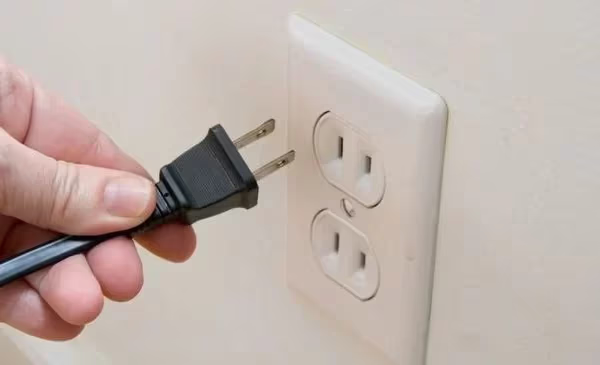
Give the TV a few minutes after turning it back on to stabilize. The flickering may have been caused by temporary software errors that a power reset cleared. If the power cycling does not resolve the issue, it could potentially point to a TCL TV black screen problem.
#2. Check All Cable Connections
Inspect both ends of all cables plugged into the TV, including HDMI, power, antenna, and component AV cables. Reseat any loose connections by unplugging and firmly pushing back in.
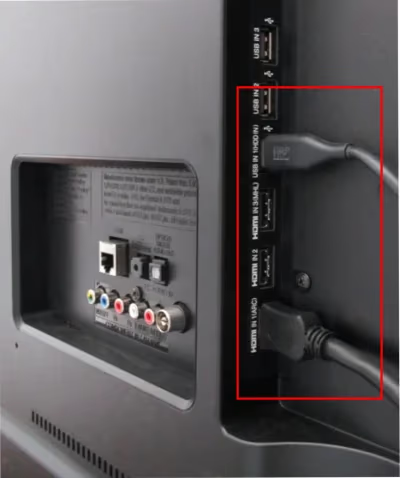
Try a different HDMI port if available. Use a working cable if possible to test. Faulty or bent cables can cause signal issues that lead to display disruption.
#3. Adjust TV Picture Settings
Navigate to your picture settings menu and lower backlight brightness substantially. Also disable any contrast boosting features like Dynamic Contrast.
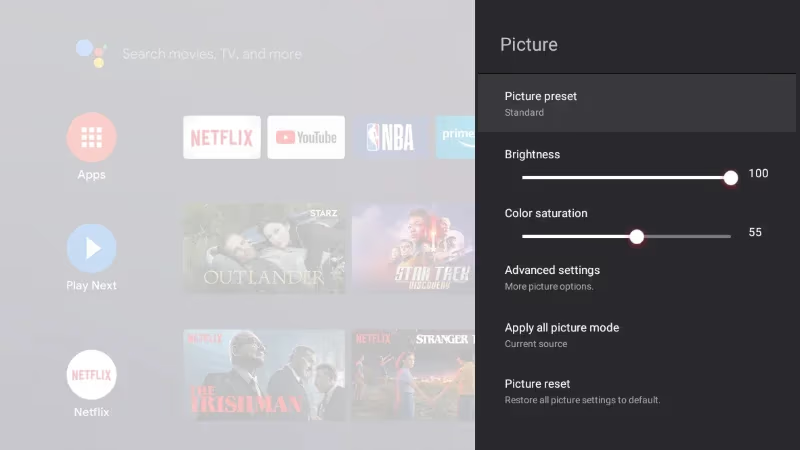
Overdriving the TV’s backlights can trigger flickering issues over time. Reduce brightness to verify if this fixes the behavior.
#4. Update TCL TV Firmware
Outdated firmware can introduce display bugs. Navigate to Settings > Device Preferences > **About ** > Software Update to check for the newest firmware. Follow on-screen steps to download and install.
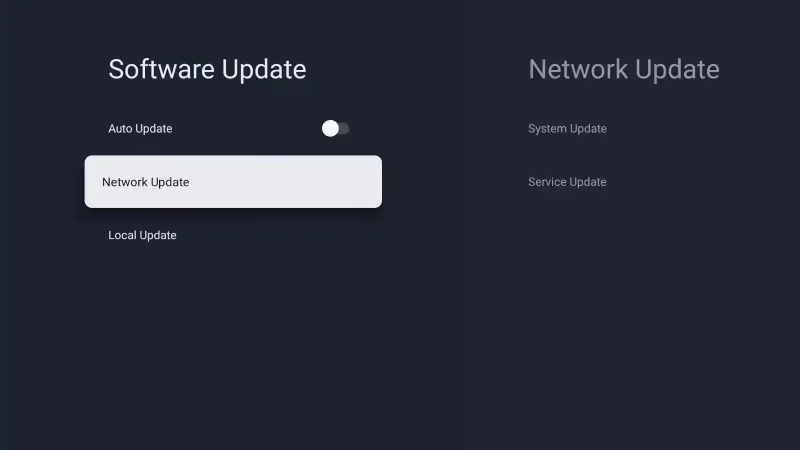
This requires an internet connection. You can also update via USB stick if unable to connect online by visiting TCL’s firmware download page.
#5. Factory Reset the TV
Go to Settings > Device Preferences > Factory Data Reset if flickering persists. This will erase all personalized data and settings but can fix software-related glitches.
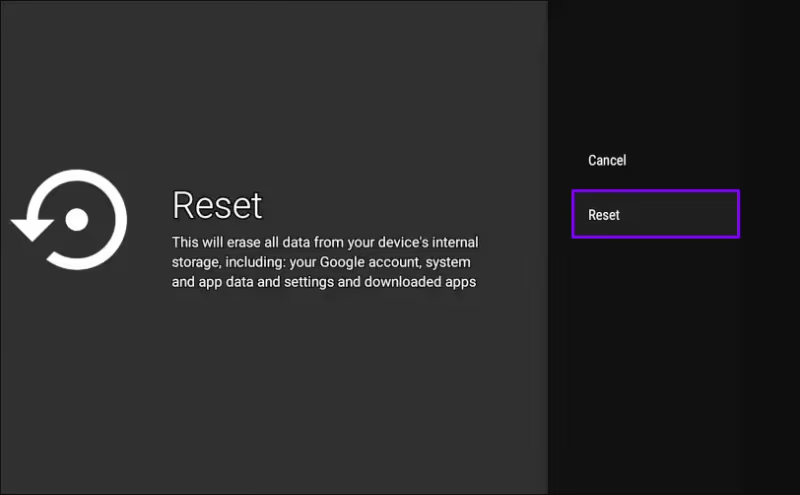
Be aware that a factory reset will also reset any wifi connection profiles, so you may need to go through wifi setup again. Refer to this guide on connecting a TCL Roku TV to wifi if you have difficulties getting back online after the reset.
#6. Replace Faulty HDMI or Power Cables
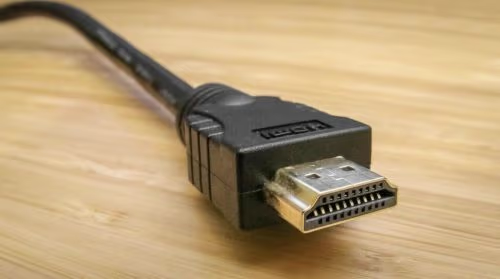
If you have confirmed cable connections are solid on both ends, suspect a damaged HDMI or power cable. Replace with a high-speed HDMI cable and check the power cable for any cuts, crimps, or exposed wiring.
Use a working cable to test if flickering stops. If so, the original cable needs replacing.
#7. Inspect T-Con & Power Boards
At this stage, hardware issues become more likely. Professionally inspect solder joints and connectors on the T-Con and power supply boards for damage. Reflow any cracked joints.
Check ribbon cables for tears or bent pins. Replace any obviously damaged cables and components. If you are not technically skilled, seek professional TV repair at this point.
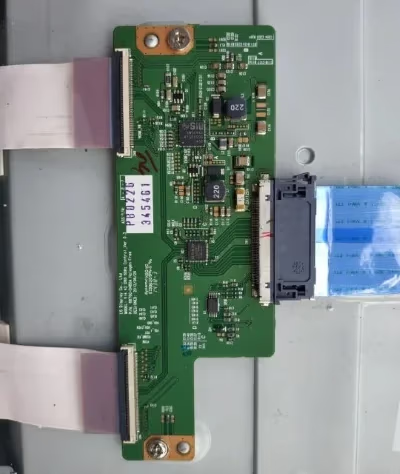 T-Con
T-Con
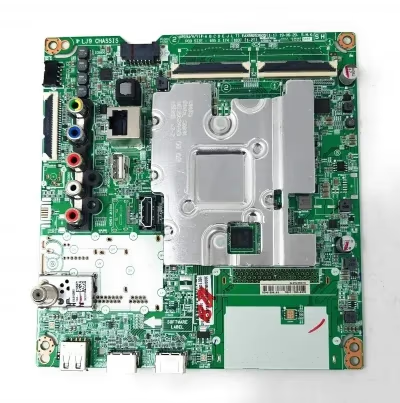 Power Boards
#8. Replace Failing LED Backlights
Carefully examine the LED backlight strips for dark or flickering zones indicating failure. Heat and age damage LEDs over time. Replace any bad strips with compatible parts.
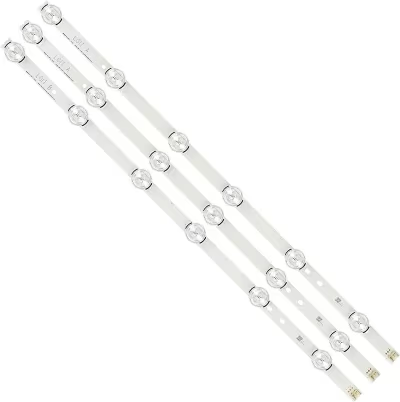 LED Backlights
Backlight repair requires disassembling the panel and is best left to experienced technicians.
#When Should You Call TCL Support or a Repair Shop?
If you have worked through all troubleshooting tips with no success, it’s time to escalate the issue:
-
For TCL TVs under manufacturer warranty, call TCL support at 1-877-300-8837. Explain your troubleshooting steps and flickering issue. They will advise whether your TV qualifies for free repair.
-
Out-of-warranty TVs with flickering require professional inspection and repair. Look for local TV repair experts with experience fixing modern flatscreen televisions. Get an estimate before approving repairs.
-
For complex fixes like backlight or T-Con board replacement, costs can approach the price of a new TV. Carefully weigh the repair costs in this case. You may be better served upgrading to a new, warranty-protected TV.
Be prepared to provide your full TV model number and serial number to support agents and TV shops. This helps accurately diagnose problems and order replacement parts.
#FAQs: Flickering TCL TV Troubleshooting
Here are answers to some frequently asked questions about dealing with a flickering television screen:
#Why does my TCL TV screen flicker intermittently?
Intermittent flickering usually points to a loose cable connection. Check HDMI ports and reseat component video inputs like composite AV cables. Also inspect the power cable going into the TV, since loose contacts cause power fluctuations.
#What if the TCL TV flickers only on certain channels?
That indicates a broadcast issue, not your TV hardware itself. Verify cable or antenna connections first, then try a different HDMI port. If the issue persists only with cable or antenna channels, call your provider for signal troubleshooting.
#Can firmware bugs cause TCL TV screen flickering?
Yes, display issues are common firmware problems. Perform updates routinely via the Settings menu to fix known bugs. You can also downgrade to an older firmware if a recent update coincided with the flickering.
#Why does TCL TV flicker when turned on but not after warming up?
This points to marginal solder connections on internal boards expanding from heat, making proper contact only after warming up. Have an authorized servicer rework any cracked solder joints on circuit boards.
#Will screen flickering damage my TCL TV over time?
Flickering alone should not directly damage TV hardware, but signal loss can indirectly corrupt firmware in rare cases. Persistent display issues also suggest failing power components that will get worse over time. Get repairs done to avoid complete failure.
#Can I replace a flickering TCL TV backlight myself?
Ordering replacement LED strips is possible, but disassembling the panel is very difficult for most owners. Specialized diagnostic tools are also needed to pinpoint issues. Backlight repair is best left to qualified professionals.
#Does a factory reset fix TCL TV flickering?
A factory reset can fix flickering caused by software glitches or corrupted settings. It will not help with hardware problems like failing backlights or damaged T-Con boards. Try a factory reset before pursuing hardware repairs, since it only takes a few minutes.
#Bottom Line
Follow this condensed checklist for stopping an annoying flickering TCL TV:
-
Start software troubleshooting first: power cycle TV, reseat connections, adjust settings, update firmware.
-
Inspect all video and power cables for damage, loose contacts.
-
Call TCL if under warranty for repair options after software fixes don’t help.
-
Consider professional service for complex fixes like backlight or T-Con board issues.
-
Be prepared with TV model and serial when contacting support.
-
Weigh repair costs vs replacement if TV is out of warranty.
I hope this guide gives you confidence to tackle that flickering TCL television screen! Let me know in the comments if you have any lingering questions.