Binge your favorite movies and shows easily with this free streaming app. Learn how to install Stremio on Firestick and Fire TV along with the best addons in just 5 minutes.
- Stremio is not in the Amazon App Store — you must sideload it via the Downloader app using the ARM APK from stremio.com
- Installation takes about 5 minutes — enable Developer Options, download the APK, and install with one click
- Community addons unlock free movies, TV shows, and live TV — top picks include FilmsForFree, FlixTor, and Rising Phoenix
- A VPN is strongly recommended — third-party addons may pull from unauthorized sources, so protect your IP with a service like ExpressVPN
- Stremio syncs across all devices — log into your account to keep addons, watchlists, and settings in sync on Firestick, mobile, and desktop
#What is Stremio and Why Use It?
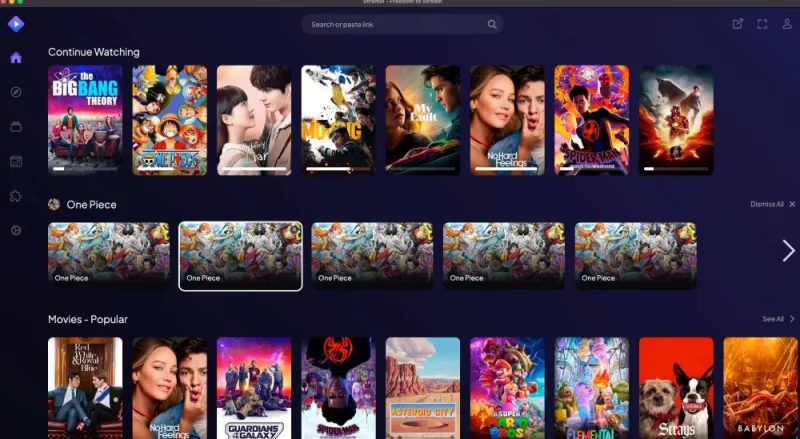 Stremio is a one-stop media center app for streaming video content on-demand. Think of it as Kodi alternative specifically designed for Firestick and Fire TV. Stremio is often compared to media center apps like Plex in terms of functionality.
Key benefits of Stremio:
-
Stream movies, TV shows, web videos and even live TV
-
Super simple interface compared to Kodi
-
Online addon installation saves storage space
-
Available for Windows, Mac, iOS, Android, Linux and Fire OS
-
Syncs addons and watchlist across devices when logged in
I particularly like Stremio because the community addons allow streaming a huge catalog of media for free. However, some of these sources may be illegal or unsafe without protection. There are also alternatives to Stremio worth considering.
That’s why I always recommend using a good VPN like ExpressVPN when using third-party Stremio addons. It secures your identity plus unblocks geo-restrictions.
#Is Stremio Legal and Safe?
Stremio itself is 100% legal and comes directly from the developers. You can find it on both the Google Play Store and Apple App Store.
However, some of the community addons pull content from unauthorized sources. The legality depends ultimately on your location and the video being streamed.
I cannot make guarantees about the safety or legality of any third-party addons available within Stremio itself. Many stream copyrighted material without permission.
To stay protected, always use a VPN like ExpressVPN when streaming anything through unofficial addons. This hides your IP address and encrypts data transfer to keep you anonymous.
#How to Install Stremio on FireStick / Fire TV
Unfortunately Stremio is not available in the Amazon App Store. So you need to sideload the app manually onto Firestick, Fire TV Cube or Fire TV.
Don’t worry, it only takes 5 minutes to complete with these simple steps:
#Step 1: Enable Apps from Unknown Sources
-
Go to Settings > My Fire TV > Developer Options
-
Turn on Apps from Unknown Sources and ADB Debugging
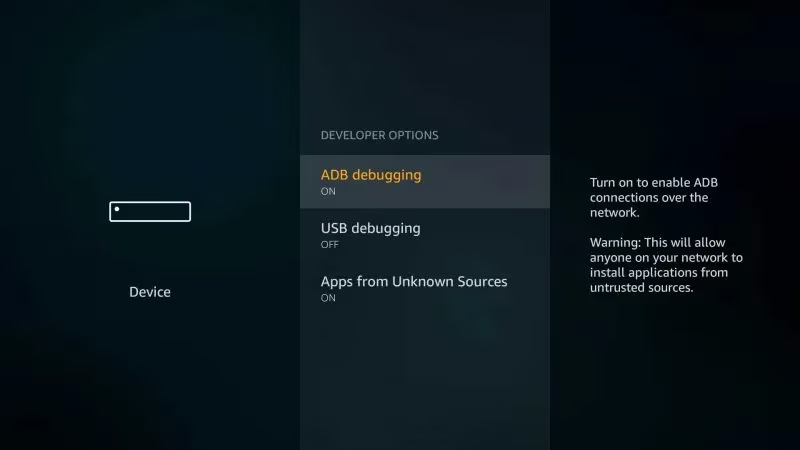
*TIP: If you don’t see Developer Options, enable it by going to Device > About > Click on “FireOS” 7 times
#Step 2: Install Downloader App
- On Firestick home screen select Search
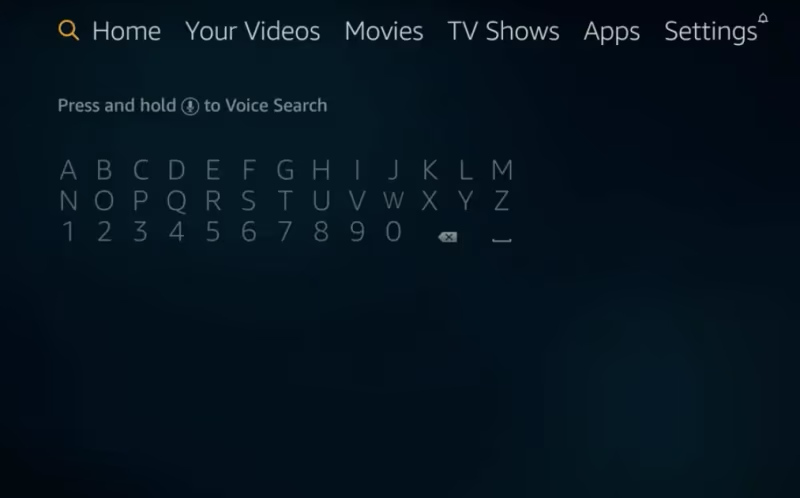
- Type “Downloader” and click the Downloader app > Download
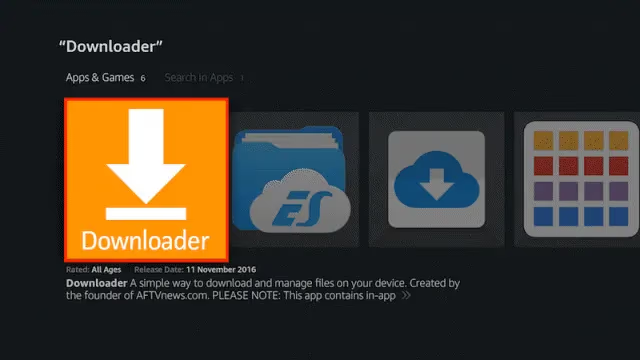
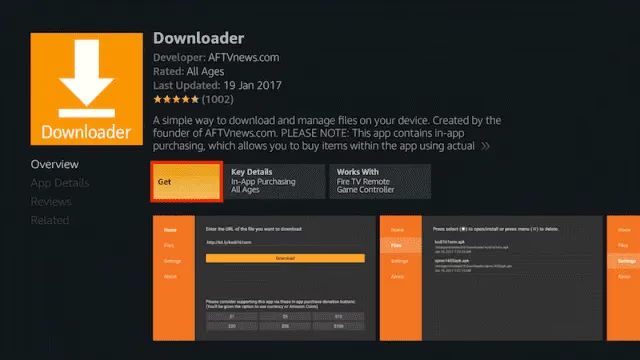
- Once installed, open the Downloader app
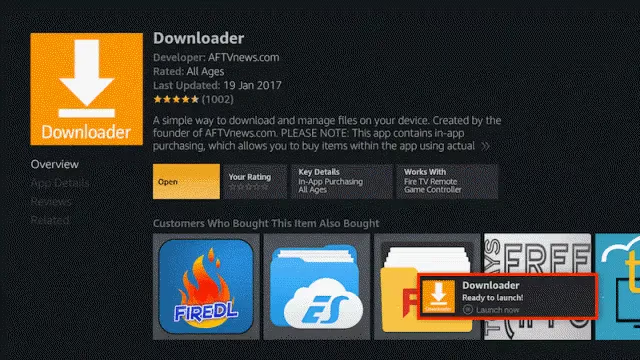
#Step 3: Download Stremio APK
- In the URL bar enter: https://www.stremio.com and click Go
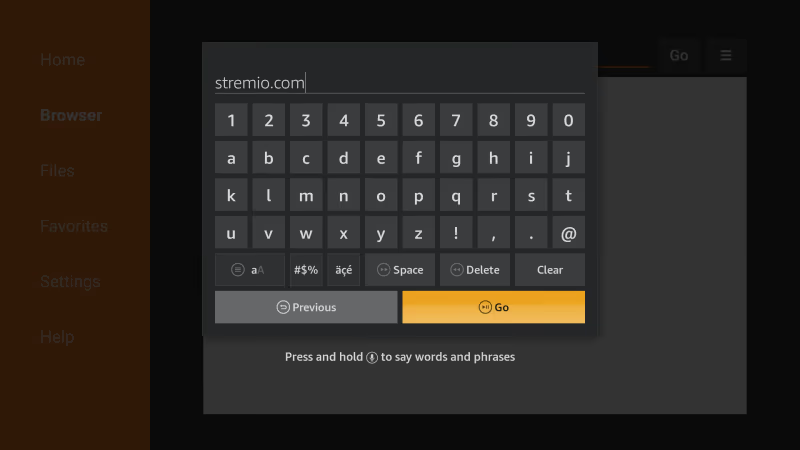
- Click the Hamburger Menu > Downloads > Android
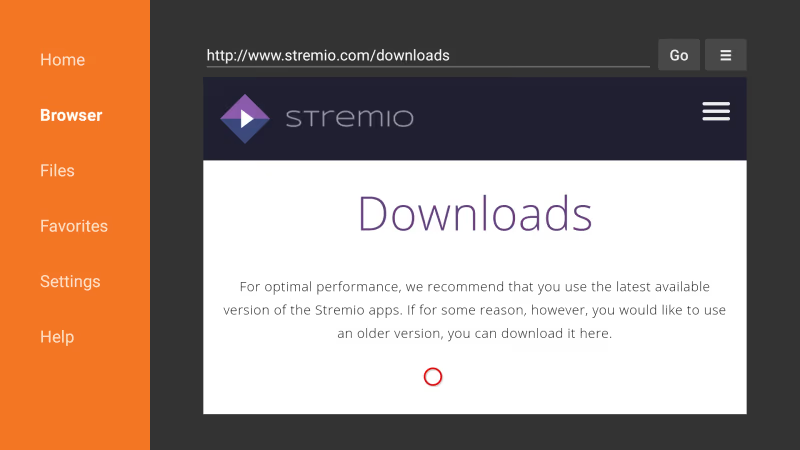
- Select the Stremio ARM APK to download
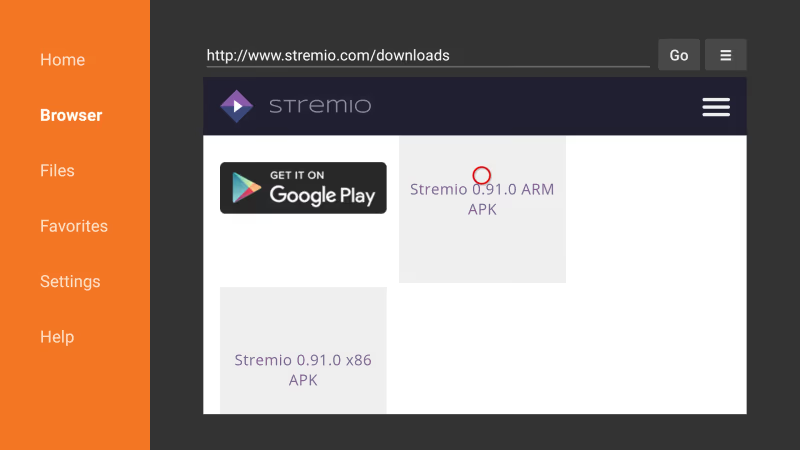
*Make sure you download the ARM version designed for Fire OS
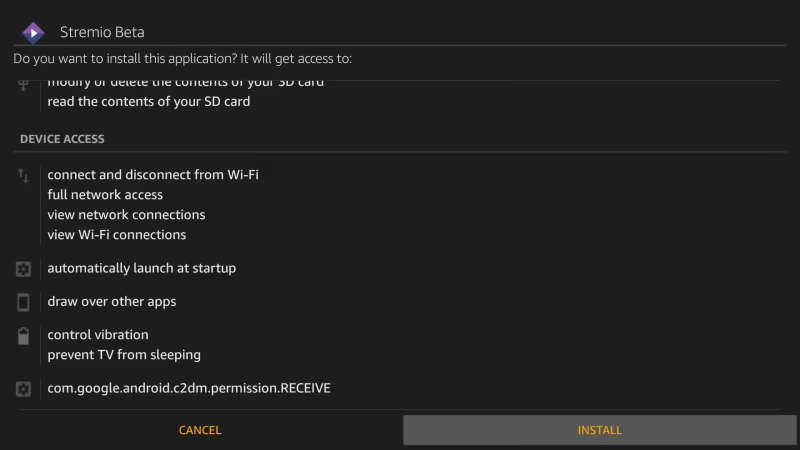
- When download completes, click Install
#Step 4: Open Stremio and Enjoy!
And that’s it! Stremio is now ready to use on your Firestick. Open it from the Home screen and start streaming.
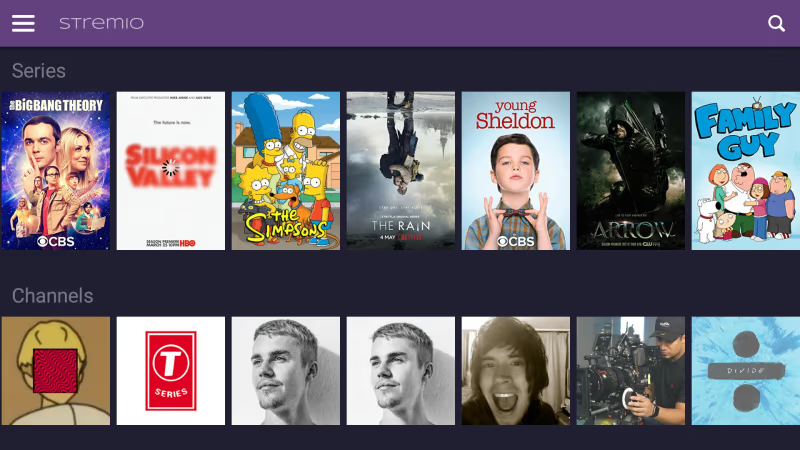
*TIP: I recommend logging into your Stremio account so all settings and addons sync across devices.
#How to Use Stremio on Firestick & Fire TV
Using Stremio is refreshingly simple compared to Kodi. Here’s a quick overview of the interface and features:
#Explore the Content Library
-
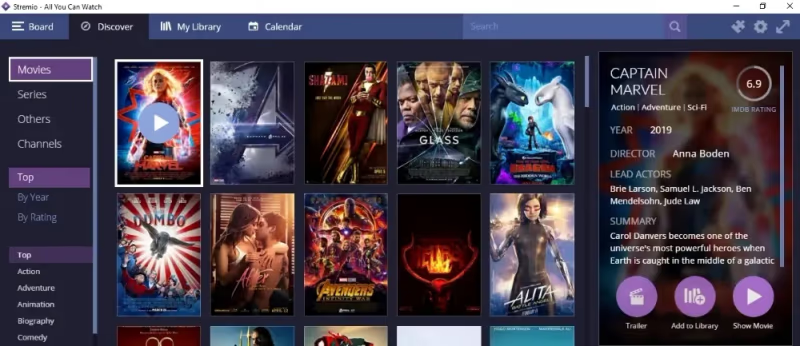
Movies / TV Shows – Browse genres or search popular titles
-
My Library – Your favorites and Trakt synced watchlist
-
Discover – Categorized selection of trending media
#Addons Unlock Endless Streaming
-
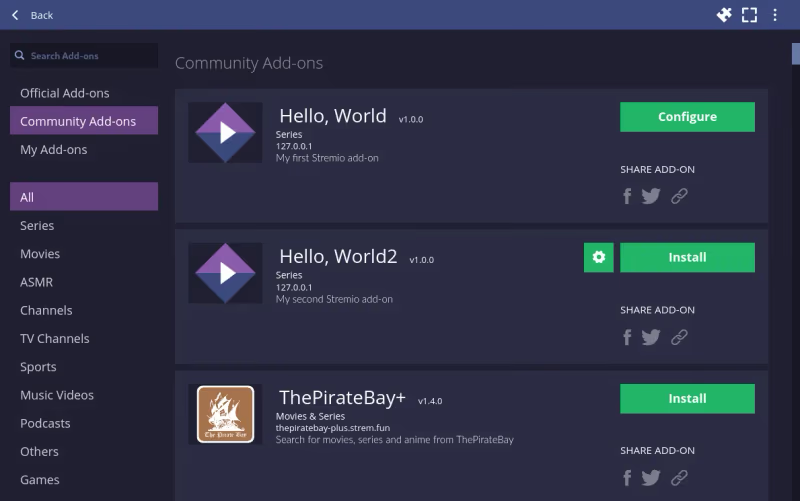
Click the burger menu > Add-ons tab to get addons
-
Official addons offer legal streaming channels
-
Community addons index free movies & shows
-
Install any interesting addons with the + button
-
My favorites are FilmsForFree, FlixTor, Rising Phoenix, and Pirate Bay+
#Stream Movies & Shows in Just 1-Click
-
Find something you want to watch in the content library
-
Click the title, then click a stream link on the right
-
Instant streaming with no slower buffering or lag
So simple, your grandma could figure it out. No wonder Stremio is becoming hugely popular for Firestick streaming. It’s also available for LG TVs and Roku devices.
#Fix Stremio Buffering or No Streams Found
Stremio relies entirely on the addons to provide streaming links. So issues finding streams usually come down to a poor addon or bad linkage. Compared to Kodi, Stremio addons seem more reliable and faster in my experience.
Here are 5 troubleshooting tips for Stremio buffering problems:
1. Check Your Internet Speeds
Slow internet connectivity can lead to endless buffering. Use a speed test site and verify you have at least 25 Mbps download speeds for smooth 1080p streaming.
2. Restart Your Router and Firestick
Sometimes a quick reboot of both devices can clear any network issues causing buffering. Unplug them completely before restarting.
3. Enable Tunnel Mode on Your VPN
If you use a VPN, make sure tunnel mode is enabled under settings. This prevents bandwidth restrictions that lead to buffering.
4. Remove Problematic Addons
Disable or delete any addons that consistently fail to return good streams. Keep only 1-2 of the best addons enabled.
5. Clear Cookies and Cache
Too much cached data can slow things down. Go to Settings > Apps > Stremio > Clear Cache. Also clear cookies in your browser.
#Best Stremio Addons for Movies, TV & Live TV
The real power of Stremio lies in the addons that index streams from around the web. Here are my top picks:
#Movies
-
FilmsForFree – Massive on-demand movie catalog with reliable streams
-
FlixTor – Great for older and indie movie buffs
-
Rising Phoenix – Huge array of movies sorted by genres
-
Pirate Bay Plus – Semi-legal torrent streams
#TV Shows
-
FilmsForFree – Binge popular shows with entire season streams
-
FlixTor – Episodes uploaded soon after airing
-
Rising Phoenix – TV section organized by network
#Live TV & Sports
-
RadioSure – 400+ live radio stations
-
Plutotv – 100+ cable channels like CNN without cable
-
Redbox – PPV events like boxing & MMA fights
I suggest starting out by enabling FilmsForFree since it offers both movies and shows. FlixTor is also very reliable.
Avoid less popular addons which often get taken down or contain dead links. Keep only your top 2-3 enabled to avoid clutter.
#Using a VPN for Secure Streaming
I want to reiterate the importance of running a VPN while streaming on Stremio.
Unprotected streaming poses serious risks:
-
ISPs can sell your data or throttle speeds
-
Govt agencies spying on torrent streams
-
Copyright trolls monitoring swarms to sue
-
Geo-restrictions blocking content
That’s why I always connect to ExpressVPN when using Stremio. It secures my privacy plus unblocks global media libraries with 3200+ anonymizing servers worldwide.
Get ExpressVPN Today to shield your streaming activity and unlock more content.
Some key benefits:
-
Enabled 256-bit AES encryption on all traffic
-
Strict zero logs policy across entire network
-
Apps for Firestick, Android, iOS, Mac, Windows and more
-
Unblocks Netflix, Hulu, BBC and other geo-restricted platforms
-
Protect up to 5 devices simultaneously
-
Risk free with 30 day money back guarantee
So stop compromising your security and get ExpressVPN today!
#FAQs About Stremio Firestick
#Is Stremio better than Kodi for Firestick?
For Firestick and Android TV boxes, I actually prefer Stremio. The interface is faster and won’t overload your storage. Addons also tend to be more reliable than Kodi repositories in my experience, and you don’t need to mess with file managers or ZIP installs.
#Does Stremio work on Android TV, Google TV, or Chromecast?
Yes. You can install Stremio directly from the Play Store on Android TV devices like Nvidia Shield TV. Chromecast with Google TV also supports the Play Store install. For older Chromecast dongles without Google TV, you’d need to cast from a phone or computer instead.
#Can Stremio play 4K or 1080p content?
Stream quality depends entirely on the addons and their hosting sources. FilmsForFree, Rising Phoenix, and FlixTor generally offer 1080p streams with 5.1 surround sound. Some 4K links show up, but availability and buffering depend on your internet speed and the source server.
#Is a Real Debrid account needed for Stremio?
No. Stremio works fine without any debrid service. That said, Real Debrid or Premiumize can unlock higher-quality streams from premium file hosts and reduce buffering since files are already cached on their servers.
#Can I use Stremio on iPhone or iPad?
Yes, get Stremio directly from the Apple App Store on iOS. Log into your account to sync addons and favorites so you can pick up where you left off on any device.
#How do I update Stremio on Firestick?
Since Stremio is sideloaded, it won’t auto-update through the Amazon App Store. You need to repeat the Downloader method: visit stremio.com, download the latest ARM APK, and install it over the existing version. Your addons and settings carry over automatically.
#Does Stremio use a lot of storage on Firestick?
Stremio itself takes up around 50-60 MB, which is much less than Kodi. Because addons run online rather than being stored locally, you won’t fill up your Firestick’s limited storage. Clear the cache occasionally under Settings > Apps if playback gets sluggish.
#Why does Stremio show “no streams available” for some titles?
This usually means your installed addons don’t have sources for that title. Try adding more community addons like FilmsForFree or Rising Phoenix to expand your stream library. Obscure or very new releases are the most likely to have gaps.
I hope this guide gives you everything you need to know about setting up and using Stremio on your Fire TV.
The process only takes about 5 minutes and opens up a world of free movie streaming! As mentioned earlier, be smart and protect your privacy with a good VPN service.
Let me know if you have any other questions in the comments below!