Watching the Spectrum TV app on a TCL smart TV can be confusing depending on the model you own. This guide will teach you how to access Spectrum on any TCL TV.
- TCL Roku TVs have native Spectrum support — install the official app from the Roku Channel Store in under 2 minutes
- TCL Android/Google TVs lack an official app — 6 workarounds exist including casting, sideloading APK, and browser access
- Casting from a phone is the fastest workaround — both Android and iPhone users can mirror Spectrum to their TCL TV over Wi-Fi
- External Roku devices cost $25-$80 — they add full Spectrum app support to any TCL TV with an open HDMI port
- Sideloaded APKs run in portrait mode only — the unofficial Android app works but cannot rotate to full screen horizontal view
#Can You Get Spectrum TV on a TCL Smart TV?
The ability to install Spectrum TV depends on if your TCL TV runs on Android/Google TV or the Roku operating system. We’ll cover both scenarios and provide tested methods that work in 2026.
#How Do You Access Spectrum TV on Android/Google TCL TVs?
Unfortunately, the official Spectrum TV app is not yet supported on TCL’s Android/Google TV models. But don’t worry, you have several solid workarounds:
-
Use web browser to access Spectrum TV website
-
Cast Spectrum mobile app from Android/iPhone
-
Install unofficial Spectrum TV APK
-
Connect external streaming device like Roku
-
Screen mirror laptop with HDMI cable
-
Use AirPlay casting from iOS device
Below we will…
-
Provide step-by-step instructions for each method
-
Compare pros and cons of each option
-
Answer common troubleshooting questions
-
Offer recommendations based on use case
#Method 1: Access Spectrum TV Website in Web Browser
The Spectrum TV website provides access to live and on-demand programming from your Spectrum subscription. Here’s how to watch it from your TCL Android TV’s browser:
Step 1) Install web browser if you don’t already have one. We recommend the TV Bro or Puffin browsers which are optimized for TV web surfing.
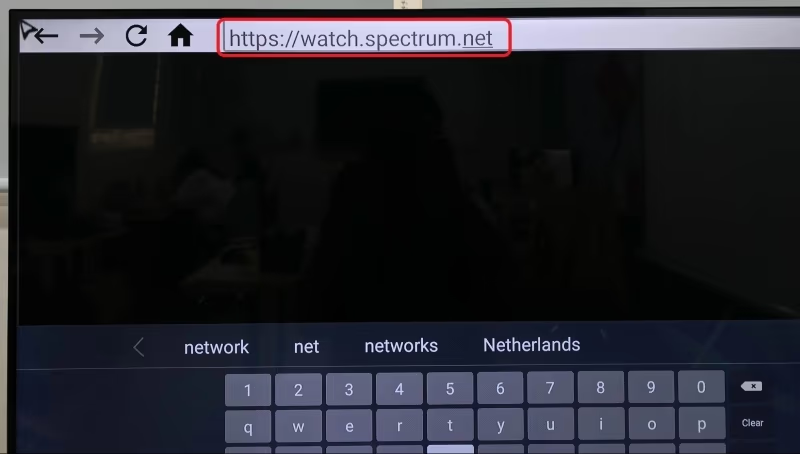
Step 2) Open browser app and navigate to https://watch.spectrum.net
Step 3) Login with your Spectrum account credentials
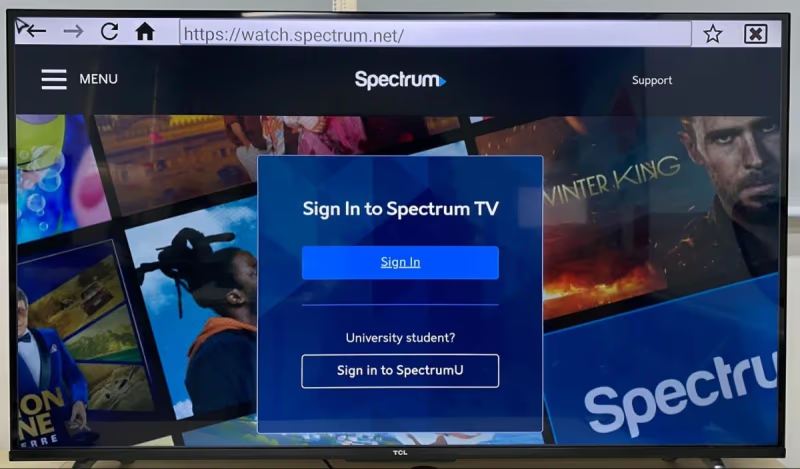
Step 4) Start streaming your favorite sports, news and entertainment
The Spectrum TV website works well for casual viewing but lacks some features like a sophisticated channel guide or DVR controls. Still it’s the quickest method to get streaming right from your TV’s apps.
#Method 2: Cast Spectrum Mobile App to TCL Android TV
Already have the Spectrum TV app on your Android phone or iPhone? You can cast the mobile app straight to your TCL Android TV with just a few quick steps:
Step 1) Connect phone and TCL TV to same Wi-Fi network
Step 2) Launch Spectrum mobile app and login to account
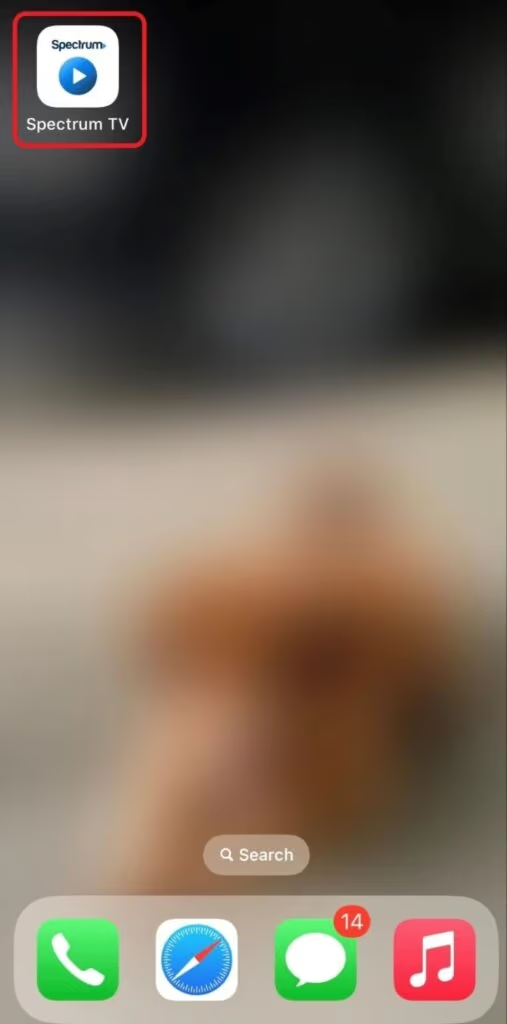
Step 3) Swipe down to access Control Center
Step 4) Tap Screen Mirroring/Smart View icon to initiate casting
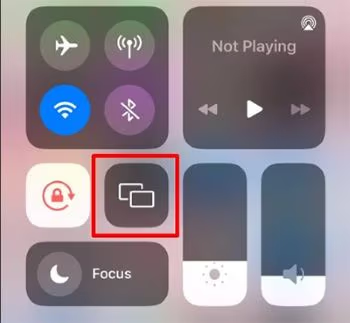
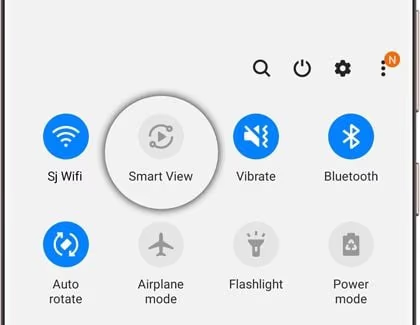
Step 5) Select your TCL TV name from device list
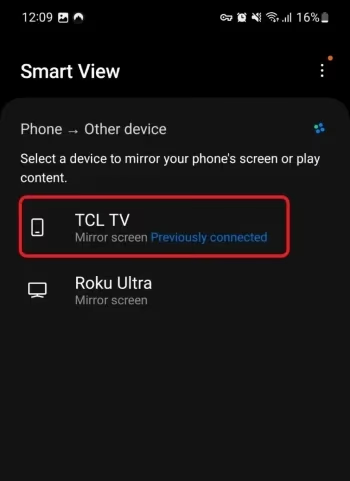
Now you’ll see the Spectrum mobile app screen mirrored on your nice big TCL television. This grants full access to the app’s features like favorite channels, video on-demand, DVR recordings and more.
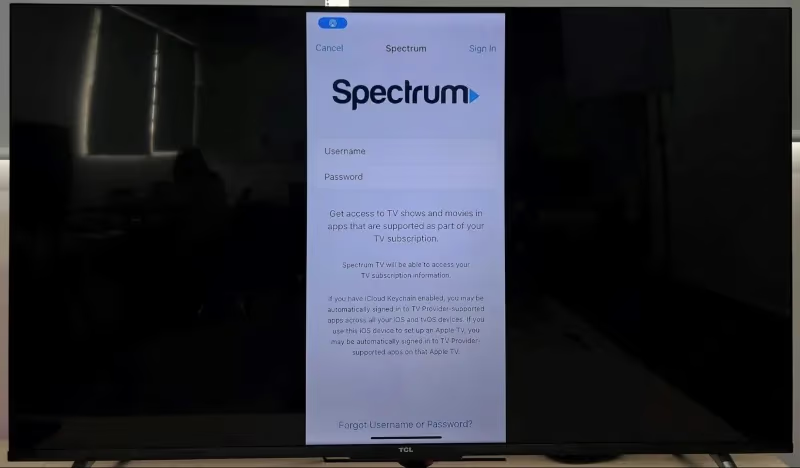
Casting does drain your phone battery faster. But an upside is being able to use your phone as an advanced remote control while streaming on the TV.
#Method 3: Sideload Spectrum TV APK onto TCL Android TV
While not officially supported, you can install an unofficial Spectrum TV Android APK onto your TCL Google TV. Here is what’s involved:
Step 1) Install Downloader app from TCL Content Store
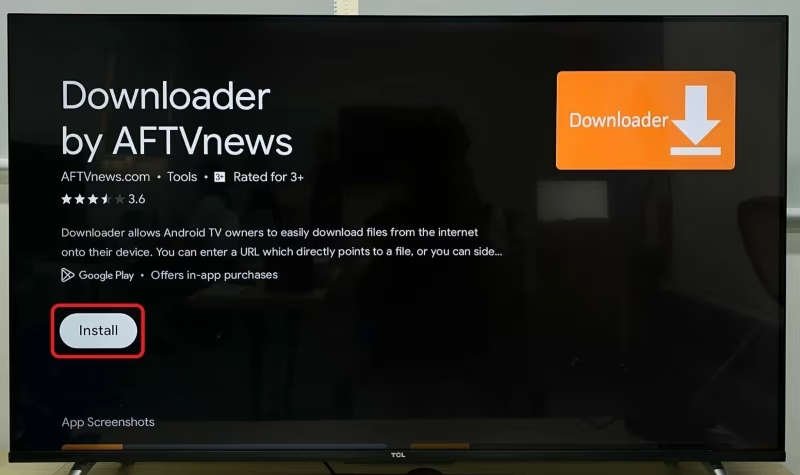
Step 2) Enable “Allow from this source” in Settings > Apps
Step 3) Open Downloader app and search “Spectrum TV APK”
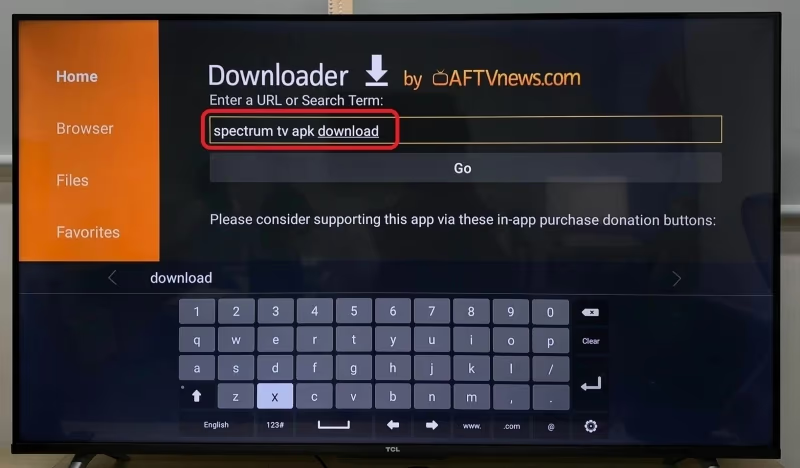
Step 4) Select download link from results
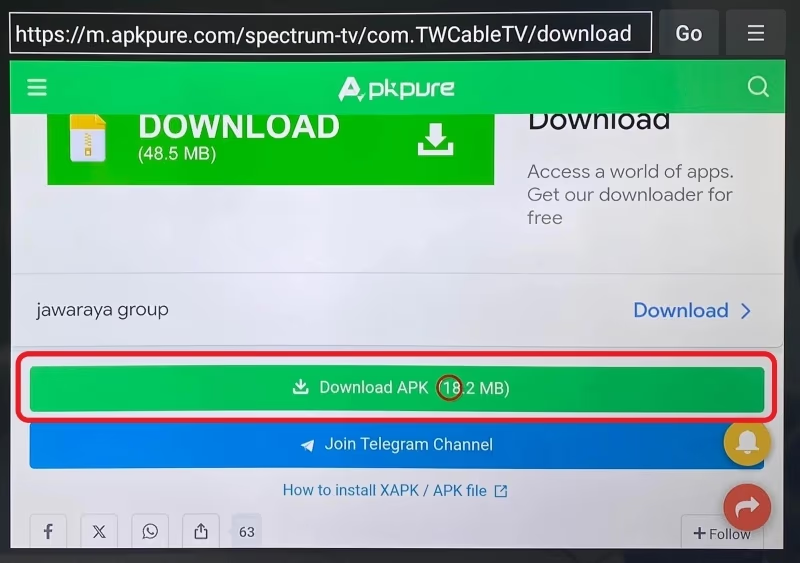
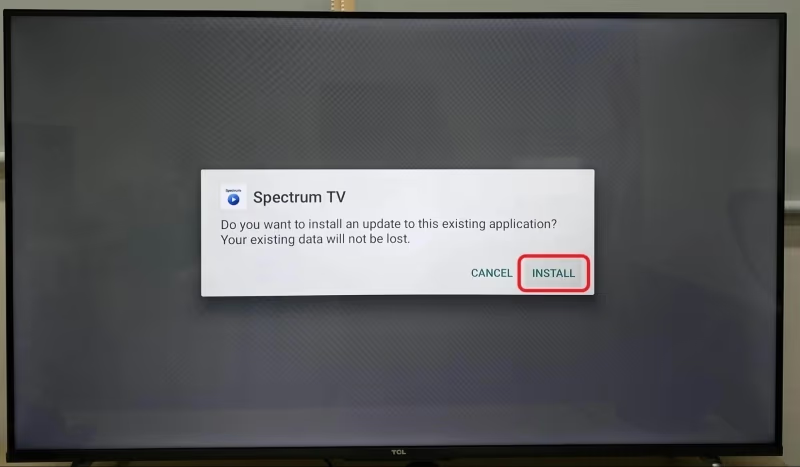
Step 5) Click Install and launch app when completed
Step 6) Login with your Spectrum account
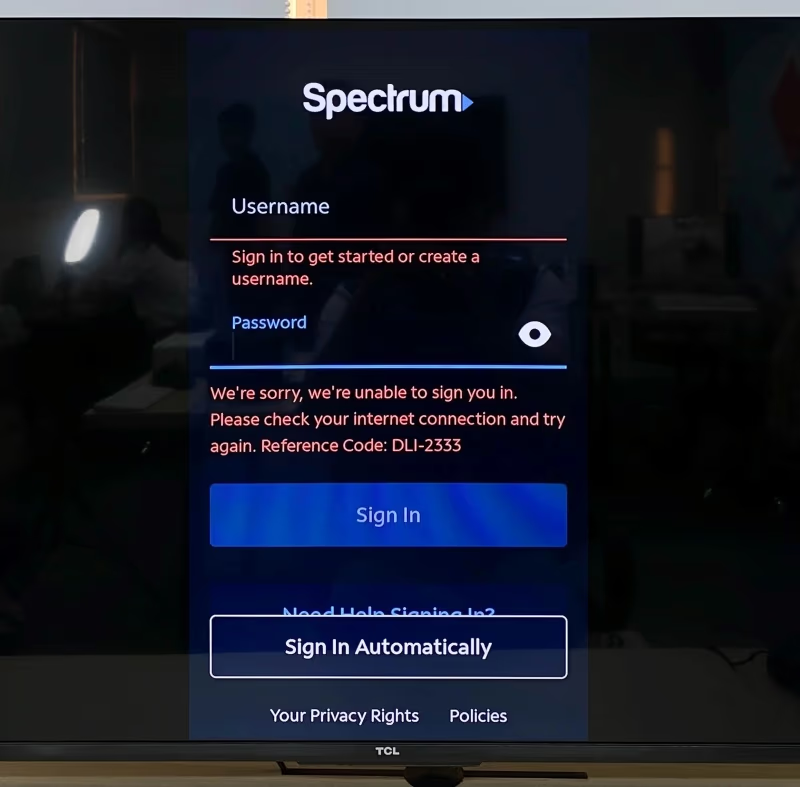
This sideloaded Spectrum APK mimics functionality of the official mobile app. But the viewing mode is stuck in vertical orientation. You’ll be unable to watch full screen as a result.
Proceed with caution as this unofficial app could pose privacy or security risks. But many TCL owners have reported success accessing Spectrum programming this way.
#Method 4: Connect External Streaming Device to TCL TV
Another straightforward route is connecting an external streaming player or stick to add app support missing from your TCL Android TV.
Top options like Roku or Amazon Fire TV work well with Spectrum TV and make it easy to install and log in. Most models are quite affordable as well.
We recommend Roku specifically because their platform has a dedicated Spectrum TV app fully optimized for the living room experience.
Compatible Roku devices include:
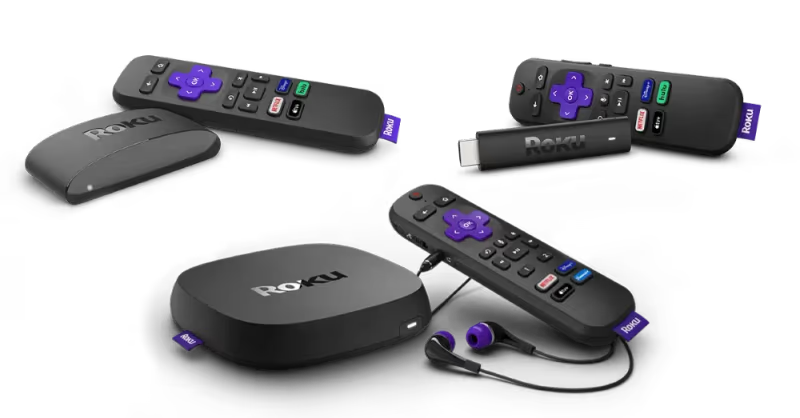
Simply connect via open HDMI port and follow the typical Roku setup process to access Spectrum on your TCL TV with this hassle-free method.
If looking to watch Spectrum content on another popular streaming platform, the Amazon Fire TV solution works quite well. Although the app experience is more optimized for Roku, Fire TV Stick owners can still login and access live programming without much hassle.
#Method 5: Screen Mirror Laptop to TCL Android TV via HDMI
Don’t have a spare streaming device? You likely have a laptop though. And it can serve as an intermediary for watching Spectrum on your TCL Android TV.
Here’s how to screen mirror laptop to TCL TV:
Step 1) Connect Windows/Mac laptop to TCL TV’s HDMI port
Step 2) On laptop access Spectrum TV Everywhere website
Step 3) Enable secondary display in Settings on Windows or Mac OS
Step 4) Toggle to duplicate/mirror mode so Spectrum plays on both laptop and TV
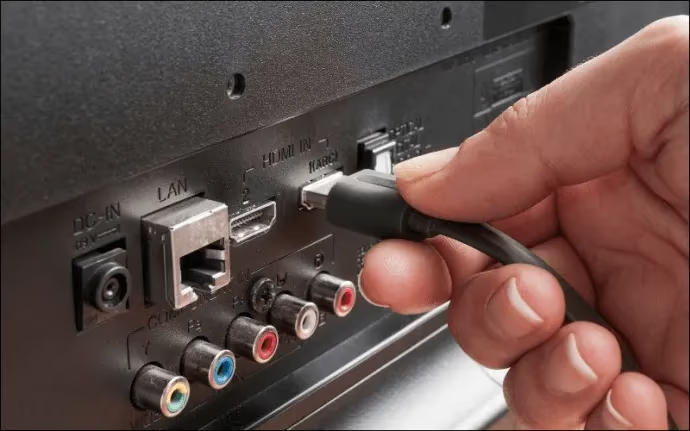
This gives you the convenience of managing streaming content with your computer while viewing on the big screen. HDCP errors can interfere with casting sometimes so HDMI is more reliable.
#Method 6: Use AirPlay Casting from iOS Device
Apple device owners can take advantage of AirPlay casting. This streams content wirelessly using an established protocol TCL Android TVs understand.
Follow these instructions for casting from iPhone/iPad:
Step 1) Connect iOS device and TCL TV to same wireless network
Step 2) Launch Spectrum app and play a video
Step 3) Swipe up from bottom to launch Control Center
Step 4) Tap Screen Mirroring icon
Step 5) Select your TCL television from the target device list
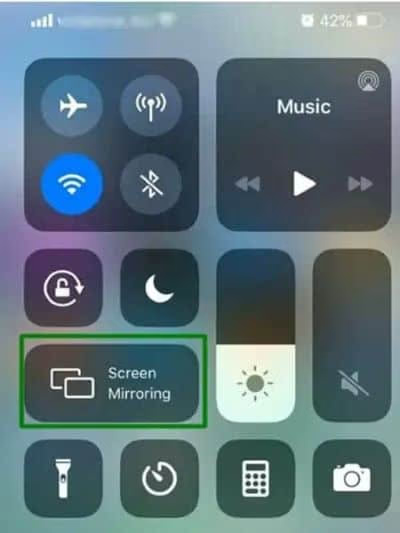
AirPlay can achieve smooth 1080p streaming without lag or quality loss. An Apple TV box would allow 4K resolution but isn’t required for a decent streaming experience.
The only downside to Airplay is that it exclusively works for Apple products. You’ll need an iPhone, iPad or Mac computer to utilize this handy wireless casting feature.
#How Do You Get the Spectrum TV App on TCL Roku TVs?
Good news for TCL Roku TV owners: the official Spectrum app is available on all Roku devices.
Over a dozen TCL Roku TV models exist with varying sizes and display resolutions. They all share the same Roku smart platform.
The Roku interface makes installing Spectrum TV simple. Just follow this quick walkthrough:
Step 1) Press Home button on TCL Roku TV remote
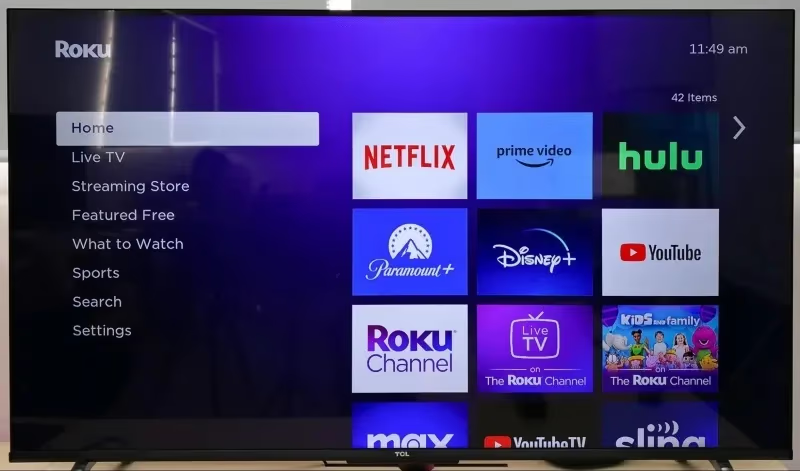
Step 2) Scroll left and select Streaming Channels
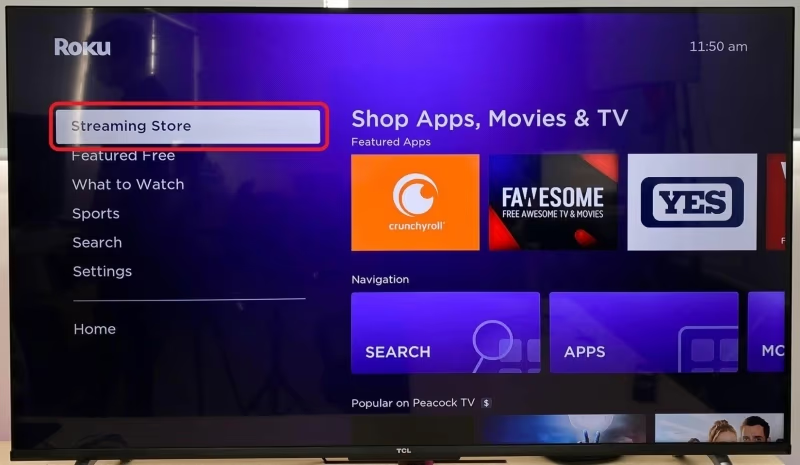
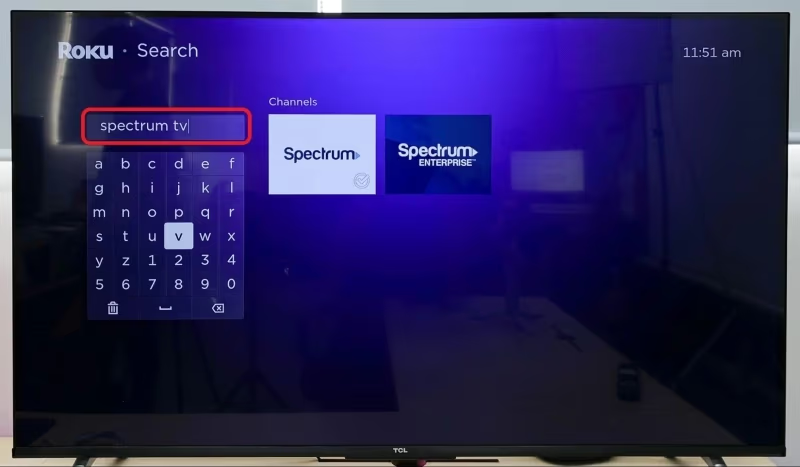
Step 3) Search for “Spectrum TV” app
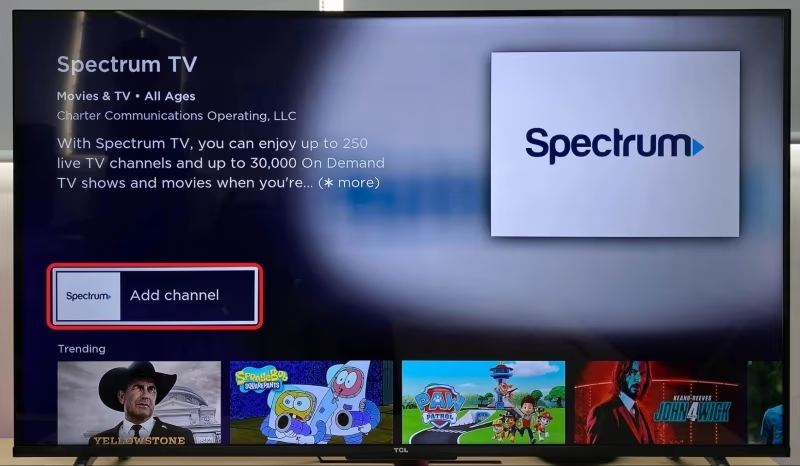
Step 4) Click Add Channel button to install
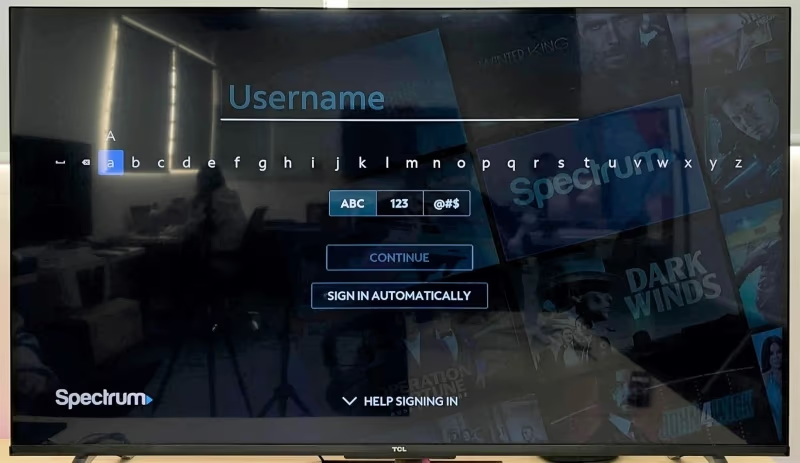
Step 5) Launch newly installed Spectrum app
Step 6) Input your Spectrum account login credentials
Step 7) Pick up where you left off or find something new to stream!
The Roku Spectrum app delivers the full suite of features available to cable subscribers. That includes both live and video on-demand programming, detailed channel guides, saved favorite lists, account management functions and more.
Roku models also permit casting to the TV from mobile devices if desired. But you likely won’t need to with the legit Spectrum experience happening right on the device.
Installing the Spectrum TV app on platforms like LG webOS TVs or Vizio SmartCast TVs is generally smooth and straightforward. You’ll want to verify compatibility with your specific model but most modern televisions work perfectly fine.
Below are the most popular TCL Roku TVs guaranteed to work flawlessly with the Spectrum TV app:
-
TCL 32/40/43S325 Roku TVs (720p HD)
-
TCL 32/40S327 Roku TVs (1080p Full HD)
We focused this guide specifically on TCL smart TV models but you can follow almost identical methods to watch Spectrum on Sony Android TVs too. Casting from mobile or using the Android web browser workaround achieve the same desired results.
#Frequently Asked Questions
#Does the Spectrum app work on every smart TV brand?
Spectrum TV is officially supported on all Roku TVs and Samsung models from 2012 onward. Select LG webOS TVs also work, but results vary across other brands. TCL Android TV owners need to use one of the workaround methods described above.
#Can I watch Spectrum on demand content on my TCL TV?
Yes. The Spectrum TV apps and website both provide full access to on-demand programming from your subscription package.
#Does the Spectrum mobile app offer the same channels and shows?
The iOS and Android Spectrum apps closely match the cable box experience. On Demand content is actually more extensive on mobile than on cable in many cases. You can cast the mobile app to your TCL TV and still access all of these features.
#What internet speed do I need for Spectrum streaming?
Spectrum recommends at least 25 Mbps download speed per concurrent 4K stream. For stable HD streaming, 5-10 Mbps per stream is enough. If multiple people in your household stream at the same time, multiply these numbers accordingly.
#Can I block ads on the Spectrum TV app?
The Spectrum apps serve ads and do not support ad-blocking. Using a Roku streaming device tends to reduce promotional interruptions compared to the browser-based method.
#Do I need a Spectrum internet plan to use the app?
You need an active Spectrum internet plan to unlock features like web and mobile app streaming or video on-demand content. Live TV programming only requires a Spectrum TV package. Both plans are sold separately or as a bundle.
#Why is the sideloaded Spectrum APK stuck in portrait mode?
The unofficial Spectrum APK was designed for phones, so it defaults to vertical orientation. There is no built-in way to force horizontal orientation on TCL Android TVs. For a full-screen experience, casting from your phone or using an external Roku device are better options.
#Bottom Line
Hopefully this guide served as a valuable reference for resolving difficulties accessing Spectrum TV on your TCL television.
In summary, TCL Roku TV owners luck out with full app support through Roku Channel Store installation.
Meanwhile TCL Android TV users have options like:
-
Casting Spectrum mobile app
-
Using TV web browser
-
AirPlay & Chromecast workarounds
Still have trouble or questions? Reach out below and I’ll do my best to help get you streaming Spectrum content on your TCL smart TV.