Looking to upgrade your TV’s audio but overwhelmed by all the options? This guide breaks down everything you need to know about soundbars vs TV speakers so you can make the right choice. As a home theater enthusiast and audiophile for over 20 years, I’ve tested dozens of audio setups and can help you pick the right one for your room and budget.
- Soundbars outperform TV speakers in every audio metric. Even a $100 soundbar produces 2-3x the bass output and clearer dialogue than built-in TV speakers
- Installation takes under 10 minutes. A single HDMI ARC or optical cable connects a soundbar to any modern TV
- Dolby Atmos support starts around $200. Budget soundbars now deliver 3D overhead effects that no TV speaker can match
- Full speaker systems win on raw performance. Component 5.1 or 7.1 setups produce wider soundstages, but cost $500+ and require room wiring
- Room size determines the best choice. Soundbars suit rooms under 300 sq ft, while dedicated speakers shine in larger home theater spaces
#Why Do TV Speakers Fall Short for Home Entertainment?
TV speakers used to be an afterthought for manufacturers. Extra-thin displays left little room for quality integrated speakers. Major strides have been made, but even high-end TV speakers still have limitations:
-
Lack bass and volume. Small drivers can’t produce deep bass or high volume needed for immersive sound. Voices and explosions all blend together.
-
Tinny, distorted quality. TV speakers often sound shrill and distorted at high volumes, ruining the viewing experience.
-
No surround sound. TV speakers fire straight forward, not enveloping you from all directions like theater surround sound.
-
Dialogue gets drowned out. With action happening on screen, dialogue delivered through TV speakers can get muddled and hard to understand.
-
No Dolby Atmos. No TV speakers provide height channels for Dolby Atmos 3D soundscapes.
The bottom line is integrated TV speakers are a compromise and leave much to be desired.
#What Is a Soundbar and How Does It Work?

Soundbars represent an easy upgrade path over TV speakers, offering improved audio performance without the complexity of a full home theater setup.
A soundbar is a slim speaker unit designed to sit below or mount above your TV. This single all-in-one unit replaces having separate speakers scattered around a room. It contains multiple speaker drivers and an internal amplifier that decodes audio signals from your TV and distributes them across channels to simulate surround sound.
Benefits of soundbars:
-
Compact, minimalist design
-
Plug-and-play setup with a single cable
-
Multiple built-in speakers in one unit
-
Advanced audio decoding (Dolby Atmos, DTS:X)
-
Bluetooth and Wi-Fi streaming
-
Voice assistant integration (Alexa, Google Assistant)
Soundbars range from basic 2-channel models under $100 to elaborate surround sound systems costing over $1,000. Higher-end units incorporate subwoofers for thunderous bass and even wireless satellite speakers for true surround sound.
#Choosing the Best Soundbar: Key Considerations
With so many soundbar options on the market, it helps to focus on a few key factors to find the best model for your needs.
#Soundbar Channels and Speakers
One of the biggest factors determining sound quality is the number of built-in speakers and channels. More drivers and channels allow for better surround effects and audio clarity:
-
2.0 channels: Basic stereo left and right.
-
2.1 channels: Left, right, + subwoofer. Most common and affordable.
-
3.1 channels: Left, right, center channel + subwoofer. The center channel boosts dialogue clarity.
-
5.1 channels: Front left, center, right, side surrounds + sub.
-
Dolby Atmos: Adds height channels for 3D overhead effects.
Match the number of channels to your room size so the soundbar isn’t underpowered or overkill.
#Soundbar Connectivity
Modern soundbars offer extensive wired and wireless connectivity:
-
HDMI ARC: Allows TV audio signal to travel both directions with a single HDMI cable. Easy universal remote control.
-
HDMI eARC: Enhanced audio return channel supports advanced codecs like Dolby Atmos. If you own a newer TV, check your HDMI ports to confirm eARC support.
-
Optical: Allows digital transmission of multichannel audio. A reliable backup if your TV lacks HDMI ARC. Learn more about connecting a soundbar without optical cable.
-
Bluetooth: Wirelessly stream music from your phone or tablet.
-
Wi-Fi: For smart features and music streaming services.
-
Chromecast built-in: Cast audio from hundreds of apps.
#Soundbar Size
Measure the space in front of your TV stand to ensure a soundbar will fit without blocking the screen. Soundbars range from compact 2-foot models to 5+ foot versions.
Bigger soundbars allow for more speaker drivers and better bass but require ample room. If your soundbar blocks your TV’s IR sensor, check out our guide on soundbar blocking TV sensor fixes. Soundbars with wireless subwoofers give you placement flexibility.
#How Do Soundbars Compare to Full Speaker Systems?
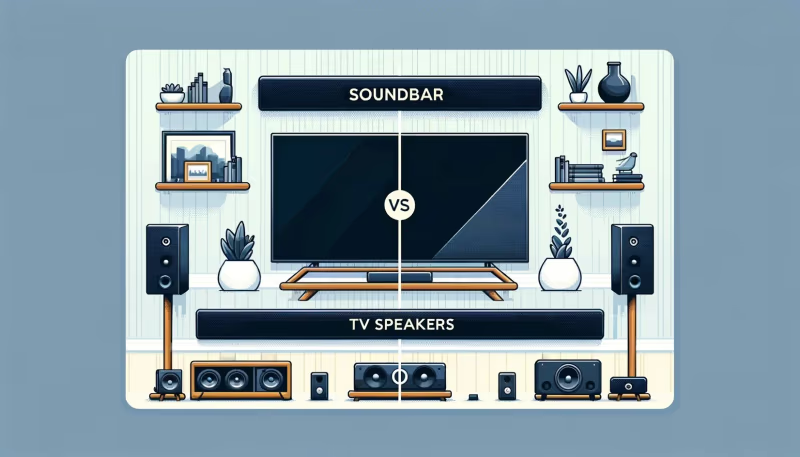
So when should you opt for a full speaker setup rather than a soundbar? Here’s how the two options stack up.
#Sound Quality
Winner: Speakers
Given equal price points, a component speaker system with separate tweeters, woofers, and subwoofers will outperform an all-in-one soundbar. You can buy speakers tailored specifically for crystal clear dialogue, heart-thumping action, and room-shaking bass.
That said, premium soundbars from brands like Sonos{target=“_blank” rel=“noopener”}, Bose, and Sennheiser get incredibly close to replicating true surround sound.
#Installation and Wiring
Winner: Soundbars
Soundbars connect to your TV’s HDMI ARC or optical input with a single cable. Full speaker setups require wiring satellite speakers around the room and configuring A/V receivers. If you’re using a Samsung soundbar, our guide on connecting Samsung soundbar to TV walks through the process.
Soundbars let you avoid cable clutter and placement challenges. Just plug in and go.
#Flexibility and Upgrades
Winner: Speakers
With component speakers, you can freely mix-and-match brands and models. Start with a basic 3.1 system and upgrade to Dolby Atmos height channels down the road. With soundbars, you’re locked into a single brand’s ecosystem.
#Price
Winner: Tie
Inexpensive soundbars under $300 can outperform TV speakers by a wide margin. For true surround sound from a soundbar, plan to spend over $500.
Entry-level speaker packages start around $500. Piece together a high-end 7.1.4 Dolby Atmos system and costs quickly exceed $2,000-$3,000. Both deliver good sound for the money at their respective price points.
#Best Uses
-
Soundbars — Smaller spaces, quick integration, music, dialogue clarity.
-
Speakers — Home theater enthusiasts, bass lovers, frequent movie watching.
#Bottom Line
-
Integrated TV speakers leave much to be desired for immersive home audio.
-
Soundbars provide a one-unit audio upgrade with advanced decoding and Dolby Atmos.
-
Full surround speaker systems offer ultimate flexibility and performance.
-
Carefully consider room size, wiring, price, and intended use before buying.
-
Both soundbars and speakers outperform TV audio. Pick what fits your lifestyle.
#FAQ
#Is a soundbar really better than built-in TV speakers?
Yes, even an entry-level soundbar under $100 produces noticeably better sound than built-in TV speakers. The larger drivers in a soundbar deliver fuller bass, clearer dialogue, and higher volume without distortion. You’ll hear details in movie soundtracks and music that TV speakers simply can’t reproduce.
#What soundbar channel configuration should I get?
For most living rooms, a 3.1-channel soundbar with a wireless subwoofer hits the sweet spot between price and performance. The dedicated center channel keeps dialogue crisp during action scenes, while the subwoofer handles low-end effects. Upgrade to a 5.1 system if your room is larger than 300 square feet.
#Can you connect a soundbar and separate speakers at the same time?
Connecting both is possible but not recommended. The conflicting audio signals cause timing issues, distortion, and feedback that degrades your listening experience. Stick with one audio system for the cleanest sound.
#Do soundbars actually deliver real surround sound?
Advanced soundbars with Dolby Atmos and DTS:X processing get remarkably close to recreating surround effects by bouncing sound off walls and ceilings. However, a true multi-speaker home theater setup with physically separated speakers still provides more precise directional audio for serious movie watchers.
#Should I buy a soundbar with a subwoofer?
A subwoofer makes a dramatic difference for movies and music. It handles the low frequencies that soundbar drivers are too small to reproduce, giving you chest-thumping bass during action films and richer music playback. Most 2.1 and 3.1 soundbar packages include a wireless subwoofer starting around $150.
#How do I connect a soundbar to my TV?
The easiest method is a single HDMI ARC cable between your TV’s ARC-labeled HDMI port and the soundbar. This carries audio and lets you control volume with your TV remote. If your TV lacks HDMI ARC, an optical cable is the next best option. Both connections take under five minutes to set up.
#Can I wall-mount a soundbar below my TV?
Most soundbars include wall mounting brackets or keyhole slots on the back. Measure the width against your TV to ensure it doesn’t extend beyond the screen edges, and mount it 2-4 inches below the TV for the best audio projection angle. Check the soundbar’s weight against your mount’s rating before drilling.