Sling TV offers one of the most affordable ways to stream live TV channels without a cable subscription. If you own an LG Smart TV, you can access Sling TV right from your TV’s home screen. This guide covers everything you need to get set up with Sling TV on your LG Smart TV, including:
-
Sign up for a Sling TV account
-
Download, install and log into the Sling TV app
-
Connect devices like Roku and Fire TV to access Sling
-
Troubleshoot any issues with streaming Sling TV
By the end, watching your favorite live TV channels on an LG TV with Sling will be quick and straightforward.
- LG TVs running webOS 3.0 or newer — support the Sling TV app directly from the LG Content Store
- Sling TV starts at $40/month — two base plans: Sling Orange (32 channels) and Sling Blue (42 channels)
- Older LG TVs still work — use AirPlay, Chromecast, Roku, or Fire TV Stick connected via HDMI
- Minimum 25 Mbps internet speed — recommended for buffer-free live TV streaming
- Sign up at Sling.com first — compare all plans, find discounts, and access free trial offers
#What Is Sling TV?

Sling TV is an online streaming service that gives you live access to popular cable channels. It’s owned by Dish Network and works similarly to cable or satellite TV.
With Sling, you can watch live popular channels like:
-
ESPN
-
CNN
-
HGTV
-
Food Network
-
Disney
-
AMC
-
And many more
The service starts at just $40 per month, making it much cheaper than a traditional cable package. Sling also has add-on channel packs so you can customize your channel lineup.
Sling TV is available on tons of devices like:
-
LG Smart TVs
-
Roku
-
Amazon Fire TV
-
Apple TV
-
iOS and Android mobile apps
-
And more
Next, let’s look at compatibility requirements for watching Sling TV on an LG Smart TV.
#Does Your LG Smart TV Support Sling TV?
To access Sling TV directly on your LG TV, you’ll need:
-
LG Smart TV Running webOS 3.0+: Older LG TVs aren’t compatible with the Sling TV app. You’ll need webOS 3.0 or newer.
-
Wi-Fi Connection: Your LG TV will need to connect to your home Wi-Fi network to install apps and stream video.
To check your LG TV’s OS version:
-
Press the Home button on your remote
-
Go to Settings (the gear icon)
-
Select General > About This TV
-
Look at Software Version to check if you have webOS 3.0 or newer
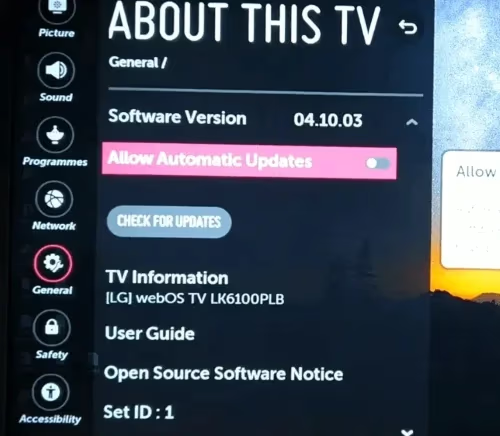
If your LG TV has an older version of webOS, don’t worry! You can still watch Sling TV by using a streaming device or casting from your mobile device. More on this later.
Ready to get Sling up and running? Let’s cover how to install the app next.
#How Do You Install Sling TV on an LG Smart TV?
If your LG TV meets the compatibility requirements listed above, installing Sling TV is quick and painless. Just follow these steps:
- Turn on your LG Smart TV and select the Home icon to access the main menu.
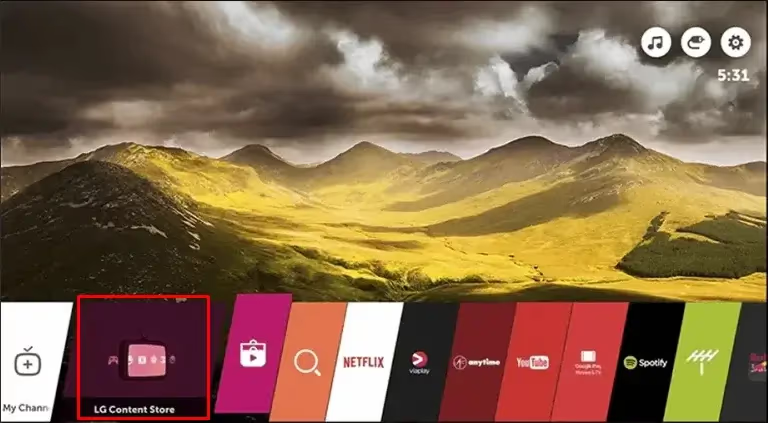
- Select the app store icon (it looks like a shopping bag). This will launch the Content Store.
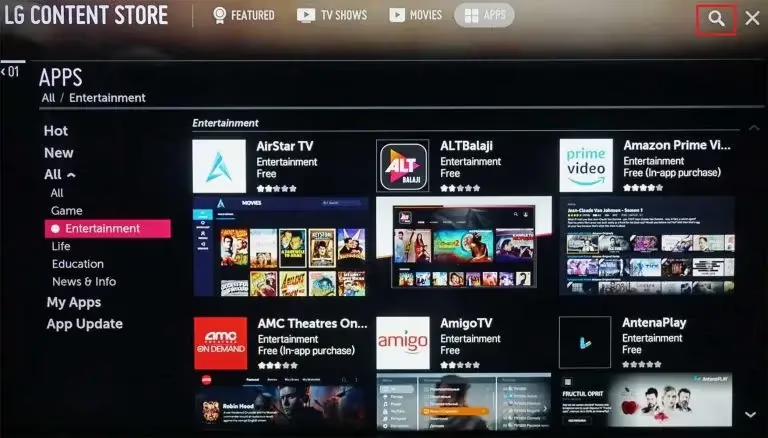
- Search for “Sling TV” using the on-screen keyboard. Select the Sling TV app from the search results.
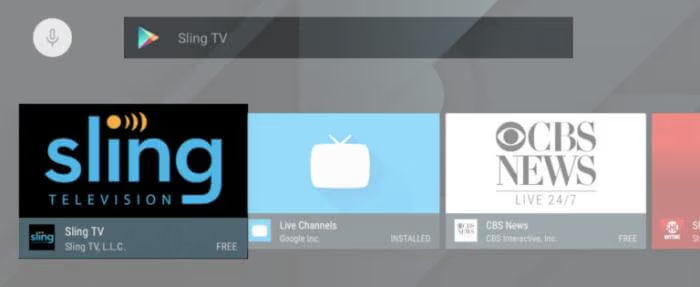
- Choose Download. This will install Sling TV on your LG Smart TV.
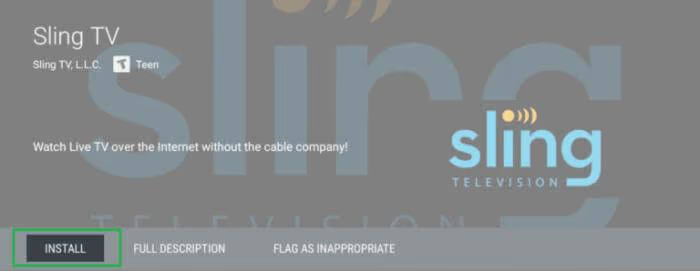
- Once installed, launch the app and log in with your Sling TV credentials.
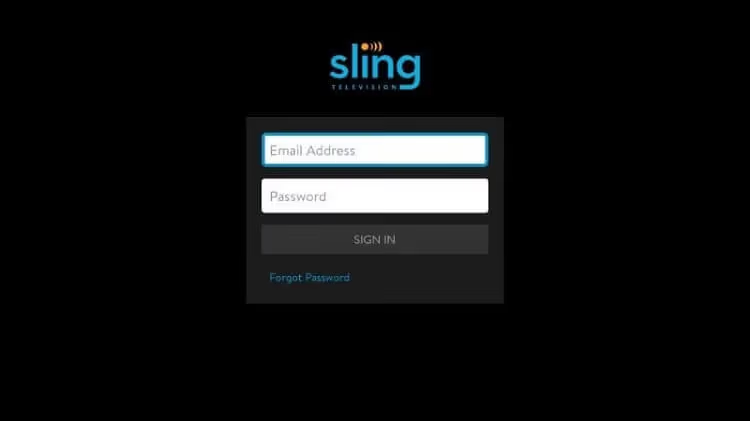
You can create a Sling TV account right on your TV by selecting Sign Up when you first launch the app.
But I recommend registering on Sling’s website since you can view all available plans and discounts easily. There’s also an option for a free Sling trial.
#Why Choose Sling Blue or Sling Orange?
When signing up, you’ll choose between Sling Blue or Sling Orange. Here’s a quick rundown of each base plan:
Sling Blue
-
42 channels like Fox, NBC, Bravo, and NFL Network
-
Allows 3 simultaneous streams
Sling Orange
-
32 channels like Disney, ESPN, CNN, AMC and more
-
Allows 1 simultaneous stream
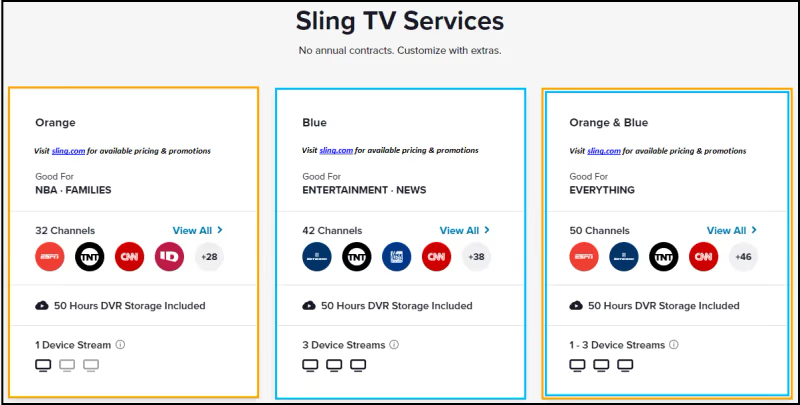
You can also get Sling Blue + Orange combined for the maximum number of channels.
Compare all Sling TV packages to pick the best option for your household. Stream sports including ESPN on Sling TV and MLB on Sling TV.
#Alternate Ways to Get Sling TV on an LG TV
If your LG TV has an older version of webOS that doesn’t support the Sling app, don’t worry. You still have options to access Sling!
Here are a few alternate setups that work to stream Sling:
#Use AirPlay with iPhone or iPad
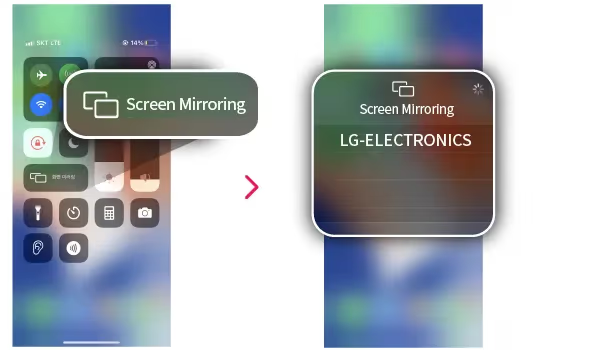
If your LG TV supports AirPlay, you can wirelessly cast Sling TV from an iOS device.
To check for AirPlay compatibility, your LG TV model should start with:
-
OLED77
-
OLED65
-
OLED55
-
Nano85
-
Nano81
-
Nano80
For example, the LG OLED77G3PUA and LG NANO85UNA models are compatible.
If your TV works with AirPlay, just install the Sling app on your iPhone or iPad and tap the AirPlay icon while streaming to cast to your LG.
#Cast from Android Smartphone or Tablet
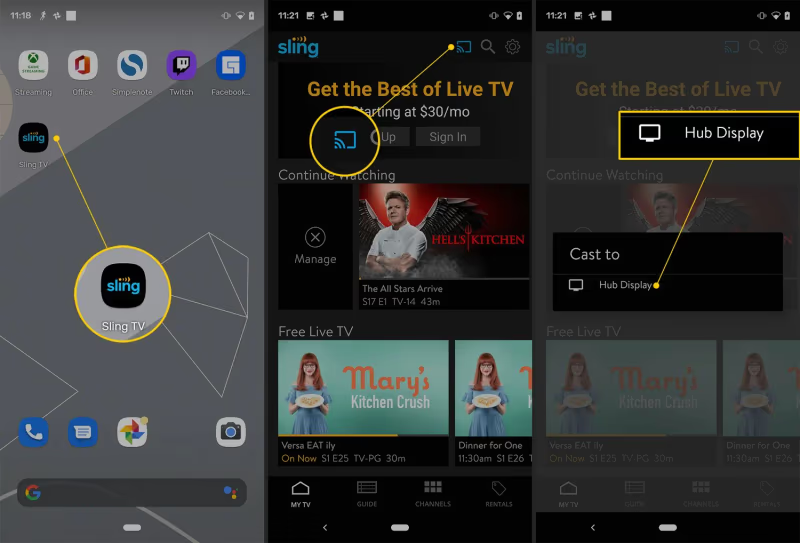
Similarly, if your LG TV works with Google Cast, you can cast Sling TV from your Android device.
Open the Sling app on Android, start streaming a show, tap the Cast icon, and select your LG TV.
#Use Chromecast or Fire TV Stick
You can always connect an external streaming device to your LG TV like:
All of these have Sling TV apps so you can download, log in, and start streaming.
I recommend the Fire Stick 4K or new Chromecast with Google TV. They are affordable yet powerful streaming dongles that work great for Sling TV.
#Stream through Web Browser
Lastly, your LG TV has a built-in web browser. Navigate to Sling.com and log into your account to watch through the browser.
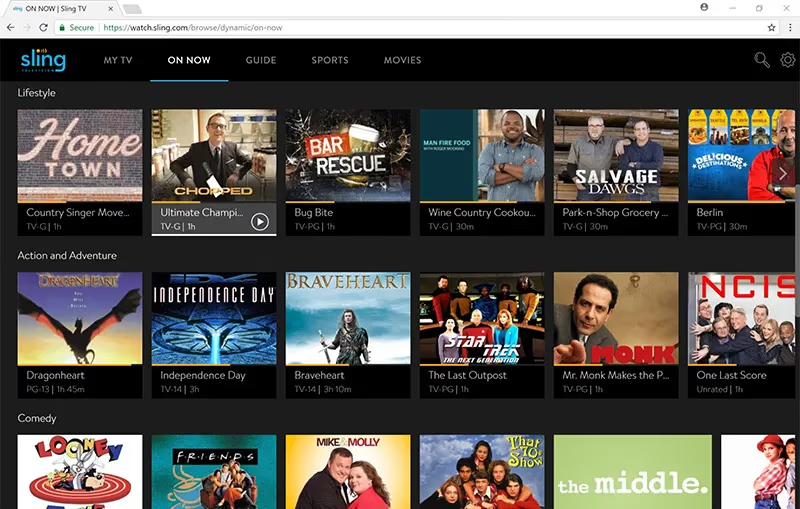
The experience isn’t as smooth as the dedicated Sling app, but it works in a pinch!
#How to Sign Up for Sling TV
Before installing Sling on your LG TV, creating an account first is a smart move.
You can sign up on Sling’s website here.
Here is an overview of the sign up process:
-
Select your base package: Sling Orange, Sling Blue, or Sling Orange + Blue
-
Customize with extras like a Cloud DVR or premium channels
-
Enter your payment information
-
Create account credentials like email and password
And that’s it! You’ll get emails confirming your subscription and receipt.
Now you’re ready to log into the app on LG Smart TV.
#How Do You Fix Sling TV Problems on an LG TV?
Sling TV should work well if you have a compatible LG Smart TV model and solid internet connection.
But issues can pop up from time to time. Here are some common problems and fixes:
Can’t Find Sling App: Update your LG TV firmware to the newest version. Also check your Wi-Fi connection.
App Crashing: Force close and relaunch the Sling app. If the issue persists, uninstall and reinstall Sling.
Buffering and Lag: Check internet speeds. For smooth streaming you need at least 25 Mbps broadband. Or move your router closer to your TV.
Error Codes: Restarting your TV usually resolves error codes. If not, contact Sling Support.
General Troubleshooting: Make sure TV firmware and app are updated. Reboot router and streaming devices.
Stuck buffering or errors getting Sling TV working? Contact their customer support for troubleshooting.
Compare Sling TV to other live TV streaming services like Sling TV vs Philo, Sling TV vs YouTube TV, and Sling TV vs fuboTV.
#Bottom Line
Here are the key tips to remember:
-
Make sure your LG TV runs webOS 3.0+ to install the Sling app
-
Use AirPlay, Chromecast or a streaming stick if your TV is incompatible
-
Sign up at Sling.com for best deals before logging into the app
-
Fix issues by updating firmware, checking Wi-Fi, and rebooting
-
Enjoy streaming top live channels for just $40 a month!
Sling TV makes it affordable to ditch cable and still watch all your favorite sports, news shows, movies and more.
Combined with a great LG Smart TV, you’ll have a solid cord-cutting home theater setup.
Now get out there and start streaming live TV with Sling!
#FAQ
#Can you get Sling TV on any LG Smart TV?
Not every LG Smart TV supports the Sling TV app. Your TV needs to run webOS 3.0 or newer to download Sling from the LG Content Store. LG TVs made from 2016 onward typically meet this requirement. If your TV runs an older version, you can still watch Sling by connecting a Roku, Fire TV Stick, or Chromecast to one of your TV’s HDMI ports.
#Is Sling TV free on LG TV?
The Sling TV app is free to download from the LG Content Store, but you need a paid subscription to watch content. Plans start at $40/month for either Sling Orange or Sling Blue. Sling occasionally runs promotions and free trial offers for new subscribers.
#How do you cast Sling TV to an LG TV?
If your LG TV supports AirPlay, open the Sling app on your iPhone or iPad, start playing a channel, and tap the AirPlay icon to send it to your TV. For Android devices, use Google Cast the same way through the cast icon in the Sling app. Both methods require your phone and TV to be on the same Wi-Fi network.
#Why is Sling TV buffering on my LG TV?
Buffering usually happens because of slow internet speeds. Sling TV needs at least 25 Mbps for reliable live streaming. Try moving your router closer to your TV, switching from Wi-Fi to a wired Ethernet connection, or closing other apps on your TV to free up resources. Restarting both your TV and router often fixes temporary buffering issues.
#What channels do you get with Sling TV?
Sling Orange includes 32 channels like ESPN, Disney, CNN, and AMC for $40/month. Sling Blue has 42 channels including Fox, NBC, Bravo, and NFL Network at the same price. You can combine both plans for the largest channel lineup, and add extra channel packs for sports, news, or entertainment.
#Can you record shows on Sling TV?
Yes, Sling TV includes 50 hours of cloud DVR storage with every plan. You can record live shows, movies, and sports to watch later. If you need more recording space, Sling offers a DVR Plus upgrade with 200 hours of storage for an additional monthly fee.
#How do you update the Sling TV app on LG TV?
Open the LG Content Store from your TV’s home screen and navigate to “My Apps.” Find Sling TV in the list and select “Update” if one is available. You can also enable auto-updates in your TV’s settings so the Sling app stays current without manual checks.
#What is the difference between Sling Orange and Sling Blue?
Sling Orange costs $40/month and includes 32 channels with ESPN, Disney, and CNN, but only allows one stream at a time. Sling Blue also costs $40/month with 42 channels including Fox, NBC, and NFL Network, and supports up to three simultaneous streams. Families or households with multiple viewers typically prefer Sling Blue or the combined Orange + Blue package.