Red Bull TV is not available in the LG Content Store, and LG has not announced plans to add it. The free streaming service carries live extreme sports, music events, and original documentaries that you won’t find anywhere else. Getting that content onto your LG Smart TV takes an extra step, but every method in this guide works on webOS 4.0 and later.
- No native app exists — Red Bull TV is absent from the LG Content Store on all webOS versions as of March 2026
- AirPlay works on 2019+ LG TVs — stream directly from the Red Bull TV iOS app without extra hardware
- Android casting needs the same Wi-Fi network — tap the cast icon in the Red Bull TV app and select your LG TV
- External devices give the best experience — Roku, Fire TV Stick, and Apple TV 4K all have official Red Bull TV apps
- The web browser option is a last resort — LG’s built-in browser can load redbull.com but struggles with full-screen playback
#Why Is Red Bull TV Not on LG Smart TVs?
Red Bull TV prioritizes platforms with the largest install base. The app is officially available on iOS, Android, Roku, Amazon Fire TV, Apple TV, Xbox, and PlayStation. LG webOS, despite its popularity, has a smaller app ecosystem than these platforms. Red Bull Media House has not publicly explained the omission, but the pattern matches other niche streaming services that skip webOS and Tizen in favor of Roku and Fire TV.
This does not mean you’re stuck. Four workarounds let you watch every Red Bull TV live event and on-demand title on your LG screen.
#How Do You Stream Red Bull TV on LG TV With AirPlay?
AirPlay is the fastest option if you own an iPhone or iPad. LG TVs from 2019 onward support AirPlay 2 natively through webOS.
- Open Settings > General > Apple AirPlay Settings on your LG TV and confirm AirPlay is turned on.
- Connect your iPhone or iPad to the same Wi-Fi network as the TV.
- Open the Red Bull TV app on your iOS device.
- Pick a video and tap the AirPlay icon (the rectangle with a triangle) in the player.
- Select your LG TV from the list of available devices.
The video should appear on your TV within a few seconds. Audio routes to the TV speakers automatically. If your LG TV does not show up in the AirPlay list, restart both devices and make sure they share the same Wi-Fi network. LG’s AirPlay support page covers additional troubleshooting for connection failures.
#Casting From an Android Phone or Tablet
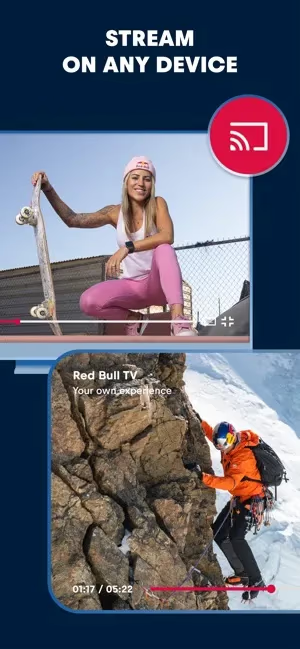
Android users can cast Red Bull TV to an LG Smart TV using the built-in cast feature. This works through both Chromecast built-in and LG’s screen share function.
- Install the Red Bull TV app from Google Play.
- Connect your Android device and LG TV to the same Wi-Fi network.
- Open Red Bull TV and start playing any video.
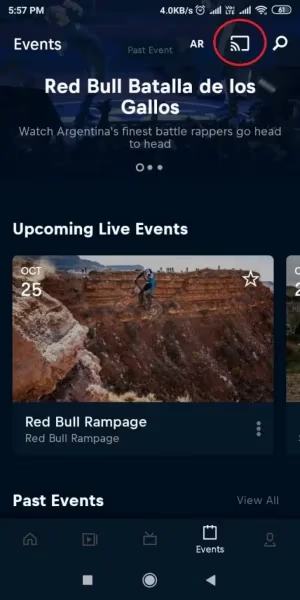
- Tap the cast icon in the top-right corner of the player.
- Choose your LG TV from the device list.
Casting quality depends on your local network speed. A 5 GHz Wi-Fi connection delivers smoother playback than 2.4 GHz, especially for Red Bull TV’s 1080p live streams. If your TV does not appear as a cast target, check that the LG TV’s Screen Share feature is enabled under Settings > Connection.
#Using an External Streaming Device
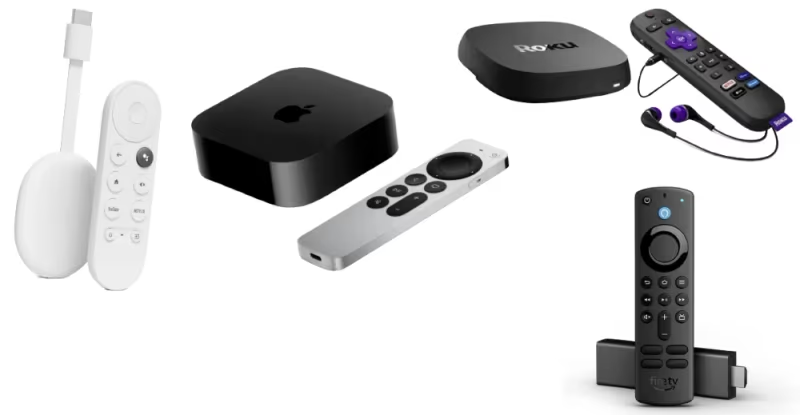
An external streaming device gives you the most reliable Red Bull TV experience on an LG TV. The Red Bull TV app runs natively on these devices, so you get full-screen playback, remote control navigation, and stable streaming without relying on your phone.
#Roku
Roku players have Red Bull TV in the Roku Channel Store. Plug a Roku Express or Roku Streaming Stick into any HDMI port on your LG TV. Search for “Red Bull TV” in the Channel Store, add it, and start watching. No account or subscription is required. For a deeper look at Roku setup, see our guide on using Roku on LG TV.
#Amazon Fire TV Stick
The Fire TV Stick 4K also has an official Red Bull TV app. Connect the stick to your LG TV’s HDMI port, search for Red Bull TV in the Fire TV app store, and install it. The Fire TV Stick is a strong option if you already use Alexa in your home. We have a full walkthrough for Red Bull TV on Fire TV Stick that covers installation step by step.
#Apple TV 4K
The Apple TV 4K runs the Red Bull TV app from the App Store. It supports 4K HDR output and integrates with the Apple ecosystem. Connect it to your LG TV via HDMI, download Red Bull TV, and you’re set.
#What Can You Watch on Red Bull TV?
Red Bull TV is completely free. No subscription, no account, no ads on most content. The library focuses on action sports and culture:
- Live events: Cliff diving competitions, Red Bull Rampage mountain biking, esports tournaments, and music festivals broadcast in real time.
- Original series: Multi-episode documentaries following athletes in surfing, snowboarding, Formula 1, and motocross.
- Films: Full-length feature documentaries on extreme sports and adventure travel.
- 24/7 linear channel: A continuous live stream mixing highlights, replays, and original programming.
The content library rotates frequently, with new event coverage added throughout the year. Red Bull TV also carries Red Bull BC One breakdancing and Red Bull Batalla rap battles. For a full breakdown of what’s available, check our Red Bull TV review.
#Watching Through the LG Web Browser
Your LG TV’s built-in web browser can load redbull.com/int-en/tv directly. This method requires no phone or extra hardware.
Open the web browser from the LG webOS home screen, type in the URL, and browse the video library. You can play most on-demand content directly in the browser. Live streams also load, though playback can stutter on older LG models with limited processing power.
The browser method has real limitations. You lose remote-friendly navigation, full-screen mode can glitch, and the LG browser does not remember your playback position. Treat it as a backup plan rather than your primary way to watch. If you run into problems with Red Bull TV on any platform, our Red Bull TV not working guide covers the most common fixes.
#Bottom Line
Pick the method that matches your hardware. AirPlay is the easiest route for iPhone users with a 2019 or newer LG TV. Android casting works well for quick viewing sessions. For daily watching, a Roku or Fire TV Stick plugged into your LG TV gives you the best experience with dedicated remote control and native app performance. The web browser is a workable fallback, but it’s not ideal for longer sessions.
#FAQ
#Does Red Bull TV cost anything to watch?
No. Red Bull TV is entirely free with no subscription required and no account needed. Most content plays without ads, though some live event streams include sponsor overlays during breaks. The service is funded by Red Bull’s marketing budget rather than viewer payments.
#Can I use screen mirroring instead of AirPlay on my LG TV?
Yes, LG TVs support screen mirroring through the Screen Share feature in webOS. The difference is that screen mirroring sends your entire phone display to the TV, while AirPlay sends only the video. Screen mirroring uses more battery and may show notifications on the TV during playback.
#Which LG TV models support AirPlay 2?
LG TVs from 2019 and later running webOS 4.5+ support AirPlay 2, including the OLED, NanoCell, and UHD series. Some 2018 models received AirPlay support through firmware updates, but LG’s official compatibility starts with the 2019 lineup.
#Is there a way to get Red Bull TV in the LG Content Store?
No. Red Bull TV has never been listed in the LG Content Store, and there is no sideloading method for webOS apps. Your only options are AirPlay, casting, an external streaming device, or the web browser.
#What internet speed do I need for Red Bull TV?
Red Bull TV recommends at least 5 Mbps for standard definition and 10 Mbps for 1080p streams. Live events tend to buffer more than on-demand content because of higher concurrent viewer counts. A wired Ethernet connection to your LG TV or streaming device reduces buffering compared to Wi-Fi.
#Does Red Bull TV support 4K on any platform?
Red Bull TV streams select live events in 4K on Apple TV 4K and some Android TV devices. The LG web browser and AirPlay methods max out at 1080p. If 4K matters to you, an Apple TV 4K connected to your LG TV is the best route.
#Can I watch Red Bull TV on other smart TV brands?
Red Bull TV has native apps on Samsung Smart TVs (Tizen) and Android TV / Google TV models from Sony, TCL, and Hisense. The app gap only affects LG webOS and Vizio SmartCast TVs, where you need the same workarounds described in this guide.