With so many options for organizing and streaming your media library, deciding between Plex vs Infuse can be a challenge. This guide compares key features, performance, compatibility and more to help you choose the best platform. By the end, you’ll know whether Plex or Infuse fits your setup.
- Plex works as a full media server — it streams your library to phones, smart TVs, PCs, and web browsers from anywhere
- Infuse focuses on local playback quality — hardware decoding delivers better video and HDR performance on Apple devices
- Device support differs sharply — Plex runs on Android, Roku, consoles, and more while Infuse is Apple-only
- Plex includes extras like live TV and DVR — cord-cutters get plugins, podcasts, and streaming channels built in
- Infuse Pro costs $9.99/year or $54.99 lifetime — Plex offers a free tier with optional Plex Pass at $4.99/month
#Overview: Plex as Media Server, Infuse as Player
The core difference lies in Plex’s media server function versus Infuse acting as a player.
Plex organizes your libraries and streams them across devices. It downloads metadata like descriptions and artwork. Plex handles transcoding so files play on any device. There’s also DVR, plugins, and more.
Infuse plays media locally on Apple TV and iOS. The focus is an elegant interface optimized for your Apple ecosystem. Key features include supporting niche formats, syncing watch status across devices via Trakt integration, and adding soft subtitles.
Both maximize convenience of your media, but Plex is better for remote streaming while Infuse excels at direct local playback.
#How Do Plex and Infuse Compare Feature by Feature?
Here’s how they stack up across key factors:
| Feature | Plex | Infuse |
|---|---|---|
| Setup | More steps to install server and add libraries | Simpler app download and folder selection |
| Interface | Customizable and user-friendly | Sleeker for Apple TV experience |
| Format Support | Extensive, plus transcoding if needed | Supports niche codecs too |
| Streaming Quality | Optimized streaming works well | Direct playing quality slightly better |
| Device Availability | Apps for all platforms | Apple TV, iOS, macOS only |
| Advanced Features | Live TV, plugins, channels, etc | Trakt syncing, soft subs, Automator |
Each area deserves a closer look.
#Setup and Installation Process
Setting up Plex’s server, players, client apps and libraries involves more steps compared to Infuse’s simpler app download and media folder selection.
Plex walks users through:
-
Downloading Plex Media Server
-
Creating a Plex account
-
Adding folders for the server to index
-
Installing player apps on devices
-
Signing into account
Infuse requires only:
-
Install Infuse app
-
Choose media folders
-
AirPlay connects Apple devices
So while Infuse rapidly starts playing your files, Plex takes more effort but enables remote streaming.
#User Interface and Layout Options
Both media apps allow some level of customization for matching your preferences.
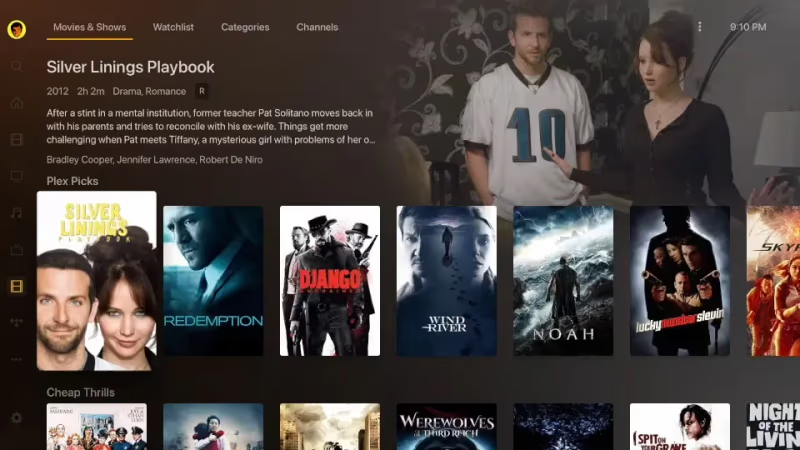
Plex organizes rich metadata like descriptions, thumbnails, banners and artwork in different layouts. Change sidebar categories, sort order filters, played status icons and more. It’s quite configurable.
Infuse aims for simple elegance, showing just posters and video names. The detail page shows useful file info. Layout options are more limited but the presentation is slick, especially for Apple TV setups.
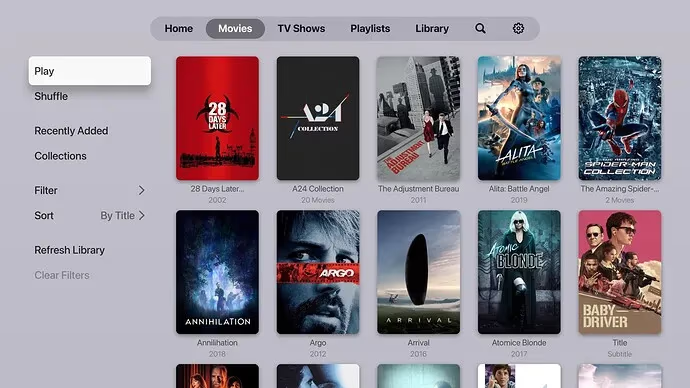
Overall Plex may appeal more to tinkerers while Infuse offers fluid refinement.
#Format Support and Video Playback Performance
When it comes to actually viewing your personal video collection, subtle differences arise.
Plex supports virtually all file types thanks to transcoding – converting on the fly so videos are compatible on each device. This flexibility comes at a cost of quality if CPU power is limited. See more on Plex buffering issues.
Infuse plays even niche codecs and displays advanced HDR like Dolby Vision impressively. Leveraging hardware decoding gives Infuse an edge in quality. Subtitles also display more reliably in Infuse compared to Plex.
For direct local playback to iPhone, iPad or Apple TV, Infuse pulls ahead in A/V excellence. But Plex transcoding enables more device support.
#Which App Handles Remote Streaming and Device Support Better?
A couple major factors where Plex and Infuse diverge relate to streaming and platform availability.
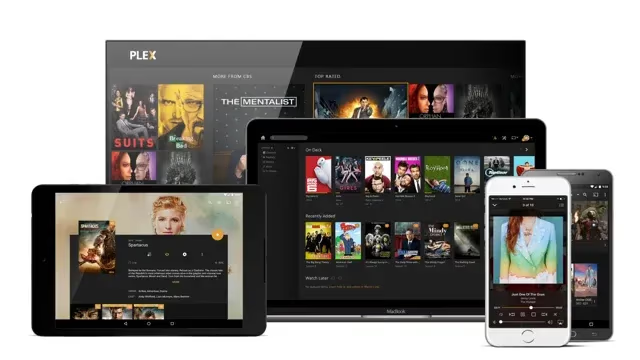
Plex’s full media server system beams your library globally to phones, tablets, PCs, smart TVs and web browsers. Even when away from home!
 Plex
Plex
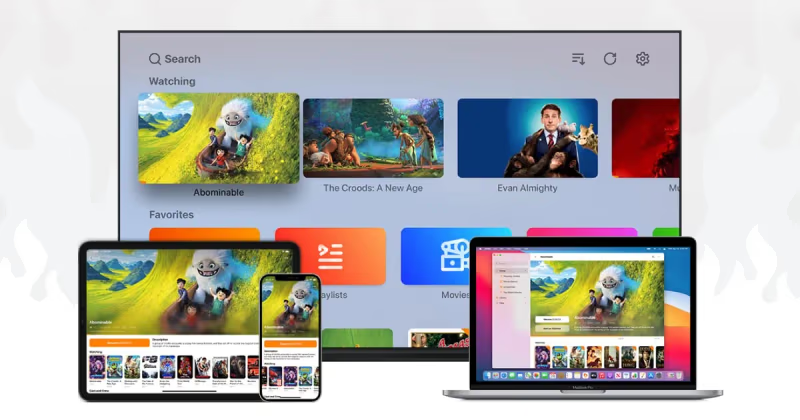
Infuse only streams locally and to AirPlay devices. So your media stays resident on the Mac or iOS device. Infuse does integrate with Trakt to sync watching progress across devices.
 Infuse
And Plex supports Android, Roku, gaming consoles and more while Infuse solely works on Apple ecosystems.
Some extra goodies Plex offers:
-
Live TV streaming
-
Cloud DVR recording
-
Audio podcasts & streaming music
-
Online media channels
-
Plugins and webhooks
So there’s a wider scope of cord-cutting features compared to Infuse’s Apple-centric excellence.
See how Pluto TV compares to Plex for streaming live television and movies.
For mobile users, Plex also works great on Android devices like the Steam Deck. Learn more about setting up Plex Server on Chromebook for accessing your media remotely.
#Key Pros and Cons of Plex vs Infuse
| Plex Pros | Plex Cons |
|---|---|
| Cross-platform streaming | Trickier learning curve |
| More device support | Potential quality loss transcoding |
| Live TV and recording | Requires always-on media server |
| Feature plugins | Mostly free version lacks perks |
| Infuse Pros | Infuse Cons |
|---|---|
| Superb Apple TV experience | Apple-only platform support |
| Direct playing quality | No remote streaming |
| Elegant simplicity | Paid Pro subscription |
| Soft subtitles & Trakt sync | Limited customization |
#FAQ
#Is Plex better than Infuse?
Plex wins for remote streaming, live TV integration, and broader device support across Android, Roku, and gaming consoles. Infuse pulls ahead when you want the best local playback quality on Apple TV, iPhone, or iPad. Your choice depends on whether you need cross-platform access or top-tier Apple-native performance.
#Does Infuse support Dolby Vision and HDR10+?
Yes, Infuse handles Dolby Vision, HDR10, and HDR10+ along with Dolby Atmos audio via HDMI passthrough. The hardware decoding engine on Apple TV 4K produces noticeably better HDR results than Plex’s software transcoding approach.
#What does Infuse Pro include?
The Pro subscription unlocks multi-room streaming, cloud library integrations with Dropbox and OneDrive, AirPlay mirroring from iOS to Apple TV, and offline downloads. It costs $9.99 per year or $54.99 for a lifetime license.
#Can Plex play ISO and disc image files?
Plex supports ISO files as long as the media server has folder permissions set correctly. Direct play works well for most disc images. If you run into trouble, adjusting transcoding settings in the server dashboard usually fixes playback. Some users have resolved Plex ISO playback issues by switching the player to “Make My CPU Hurt” quality.
#How does Emby compare to Plex?
Emby gives you deeper customization and an open-source foundation that power users appreciate. Plex remains easier to set up out of the box. Our Emby vs Plex comparison breaks down the trade-offs in detail.
#Do I need a dedicated server to run Plex?
You need a computer or NAS running Plex Media Server at all times for remote access. An old laptop, Raspberry Pi 4, or Synology NAS all work. Infuse skips this requirement entirely since it plays files directly from local storage or network shares.
#Can I use Infuse with a Plex server?
Infuse connects to Plex Media Server as a client, giving you Plex’s library management with Infuse’s superior playback engine. This combo avoids transcoding entirely on Apple devices. Many users run both apps to get the best of each platform.
#Is Plex free to use?
Plex offers a free tier that covers media server setup, library management, and streaming to most devices. Plex Pass ($4.99/month or $119.99 lifetime) adds hardware transcoding, offline sync, and live TV with DVR recording.
#Bottom Line
Plex is the right pick if you stream media to multiple devices across different platforms and want extras like live TV and DVR. Set aside time for server setup, but the payoff is accessing your library from anywhere.
Infuse is worth the subscription if you live in the Apple ecosystem and care most about playback quality. Dolby Vision, HDR10+, and niche codec support all work without transcoding overhead.
For the best of both worlds, run Plex Media Server for library management and use Infuse as your Apple TV player. This setup avoids transcoding while keeping remote access available on non-Apple devices.