Watching Philo on your Roku TV unlocks a world of entertainment at a fraction of what most cable and streaming packages charge. You get over 70 popular live and on-demand channels ranging from AMC, Hallmark, and Lifetime to Comedy Central, Discovery, and Food Network. The setup takes under five minutes, and the app runs smoothly on every Roku model currently sold.
- Philo costs $28/month with no contracts, hidden fees, or price tiers to navigate
- Installation takes about 2 minutes through the Roku Channel Store search
- 70+ entertainment channels included covering lifestyle, reality, comedy, news, and kids programming
- Unlimited DVR storage lets you record any show and keep it for up to 12 months
- 3 simultaneous streams and 10 profiles make Philo practical for the whole household
#What Is Philo TV?

Philo TV is a live TV streaming service built for entertainment fans who want popular channels without paying for sports packages they never watch. The service launched in 2017 and has carved out a loyal following by keeping its price well below competitors like YouTube TV, Hulu + Live TV, and fuboTV. For $28 a month, subscribers get 70+ channels including AMC, Hallmark, Lifetime, MTV, Comedy Central, Discovery, and Paramount Network.
Beyond live channels, Philo bundles in unlimited DVR storage so you never miss a show. Recordings stay available for up to one year, which is longer than most competitors offer. You also get 3 simultaneous streams and support for 10 individual user profiles, making it a solid option for families or roommates sharing one subscription.
Key Philo TV Features:
- 70+ channels for $28/month
- AMC, Hallmark, Lifetime, Discovery, Comedy Central, and more
- Unlimited DVR storage with 12-month retention
- 3 simultaneous streams
- 10 user profiles
- 7-day free trial for new subscribers
#How Do You Install Philo on a Roku Device?
Follow these steps to get Philo running on your Roku. The whole process takes about two minutes once you have your account ready.
#1. Subscribe to Philo
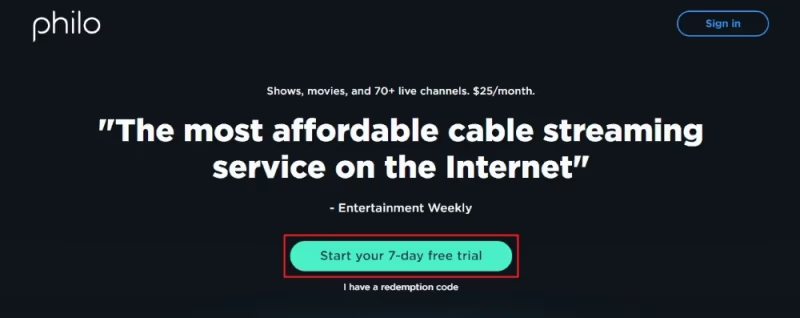
Head to Philo’s website and create your account. You only need a phone number or email address to sign up. Philo offers a 7-day free trial so you can test every channel before committing. After the trial, the service costs $28 per month with no long-term contract.
#2. Install the Philo Channel on Roku
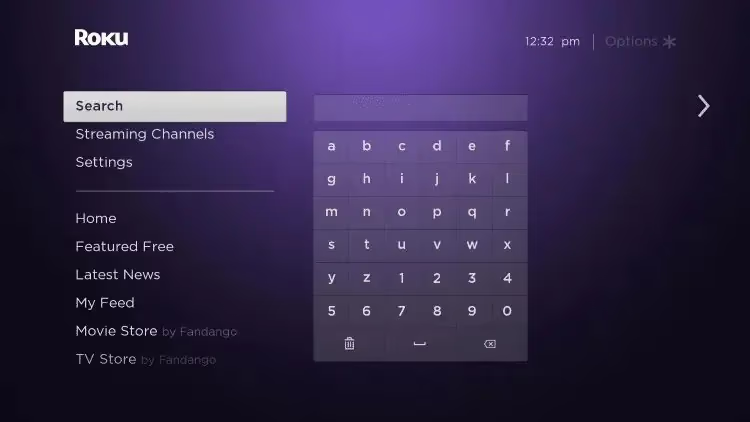
Once subscribed, press the Home button on your Roku remote and scroll down to open the Streaming Channels store. This is where all available apps live on Roku devices.
#3. Search for Philo
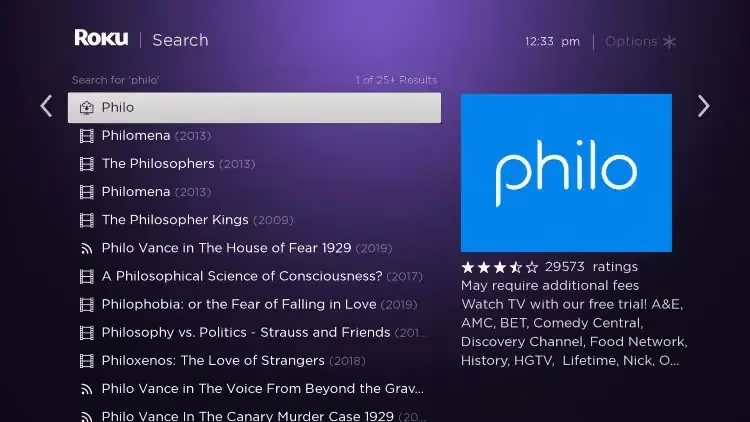
In the Channel Store search bar, type Philo and select the Philo app from the results list. Make sure you pick the official Philo app with the purple logo.
#4. Select “Add Channel”
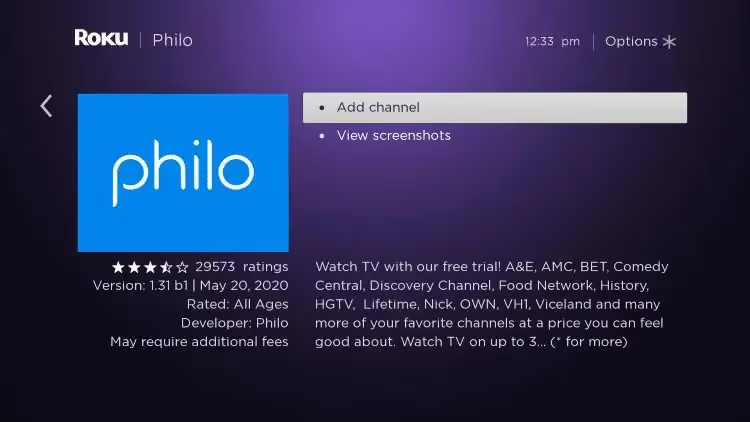
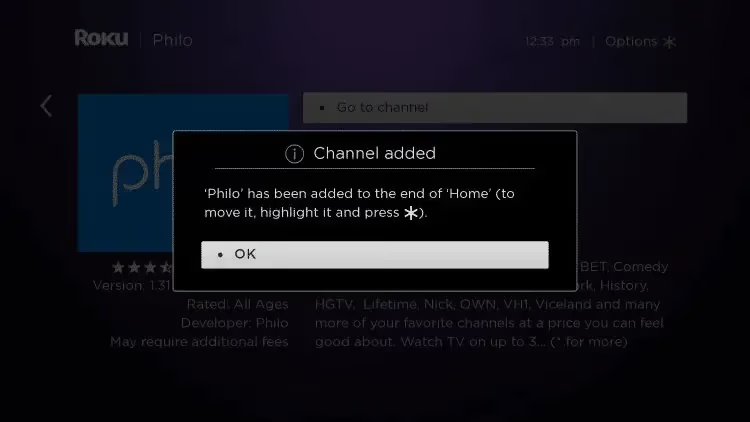
Click Add Channel and wait a few seconds for the download to finish. Roku will confirm the channel has been added with a brief notification.
#5. Log In to Philo
Open the newly installed Philo app from your Roku home screen. Sign in using the account credentials you created in Step 1. Some users may see an activation code on their TV screen instead. If that happens, visit philo.com/activate on your phone or computer and enter the code shown.
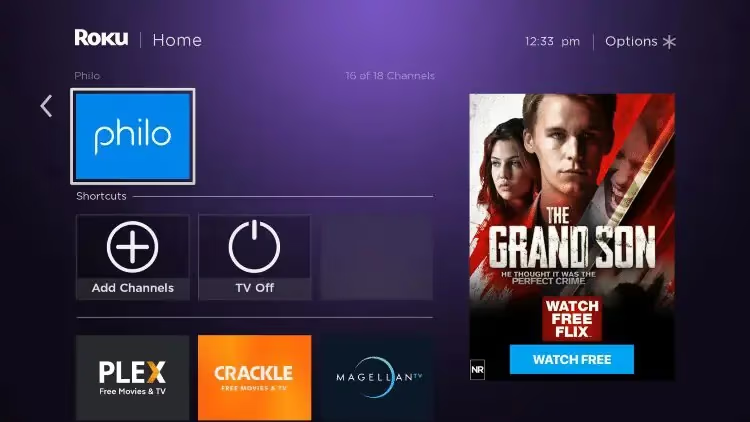
Once logged in, you have full access to stream Philo’s 70+ live and on-demand channels on your Roku TV.
#What Channels Does Philo Include?
Philo keeps things simple with a single plan at $28 per month. No confusing tiers, no add-on bundles, no surprise price jumps after a promotional period. The full lineup has 70+ channels focused on entertainment, lifestyle, reality, and kids programming.
Popular channels in the Philo lineup:
- AMC
- Comedy Central
- Discovery Channel
- Food Network
- Hallmark Channel
- HGTV
- Lifetime
- MTV
- Nickelodeon
- Paramount Network
- TLC
- Travel Channel
- VH1
- WE tv
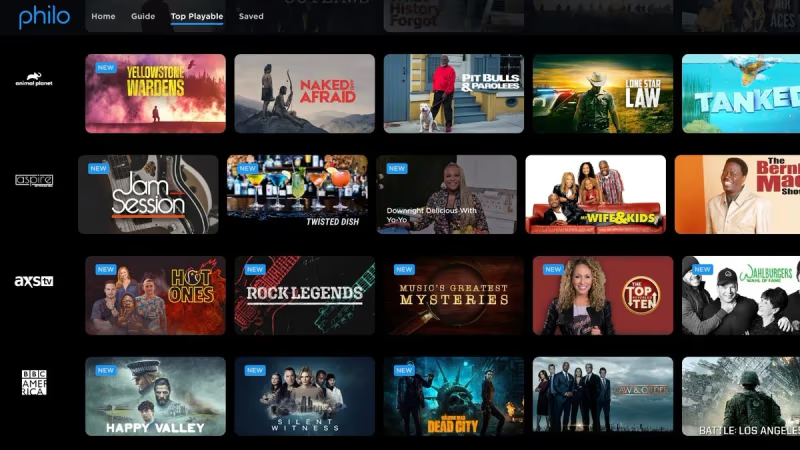
The one big category Philo skips is sports. You will not find ESPN, Fox Sports, or any regional sports networks here. That is a deliberate choice that keeps the price low. If you do not watch sports, you are not subsidizing those expensive broadcast rights.
Every subscription also includes unlimited DVR storage, 3 simultaneous streams, and the ability to create 10 separate user profiles. There are no contract commitments with Philo’s month-to-month billing, so you can cancel anytime without penalty.
Philo is compatible with many devices beyond just Roku. Learn how to get Philo on LG TVs, Vizio TVs, Apple TV, Amazon Fire TV, and others.
#Why Choose Philo for Roku?
Philo fills a specific gap in the streaming market. Most live TV services start at $73 or higher per month. YouTube TV costs $73, Hulu + Live TV runs $77, and fuboTV starts at $80. Philo delivers 70+ channels for $28, which is less than half of any major competitor.
For Roku owners specifically, the Philo app is well-designed and responsive. Channel switching is fast, the DVR interface is straightforward, and the guide loads without the lag you sometimes see with other live TV apps on Roku. The app also supports Roku’s universal search, so you can find Philo content directly from the Roku home screen.
Here is what you get in practical terms:
- 70+ live entertainment channels for $28/month
- Unlimited DVR with 12-month recording retention
- 3 concurrent streams for different household members
- 10 user profiles with personalized recommendations
- Free 7-day trial with no commitment
If sports are not a priority and you want live TV without breaking your budget, Philo on Roku is one of the best value combinations available right now.
#FAQ
#What channels does Philo include on Roku?
Philo offers 70+ entertainment channels including AMC, Discovery, Food Network, Lifetime, Hallmark, Comedy Central, MTV, Nickelodeon, and BET. The service does not carry sports channels like ESPN or local broadcast stations like ABC, CBS, or NBC. That missing sports content is the main reason Philo costs so much less than competitors.
#How much does Philo cost per month?
Philo has a single plan priced at $28 per month. There are no add-on packages, premium tiers, or hidden fees. New subscribers get a 7-day free trial to test the service before paying.
#Can I watch Philo on multiple Roku devices at once?
Yes. Philo supports 3 simultaneous streams across any combination of supported devices. You could watch on a Roku TV in the living room, a Roku Streaming Stick in the bedroom, and a phone at the same time without any issues.
#Does Philo offer DVR on Roku?
Philo includes unlimited DVR storage with every subscription at no extra cost. Recorded shows stay available for up to 12 months. You can record as many programs as you want since there is no cap on storage space, which gives Philo one of the most generous DVR policies in the streaming industry.
#What internet speed do I need for Philo on Roku?
Philo recommends at least 3 Mbps for standard definition and 7 Mbps for HD streaming. The app maxes out at 1080p resolution since 4K is not currently supported. If your home internet plan delivers 25 Mbps or more, you should have no trouble streaming on multiple devices simultaneously.
#Can I watch Philo on Roku when traveling?
The Philo app works anywhere within the United States, so you can stream on your phone, tablet, or laptop while away from home. Just log in with your existing credentials. Philo does not work outside the US due to content licensing restrictions.
#How do I cancel Philo if I subscribed through Roku?
If you signed up through the Philo website, cancel directly from your account settings at philo.com. If you subscribed through the Roku Channel Store instead, you need to manage the subscription through your Roku account at my.roku.com. Either way, cancellation takes effect at the end of your current billing period with no early termination fees.