Getting Paramount Plus on your Spectrum TV is easy if you know the steps. This guide covers everything you need – from signing up for Paramount Plus to finding the channel number on Spectrum.
- Paramount Plus costs $4.99–$9.99/month — it is not included free with standard Spectrum TV packages
- Three setup methods available — install via Spectrum TV box app store, connect a streaming device, or use a Spectrum TV Choice trial
- Watch on up to 3 devices at once — Roku, Apple TV, Fire TV, Chromecast, Xbox, and mobile devices are all supported
- Paramount Network channel varies by region — typically channel 54 or 84, but check Spectrum’s lookup tool for your area
- Free 7-day trial offered — new Spectrum Internet subscribers can try Spectrum TV Choice to sample Paramount Network live
#Overview
 Paramount Plus offers a streaming library of over 30,000 episodes, movies, and exclusives from channels like BET, CBS, Comedy Central, and Nickelodeon. Spectrum TV subscribers can access it by:
-
Subscribing directly to Paramount Plus
-
Connecting streaming devices like Roku or Fire TV
-
Taking advantage of a Spectrum TV Choice trial offer
This guide outlines the specifics for each method. Read on to learn:
-
Is Paramount Plus included with Spectrum TV?
-
How much does Paramount Plus cost?
-
What devices can I watch it on?
-
How do I find the Paramount channel on my Spectrum TV lineup?
Follow the step-by-step instructions below to get set up with Paramount Plus on Spectrum TV today.
#Is Paramount Plus Included with Spectrum TV?
No, a Paramount Plus subscription is not included with regular Spectrum TV packages. However, Spectrum frequently offers promotions bundling Paramount Plus with Spectrum Internet or TV services.
Check Spectrum’s website and contact customer support to ask about any current Paramount Plus bundle deals. If none exist, you’ll have to purchase Paramount Plus separately.
#How Much Does Paramount Plus Cost?
Paramount Plus offers two main pricing tiers when paying monthly:
-
Essential Plan – $4.99/month (ads included)
-
Premium Plan – $9.99/month (no ads)
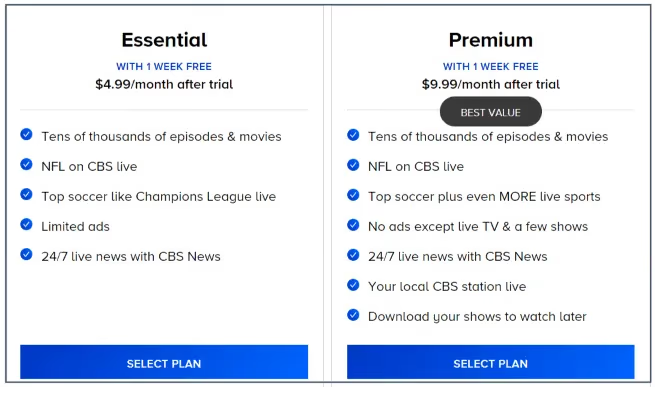
You can save 16% by selecting an annual subscription upfront. Paramount Plus currently offers a free one-week trial period for new subscribers.
#What Devices Can I Watch Paramount Plus On?
Paramount Plus supports all major streaming platforms and devices, including:
-
Amazon Fire TV
-
Android TV
-
iOS and Android mobile devices

You can watch on up to 3 devices simultaneously per subscription. Download shows to watch offline where available.
#Method 1: Getting Paramount Plus on Connected Spectrum TV
If you have a Spectrum TV box with internet connectivity and app capability, getting Paramount Plus takes just a few minutes:
-
Using your Spectrum remote, navigate to the Application Store icon and select it.
-
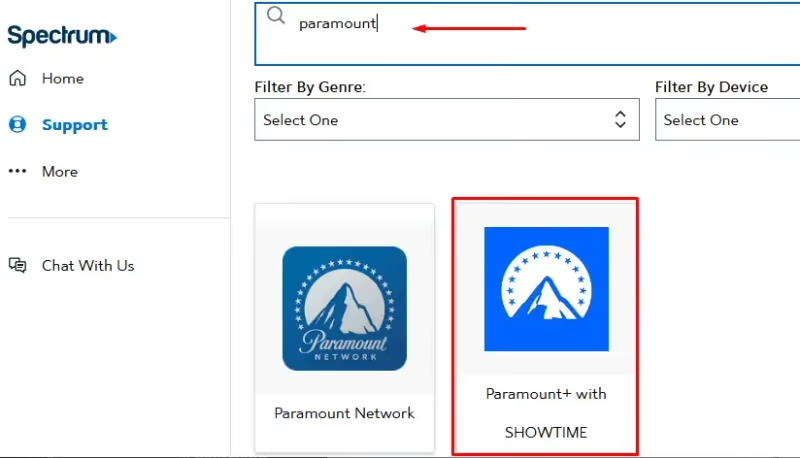
Search for “Paramount Plus” in the search bar. Select the Paramount Plus app from results.
-
Choose “Install” and wait for the app download/installation to complete.
-
Open the newly installed Paramount Plus app. Choose “Sign In with a Partner” then select Spectrum as your TV provider.
-
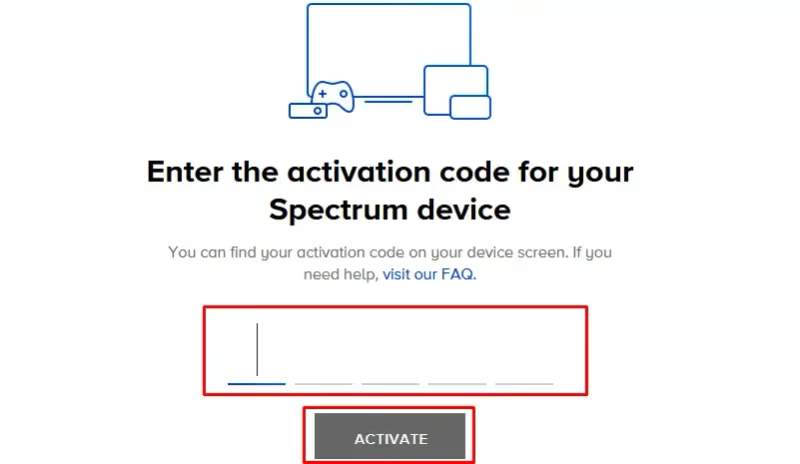
An activation code will appear on screen. Visit paramountplus.com/activate on any device and enter this code.
-
You’ll be redirected to Spectrum’s login page. Enter your Spectrum account credentials to link Paramount Plus.
-
Once linked, the Paramount Plus app on your Spectrum box will automatically log in. Browse or search for something to watch!
And that’s it! You can now watch Paramount Plus on your Spectrum TV.
#Method 2: Getting Paramount Plus via Streaming Device
Don’t have a newer Spectrum TV box? No worries. You can connect a streaming device to access Paramount Plus through any TV with an HDMI port.
Some popular options are Roku, Fire TV Stick 4K, and Apple TV 4K. Follow the steps below:
-
Purchase an eligible streaming device if you don’t already have one.
-
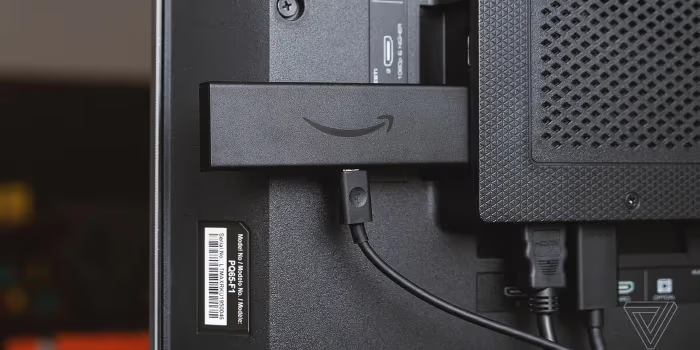
Connect the device to your TV’s HDMI port and set it up accordingly.
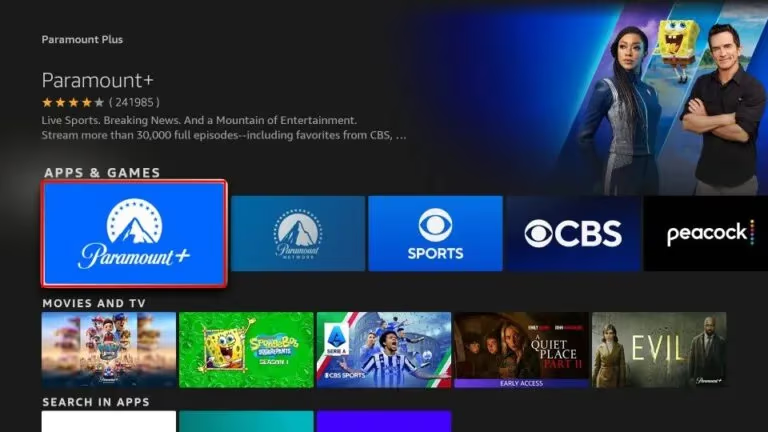
- Find the Paramount Plus app in your device’s app store, download, and install it.
-
Launch the Paramount Plus app and select a subscription plan.
-
Log into your Paramount Plus account on the streaming device.
-
Start watching Paramount Plus by browsing for content or searching for a specific show or movie.
Streaming sticks make it easy and affordable to get Paramount Plus on almost any TV.
Having trouble accessing the Spectrum TV app on your smart TV or streaming device? See troubleshooting guides for getting Spectrum on LG TVs, Fire TV, Roku, Vizio TVs, Sony TVs, and other models.
#Method 3: Spectrum TV Choice Free Trial
Spectrum offers new users a free 7-day trial of their Spectrum TV Choice streaming plan. It grants access to over 10 live channels – including Paramount Network if it’s included in your channel selections.
To qualify for the free trial:
-
You must NOT already have Spectrum TV service.
-
You need an active Spectrum Internet subscription.
With Internet from Spectrum, you can download the Spectrum TV app and enjoy a week of cable channels and features for free. It’s a quick way to test out Paramount Plus too.
#What Channel is Paramount Plus on Spectrum?
The Paramount Network channel number will depend on your exact location and Spectrum TV package. However, it is typically found on:
-
Channel 54 or 84 in most regions
-
Channel 116 in some areas
-
Channel 45 in Los Angeles
-
Channel 38 in San Diego
-
Channel 66 in Anaheim
Use Spectrum’s online tool to lookup TV listings by address. Their customer support can also provide your area’s channel lineup.
Once you locate the Paramount Network channel, tune to it whenever to catch Paramount Plus’ exclusive shows and new premieres.
If you want to watch sports and news, Spectrum offers great channel packs with ESPN and other top networks.
#Bottom Line
You have three solid options for getting Paramount Plus on Spectrum TV: install the app directly on a connected Spectrum box, plug in a streaming device like Roku or Fire TV Stick, or try the Spectrum TV Choice free trial. Pick the method that fits your setup and start watching thousands of shows, movies, and live sports on Paramount Plus today.
#FAQ
#Is Paramount Plus the same as Paramount Network on Spectrum?
No, they are different. Paramount Network is a traditional cable channel included in certain Spectrum TV packages, while Paramount Plus is a standalone streaming service with its own subscription. Paramount Plus offers a much larger library of on-demand content, including originals and live sports that Paramount Network does not carry.
#Can I get Paramount Plus for free with my Spectrum subscription?
Spectrum does not include Paramount Plus for free with standard TV or Internet plans. However, Spectrum occasionally runs promotional bundles that package Paramount Plus at a discount or as a limited-time add-on. Contact Spectrum customer support or check their website to see if any active deals are available in your area.
#Do I need Spectrum Internet to watch Paramount Plus?
You do not need Spectrum Internet specifically. Paramount Plus works over any internet connection, so you can stream it on Wi-Fi from a different provider or even on cellular data. The only scenario where Spectrum Internet matters is the Spectrum TV Choice free trial, which requires an active Spectrum Internet subscription.
#What happens to my Paramount Plus account if I cancel Spectrum?
Your Paramount Plus subscription stays active because it is billed separately from Spectrum. Canceling Spectrum TV or Internet has no effect on your Paramount Plus account. You can keep streaming on any supported device as long as you maintain your Paramount Plus payment.
#Why can’t I find the Paramount Plus app on my Spectrum box?
Older Spectrum cable boxes do not support app installations. Only newer connected Spectrum TV boxes with internet access and an app store can download Paramount Plus. If your box lacks an app store, connect a streaming device like a Roku or Fire TV Stick to your TV’s HDMI port instead.
#Does Paramount Plus offer a free trial?
Yes, Paramount Plus typically offers a 7-day free trial for new subscribers. You can sign up on the Paramount Plus website or through the app on your streaming device to start the trial. Cancel before the trial ends to avoid being charged.
#Can I watch live TV on Paramount Plus?
Paramount Plus includes select live content such as NFL games, UEFA Champions League soccer, and CBS News live streams on its plans. The Essential plan at $4.99/month provides access to most live programming. For the full live TV experience with your local CBS station, you need the Premium plan at $9.99/month.