You can now stream Paramount Plus right on your LG Smart TV. This guide walks you through signing up for Paramount Plus, downloading and installing the app, and logging into your account on your LG TV.
- LG TV compatibility — Paramount Plus runs on 2018 and newer LG Smart TVs with webOS 4.0+
- Two plan options — Essential at $4.99/month (with ads) or Premium at $9.99/month (ad-free, offline downloads)
- Quick installation — Download from the LG Content Store, sign in, and start watching in under 5 minutes
- Multi-device streaming — Essential supports 3 simultaneous streams, Premium supports 4
- Broad content library — Includes CBS shows, Paramount+ originals, live NFL and UEFA games, and Paramount films
#What is Paramount Plus?
 Paramount Plus (styled as Paramount+) is a popular streaming service featuring tens of thousands of TV episodes, movies, sports and more. It includes shows from CBS, Comedy Central, BET, Nickelodeon, MTV and other ViacomCBS properties, plus Paramount films and Paramount+ originals.
Some of the most popular titles available include:
-
CBS shows like the FBI franchise, Blue Bloods, NCIS and Survivor
-
Comedy Central hits like The Daily Show with Trevor Noah
-
New Paramount+ originals like 1923, Tulsa King and Star Trek: Strange New Worlds
-
Blockbuster films from the Paramount Pictures library
-
Live NFL, UEFA Champions League and NCAA March Madness games
-
24/7 live streams of CBS News and CBS Sports HQ
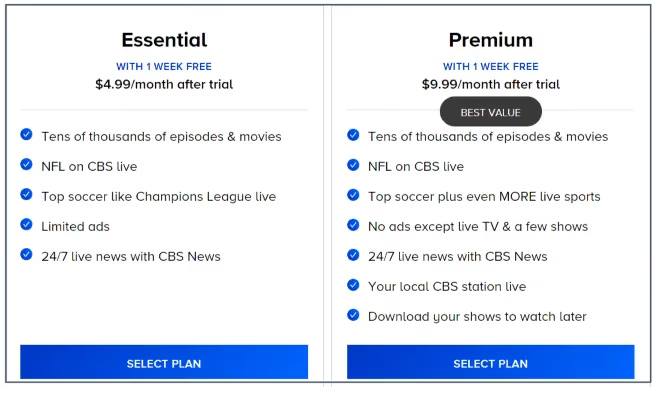
Paramount Plus offers two main plans:
-
Essential ($4.99/month): Includes ads, lets you stream on 3 devices simultaneously
-
Premium ($9.99/month): Ad-free, lets you download shows to watch offline and streams on 4 devices simultaneously
You can also bundle Paramount Plus Premium with Showtime for $11.99/month.
Next let’s cover how to get Paramount Plus on your LG Smart TV.
#Is Paramount Plus Available on LG Smart TVs?
Yes, Paramount Plus is available on LG Smart TVs manufactured from 2018 onwards. This includes all models that run webOS version 4.0+.
To confirm your LG TV’s webOS version:
-
Navigate to Settings > General > About This TV > Software Version
-
Look for WebOS Version – you need at least version 4.0+
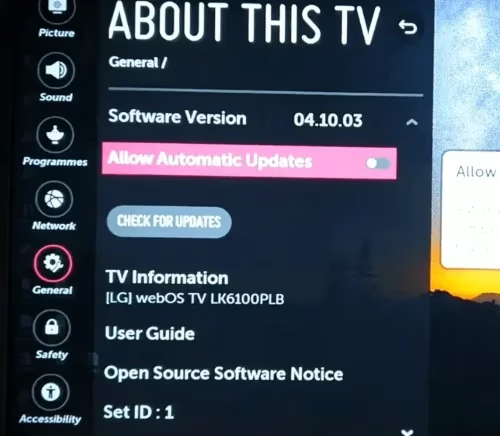
As long as your TV meets this requirement, you can install and use the Paramount Plus app.
#Steps to Get Paramount Plus on LG Smart TV
Here is the complete process to get Paramount Plus up and running:
#1. Sign Up for Paramount Plus
First, you’ll need to purchase a Paramount Plus subscription if you don’t already have one:
-
On another device like your phone, tablet or computer, open your web browser and go to paramountplus.com
-
Click “Try It Free” or “Continue”
-
Select your preferred plan – Essential or Premium (you can upgrade/downgrade anytime)
-
Enter your payment method to start your free trial or paid subscription
Once you’ve signed up, continue to the next steps.
#2. Update Your LG Smart TV
It’s important you have the latest LG Smart TV software installed for all apps like Paramount Plus to work properly:
-
Using your LG TV remote, go to the Home/Menu and select Settings
-
Navigate to General > About This TV > Software Update
-
Follow any on-screen prompts to check for updates and install if available
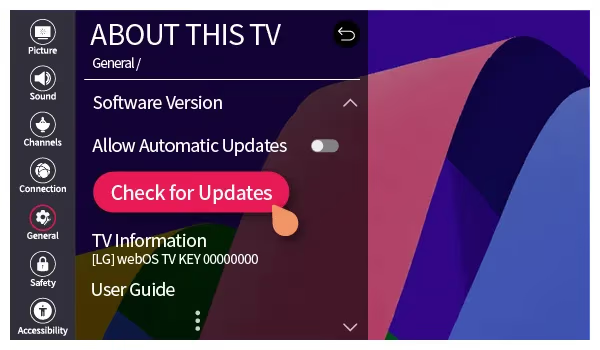
Checking for updates periodically ensures optimum performance.
#3. Find the Paramount Plus App
You can access and install Paramount Plus in a few quick steps:
- From your LG TV’s Home screen, select the LG Content Store app
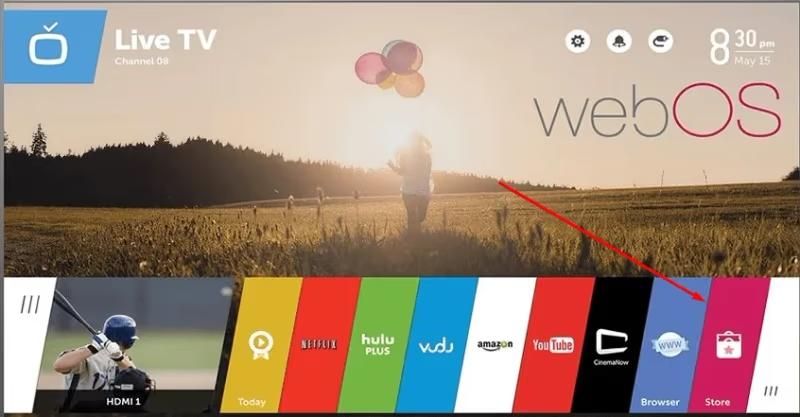
- In the search bar at the top, type “Paramount Plus”
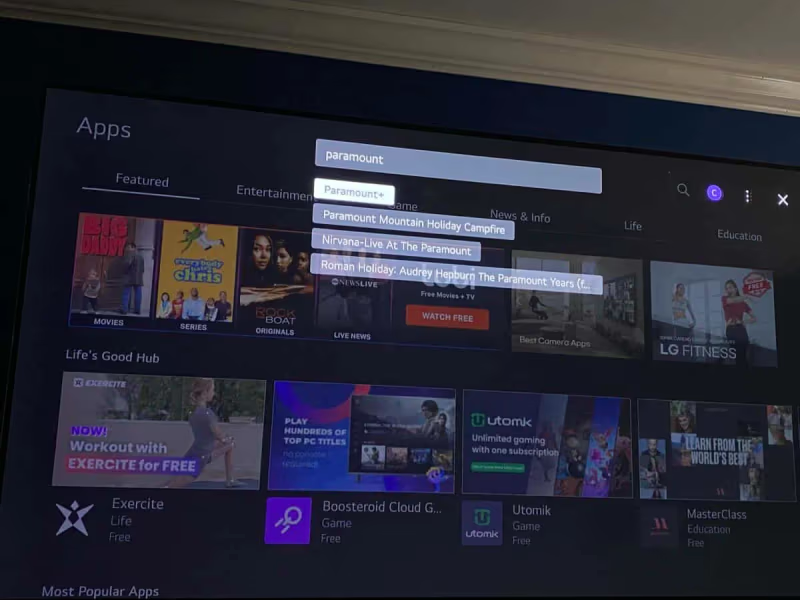
- Select the Paramount Plus app when it appears
#4. Install Paramount Plus
On the Paramount Plus app page:
- Select “Install”
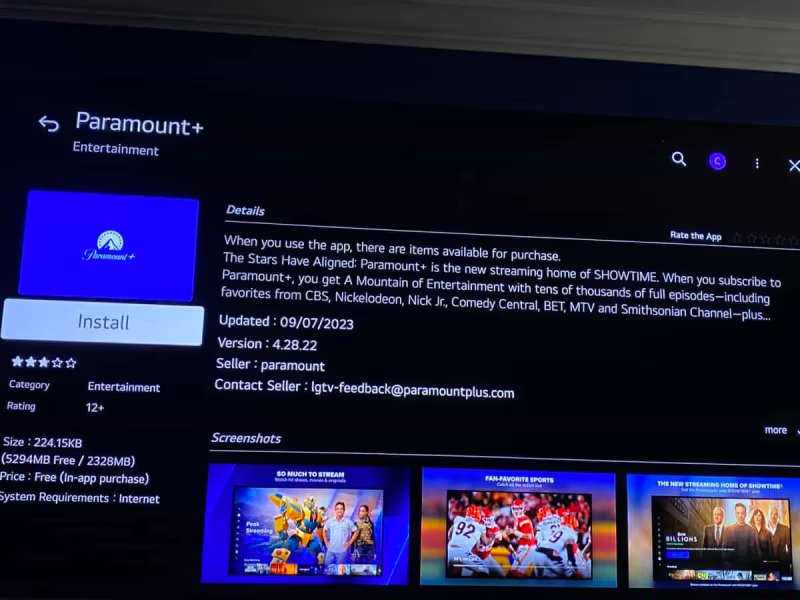
- Wait for the installation process to complete
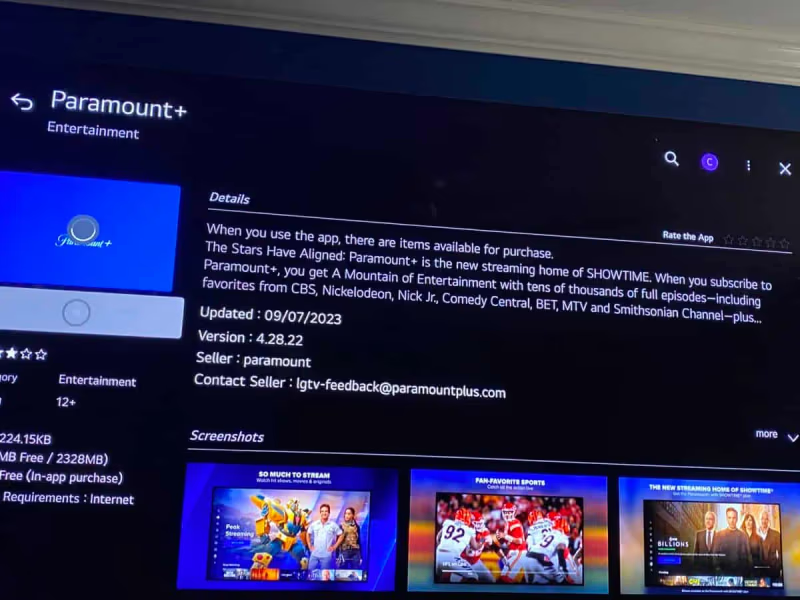
- A pop-up will say “Installed” – now select “Open”
You only have to install once. After that, just launch from your apps.
#5. Log Into Paramount Plus
The final step is to sign into your Paramount Plus account:
- Choose Sign In
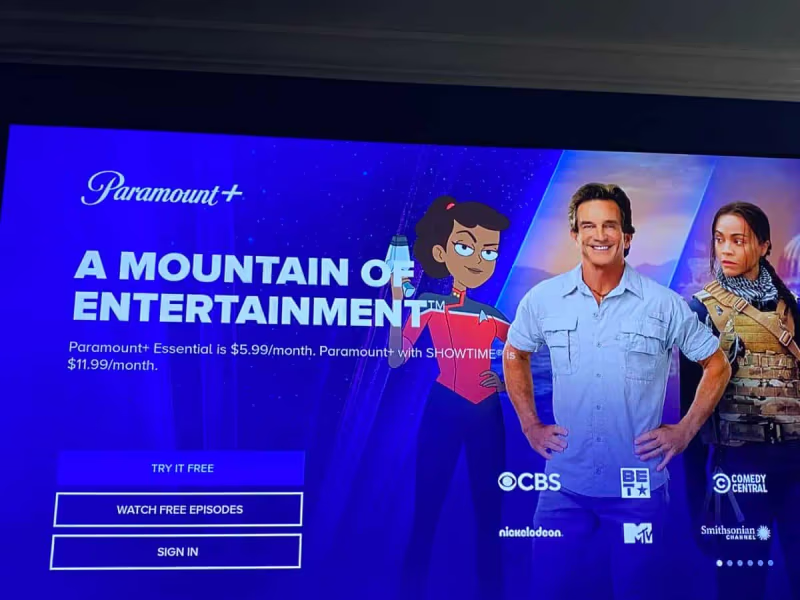
-
Input your Paramount Plus email and password
-
Select your profile icon
You can now start streaming movies, shows, live sports and more in Paramount Plus on your LG TV!
#Tips for Using Paramount Plus on LG Smart TV
Here are some handy tips:
-
Browse categories and personalized recommendations on the Paramount Plus home screen
-
Resume shows you’ve previously watched under Keep Watching
-
Download shows to watch offline later by selecting the Download icon
-
Control playback with pause, rewind and fast forward functions
-
Use captions/subtitles by pressing the asterisk button on your remote
-
Adjust video quality in app settings based on your internet speed
-
Only 2 users can stream Paramount Plus simultaneously on different devices with the Essential plan, or 4 users with Premium
And if you ever need help, use the Support option in Paramount Plus settings to contact assistance.
#Troubleshooting Paramount Plus on LG Smart TV
If you encounter issues installing, logging into or streaming Paramount Plus, here are some troubleshooting steps:
-
Restart your LG Smart TV and router
-
Check your internet connection speed – 25Mbps is recommended for smooth streaming
-
For sign-in problems, re-enter credentials or reset password as needed
-
Re-install the Paramount Plus app if issues persist like Paramount Plus not working on your Samsung TV
-
Power cycle your TV and router if the app has errors or won’t open
-
Update to the latest Smart TV software version
-
You may also need to check if Paramount Plus works with your cable provider – see Paramount Plus on Spectrum, Paramount Plus on DIRECTV or Paramount Plus on Dish TV
In most cases, basic troubleshooting fixes any problems accessing Paramount Plus. But you can also contact LG or Paramount Plus support if needed.
#What Devices Can Stream Paramount Plus?
Aside from LG Smart TVs, you can access Paramount Plus on:
-
Apple devices like iPhone, iPad, iPod Touch and Apple TV
-
Android phones, tablets and Android TVs
-
Roku players and Roku TVs
-
Xbox One and Xbox Series X/S
-
PlayStation 4 and 5
-
Web browsers on your computer
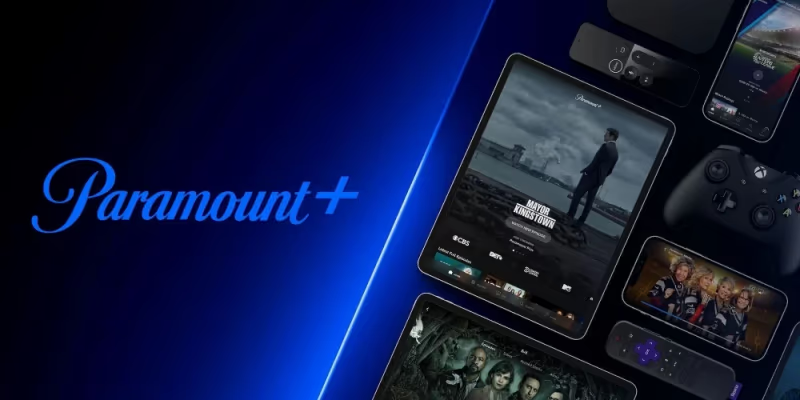
So you can pick up from where you left off when switching between your LG TV and other devices.
#Bottom Line
And there you have it – with just a few steps, you can be streaming the expansive catalog of shows, movies and more with Paramount Plus on your LG Smart TV. From installing and logging in to troubleshooting, this guide has covered everything you need to know.
Now sit back and enjoy hits like Tulsa King, Star Trek: Strange New Worlds, PAW Patrol and so much more. Paramount Plus brings leading entertainment right to your LG TV.
#Frequently Asked Questions
#What LG TVs support Paramount Plus?
Paramount Plus works on 2018 and newer LG Smart TVs running webOS 4.0 or later. You can check your webOS version under Settings > General > About This TV. Older models from 2017 or earlier are not supported.
#Do I need Wi-Fi to stream Paramount Plus on my LG TV?
Yes, an active internet connection is required for streaming. For buffer-free playback in 4K, Paramount recommends at least 25 Mbps. A wired Ethernet connection can help if your Wi-Fi signal is weak.
#Can I download shows for offline viewing on my LG TV?
The Premium plan ($9.99/month) lets you download select titles through the LG TV app. Not every title is available for download, but most Paramount+ originals and popular series are included.
#How do I fix Paramount Plus not loading on my LG TV?
Start by restarting your TV and router. If the app still won’t open, uninstall it from the LG Content Store and reinstall it. Also check that your LG TV firmware is up to date, since outdated software can cause app crashes.
#Does Paramount Plus offer a free trial for LG TV users?
New subscribers get a 7-day free trial regardless of which device they sign up on. You can cancel anytime during the trial without being charged. After the trial ends, your selected plan renews automatically.
#How many devices can stream Paramount Plus at the same time?
The Essential plan allows up to 3 simultaneous streams across different devices. Premium bumps that to 4 streams. Your LG TV counts as one of those devices.
#What live sports are available on Paramount Plus?
Paramount Plus streams live NFL games, UEFA Champions League matches, and NCAA March Madness. CBS Sports HQ also runs 24/7 as a free live channel within the app. Availability varies by season and broadcasting rights.