Getting Paramount Plus on your DirecTV device can be confusing. This guide covers everything from signing up for Paramount Plus to troubleshooting streaming issues on various devices.
- Paramount Plus is an app, not a channel — you won’t find it in the DirecTV guide, but it runs on Osprey, Genie Mini and most smart TVs
- DirecTV customers get discounted pricing — plans start under $6/month when you link your DirecTV credentials
- Supported DirecTV hardware includes 4 devices — Osprey 1 & 2, AT&T TV Device, and 4K Genie Mini
- Sign in with your TV provider — link your DirecTV account for single-credential access to both services
- Buffering fixes start with your connection — upgrade to 25 Mbps+ internet or switch from Wi-Fi to ethernet
#What is Paramount Plus?
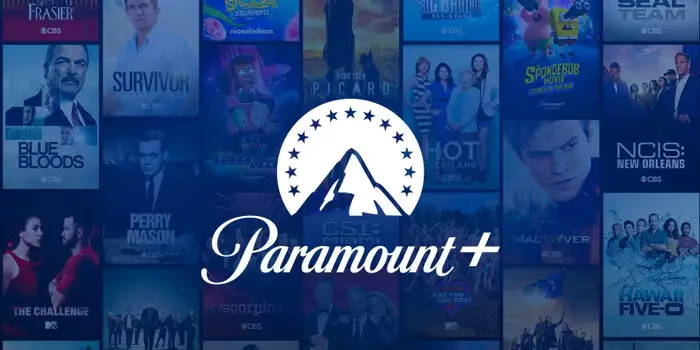 Paramount Plus (formerly known as CBS All Access) is a streaming service that gives you access to shows, movies and sports from CBS, Paramount Pictures and other ViacomCBS brands. This includes popular franchises like Star Trek, Spongebob Squarepants, Survivor and more.
Benefits include:
-
Thousands of hit movies and shows available on-demand
-
New Paramount Plus originals like 1883, Mayor of Kingstown
-
Live CBS feeds from local affiliates in many markets
-
Offline viewing for when you’re on the go
-
4K, HDR and Dolby Vision support where available
#Is Paramount Plus on DirecTV?
Paramount Plus is not a channel you can simply tune to on your DirecTV guide. Instead, you need to access the Paramount Plus app through a supported device.
The good news is that Paramount Plus is available on many popular DirecTV set-top boxes and most DirecTV streaming devices.
#Supported DirecTV Devices for Streaming
-
DirecTV Stream Device (Osprey 1 and 2)
-
AT&T TV Device
-
DirecTV 4K Genie Mini
-
Some older Genie Minis
So even though Paramount Plus isn’t a regular channel, you can still watch it on your TV through various DirecTV equipment.
#How to Get Paramount Plus on Smart TV
If you don’t have DirecTV equipment but do have a smart TV (or streaming device), getting Paramount Plus is straightforward.
Here’s how to download the Paramount Plus app:
-
Using your smart TV remote, go to the App Store
-
Search for “Paramount Plus”
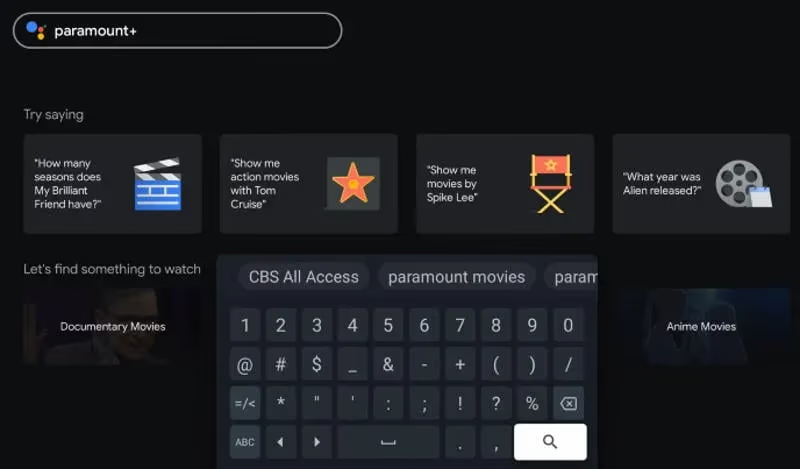
- Select Download or Install
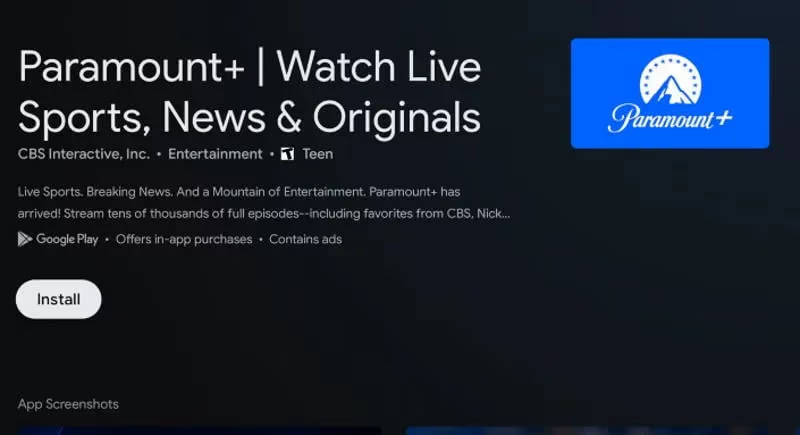
- Once installed, open app and sign up for Paramount Plus or sign into your account
Paramount Plus is available on smart TVs from LG, Vizio, Samsung, Roku TVs, Sony and more. Make sure your TV is updated with the latest software for best results.
#How to Sign Up for Paramount Plus
Before you can start streaming, you’ll need to sign up for a Paramount Plus account:
-
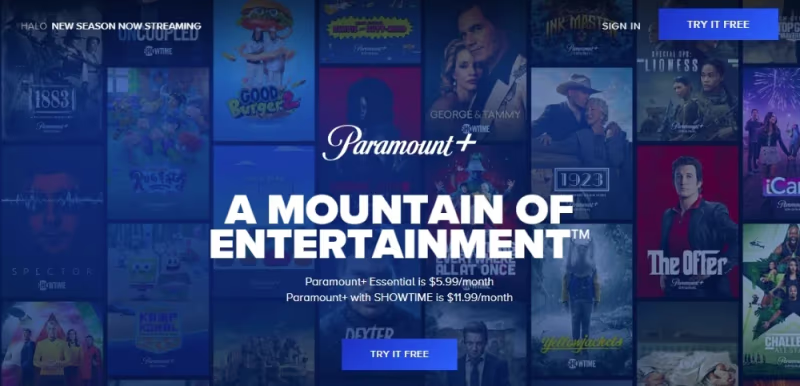
Go to paramountplus.com on any device
-
Select Start Free Trial or Buy Now
-
Choose monthly ($9.99) or annual ($99.99) plan
-
Create Paramount Plus account with email, Facebook or Apple
-
Enter payment details
- Pricing may be cheaper if bundled with Showtime or an existing cable/satellite package through partners like DirecTV.
- Start watching!
Once signed up, you can stream from the app on mobile devices, smart TVs, web and supported DirecTV equipment.
Pro Tip: Verify Paramount Plus streaming quality settings are optimized for your connection speed. This ensures the best video quality possible across different shows and devices.
#Upgrade Steps for Enhanced DirecTV Streaming
While Paramount Plus works on most modern DirecTV devices out of the box, you may need to upgrade equipment if experiencing issues like:
-
Frequent buffering/stoppages
-
Error messages loading titles
-
Playback failures or app crashing
-
No 4K or HDR support
Upgrading your setup improves internet connectivity and speeds up app performance:
-
Replace standard receiver with a DirecTV 4K Genie Mini
-
Get faster home internet (25mbps+)
-
Connect receiver via ethernet instead of Wi-Fi
-
Reset app cache on device
-
Check for player software and TV firmware updates
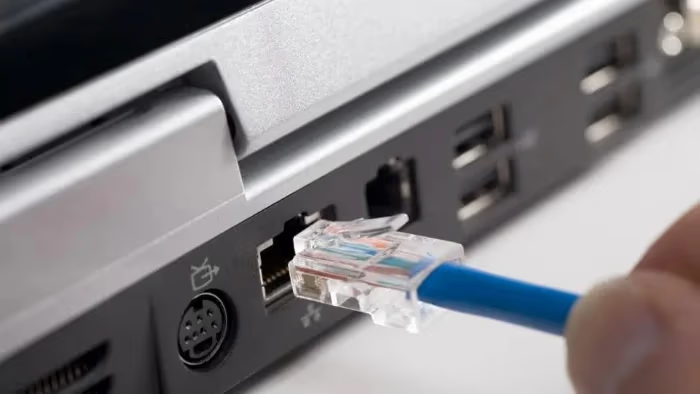
These enhancements ensure smooth Paramount Plus streaming in 4K HDR where available. Contact DirecTV support for help troubleshooting specific device issues.
#Sign Into Paramount Plus through DirecTV
Thanks to a special deal between AT&T and ViacomCBS, DirecTV customers can sign into Paramount Plus using their DirecTV credentials.
Perks include:
-
Discounted Paramount Plus pricing
-
Quick switching between apps
-
One sign-in for both services
To link your accounts:
-
Open Paramount Plus app
-
Select Sign In
-
Choose “Sign in with TV Provider”
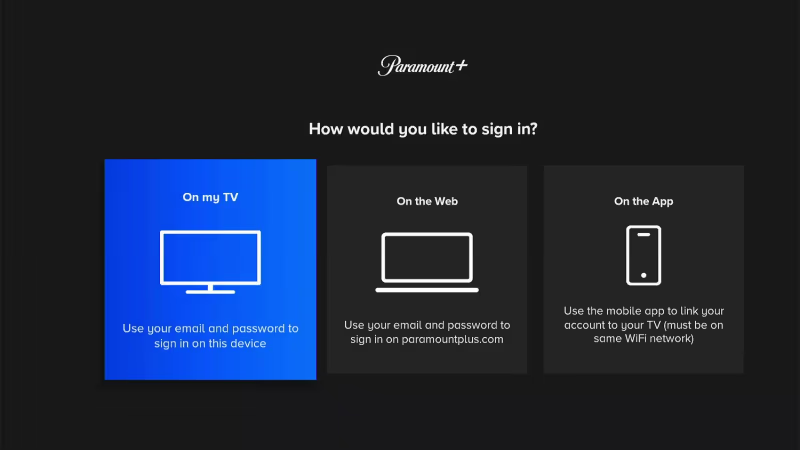
-
Enter DirecTV username and password
-
Confirm when prompted
Now you can sign into either Paramount Plus or DirecTV apps with the same credentials. Enjoy every show, movie, sport and more on Paramount Plus.
If needing help getting Paramount Plus on a specific TV setup, see these additional articles:
#Bottom Line
-
Paramount Plus isn’t a channel but rather an on-demand streaming library
-
Popular shows like 1883, Star Trek: Picard and The Challenge are Paramount Plus exclusives
-
Paramount Plus is supported on most DirecTV devices like Osprey and Genie Minis
-
Smart TVs also support the Paramount Plus app
-
Sign up at paramountplus.com or get a discounted bundle through DirecTV
-
Upgrade equipment if experiencing streaming issues
-
Link DirecTV credentials for easier Paramount Plus access
#FAQ
#Can DirecTV customers get a discounted price for Paramount Plus?
Yes. Link your Paramount Plus account with your DirecTV credentials to unlock special pricing. Plans start under $6 per month when bundled through your TV provider.
#What shows are exclusive to Paramount Plus?
Original hits like Star Trek: Discovery, 1883 and Mayor of Kingstown are only available on Paramount Plus. Movies like Top Gun: Maverick also land on the platform 30-45 days before other outlets. The library also includes live CBS feeds and NFL games in many markets.
#Does 4K streaming work on DirecTV equipment?
Select shows and live events in the Paramount Plus app can stream in 4K Ultra HD with Dolby Vision HDR and Dolby Atmos audio. You need a compatible device like the 4K Genie Mini and internet speeds of at least 25 Mbps. Not all content is available in 4K, so check the title details before expecting UHD playback.
#Why does Paramount Plus keep buffering on my DirecTV device?
Buffering is almost always caused by a weak network connection. Make sure your download speeds exceed 25 Mbps, then try connecting via ethernet instead of Wi-Fi. Clearing the app cache and restarting your receiver can also fix persistent playback issues.
#Can I watch Paramount Plus on a smart TV without DirecTV equipment?
Absolutely. The Paramount Plus app is available on Samsung, LG, Vizio, Sony and Roku smart TVs. Download it from your TV’s app store, sign in with your account and start streaming right away.
#How do I link my DirecTV account to Paramount Plus?
Open the Paramount Plus app and select “Sign in with TV Provider.” Enter your DirecTV username and password when prompted. Once linked, you can use the same credentials for both services.
#Is Paramount Plus included free with any DirecTV plan?
Paramount Plus is not included free with standard DirecTV packages. However, DirecTV occasionally runs promotional bundles that offer discounted or trial access. Check your current plan details or contact DirecTV support to see active offers.
#What devices support Paramount Plus through DirecTV?
The app runs on DirecTV Stream Devices (Osprey 1 and 2), the AT&T TV Device and the 4K Genie Mini. Some older Genie Mini models also support it, though performance may vary.