Has Paramount Plus suddenly stopped working on your Samsung TV? You are not alone. This guide covers the most common reasons why Paramount Plus fails on Samsung Smart TVs and provides troubleshooting solutions to get you streaming your favorite shows again.
- Power cycling your Samsung TV fixes most temporary app glitches within 60 seconds
- Outdated app versions cause crashes and black screens on Samsung Smart TVs running Tizen OS
- Wi-Fi signal strength below 10 Mbps leads to buffering, quality drops, and app freezes
- Deleting and reinstalling Paramount Plus clears corrupted cache data that updates cannot repair
- Parental controls and account restrictions can silently block content without displaying error messages
#Overview
 Paramount Plus brings hit movies, TV series, sports and more through a large catalog of on-demand entertainment options. As one of the top streaming services, Paramount Plus has programming from CBS, Comedy Central, BET, Nickelodeon and Paramount Pictures.
Many Samsung Smart TV owners have experienced issues with getting the Paramount Plus app to function properly. Symptoms can range from the app crashing unexpectedly to the screen going black when you attempt to play content.
The good news is that with the right troubleshooting approach, these problems can often be resolved. We will walk through the key reasons why Paramount Plus may fail on Samsung TVs, as well as actionable solutions.
Follow along with the structured tips below to get Paramount Plus working again.
#Why Does Paramount Plus Stop Working on Samsung TVs?
Before jumping into solutions, it helps to understand the potential reasons why Paramount Plus fails on Samsung Smart TVs:
#Internet Connectivity Issues
Streaming video requires a stable, high-speed internet connection. Any disruptions or lag can show up as buffering, quality drops or the app crashing altogether. Verify your Samsung TV has a strong Wi-Fi or ethernet link.
#Outdated Software
Like any app, Paramount Plus relies on up-to-date software and firmware versions for compatibility. If your Samsung TV OS or Paramount Plus app version falls too far behind, functionality may break.
#Restrictive Settings
Parental controls, restrictions or other Samsung account settings may block access to mature content on Paramount Plus. Double check that no limiting controls are enabled.
#Server Outages
While less common, underlying issues with Paramount Plus streaming servers can also prevent access across devices. You can reference instructions for accessing Paramount Plus on other popular platforms like Dish TV and Spectrum to compare connectivity processes.
Now let’s explore solutions…
#How Do You Fix Paramount Plus on a Samsung TV Step by Step?
Follow these methods sequentially for the best chance of getting Paramount Plus operational again:
#1. Check Your Internet Connection
Without stable connectivity, apps can struggle regardless of equipment. Verify your Samsung TV has a solid link on both ends:
-
Restart your home router/modem – Unplug for 30 seconds to refresh the connection.
-
Confirm Wi-Fi status icon – Look for a strong signal in your Samsung TV network settings.
-
Test with another device – Like a phone. If that device connects fine, may indicate a Samsung TV-specific issue.
-
Troubleshoot connection – Change router channel, adjust Samsung TV antenna, move Wi-Fi extenders closer.
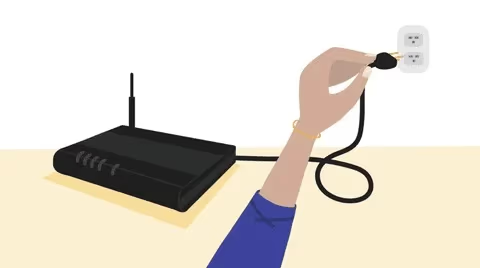
Once you have confirmed a strong, high-speed internet pipeline, move onto app-specific fixes.
#2. Update the Paramount Plus App
Like any software, streaming apps need periodic updates for enhancements and compatibility tuning.
On your Samsung TV:
-
Open the Apps menu
-
Locate and select the Paramount Plus app
-
Choose “Update” if available.
Allow any updates to install, then check if Paramount Plus launches correctly. Updates bring fixes and help avoid sudden crashes.
#3. Restart Your Samsung TV
Before getting too investigative, a restart can clear out temporary bugs:
-
Sleep/turn off your Samsung TV via remote
-
Unplug TV power cable for 60 seconds
-
Reconnect and turn back on
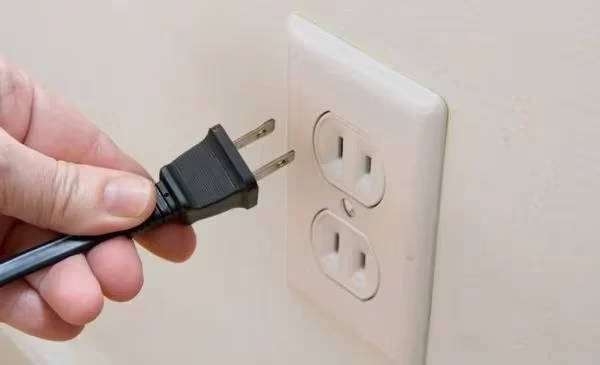
Allow a minute for reboot before opening apps. This refresh often resolves odd streaming issues.
#4. Delete and Reinstall the App
If updates don’t help, deleting and reinstalling the Paramount Plus app may reset any corrupted data:
-
From your Samsung TV’s Apps menu, select the Paramount Plus app
-
Choose “Delete” (this removes data/login)
-
Open the Samsung App Store
-
Search for and select Paramount Plus
-
Choose Download/Install
-
Login again once installed
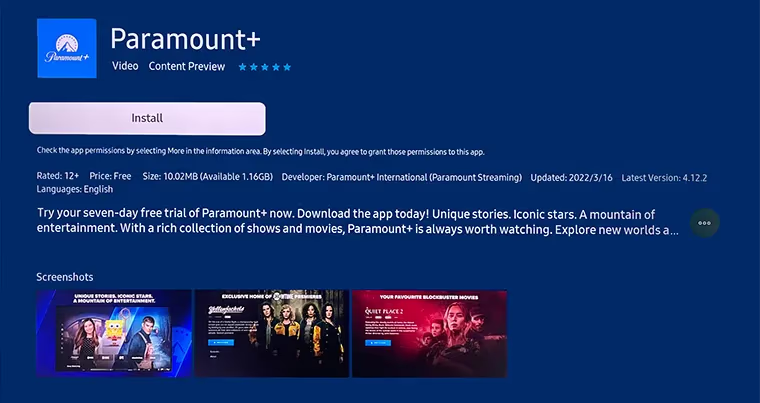
Note you will have to sign in again after reinstallation. Test for better functionality in the fresh app.
#5. Adjust Restrictive Settings
Access to mature content on Paramount Plus could be blocked by:
-
Samsung account parental controls
-
Individual app limitations
-
Device-level restrictions
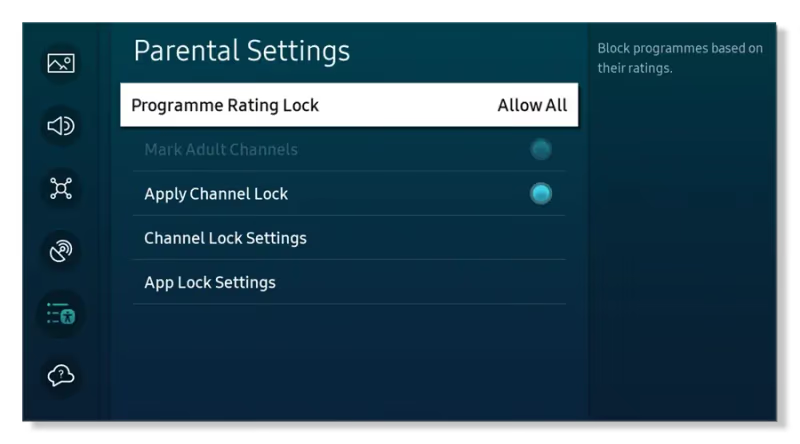
Check Settings > Accounts > Users & Permissions to see if any constraints are enabled. Disable restrictions and see if Paramount Plus now works normally.
#6. Verify Paramount Plus Server Status
While less likely, degraded performance of the Paramount Plus streaming servers can also show up as service disruptions across devices.
Check the official Paramount Plus system status page or Downdetector page to confirm wider problems. If servers are down or interrupted, you will need to wait for functionality to come back globally.
#7. Reset Your Samsung TV
If Paramount Plus continues to fail after other troubleshooting, resetting the Samsung TV software itself may help eliminate deeper system issues:
-
Go to Settings > Support > Self Diagnosis > Reset
-
Enter your PIN when prompted
-
Allow the process to fully complete
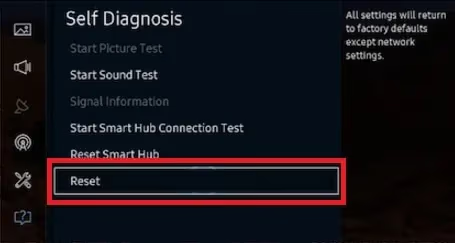
Once the Samsung TV resets and restarts, try Paramount Plus again while logged into your profile.
If Paramount Plus continues to freeze or lag when streaming content on your Samsung TV, check out this guide on how to keep Paramount Plus from freezing.
#8. Contact Support
If all else fails, initiate a support case via:
-
Samsung TV Support – Call, chat or email Samsung support teams specifying your TV model details and the issues experienced. They can further troubleshoot or determine hardware faults covered by warranty.
-
Paramount Plus Support – Contact Paramount Plus support to report problems restricted to just their streaming app itself. Provide reproduction steps and error specifics.
Give as much detail about your issue when engaging support channels. More context helps resolutions come faster.
For Samsung Smart TV owners struggling with Paramount Plus functionality, we provide specific troubleshooting here. But you can also reference fixing guides for LG smart TVs or DirectTV for additional tips that may apply.
#Bottom Line
Keep these core lessons in mind:
-
Internet issues can break streaming, so ensure a strong Wi-Fi link
-
Apps need periodic updates to maintain compatibility
-
Basic restarts and reinstalls can reset many transient bugs
-
Adjusting restrictions regains access to restricted content libraries
-
Server outages bring wide-spread disruptions (be patient)
-
Factory resets of the Samsung TV software fix deeper issues
-
Support teams handle tough device-specific troubleshooting
Going forward:
-
Check for firmware updates monthly
-
Enable auto app updates when possible
-
Periodically restart your smart devices to clear memory
-
Monitor for service alerts during suspected outages
Staying updated and restarting before issues occur goes a long way.
With a structured approach, you can get Paramount Plus smoothly streaming your favorite new shows on Samsung TVs again.
#FAQ
#Why does Paramount Plus keep crashing on my Samsung TV?
Paramount Plus crashes usually stem from an outdated app version or corrupted cache data. Update the app through the Samsung App Store first. If that does not help, delete Paramount Plus and reinstall it to start fresh with clean data.
#Can I get Paramount Plus on older Samsung Smart TVs?
Samsung Smart TVs from 2017 and later support the Paramount Plus app through the built-in app store. Models from 2016 or earlier lack compatibility, but you can still stream Paramount Plus using an external device like a Roku or Fire TV Stick connected via HDMI.
#How do I clear the Paramount Plus cache on a Samsung TV?
Go to Settings > Apps > Paramount Plus > Clear Cache on your Samsung TV. This removes temporary files without deleting your login credentials. Clearing cache fixes many playback errors and loading problems that build up over time.
#Does Paramount Plus need a specific internet speed to work on Samsung TVs?
Paramount Plus recommends at least 4 Mbps for standard streaming and 8 Mbps for HD content. For 4K streaming, you need a minimum of 16 Mbps. Run a speed test from your Samsung TV’s network settings to confirm your connection meets these thresholds.
#What should I do if Paramount Plus shows a black screen on my Samsung TV?
A black screen typically points to a display or app rendering issue. Power cycle your Samsung TV by unplugging it for 60 seconds, then try launching Paramount Plus again. If the black screen persists, check your HDMI connections and try switching to a different HDMI port.
#Why does Paramount Plus buffer constantly on my Samsung TV?
Constant buffering is almost always a network issue. Move your router closer to the TV or switch from Wi-Fi to an ethernet cable for a more stable connection. You should also close other streaming apps running in the background, as they consume bandwidth and processing power on the TV.
#How do I update the Paramount Plus app on my Samsung TV?
Press the Home button on your Samsung remote, navigate to Apps, and find Paramount Plus. Select the app and look for an “Update” option. If no update appears, the app is already running the latest version available for your TV model.
#Will a factory reset delete my Paramount Plus account?
A factory reset removes all apps and settings from your Samsung TV, but it does not affect your Paramount Plus subscription or account. After the reset, reinstall the app from the Samsung App Store and log back in with your existing credentials. Your watchlist and preferences are stored on Paramount Plus servers, so nothing is lost.