Have you ever flipped through your Verizon Fios TV channels searching for the latest music videos on MTV only to come up empty handed? Getting access to fan favorite networks like MTV is easier than you think. This guide covers everything about getting MTV on your Verizon Fios TV package, from verifying your plan to fixing common viewing problems.
- MTV is included free — all Fios TV Local Broadcast, Family, and Custom plans bundle MTV on channel 331 at no extra charge
- Three ways to verify — check your monthly bill, log into your Verizon account, or call customer support to confirm MTV is in your lineup
- Common fixes work fast — black screens on channel 331 usually come down to parental locks, regional blackouts, or equipment glitches
- Watch on any device — the Fios TV app lets you stream MTV on phones and tablets when connected to your home Wi-Fi network
- VOD adds flexibility — individual MTV shows appear as Video on Demand options so you can watch without setting up DVR recordings
#Which Fios Plans Include MTV?
The good news is that Verizon Fios includes MTV in all of its local broadcast packages. You won’t have to pay extra or upgrade your subscription for MTV access.
MTV is bundled in the following Fios plans:
-
Fios TV Local Broadcast
-
Fios TV Family
-
Custom Fios TV Plans
So as long as you have one of these package types with a channel lineup including your local stations from ABC, NBC, CBS and more, MTV should feed through automatically.
The MTV feed you’ll access through Fios includes programming straight from the east coast such as classic music video blocks, reality shows, live events and more.
Now just because MTV comes standard with these Fios packages doesn’t guarantee you’ll always have problem-free viewing.
#How Do You Check if MTV Is in Your Fios Plan?
Before troubleshooting why you may not be seeing MTV clearly on certain channels, double check that the network is actually included in your package’s contracted channel lineup.
You can verify this a few ways:
-
Check your monthly bill details for the specific plan type. Local Broadcast and Family packages should list MTV.
-
Log into your Verizon account and view the channel lineup card for extra confirmation.
-
Chat with a Verizon Fios customer representative online or by phone to scan your account.
If you confirm MTV is indeed supposed to be part of your standard channel selection but you’re still having viewing issues, this points to a different access problem covered next.
#Troubleshooting MTV Access Issues on Fios
So MTV is confirmed as part of your Fios TV subscription, but despite scanning through channels you run into a black screen for channel 331. What gives?
A few common issues could be interrupting your ability to tune into MTV programming clearly:
-
Regional restrictions or blackouts: Certain live events and premieres air at different times across regions. Your east coast MTV feed could blackout a new show launch to avoid spoilers for a later west coast debut.
-
Channel lock restrictions: If you enabled parental channel locks, MTV may be included in blocked content and require passcode access. Double check your lock settings.
-
Device connectivity problems: Can you view any channels clearly or is MTV the only one affected? Troubleshoot set-top box, HDMI cabling or other device issues if the problem looks localized to MTV.
-
Temporary broadcasting interruptions: Signal loss during storms, local construction or other interference can temporarily disrupt tuning.
Running through these troubleshooting suggestions should help narrow down and resolve most MTV-related issues. For stubborn viewing problems, reach out to Verizon Fios customer support for next steps tailored to your unique setup or compare experiences of users struggling with MTV access through other providers like Spectrum.
#Tips for Better MTV Viewing on Fios
Once you’ve confirmed MTV access in your package and addressed any viewing interference problems, take advantage of features that make watching content easy across platforms.
Here are our top tips for an optimal MTV streaming experience:
-
Download the Fios TV app to enjoy MTV hits on tablets and phones when away from your home television. Just connect to your home Wi-Fi network first for access.
-
Channel 331 grants access to the MTV live broadcast, but individual shows may also appear as Video on Demand (VOD) options to stream at your convenience without DVR.
-
Authentication allows signing into supported apps with Fios TV creds to unlock MTV content. This pairs well with MTV Hits add-on channel packs available through services like Sling TV or Dish.
-
Parental controls let you restrict MTV access on a per profile basis while keeping it enabled for other household members.
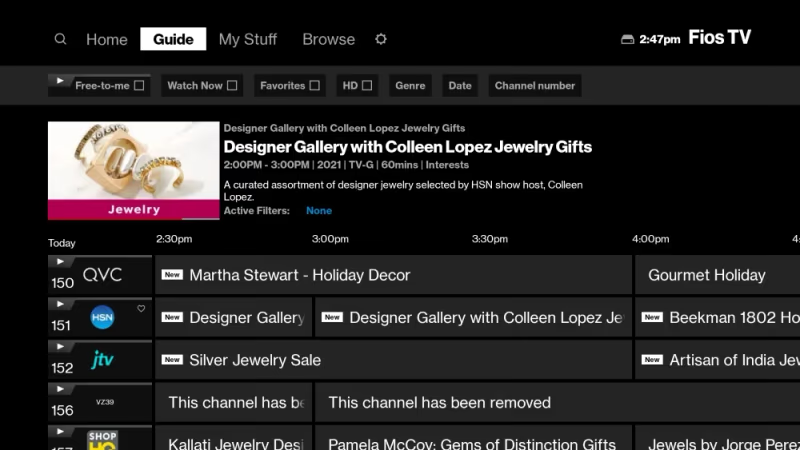
Review Fios features for streaming flexibility using your MTV credentials. More ways to watch means you never miss a beat.
#Bottom Line
After breaking down everything from standard package inclusion to troubleshooting viewing issues, here is what matters most for accessing MTV through your Fios TV subscription:
-
MTV is bundled in all Local Broadcast and Family plans automatically at no extra cost
-
Check your account details if MTV seems missing from your lineup
-
Resolve problems like black screens using parental controls, equipment resets or customer support
-
Stream MTV hits anywhere with the Fios TV app once connected to home Wi-Fi
With this background, you can now sit back and enjoy all your favorite music video countdowns and reality TV drama airing live on MTV through your Verizon Fios connection.
#Frequently Asked Questions
#What MTV programming is included in the Fios channel?
The standard east coast MTV feed carries music video blocks, reality shows like Jersey Shore, live award ceremonies, and newer original series. You get the full MTV lineup without any content restrictions based on your Fios plan tier.
#Why does MTV sometimes get blacked out on Fios?
Regional premiere restrictions can occasionally blackout east or west coast MTV airings to avoid spoilers before local air times. This happens most often during live events and season premieres, though it is pretty rare for regular programming.
#Can I watch MTV if I have basic local channels only?
Yes. The Limited Basic local channel package also grants MTV access for the lowest monthly pricing. Even entry-level Fios TV plans include MTV on channel 331 without requiring an upgrade.
#How do I remove MTV channel locks if enabled?
You can modify blocked channels under Parental Controls in your Fios account dashboard or using your set-top box on-screen menu. You will need your four-digit parental control PIN to make changes.
#What channel number is MTV on Verizon Fios?
MTV broadcasts on channel 331 for all Verizon Fios TV subscribers. This channel number stays the same across all Fios plan types and regions served by Verizon.
#Can I stream MTV on my phone with a Fios subscription?
The Fios TV app lets you stream MTV live on smartphones and tablets. Your device needs to connect to your home Wi-Fi network first, and then you can watch MTV anywhere inside your home coverage area. Some on-demand content may also be available outside your home network.
#Does Fios charge extra for MTV access?
No. MTV is part of the standard channel lineup in all Fios TV packages, including Local Broadcast, Family, and Custom plans. There is no add-on fee or premium charge for the channel.
#What should I do if MTV shows a black screen on channel 331?
Start by checking your parental control settings since MTV might be locked. If that is not the issue, try rebooting your set-top box by unplugging it for 30 seconds. Persistent black screens usually point to a signal issue that Verizon customer support can diagnose remotely.