With cable TV packages becoming increasingly expensive, free and low-cost streaming software like Kodi and Stremio offer tempting alternatives for accessing media content. But which one should you choose? This in-depth guide compares Kodi and Stremio across ease of use, features, content libraries and more to help you decide. As online privacy and security experts, we encourage using only properly licensed sources. Please research your country’s copyright laws before streaming content.
- Stremio is easier to set up — pick your genres during install and start streaming within 2 minutes, no add-on hunting required
- Kodi has a larger content library — thousands of community add-ons versus Stremio’s roughly 6 official and a few dozen community options
- Stremio streams more reliably — content plays directly from platforms, avoiding the buffering and downtime common with Kodi’s third-party add-ons
- Kodi runs on more devices — native support for mobile, desktop, TV, projector, and Raspberry Pi compared to Stremio’s phone, tablet, and desktop apps
- Using both together works best — Stremio handles daily streaming from major platforms while Kodi covers niche and specialty content
#What Are the Key Differences Between Kodi and Stremio?
At first glance, Kodi and Stremio look like similar media center apps. Both are free, both play movies and shows, and both support add-ons. But they take fundamentally different approaches to streaming.
Kodi functions as a full media center that downloads add-ons, builds, and libraries to your device. You get total control over your setup, but you also take on the responsibility of finding, installing, and maintaining everything yourself. Stremio takes the opposite approach by streaming content directly from platforms with no local storage required.
Stremio prioritizes convenience with built-in content suggestions and a recommendation engine that learns your preferences. Kodi requires manually browsing add-on repositories and installing each one individually. This makes Stremio faster to get started with, but Kodi gives significantly more control over your media experience.
Kodi works on almost any device, but its third-party add-ons are unstable with frequent shutdowns. Stremio’s built-in add-ons face less disruption since they stream directly from their source platforms.
#Ease of Use and Setup
Winner: Stremio
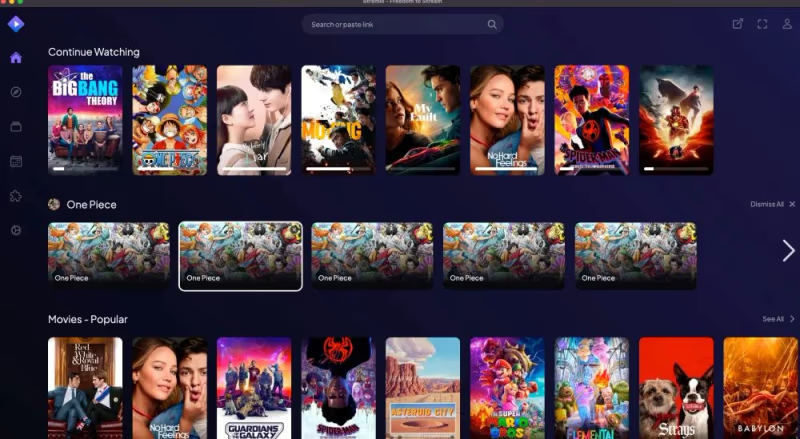
Stremio shines when it comes to convenience. After picking a few favorite genres during setup, the app’s discovery feed starts suggesting movies and shows you’ll enjoy from its built-in add-ons. You can immediately start streaming without any complicated configuration.
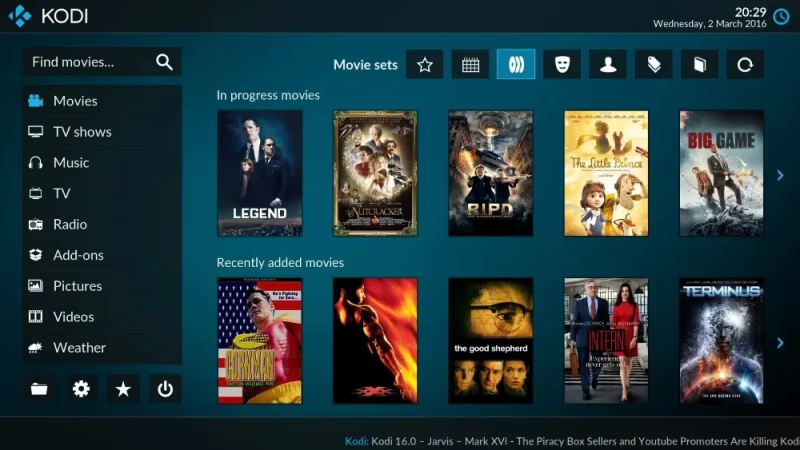
Kodi offers unmatched personalization and control with thousands of community-built add-ons. But this requires manually browsing repositories, installing add-ons, and occasionally troubleshooting. The extensive options can overwhelm novice users. Even experienced users spend time keeping their add-on list current as repositories go offline.
Check out this comparison of Kodi to Jellyfin for another open-source media server option.
#How Do the Content Libraries and Add-Ons Compare?
Winner: Kodi
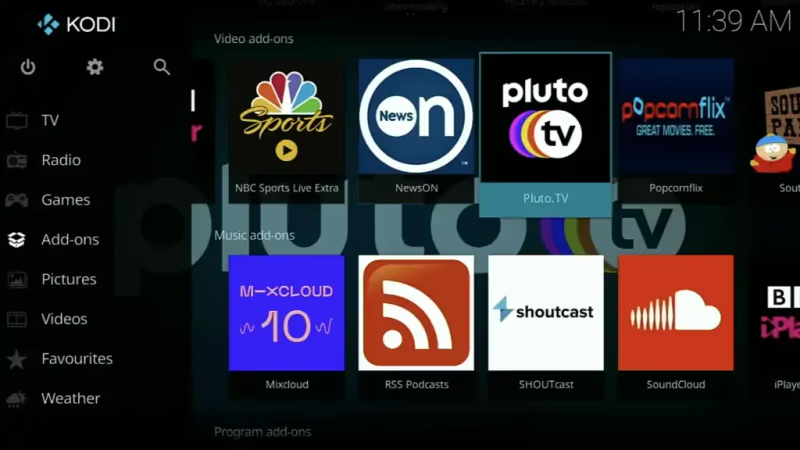
The biggest advantage of using Kodi is straightforward: more add-ons means more content. With thousands of add-ons offering movies, shows, live TV, music and more, Kodi’s content library is unparalleled. You can access specialty add-ons for things like retro gaming, fitness videos, and international broadcasts that Stremio doesn’t cover.
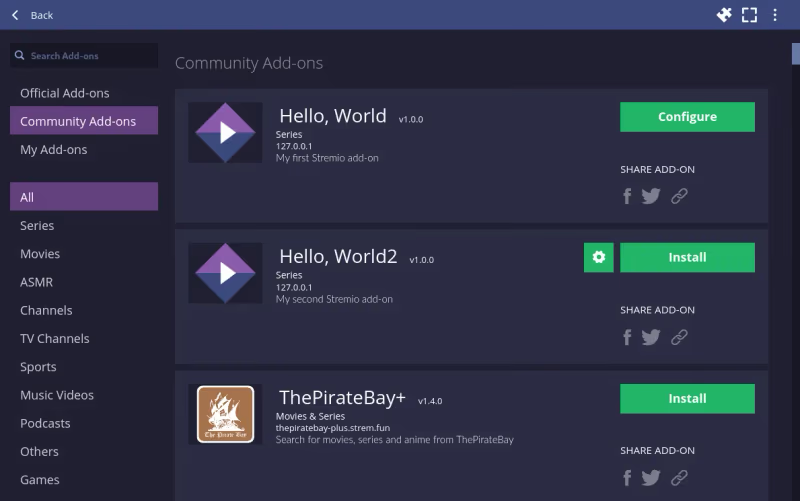
Stremio only has around 6 official add-ons, with a few dozen community offerings. But the default add-ons already cover most major streaming channels like Netflix, YouTube, Twitch and more. For casual users not needing niche content, Stremio checks all the boxes.
The trade-off is reliability. Kodi add-ons frequently get taken down by copyright holders or abandoned by their developers, forcing users to constantly search for replacements. Stremio’s smaller library stays functional because the official add-ons are maintained by the platforms themselves.
If you still want alternatives, here is a guide to the top Kodi alternatives.
#Streaming Reliability and Quality
Winner: Stremio
A common frustration with Kodi is unstable streams and add-ons going down without notice. Since third-party developers create the add-ons, they can shut down at any time despite their popularity. Fixes for issues like Kodi not working on Fire TV Stick can be found in this troubleshooting guide.
In contrast, Stremio add-ons stream content directly from their respective platforms. This reduces buffering problems and keeps streams consistently smooth. The official add-ons are also maintained by the platforms themselves, minimizing disruptions.
When it comes to video quality, both apps support up to 4K resolution and HDR content. Stremio tends to deliver more consistent quality because it pulls from established streaming services. Kodi’s quality depends entirely on the specific add-on and source being used.
#How Does Device Support Differ Between Kodi and Stremio?
Winner: Kodi
Given its open-source nature, Kodi works on practically any device you own. Mobile, tablet, computer, TV, projector, Raspberry Pi, and even older hardware all run Kodi natively. It also supports extensive theming through skins that completely change Kodi’s look and feel.
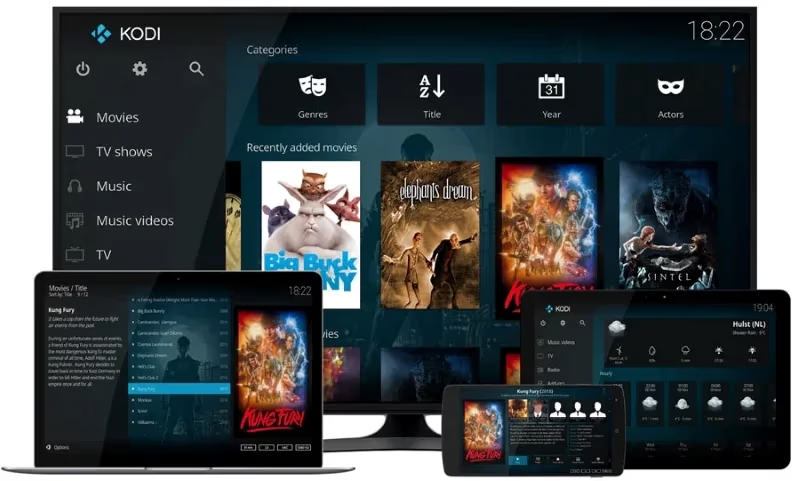
See how to install Kodi on Roku TVs, check out Apple TV setup tips or get it running on LG TVs and Samsung TVs.
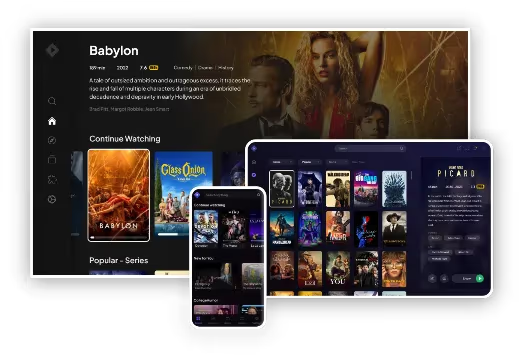
Stremio has apps for Android, iOS, Mac, Windows and Linux. There is limited theming and you’ll need to cast it from a phone or use AirPlay/Chromecast to view on a TV. Hardware like Raspberry Pi isn’t officially supported either. This gap matters if you want a dedicated media center running on a TV or set-top box.
#Which Should You Choose?
Determining the Kodi vs Stremio winner depends largely on your priorities as a streaming user.
For easy media discovery with top streaming platforms, we recommend Stremio. Convenience is king here. Pick your interests when setting up and immediately start watching suggestions. No repository browsing, no add-on troubleshooting.
If you want unlimited content libraries for free movies, shows plus specialty add-ons, try Kodi. But be prepared for lots of experimentation finding the right add-ons and occasional troubleshooting when they break.
The best option is using both. Install Stremio for reliable streaming from major platforms day-to-day. Then use Kodi as your source for more obscure niche content that serious media enthusiasts enjoy.
#FAQ
#Is Stremio safe to use?
Stremio itself is secure software from a legitimate company that makes recommendations, not hosting actual content. The app has a clean track record with no known security incidents. However, some community add-ons link to pirated or unverified sources. Use good judgement when clicking unknown links and stick to official add-ons when possible.
#Does Stremio work on Fire TV Stick and Fire TV?
Yes, you can sideload Stremio onto any Fire TV device by enabling developer options and allowing unknown sources in settings. The process takes about 5 minutes and works on all Fire TV Stick generations. Once installed, Stremio runs smoothly with full remote control support.
#What devices support Kodi?
Kodi works on thousands of devices natively including Windows, Mac, Linux, iOS, Android, Amazon Fire TV Stick, Raspberry Pi, and most smart TV platforms. Its open-source codebase means community members regularly port it to new hardware. Even old laptops and desktops from 2010 or later can run Kodi without performance issues.
#Is Kodi legal to use?
Kodi itself is completely legal open-source software maintained by the XBMC Foundation. The application is just a media player. However, many third-party add-ons provide links to pirated content, and downloading or streaming pirated media is illegal in most countries. Restrict usage only to properly licensed movies, shows and streams.
#Can you use a VPN with Kodi and Stremio?
A VPN provides extra privacy and security when streaming by encrypting your internet traffic. Both Kodi and Stremio work with VPN services. A VPN prevents your internet provider from monitoring what you watch and can help bypass regional content restrictions on certain add-ons.
#Does Stremio have better streaming quality than Kodi?
Stremio generally delivers more consistent streaming quality because it pulls content directly from established platforms. You’ll experience less buffering and fewer broken streams compared to Kodi’s third-party add-ons. That said, Kodi add-ons that connect to reliable sources can match or exceed Stremio’s quality, especially for 4K and HDR content.
#Can you install custom skins on Stremio like Kodi?
Stremio offers only basic appearance settings with no custom skin support. Kodi, on the other hand, has hundreds of community-made skins that completely transform the interface. Popular Kodi skins like Aeon Nox and Arctic Horizon let you customize everything from menu layouts to background animations, making each installation feel unique.
#Do Kodi and Stremio work offline?
Kodi works partially offline since it can play locally stored media files without an internet connection. You can load movies, music, and photos onto your device and use Kodi as a local media player. Stremio requires an internet connection for all content because it streams directly from online sources with no local download option.