Having trouble finding the power button on your Hisense TV? You’re not alone. As sleek new models focus on minimalist designs, power buttons have become trickier to locate. This guide walks you through exactly how to find the power button on any Hisense television, with step-by-step instructions and visual diagrams.
Whether you’ve lost your remote or want to manually turn your TV on and off, you’ll find every possible button location and workaround below.
- Over 75% of recent Hisense TVs place the power button directly under the IR sensor at the bottom center
- Five possible locations exist across Hisense models: under IR sensor, lower right back, left side, bottom edge, or upper right back
- Smartphone apps like RemoteNOW can power your Hisense TV on and off without touching the physical button
- Budget replacement remotes under $10 work with most Hisense models if your original remote is lost
- CEC HDMI Control in Settings should be disabled if your Hisense TV keeps turning on by itself
#Why Is the Hisense TV Power Button So Hard to Find?
Over the past decade, Hisense has prioritized slimmed-down TVs with tiny bezels and clean back panels.
This shift towards minimalism means the power button has been tucked away in less obvious locations. Rather than breaking the smooth aesthetics, Hisense designers chose to conceal the power buttons out of direct eyesight.
While this looks great, it can cause real frustration when you need to manually turn your set on or off and can’t locate the button.
Once you learn a few key spots to check, you’ll never struggle to find it again. If your TV won’t respond at all even after finding the button, see our guide on Hisense Roku TV not turning on.
#Where Do You Find the Power Button on Hisense Smart TVs?
Hisense places the power button in one of 5 common locations depending on your specific model. Here is exactly where to check:
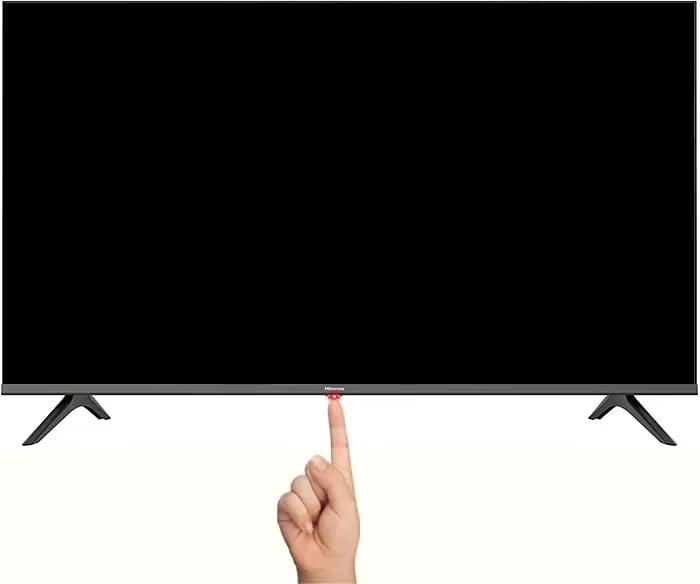
#1. Underneath IR Sensor
-
Over 75% of newest Hisense Smart TVs have the power button directly underneath the infrared (IR) sensor in the middle of the TV.
-
The IR sensor is the small dark square glass panel that receives signals from your remote control.
-
Feel around right under this sensor and you’ll find a tactile button that clicks when pressed.
-
Models with the power button here include the U6H, U7H, U8H, A6H, A7H OLED 4K TVs.
#2. On Lower Right Side
-
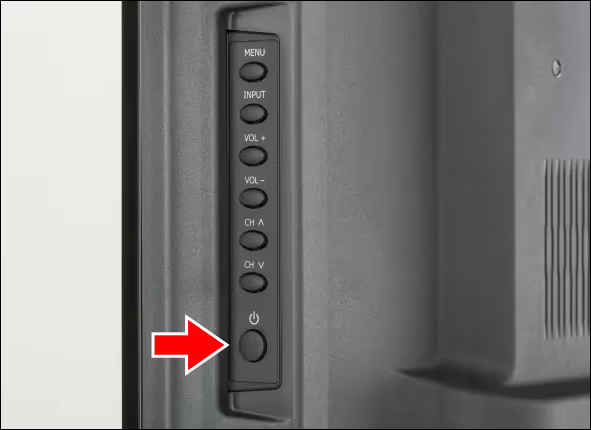
Many mid-range Hisense TVs have the button positioned on the lower right side of the back panel.
-
It may be labeled with the standard power icon, or simply read “Power.”
-
Check a few inches up from the right corner’s lower edge to locate it.
-
Look for a button right near the HDMI ports.
-
Models with the power button in this location include the E76GQ, HS214, HS312.
#3. Left Side Panel
-
Some Hisense televisions have the power button on the left side panel instead.
-
Typically it will be around halfway down the left side, directly across from the IR sensor.
-
It may be tucked further underneath the edge, so run your fingers up and down to locate it.
-
Touch-enabled models like the AE7400F have integrated power buttons flush with the panel surface.
-
Others like the 39N2100 have protruding tactile buttons.
#4. Bottom Center Panel
-
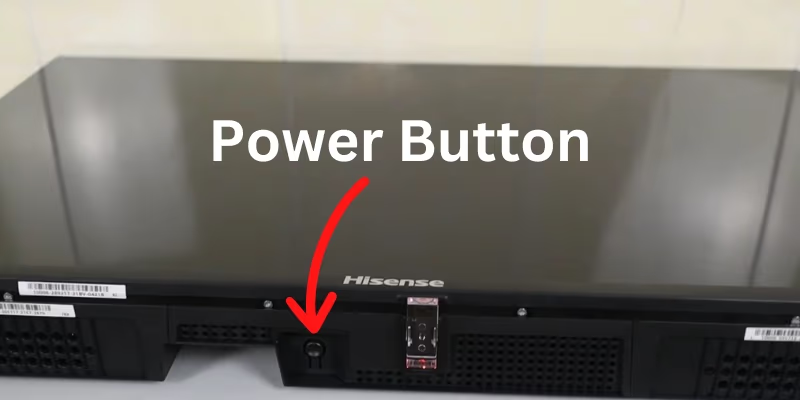
Certain Hisense TVs have the power button centered on the bottom edge of the panel.
-
Look for a small circular button right in the middle labeled with the power symbol. It clicks down when pressed.
-
Some models have a longer oblong-shaped touch sensor that activates the power.
-
TVs with a bottom panel power button include the 50B7120UW and 55B7120UW.
#5. Back Panel Upper Right
-
Older Hisense television models had the power button located on the upper right of the rear panel.
-
This position is less common but still found on Hisense sets under $300.
-
The button may be labeled “Power On/Off” and stick out slightly from the flat surface.
-
Models with back right power buttons include the 24H4030F1 and 32H5500F.
Methodically check each of these five spots until you locate the button on your model.
#How Can You Turn on a Hisense TV Without the Power Button?
What if you can’t find the power button on your particular Hisense television? There are still several ways to power on your set without it.
#Use RemoteNOW App
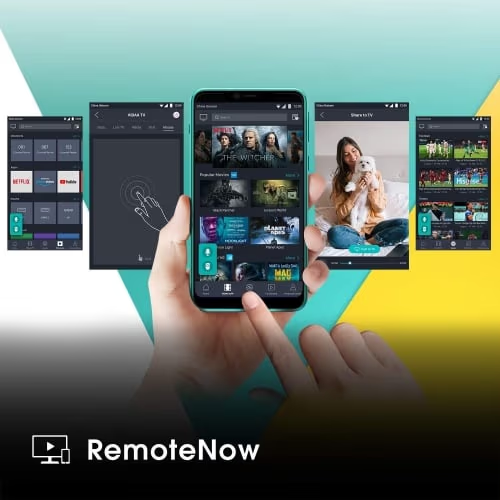
The free RemoteNOW app lets you turn your compatible Hisense TV on or off directly from your smartphone screen.
It connects via Wi-Fi so no line-of-sight is needed. Download the app and pair your phone to your television using the on-screen pairing code.
Compatible Models: U7H, U8H, U9H, A7H, 2022 OLED Series
#Android TV Remote Control
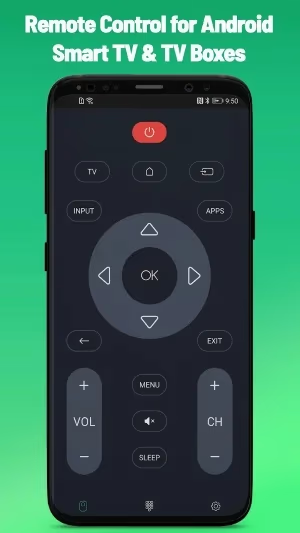
Google’s Android TV Remote Control app also works for powering Android-based Hisense sets.
As long as TV and phone are on the same Wi-Fi network, the app will auto-detect your Hisense and allow remote power control.
#Mi Remote Controller App
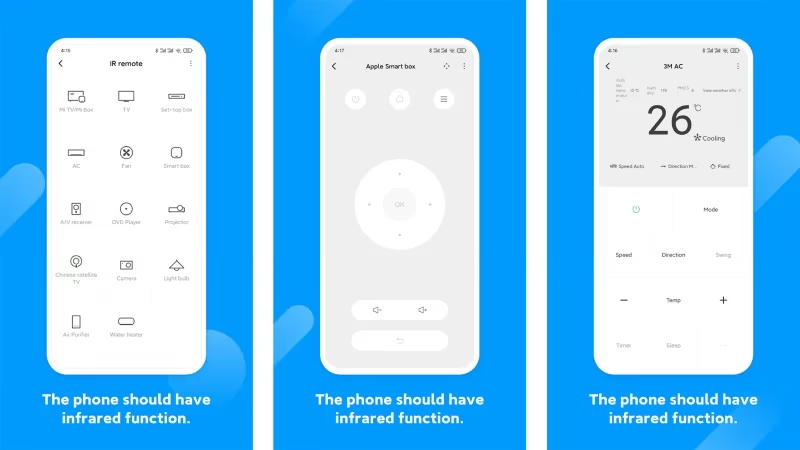
Xiaomi’s Mi Remote Controller app uses infrared to send power commands directly from phones with IR blasters.
Install the app, point your phone’s IR blaster at the TV sensor, and use the on-screen remote to toggle power.
#What Are the Best Replacement Remotes for Hisense TVs?
If you’ve lost or broken the included Hisense remote, buying an affordable replacement universal remote is a quick fix.
1. Marvour EN2A27 — Under $10 with standard buttons and straightforward setup. A solid basic Hisense replacement.
2. SofaBaton U1 — More advanced option with dedicated streaming buttons and voice control compatibility. Easy to program and has a helpful LCD display.
For more options, check our full list of universal remotes for Hisense TV.
#Bottom Line
-
New Hisense TVs hide the power button under the IR sensor, on side panels, bottom edge, or back side for sleeker designs.
-
If you can’t locate it, use smartphone apps or a replacement remote instead.
-
Be careful not to knock over or damage the panel when pressing hard-to-reach buttons.
-
Universal remotes from Marvour and SofaBaton work well in place of lost Hisense remotes.
#Frequently Asked Questions
#Why does my Hisense TV not turn on when I press the power button?
Make sure the TV is plugged into a working power outlet first. Try unplugging the set for 5 minutes, then reconnect to force a reboot. If the button itself feels stuck or unresponsive, a replacement remote can bypass it entirely.
#Is the power button always on the back of a Hisense TV?
No. Depending on the model, the button may be on the front underside, left side panel, bottom edge, or back panel. Check all five locations described above before assuming your TV doesn’t have one.
#Can I use voice control to turn on my Hisense TV?
Yes, if your Hisense TV is connected to Amazon Alexa or Google Assistant through a compatible smart speaker. You need to enable the smart assistant link in Settings first. After that, a voice command like “turn on the TV” will work.
#Why does my Hisense TV power on by itself?
This usually happens when CEC HDMI Control is enabled, which lets nearby Chromecast or AirPlay devices trigger wake mode. Go to Settings and disable CEC HDMI Control to stop it. A connected game console or streaming stick can also cause this behavior.
#Is it safe to keep a Hisense TV plugged in but switched off via the power button?
Yes. Modern Hisense TVs draw very little power in standby mode and won’t be damaged. Standby mode also allows quicker startup times compared to a full power disconnect.
#What should I do if the physical power button on my Hisense TV is broken?
Use the RemoteNOW app or any compatible smartphone remote app as a workaround. You can also buy a universal remote like the Marvour EN2A27 for under $10. If the TV is still under warranty, contact Hisense support for a repair or replacement.
#Do all Hisense TV models have a physical power button?
Every Hisense TV ships with at least one physical power button somewhere on the chassis. The location varies by model and year, but no Hisense TV relies solely on the remote for power control. Check the five locations listed in this guide to find yours.
#Can I use a universal remote to turn on a Hisense TV?
Yes. Most universal remotes with pre-programmed Hisense codes will power the TV on and off. The Marvour EN2A27 and SofaBaton U1 both work with the majority of Hisense models right out of the box.