Frustrated because your FuboTV stream keeps buffering or not loading at all? Don’t worry – you’re not alone. Here is an in-depth troubleshooting guide to help resolve FuboTV problems and get your streaming back on track.
- Check FuboTV server status first — outages account for many streaming failures and require no troubleshooting on your end
- Internet speed matters most — FuboTV needs at least 10 Mbps for single-device streaming and 25 Mbps for multiple screens
- Restart your modem, router and streaming device — a simple power cycle fixes the majority of buffering and playback errors
- Keep the FuboTV app updated — outdated app versions cause crashes, freezing and login failures on Roku, Fire TV and Apple TV
- Switch DNS to Google (8.8.8.8) — DNS conflicts between your ISP and FuboTV’s CDN can block or slow down streams
#What Causes FuboTV Streaming Problems?
Before jumping into fixes, it helps to understand potential reasons why FuboTV may not be working properly:
-
Server or capacity issues at FuboTV
-
Unstable internet connection or low bandwidth
-
Issues with streaming device like Roku, Apple TV or Amazon Firestick
-
Outdated FuboTV app or need to reinstall
-
DNS server conflicts
-
Temporary glitches and bugs
Identifying the root cause is key so you can target the appropriate solution.
#How Do You Fix FuboTV When It’s Not Working?
If you’re encountering loading errors, endless buffering or other playback issues, here are 12 troubleshooting tips to get Fubo streaming again:
#1. Check if FuboTV Servers Are Down
First, confirm if the problem is on your end or a wider outage. Visit the FuboTV status page to see if their servers are experiencing reported issues or an outage. If so, you’ll have to wait it out.
#2. Run an Internet Speed Test
Slow internet speeds are often the culprit behind buffering issues. Run a speed test using Speedtest.net to check your connection. For smooth FuboTV streaming, aim for at least 10 Mbps download speeds.
#3. Reset Your Modem and Router
If speeds check out, try rebooting your network hardware:
-
Unplug modem and router power cables for 60 seconds
-
Plug cables back in and let devices fully reboot
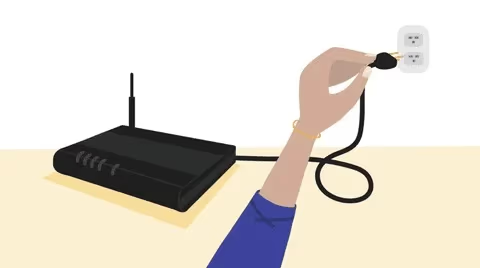
This clears any glitches.
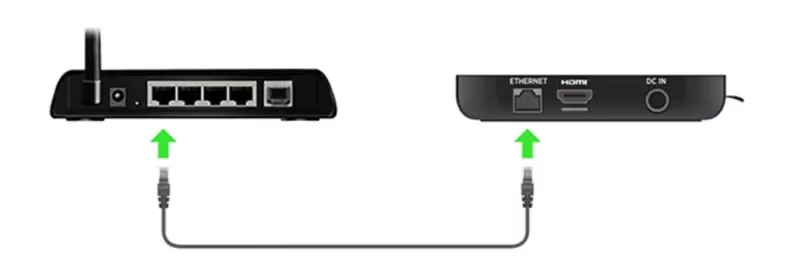
#4. Connect Streaming Device via Ethernet
For most reliable connectivity, connect your Roku, Apple TV or Firestick directly to your router via ethernet cable instead of using WiFi. This bypasses any wireless interference.
#5. Adjust Video Quality Settings
If your internet speeds are lower, reduce FuboTV video quality under Settings to limit buffering. Try dropping from 720p or 1080p down to 480p.
#6. Close Other Internet Apps and Tabs
If your network is congested with bandwidth-hogging tasks like video calls or downloads, it can disrupt streaming. Close unused apps and tabs to free up resources.
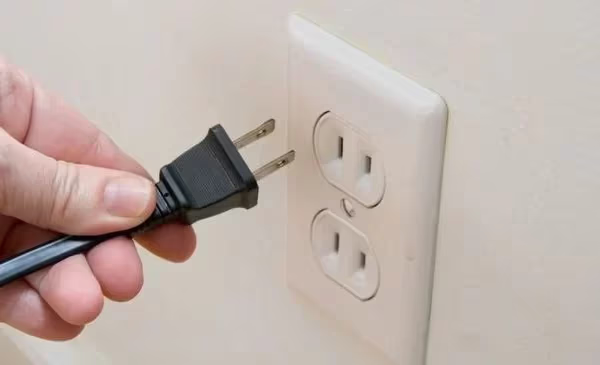
#7. Restart Your Streaming Device
Power cycle your Roku, Apple TV or other hardware by unplugging it for 1 minute and plugging back in. Also restart your computer or mobile device running the Fubo app.
#8. Update Streaming Devices and FuboTV App
Make sure your firmware and FuboTV app are updated to the latest versions. Outdated software can trigger playback issues.
#9. Try Alternate DNS Servers
DNS conflicts between your internet provider and FuboTV’s content delivery network can hamper streaming.
Manually switch DNS servers on your router or device to 8.8.8.8 and 8.8.4.4 (Google public DNS).
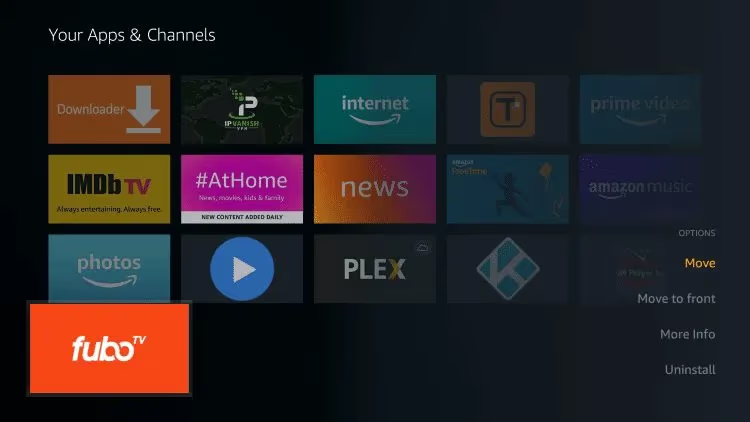
#10. Delete and Reinstall the FuboTV App
If troubleshooting steps don’t resolve the problem, delete and reinstall the FuboTV app from your device’s app store. This wipes any corrupt cached data.
Getting FuboTV setup and streaming properly can also depend on your streaming device – learn more about using FuboTV on platforms like Apple TV, LG TVs, and Vizio Smart TVs.
#11. Factory Reset Your Streaming Device
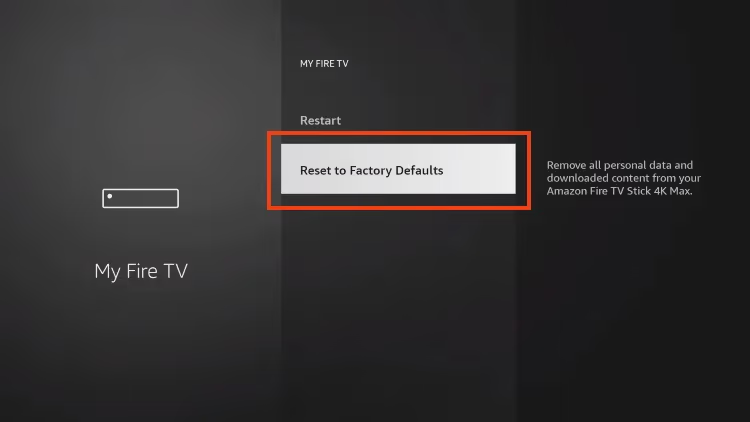
As a last resort with older streaming boxes, perform a factory reset on devices like Roku or Amazon Firestick. This will wipe and reinstall the operating system software.
#12. Contact FuboTV Customer Service
If you still can’t get FuboTV working after trying these fixes, reach out to their 24/7 customer support for personalized troubleshooting. They can investigate issues on your account.
And if you ultimately determine FuboTV may not be the right fit after troubleshooting, explore these alternative live TV streaming services for options like DirecTV Stream, YouTube TV and more.
#Bottom Line
Getting frustrated with constant loading circles, error messages or other FuboTV streaming problems? Just take a systematic approach:
-
Check for wider service outages first
-
Test your internet speeds and stability
-
Reboot network equipment and streaming devices
-
Adjust quality settings and free up bandwidth
-
Update firmware and reinstall apps
-
Switch DNS servers
-
Factory reset devices when needed
-
Contact support if issues persist
With some targeted troubleshooting, you’ll likely pinpoint the culprit whether it stems from network, hardware or an account issue. Patience and methodically working through these tips will have your FuboTV streaming smoothly again in no time.
#Frequently Asked Questions
#Why does FuboTV keep buffering on my Roku?
Frequent Roku buffering is often caused by WiFi interference and signal strength issues. Try repositioning the Roku closer to your wireless router, connecting via ethernet cable or upgrading your WiFi router if needed.
#How can I improve video quality on FuboTV?
If your video feed is constantly pixelated or blurry, close unused apps and tabs to free up bandwidth, connect your streaming device directly to the router via ethernet, upgrade your internet speeds with your ISP or adjust FuboTV video quality settings downward.
#Why does FuboTV playback fail or get stuck?
Playback failures and freezing can stem from temporary glitches, network conflicts or the need to power cycle your streaming device. Try force quitting and restarting the Fubo app, rebooting your router and streaming box, flushing DNS and clearing cached data.
#What internet speeds are needed for FuboTV?
Fubo recommends internet download speeds of at least 10 Mbps for smooth streaming on one device at a time. For simultaneous streaming across multiple screens, aim for 25 Mbps or higher download plus 5 Mbps upload speeds.