Horizontal lines on your TCL TV screen point to a cable, firmware, or hardware problem. With over 10 years of repairing consumer electronics, I’ve fixed hundreds of TCL TVs with this exact issue. The fix ranges from a quick power cycle to a T-Con board swap, depending on the root cause.
- Loose ribbon cables — the most common cause, fixable by gently squeezing the bezel to reseat connections
- Power cycle first — unplug the TV for 60 seconds and hold the power button for 10 seconds to clear temporary glitches
- Firmware updates fix software-related lines — outdated firmware can disrupt video signal processing on TCL Roku TV and TCL Google TV models
- T-Con board replacement costs $30-60 — match the exact model number printed on the original board when ordering from eBay
- Gate driver failure causes permanent lines — if squeezing the bezel and replacing the T-Con board don’t help, the LCD panel itself needs replacement
#What Causes Horizontal Lines on a TCL TV?
Before jumping into the solutions, you need to know what typically causes horizontal lines on a TCL television. Here are the most common culprits.
#Loose Ribbon Cable Connections
The ribbon cable that connects the T-Con board to the TV display panel can easily become loose over time. This disrupts communication between the components, resulting in horizontal lines.
#Outdated Firmware
Buggy firmware after a faulty update is a common cause of horizontal lines on TCL TVs. Outdated software can disrupt modern video signals.
#Failing Gate Drivers
Gate drivers tell each individual row of pixels when to switch on and off. When these small ICs fail, horizontal lines appear where the signal cuts out.
#Power Fluctuations
An inconsistent power supply can lead to horizontal lines due to irregular voltage to components.
#Damaged T-Con Board
The T-Con board itself can suffer blown ICs or electrical shorts, creating horizontal lines across the panel.
#How Do You Fix Horizontal Lines on a TCL TV?
Ready to get rid of those horizontal lines on your TCL television? Follow these 7 troubleshooting steps.
#1. Reset Your TCL TV
Start by power cycling your TCL TV to clear any temporary software glitches:
-
Unplug TV power cable for 60 seconds
-
Press and hold power button for 10 seconds (discharges residual electricity)
-
Reconnect power cable and turn TV back on
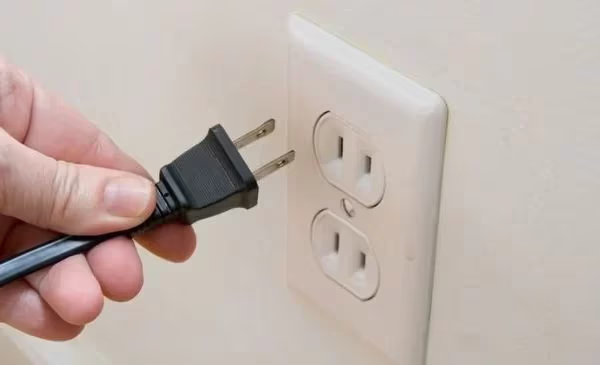
This basic reset will resolve casual firmware issues causing horizontal lines.
#2. Reseat Input Cables
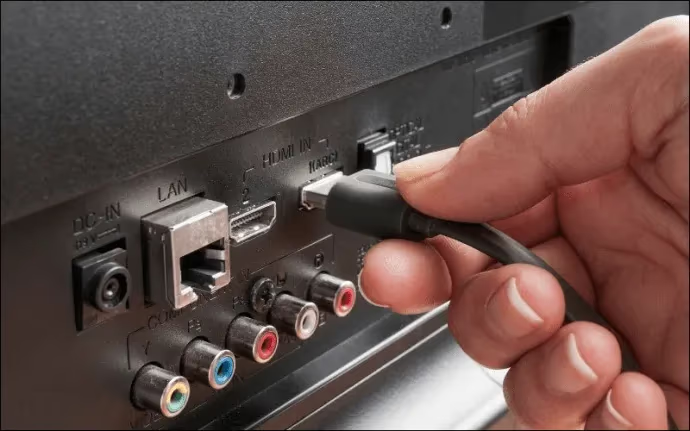
If the lines persist, unplug all HDMI and other input cables from your TCL TV, then firmly reinsert them into the ports. Loose connections can disrupt the video signal.
While unplugged, examine the ports and cable connectors for any damage too.
#3. Try an Alternate TV Source
To test if the lines are from an external device vs the TV, switch to alternate HDMI ports or the built-in tuner app as temporary input sources.
If the lines disappear, then investigate the original external devices further.
#4. Update TCL TV Firmware
Outdated firmware is a common source of lines. Update to the latest software using the on-screen prompts.
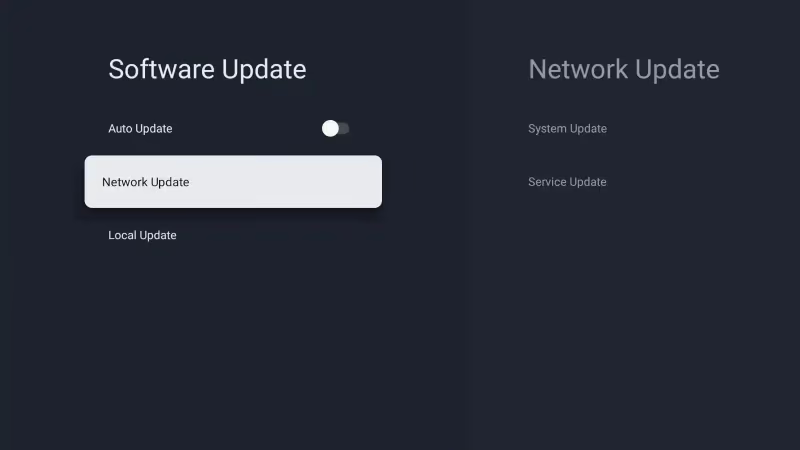
For stuck updates, you may need to manually install firmware from a USB stick.
If you can’t perform firmware updates due to Wi-Fi connectivity problems, you may need to first troubleshoot that issue separately.
#5. Replace Faulty Cables
Inspect all HDMI, AV, and coaxial cables for any damage. If the lines started after connecting a new device, switch out the cable for a working high-speed HDMI replacement.
#6. Try Squeezing the Bezel
Gently squeeze the TV bezel where any vertical lines appear. This reseats loose ribbon cables that connect the display driver ICs. Don’t apply too much pressure on the LCD panel itself.
#7. Replace T-Con Board
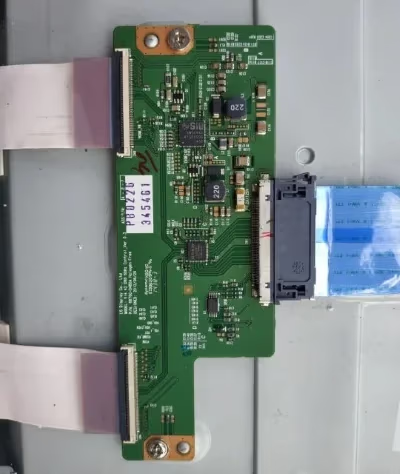 T-Con Board
As a last resort if lines still appear, replace the T-Con board. On eBay, replacement boards cost around $30-60. Make sure the replacement has the exact same model number printed on the originally failing T-Con board.
While awaiting a replacement board, you can also try blocking certain pins on the existing T-Con cable connector to reduce lines.
And if you confirm it’s a busted gate driver causing vertical lines, then a full LCD panel replacement may be required.
#Why Do Horizontal Lines Appear on TCL TVs?
To best prevent horizontal lines from appearing again after fixing your TCL television, it helps to better understand what causes them:
#Video Signal Disruption
Any disruption of the video signal between components can show up as lines. This includes loose or faulty cables, outdated firmware unable to translate modern video signals, or failing PCB components.
#Power Delivery Issues
Consistent voltage is critical for the precise timing of millions of tiny pixels switching on and off rapidly. Any small fluctuations from cables or the AC outlet can trigger horizontal lines.
#Hardware Failure
Internal components like gate drivers, T-Con board ICs, or the panel itself will eventually fail. Electrical shorts, blown transistors, and physical cracks can leave permanent lines across the display.
#How Can You Prevent Horizontal Lines on a TCL Television?
While no TV lasts forever, you can help minimize horizontal lines and extend your TCL’s lifespan by:
-
Updating firmware routinely for optimized performance
-
Using surge protectors to smooth electrical fluctuations
-
Handling TV gently to avoid cracks/loose connections
-
Leaving ample ventilation to prevent overheating
-
Retaining proof of purchase for warranty repairs
If you’ve tried all the troubleshooting steps but still have lines on your TCL TV, it may be time for a factory reset to clear any corrupted software. This will erase your custom settings.
A black screen can also indicate hardware issues like failed T-Con boards causing horizontal lines.
In rare cases, lines end up being symptoms of larger problems like screen flickering or the TV not turning on.
#Bottom Line
Follow this troubleshooting guide if horizontal lines appear on your TCL television:
-
Reset TV and reseat cables
-
Try new HDMI ports and cables
-
Update firmware to latest version
-
Replace visibly damaged cables
-
Squeeze bezel to reseat ribbon connectors
-
Replace T-Con board if still appearing
-
Consider replacing full LCD panel for vertical lines
With persistence across these steps, you should be able to eliminate horizontal lines and get your TCL TV looking good as new again.
#FAQ
#How do I know if my TCL TV horizontal lines are a hardware or software problem?
Switch to a different input source or open the TV’s built-in settings menu. If the lines appear on every source including the settings menu, the problem is hardware, most likely the T-Con board or ribbon cables. Lines that only show on one input point to a cable or external device issue.
#Can a firmware update cause horizontal lines on a TCL TV?
Yes. A corrupted or incomplete firmware update can introduce display glitches including horizontal lines. TCL Roku TV models are especially prone to this after over-the-air updates that get interrupted by power loss. A factory reset or manual USB firmware reinstall usually clears it up.
#Is it worth repairing horizontal lines on a TCL TV or should I buy a new one?
That depends on the repair cost versus the TV’s age. A T-Con board replacement runs $30-60 for the part and is a worthwhile fix for TVs under 5 years old. If the LCD panel itself is damaged, the replacement cost often exceeds the price of a new TV.
#Do horizontal lines on a TCL TV get worse over time?
They usually do. Lines caused by failing gate drivers or loose ribbon cables tend to spread as the connections degrade further. Fixing the issue early, even with the bezel squeeze method, can prevent a single line from turning into multiple lines across the screen.
#Can a power surge cause horizontal lines on a TCL TV?
A power surge can damage the T-Con board or gate driver ICs, leading to permanent horizontal lines. Plugging your TCL TV into a surge protector is one of the easiest ways to prevent this type of damage. After a known surge event, power cycle the TV before assuming the worst.
#Will a factory reset fix horizontal lines on my TCL TV?
A factory reset only fixes lines caused by software corruption. It won’t help with hardware failures like damaged T-Con boards or broken ribbon cables. Try a factory reset after updating firmware if the lines persist, but keep in mind it erases all saved apps and settings.
#What does it cost to have a professional repair horizontal lines on a TCL TV?
Professional TV repair for horizontal lines typically costs $100-250 depending on the root cause. A ribbon cable reseat or T-Con board swap sits at the lower end. LCD panel replacement pushes the cost to $200-400, which often makes buying a new TV the better financial choice.