Choosing between the Amazon Fire TV Stick and Roku Streaming Stick comes down to what matters most to you. We compare both streamers on price, video quality, apps, connectivity, and smart home features so you can pick the right one. And if you’re deciding between Roku vs DirecTV or Roku vs traditional cable, these streaming sticks provide a compelling alternative.
- Fire TV Stick costs $39.99 — $10 less than the Roku Streaming Stick at $49.99
- Both stream at 1080p Full HD — neither supports 4K or HDR at this price point
- Roku has 10,000+ channels — significantly more than the Fire TV app selection
- Fire TV offers optional ethernet — a $15 adapter enables wired streaming that Roku Sticks lack
- Roku works with Alexa and Google Assistant — giving it broader smart home compatibility than Fire TV
#Quick Comparison
| Fire TV Stick | Roku Streaming Stick | |
|---|---|---|
| Price | $39.99 | $49.99 |
| Resolution | Up to 1080p | Up to 1080p |
| HDR Support | No | No |
| Storage | 8GB | N/A |
| Remote | Alexa Voice Remote | Simple IR Remote |
| Smart Home Integration | Works with Alexa | Works with Alexa and Google Assistant |
#How Much Do They Cost?
The Fire TV Stick retails for $39.99, while the Roku Streaming Stick costs $49.99. The Fire Stick is cheaper, but the Roku offers better software and more streaming options for just $10 more. Both offer excellent value. Both offer excellent value compared to DirecTV or traditional cable packages.
Fire TV Sticks also go on sale more frequently compared to Roku devices. So with a little patience, you can often grab the Fire Stick for under $30.
#Winner: Fire TV Stick due to lower price
#Video Quality and Resolution
Both the Fire Stick and Roku Streaming Stick max out at a resolution of 1080p Full HD. While they don’t support advanced formats like 4K or HDR, 1080p offers more than enough quality for most users especially at this price point.
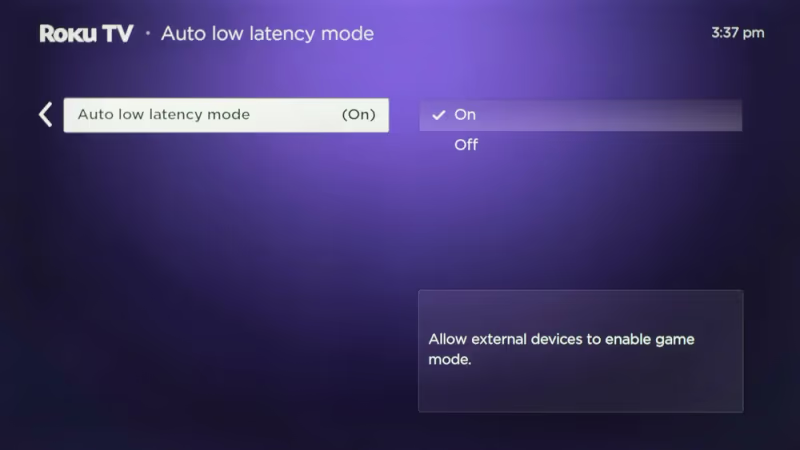
The Roku does have one advantage with its Auto Low Latency Mode which minimizes lag for gaming. But for streaming movies and shows, there is no major difference in video fidelity between the two streamers.
#Winner: Tie
#Which Device Has a Better Interface?
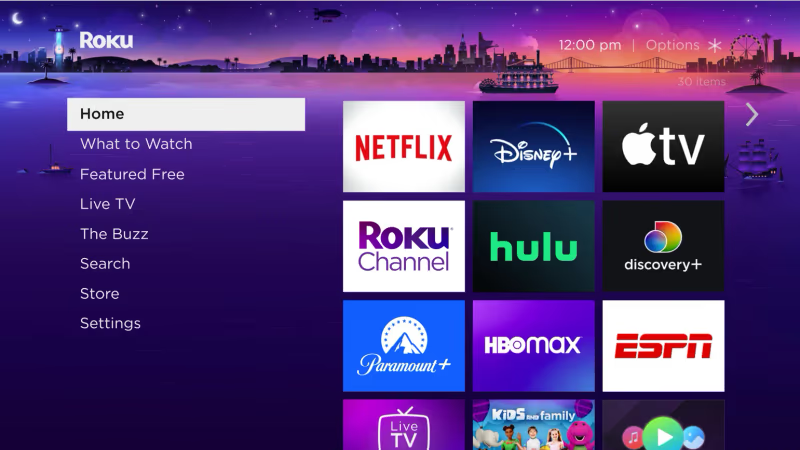
Roku devices are known for their simple, intuitive interface built for streaming. The home screen makes all installed streaming channels clearly visible and easy to launch. Compared to other options like Apple TV, many find Roku the most user-friendly.
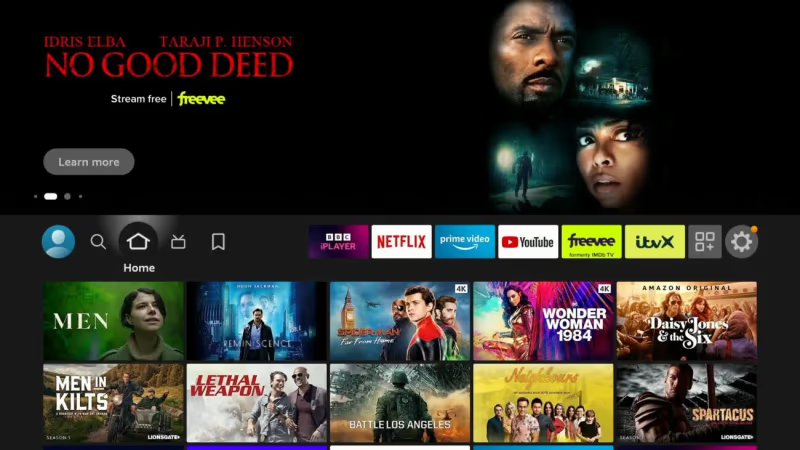
Comparatively, the Fire TV interface promotes Amazon Prime content first while making it a little harder to access other streaming apps. There is more navigating required compared to the straightforward Roku experience.
The Roku remote is also preferred by many with its classic button layout vs the unique triangular Fire Stick remote. But Alexa voice functionality gives the Fire remote solid hands-free control.
#Winner: Roku Streaming Stick
#Which Streamer Has More Apps?
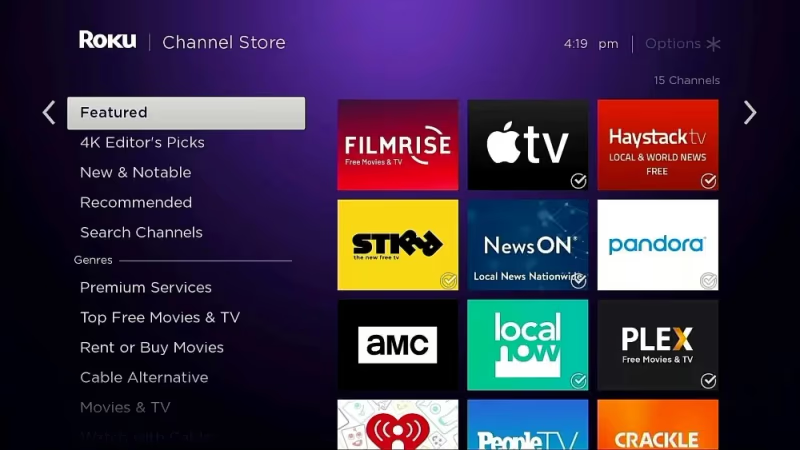
Both Roku and Fire TV grant access to all the major streaming platforms like Netflix, Hulu, Prime Video and more. But Roku edges out the competition with over 10,000 available channels on their Channel Store compared to Fire TV’s smaller selection.
Fire TV does promote Amazon content front and center. So Prime members get quicker access to their go-to shows and movies. Roku maintains more neutral ground among different streaming competitors.
The good news is that you can use Roku and Fire TV Stick on the same TV if you want the best of both worlds in terms of content.
#Winner: Roku Streaming Stick
#Smart Home Connectivity
A key benefit of these streamers is integrating them into a connected smart home system, allowing control over other devices right from the remote.
The Alexa-enabled Fire TV remote can activate thousands of Alexa skills ranging from smart lights to robot vacuums. Unfortunately Google Assistant support remains limited on Fire TV.
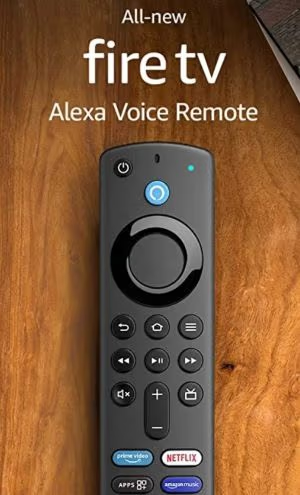
Roku devices work well with both Alexa and the Google Assistant for broader smart home compatibility. Still, the standard Roku remote lacks built-in mics so you need to use Roku’s mobile app for voice commands.
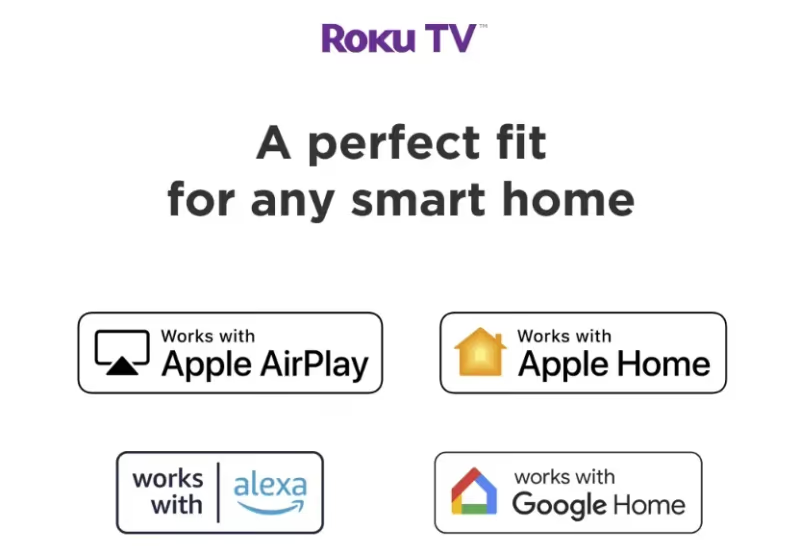
#Winner: Roku for wider smart home compatibility
#Wired Connectivity
While both streamers connect via WiFi out of the box, only Fire TV offers optional ethernet connectivity with a $15 adapter. This gives the option for faster, more reliable wired streaming less prone to buffering issues.
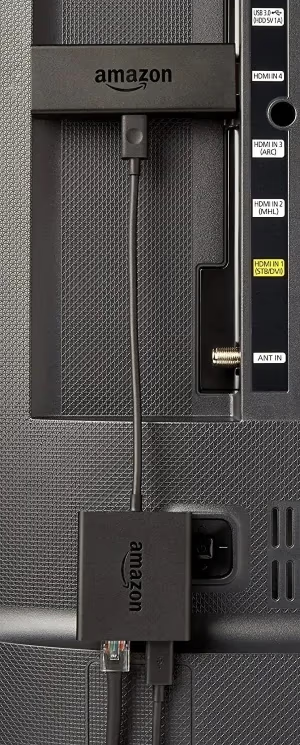
Roku Streaming Sticks currently have no way to utilize ethernet. You would need to upgrade to a Roku Ultra, Ultra LT or one of their standalone streaming boxes.
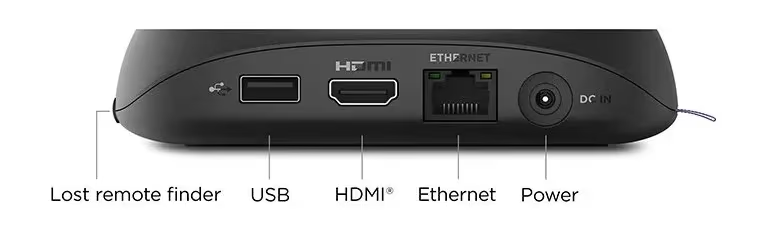 Roku Ultra
So if your WiFi connection proves unreliable, Fire TV includes the hardware expansion option to resolve this which Roku lacks.
#Winner: Fire TV Stick
#Streaming Specific Services
If you’re looking to stream DirecTV on Fire Stick, access NFL on Fire TV, or use the Spectrum app on Fire TV, a Fire Stick will serve you well. These popular services all work well on the Fire TV platform.
Roku devices also support DirecTV Stream, NFL streaming and Spectrum apps. So you can achieve similar functionality on either streamer – it just depends which ecosystem you prefer.
#Winner: Tie
#Bottom Line
-
For those wanting the most affordable streamer, the Fire TV Stick is cheaper at just $39.99
-
Roku devices offer a more intuitive streaming interface compared to Fire TV
-
The Roku Channel Store provides the most extensive app selection
-
Fire TV enables Alexa voice control and optional ethernet connectivity
-
For widest smart home compatibility, the Roku Streaming Stick works with both Alexa and Google Assistant
-
Both streamers provide excellent value with all core streaming features
#Frequently Asked Questions
#Can you use Fire Stick or Roku without Wi-Fi?
No. Both devices need an internet connection via Wi-Fi to function. The Fire TV Stick can optionally connect through ethernet with a $15 adapter, but Roku Streaming Sticks have no wired option.
#Which has better picture quality?
Video quality is identical between these two streamers. Both max out at 1080p Full HD at 60 fps with no 4K or HDR support. You won’t notice any difference in image sharpness or color accuracy.
#Which remote is better?
Most users prefer Roku’s clean button layout with dedicated playback controls and labeled directional arrows. The Fire TV remote counters with built-in Alexa voice control for hands-free operation. It comes down to whether you value simplicity or voice commands more.
#Can you watch live TV on Fire Stick or Roku?
Yes, both support live TV apps like YouTube TV, Hulu + Live TV, and Sling TV. You need an active subscription to whichever live TV service you want to use. An HD antenna can also connect to stream local broadcast channels for free.
#Do Fire Stick and Roku get regular software updates?
Both Amazon and Roku push regular firmware updates that add features and fix bugs. Fire TV typically gets updates faster since Amazon controls the hardware and software. Roku updates roll out to all supported devices on a similar schedule, though older models may lose support sooner.
#Can you use both Fire Stick and Roku on the same TV?
Yes. Both plug into separate HDMI ports, so you can switch between them using your TV’s input selector. This lets you access Amazon-exclusive content through Fire TV and take advantage of Roku’s larger channel library on the same television.
#Is the Fire TV Stick or Roku better for older TVs?
Both work with any TV that has an HDMI port, making them good choices for older sets. The Fire TV Stick has a slight edge because it includes a micro-USB power cable that can draw power from some TV USB ports. Roku Streaming Sticks require a wall outlet for power.
#The Final Call
Ultimately both the Fire TV and Roku Streaming Stick make excellent media streamers with comparable core functionality.
For those wanting maximum affordability along with Alexa integration plus the option for wired connectivity, I recommend the Fire TV Stick.
However the Roku Streaming Stick shines for its simpler interface, expansive channel store, smoother streaming performance and wider smart home ecosystem support. So if usability is most important and you don’t mind spending a little more, Roku narrowly wins out.
Either streaming stick presents amazing value to cord cutters. Your decision can simply come down to whether you prioritize price and Amazon-centric features with Fire TV, or the smoother overall user experience provided by Roku streamers. Both enable easy access to all your favorite streaming content.
You really can’t go wrong with either pick. But hopefully this detailed feature breakdown helps steer you toward the right choice to meet your needs whether it ends up being Team Fire TV or Team Roku!