Getting DirecTV on your Amazon Fire TV Stick gives you access to hundreds of live TV channels, on-demand movies and shows, cloud DVR storage to record programs, and more. Below you will learn how to download and install the DirecTV app on Firestick, Fire TV, and Fire TV Cube using easy step-by-step instructions.
- DirecTV Stream works on all Firestick models — Fire TV Stick Lite, 4K, 4K Max, Fire TV Cube, and all Fire TV generations
- Four plans from $69.99 to $159.99/month — 75 to 150+ channels with no annual contract required
- Two installation methods available — download from Amazon Appstore or sideload the APK manually
- Stream on up to 20 devices at once — depending on your plan, making it great for large households
- Cloud DVR included — record series and watch on-demand content offline with the download feature
#What Is DirecTV Stream?
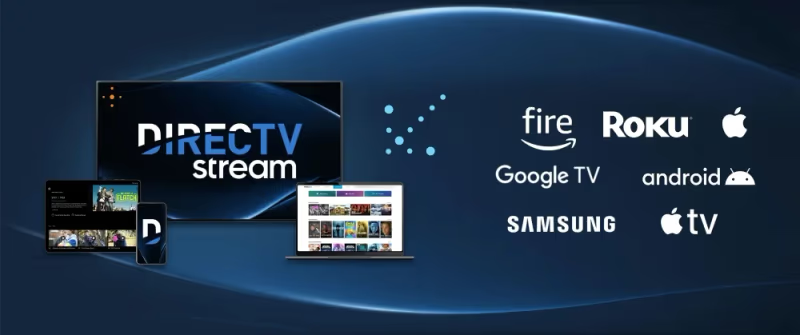 DirecTV Stream (formerly known as AT&T TV and DirecTV Now) is an online streaming service for live TV provided by AT&T. It offers over 150 channels spanning entertainment, news, sports, kids and more. Their channel lineup rivals traditional cable and satellite TV providers.
Some key things to know about DirecTV Stream:
-
No Contracts: DirecTV Stream does not require annual contracts or commitments. You can cancel anytime.
-
Streaming Device Agnostic: You can use DirecTV on Roku, Apple TV, phones, tablets and of course Fire TV.
-
Multiple Simultaneous Streams: Their packages allow you to stream on up to 20 devices at once depending on the plan. Great for larger households.
-
Limited Availability: DirecTV Stream is currently only available in the United States. You’ll also need to check eligibility by zip code on their site.
Now let’s look at the subscription packages DirecTV offers, pricing, and how to sign up.
#DirecTV Packages, Plans and Pricing
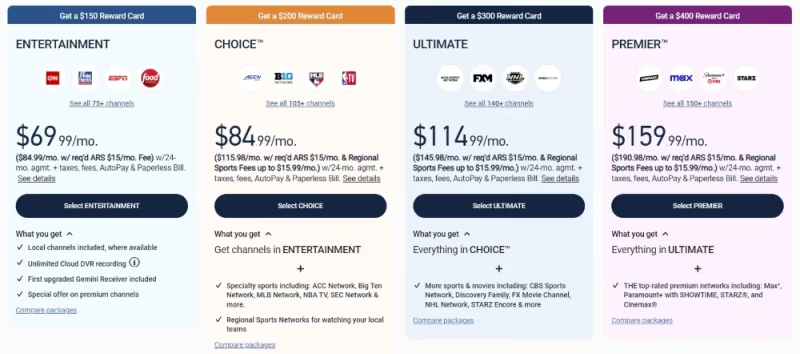
DirecTV Stream has four main English language packages for live TV streaming:
-
Entertainment ($69.99/month) – Includes 75+ channels like TNT, TBS, Cartoon Network, CNN, HGTV, and more.
-
Choice ($84.99/month) – Includes 105+ channels adding in regional sports networks, local channels, Golf Channel, MLB Network, NBA TV and more.
-
Ultimate ($114.99/month) – 140+ channels adding NFL RedZone, regional sports, outdoor, and news channels.
-
Premier ($159.99/month) – Includes everything: 150+ channels with HBO Max, Cinemax, SHOWTIME, STARZ, EPIX.
There are also DirecTV Stream packages tailored specifically for Spanish language programming starting at $59.99/month.
If you want premium channels like HBO or unlimited cloud DVR, you’ll need to add them on with extra fees per month.
To sign up:
-
Go to the DirecTV Stream website and enter your zip code.
-
Select a package and add any extras like premium channels or enhanced cloud DVR.
-
Enter payment details to create your account.
Now that you know what DirecTV offers, let’s get it installed on your Fire TV Stick.
#Download DirecTV App on Firestick from Amazon Store
The official DirecTV Stream app is available in the Amazon Appstore, making it easy to install on any Firestick, Fire TV, or Fire TV Cube.
Note: Due to geo-restrictions, those outside the US may not see DirecTV Stream in their Amazon App Store. Don’t worry, keep reading, I’ll cover how to manually sideload the DirecTV APK in the next section.
Follow these simple steps to download DirecTV Stream on Firestick from the Amazon Store:
- From your Firestick home screen, select the Search icon.
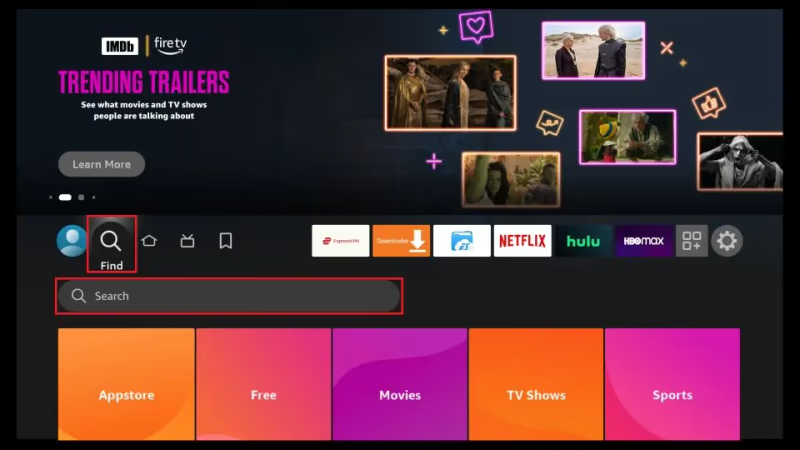
- In the search bar, type in “DirecTV” and hit enter.
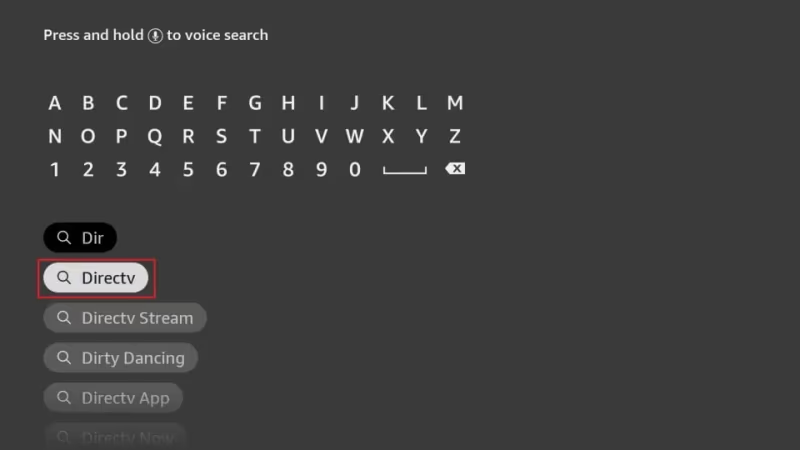
- In the list of results, select the app titled “DirecTV Stream”.
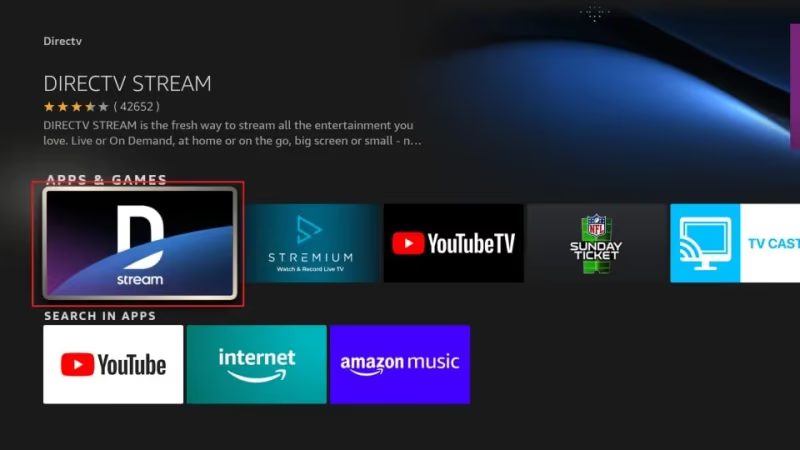
- On the next screen, choose “Download” to install the DirecTV app.
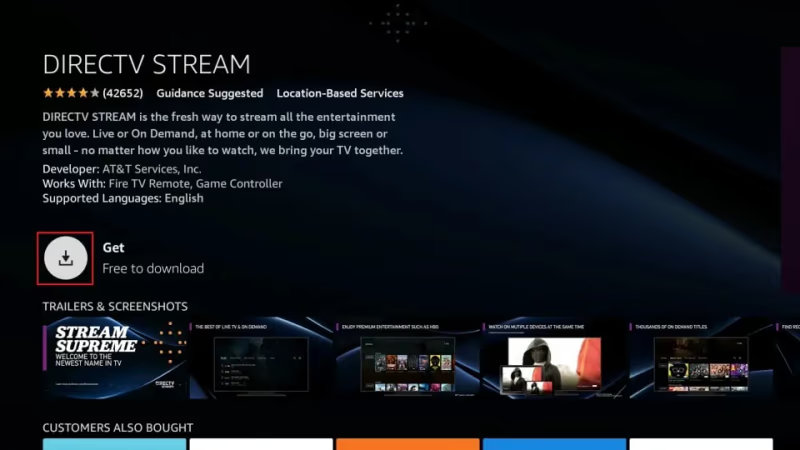
Once downloaded, the DirecTV app will appear in Your Apps & Channels. That’s all there is to getting it from the Amazon App Store!
But if for some reason you ran into issues downloading DirecTV Stream from Amazon, don’t worry. Up next I’ll show you how to manually install the DirecTV APK by sideloading.
#How Do You Sideload the DirecTV APK on Firestick?
If the DirecTV Stream app doesn’t show up for you in Amazon or you want to install a newer APK, sideloading is a reliable DIY method.
Sideloading means manually installing an Android APK package file downloaded from the web instead of an app store. Here are the steps:
#1. Enable Apps from Unknown Sources
-
Go to Settings > My Fire TV > Developer Options.
-
Turn on Apps from Unknown Sources and ADB Debugging.
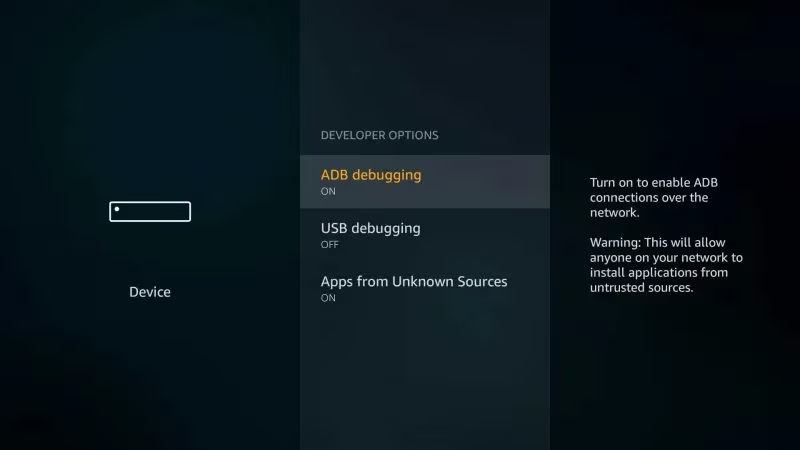
Enabling these Firestick settings permits installation of apps from outside the Amazon Appstore.
#2. Install Downloader App on Firestick
The Downloader app makes sideloading easy to manage. If you don’t have it already:
- Search for “Downloader” in the Amazon search bar.
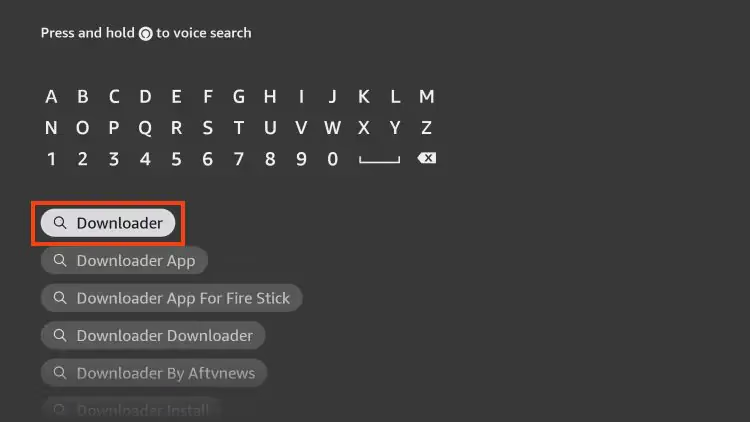
- Select the Downloader app from AFTVNews.
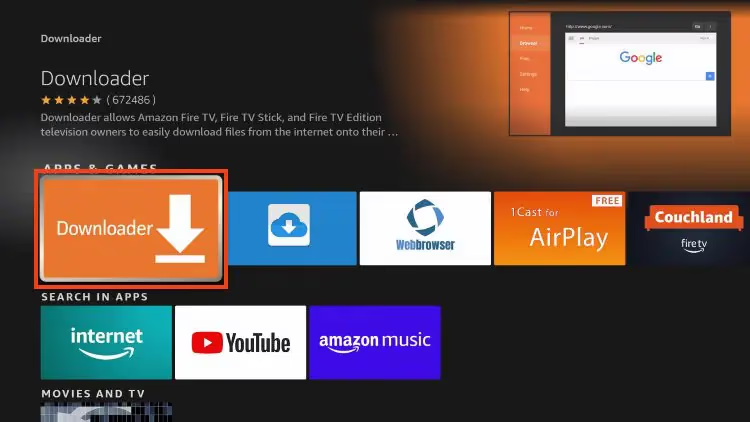
- Choose Download.
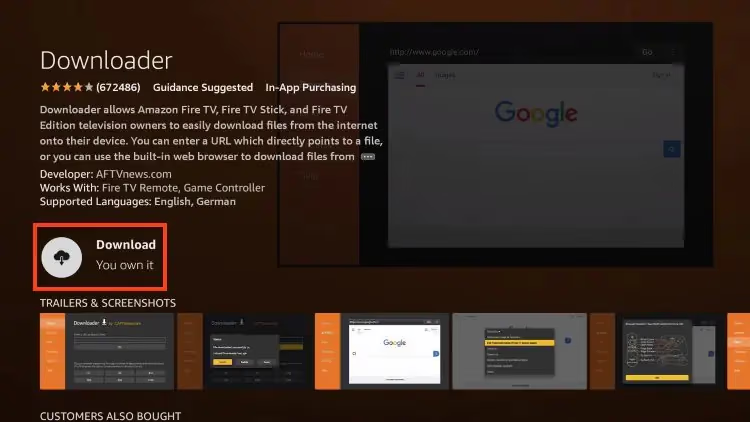
This installs the Downloader utility we’ll use to grab the DirecTV APK in the next steps.
#3. Download Latest DirecTV APK
- Open the Downloader app.
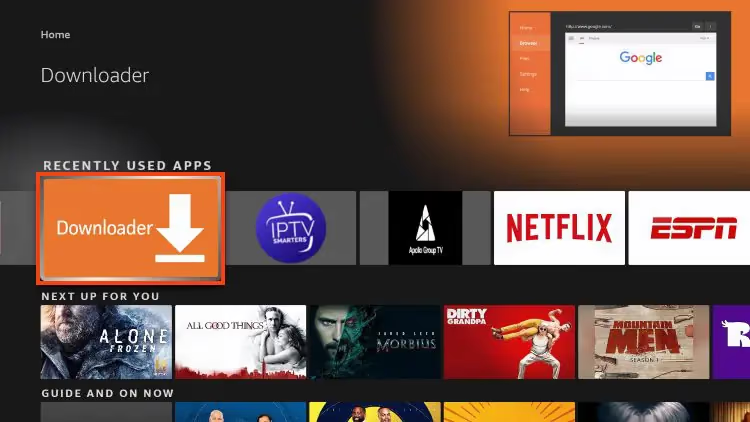
-
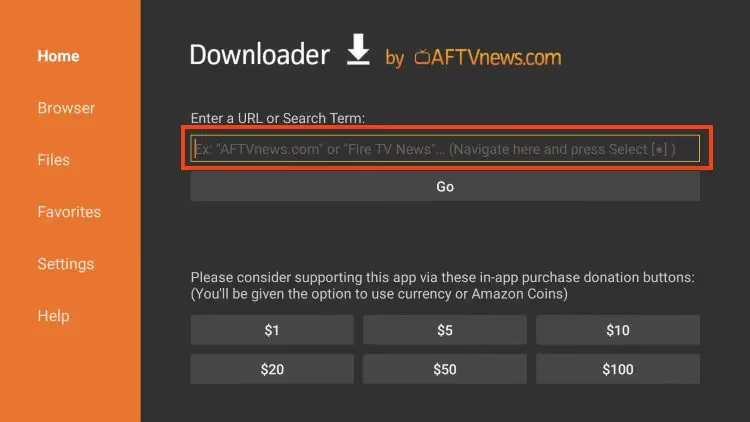
Enter the URL: https://directvapk.net/download
-
Select Go to start the download.
-
When prompted, click Install to install the APK.
-
Hit Done once the install finishes.
This grabs the latest working DirecTV app APK and gets it set up on your Firestick. Almost done!
#4. Launch DirecTV and Sign In
You can now access DirecTV Stream from Your Apps & Channels. Open it and sign into your DirecTV account to start streaming!
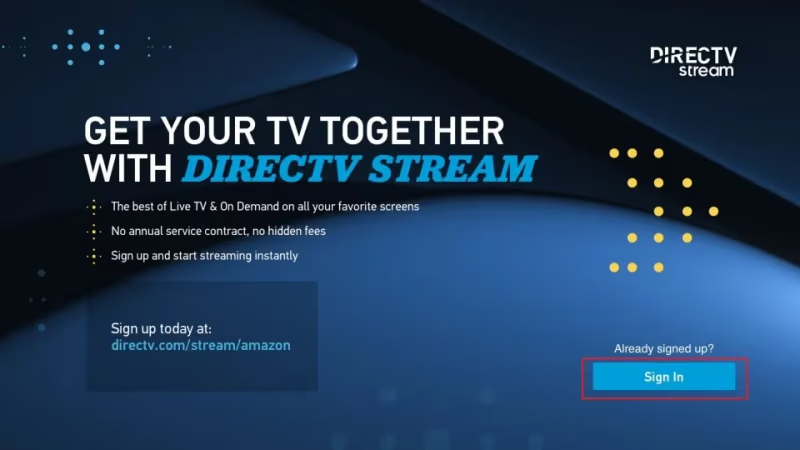
And that’s all there is to manually installing the DirecTV app by sideloading the APK onto Firestick.
#Using the DirecTV App on Fire TV
Now that you have the DirecTV Stream app installed, let’s briefly go over finding shows to watch and using DVR with some tips and tricks for the Fire TV platform:
#Watch Live TV
Scroll left/right or use the channel guide to flip through live channels. Select any live show tile to instantly tune in.
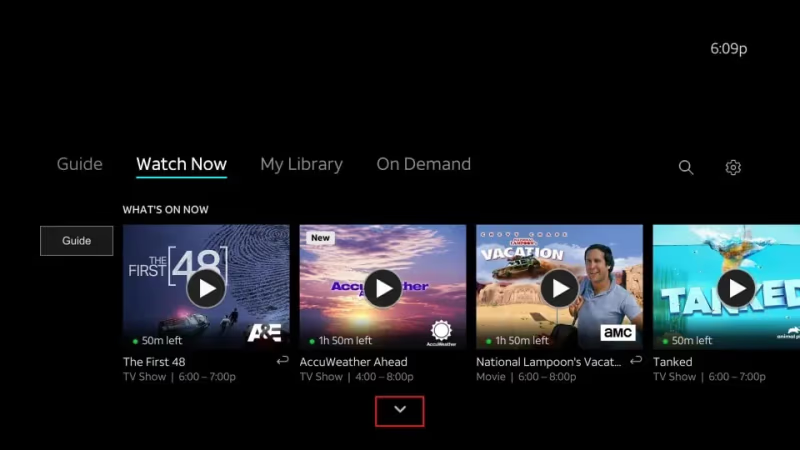
You can also get premium sports packages like MLB TV on DirecTV or bundle in movie channels like HBO Max.
#Browse On Demand Shows & Movies
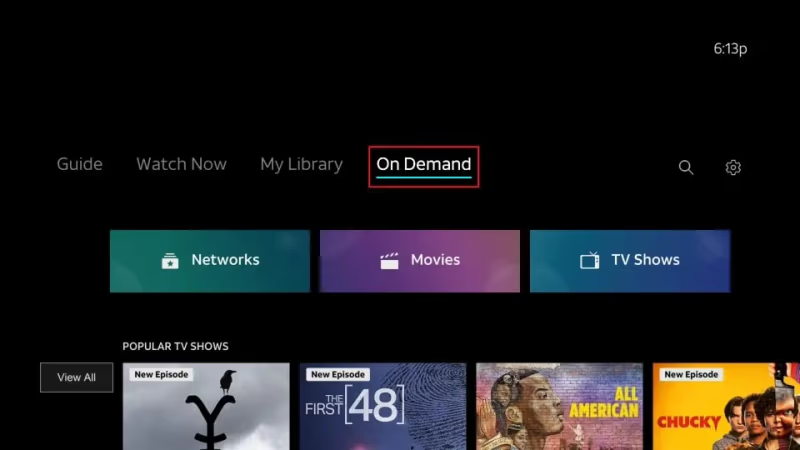
Under “Watch Now” check the “On Demand” tab to see and search all available movies, shows and DirecTV originals available to stream on-demand.
#Setup Series Recordings with Cloud DVR
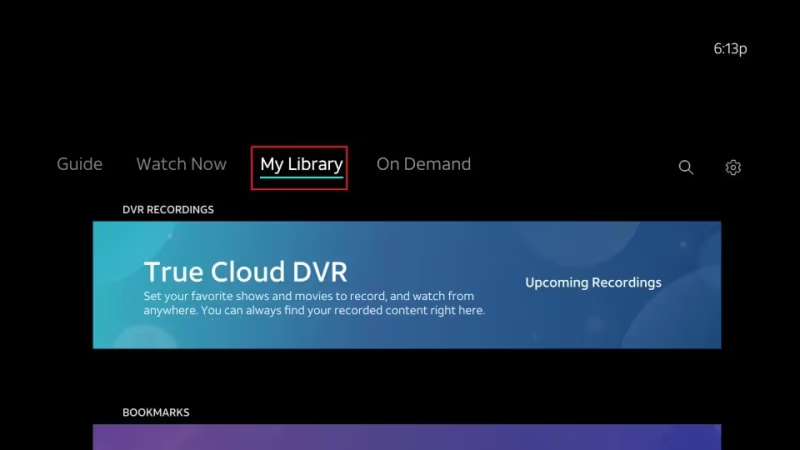
You can schedule recordings for series you want to keep up with. Go into a show tile and select “Record Series” to add it. Manage recordings under “My Library”.
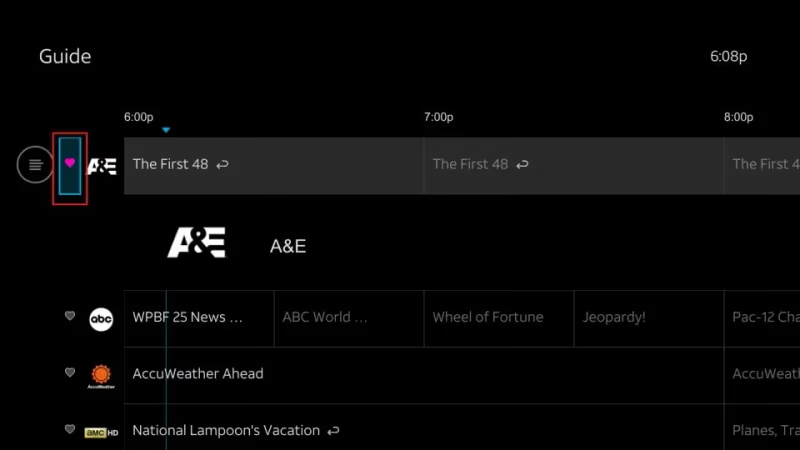
#Favorite Specific Channels
To easily access channels you watch most, use the heart icon to favorite them. Your favorites are listed under “My Channels”.
#Download Shows/Movies to Watch Offline
Any title with a download icon lets you save it to watch offline when internet access is limited. Use this for flights, road trips, etc.
And those are the basics of using the DirecTV Stream app! The interface works very similar to other streaming platforms.
If you experience errors like DirecTV freezing or need help turning off closed captions, be sure to contact their customer support or check out my troubleshooting article.
#How Do You Fix DirecTV App Issues on Firestick?
Here are some troubleshooting tips for common problems running DirecTV Stream on Firestick and Fire TV:
-
Can’t Login – Double check username/password. If valid, uninstall and reinstall newest APK. Turn off wireless router for 30s then reconnect.
-
Video Buffering – Check internet speeds. Ideal is 15Mbps or higher for live streaming. Or lower video quality settings temporarily.
-
App Crashes – Reboot firestick by long pressing select button for 10+ seconds. Clear cache by deleting app data. Reinstall app if issues continue.
-
Geo Restrictions – Use a Firestick VPN like ExpressVPN to bypass location blocks when traveling or living abroad.
And if problems persist, be sure to contact DirecTV support who can further troubleshoot based on any error messages you encounter.
#FAQ
#What is the difference between DirecTV and DirecTV Stream?
Traditional DirecTV uses satellites and a dish antenna to deliver hundreds of channels, which requires professional installation and equipment rental. DirecTV Stream is the online streaming version that delivers over 150 live channels over the internet instead of satellite. There are no contracts, no equipment rentals, and no installation fees with Stream.
#Does DirecTV Stream work on all Firestick models?
Yes, DirecTV Stream runs on every Fire TV Stick model including the 1st Gen, Lite, 4K, and 4K Max. It also works on all Fire TV generations and the Fire TV Cube. The installation steps are identical regardless of which model you own.
#Can I create multiple profiles on DirecTV Stream?
DirecTV Stream allows you to create up to 10 user profiles per account. Each profile gets its own watchlist and recommendations. This makes it a solid option for families or roommates sharing one subscription.
#Is 4K content available on DirecTV Stream?
A limited number of live channels and on-demand titles are available in 4K Ultra HD on supported Fire TV devices. You can spot 4K content by looking for the “UHD” banner on the program tile. An Ultimate or Premier package is required to access 4K streams.
#How much internet speed do I need for DirecTV Stream?
DirecTV recommends at least 8 Mbps for standard streaming and 15 Mbps or higher for reliable live TV without buffering. If multiple people in your household stream at the same time, you will need faster speeds. A wired Ethernet connection to your Fire TV can also reduce buffering issues.
#Can I watch DirecTV Stream outside the United States?
DirecTV Stream is only available within the US due to content licensing restrictions. If you travel abroad, a VPN service on your Firestick can help bypass geo-blocks. Keep in mind that using a VPN may violate DirecTV’s terms of service, so proceed at your own risk.
#How do I cancel my DirecTV Stream subscription?
You can cancel your DirecTV Stream subscription at any time since there is no annual contract. Log into your account on the DirecTV website and go to your plan settings to cancel. Your access continues until the end of your current billing cycle.
#Does DirecTV Stream include cloud DVR?
Yes, all DirecTV Stream plans include cloud DVR storage for recording live programs. You can schedule individual recordings or set up series recordings to automatically capture new episodes. Unlimited cloud DVR is available as a paid add-on if the included storage is not enough.