Experiencing constant freezing or pixelation on your DirecTV service? This common issue can be frustrating, but is often easily fixed. This guide will walk you through all the potential causes and solutions to get your DirecTV working smoothly again.
- Weather is the #1 cause — heavy rain can reduce satellite signal strength by up to 50%, causing pixelation and freezes
- A 15-second power reset fixes most freezes — unplug your DVR box, wait 15 seconds, and reconnect to clear cached errors
- Dish alignment matters more than age — even a 1-inch shift from wind or settling can degrade signal below usable levels
- Overheating triggers automatic shutdowns — DVR boxes need at least 4 inches of clearance on all sides for proper airflow
- Outdated apps cause streaming freezes — DirecTV pushes app updates roughly every 6 weeks, and skipping updates leads to buffering issues
#Why Does My DirecTV Keep Freezing?
Freezing, pixelated screens and stuttering playback on DirecTV are most commonly caused by:
Bad Weather Conditions
Heavy rain, snow or cloud cover can obstruct signals between the satellite dish and orbiting satellites, leading to interrupted service.
Weak Satellite Signal
If the dish setup shifts or obstacles block signal, this can degrade reception. Trees growing into the line of sight is a common issue.
DVR Box Overheating
Limited ventilation leading to overheating is another prevalent cause of freezes. Nearby heat generating electronics also contribute.
Faulty Components
Issues with remote controls, coaxial cables, satellite dishes and DVR hardware failures will disrupt functionality.
Nearby Electronic Devices
Microwaves, cordless phones, wireless controllers and other electronics interfere with DirecTV’s frequency ranges.
Outdated DirecTV Apps
Using an outdated app version can lead to freezing when trying to stream content on mobile devices or smart TVs.
Service Outages
Regional service problems with DirecTV’s satellites or data centers can also interrupt broadcasts.
#Step-by-Step Directions to Fix a Frozen DirecTV Screen
If you notice pixelation, choppy playback or completely frozen screens on your DirecTV broadcast, try these troubleshooting tips:
#1. Wait for More Favorable Weather Conditions
If heavy rain or snowstorms are obstructing satellite signals, wait for improved conditions. Snow piled on the dish should also be gently brushed off.
#2. Check for Obstacles Blocking the Satellite Dish
Obstructing tree branches or improperly placed equipment like satellite heaters will degrade signal. Carefully remove any obstacles.
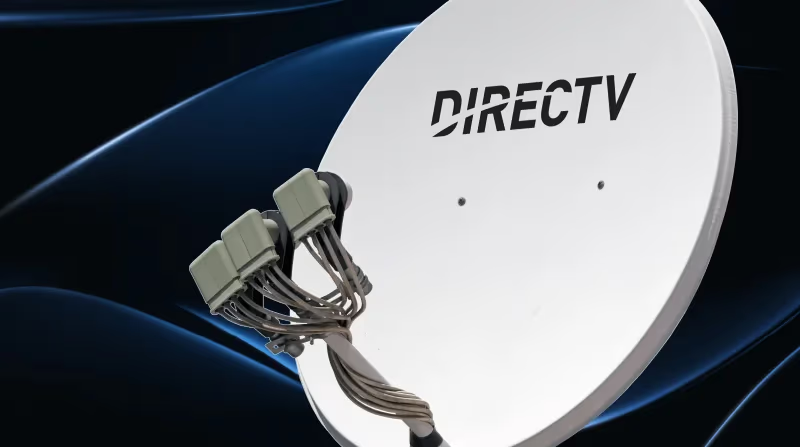
#3. Confirm DVR Box Connectivity and Remote Function
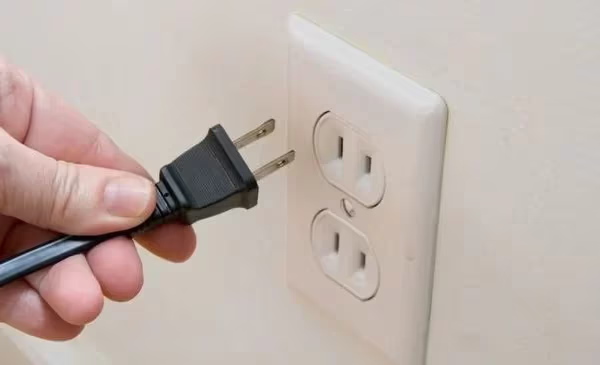
Reset DVR connectivity by unplugging the power cable for 15 seconds. Check remote for battery issues or interference from other devices.
#4. Relocate Potential Sources of Interference
Microwaves, cordless phones and other electronics near your setup can cause interference. Turn off or temporarily relocate these devices.
#5. Update DirecTV Apps to Latest Version
If freezing happens when streaming on a mobile or smart TV device, install latest updates of the DirecTV app.
#6. Check for Outages Using Your ZIP Code
Verify if there are any known service problems in your area by checking DirecTV’s outage map with your ZIP code.
#7. Inspect Coaxial Cable Connections
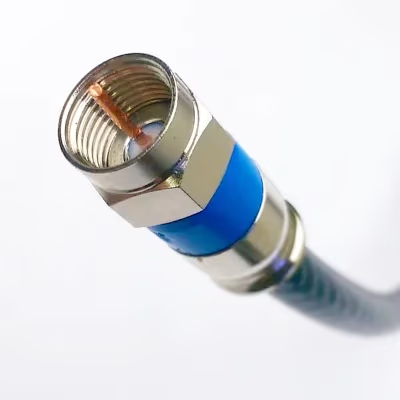
Loose or damaged coaxial cables leading to your satellite dish setup can impact connectivity. Secure any loose fittings.
Extra features impacting streaming quality include accessing specific content like ESPN on DirecTV and MLB TV availability.
If you still experience persistent freezing after trying these troubleshooting techniques, then contacting DirecTV support is the next best step.
#Preventing Future Freezing and Pixelation Issues
While occasional DirecTV freezing can happen situational or due to equipment failures, you can take proactive measures to avoid frequent problems:
Proper Satellite Dish Positioning
Having professionally installed dish alignment focused on strongest signal towers prevents many issues.
Adequate Ventilation for DVR Box
Ensuring unobstructed airflow prevents overheating. Allow ample clearance on all sides of hardware.
Surge Protection for Equipment
Use of a high quality surge protector safeguards against electrical spikes impacting hardware.
Consistency in Software and Hardware Maintenance
Always keep DVR equipment updated to the latest firmware to avoid issues with features like closed captioning or streaming apps like DirecTV on Firestick.
Taking preventative measures maximizes uptime and delivers the best viewing experience. But unusual freezing should still prompt investigation into potential causes.
#When Should You Call the DirecTV Support Team?
While many fixes can be attempted at home first, DirecTV’s 24/7 customer support is always available to help diagnose trickier causes.
Contact DirecTV Support When:
-
You have attempted all basic troubleshooting with no improvement
-
Your satellite dish potentially needs realignment or replacement
-
You suspect failures in DVR box hardware or cabling
-
You have account and billing questions
DirecTV has specialized technicians that can thoroughly test connections, send replacement equipment if needed and get your service restored quickly.
#Bottom Line
-
Bad weather, weak signal strength and overheating are the most common reasons DirecTV freezes.
-
First steps are removing dish obstructions, resetting hardware and checking for interference.
-
Preventative measures like proper installation and maintenance greatly reduce freezing.
-
If basic troubleshooting fails, DirecTV’s customer support can diagnose equipment failures or send replacements.
With the right troubleshooting approach, you can get entertainment flowing smoothly again in no time.
Review these DirecTV streaming alternatives for their channel lineup, price, compatibility, and more to see if they offer advantages over your current provider.
#Frequently Asked Questions
#Why does my DirecTV work fine, then start freezing after a while?
This usually points to overheating. After running for a few hours, a DVR box with poor ventilation builds up enough heat to cause glitches. Move the box away from other electronics, make sure vents are clear, and check that nothing is stacked on top of it.
#Are DirecTV freezes during storms temporary?
Yes. Heavy rain, snow, or thick cloud cover blocks the satellite signal between your dish and the orbiting satellites. Once the weather clears, your picture should return to normal within minutes.
#Can wiring problems between my dish and receiver cause freezing?
Absolutely. Damaged coaxial cables, corroded connectors, or loose fittings between the dish and your receiver degrade the signal enough to cause pixelation and freezing. Inspect the full cable run from the dish to the wall jack, and replace any cable that shows cracks, kinks, or weather damage. A tight F-connector on each end makes a noticeable difference.
#Does rebooting the DVR box fix freezing problems?
A power reset clears temporary software glitches and forces the receiver to re-establish its satellite connection. Unplug the box for 15 seconds, then plug it back in. If freezing keeps happening after multiple reboots, the problem is likely hardware-related or tied to dish alignment.
#Will reinstalling the DirecTV app fix freezing on my smart TV?
It can help if the app data became corrupted. Delete the app, restart your TV, then reinstall the latest version from your TV’s app store. Also check that your internet speed meets the minimum 8 Mbps that DirecTV recommends for streaming.
#How do I check my DirecTV satellite signal strength?
Go to Settings > Satellite > View Signal Strength on your receiver. Signal levels above 80 on most transponders indicate a healthy connection. If several transponders show readings below 60, your dish likely needs realignment by a technician.