Want to watch live and on-demand sports on your Roku device? Getting DAZN set up on your Roku takes just a few steps. This guide covers everything from installation to troubleshooting so you can start streaming 100+ exclusive live sports like Serie A, NFL, boxing and more.
- DAZN works on most Roku devices — compatible with Roku Express, Streaming Stick, Ultra, and select Roku TVs running OS 7.0+
- Installation takes under 2 minutes — search for DAZN in the Roku Channel Store and add the free channel
- A paid subscription is required — choose between monthly or annual plans, starting directly on your Roku
- DAZN is only available on Roku in 4 countries — United States, Canada, Germany, and Switzerland
- Minimum 3Mbps internet speed needed — DAZN recommends this baseline for stable streaming on Roku
#How Do You Download and Install the DAZN App on Roku?
Downloading the DAZN channel is the first step to watch sports on your Roku streaming player or Roku TV:
-
Press the Home button on your Roku remote to access the Home screen
-
Select Streaming Channels to open the Roku Channel Store
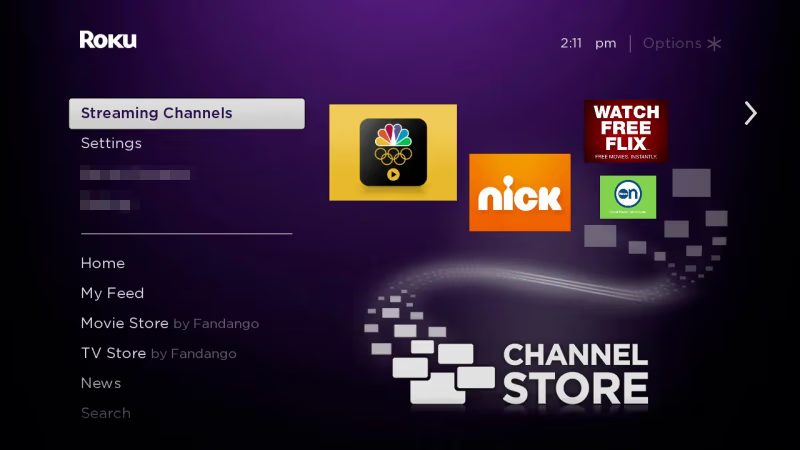
- Enter “DAZN” in the search bar and select the DAZN icon
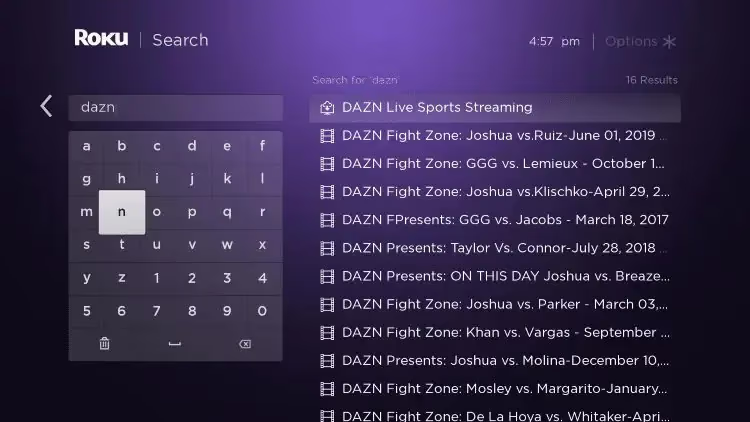
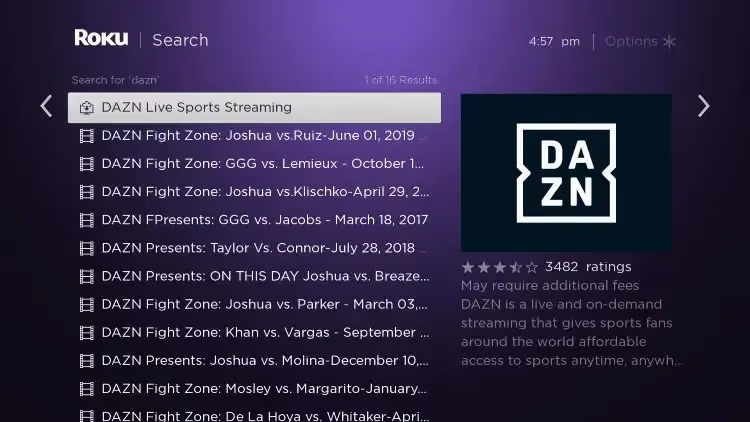
- Click Add Channel to install DAZN — it’s free to add!
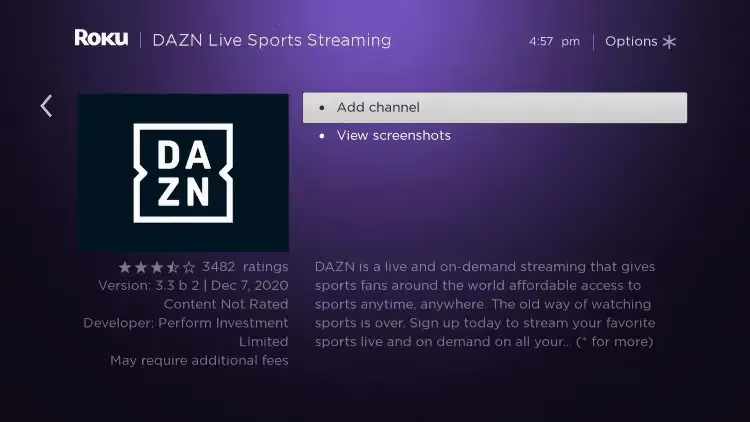
Once installed, the DAZN icon will appear on your Roku Home screen.
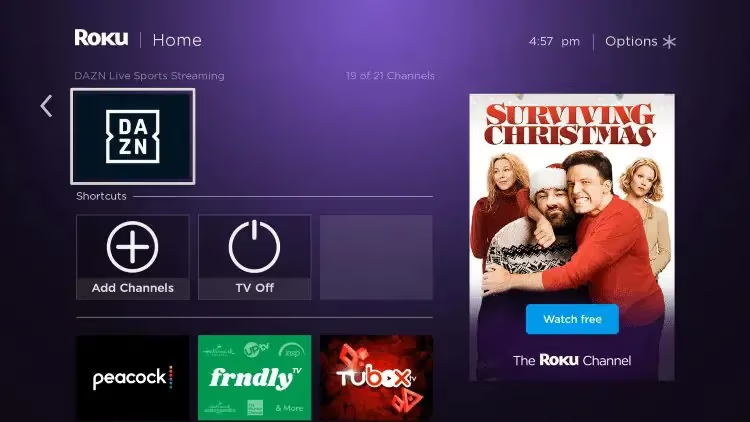
#What If I Can’t Find the DAZN Channel?
If you don’t see DAZN appear in Roku search results, it likely means the app isn’t available in your country yet.
Currently, DAZN is only accessible on Roku in the United States, Canada, Germany and Switzerland.
Check DAZN’s website to see countries where their service is available.
If you decide DAZN isn’t for you, learn how to easily cancel your subscription. Or check out some top alternatives to DAZN for sports streaming.
#Sign Up for a DAZN Account Through Roku
With the DAZN channel installed, you can now sign up right on your Roku device:
-
Highlight and select the DAZN icon on your Roku Home screen
-
Choose between month-to-month or annual subscription plans
-
Enter your payment details to create a DAZN account
-
Use your credentials to log into DAZN on other supported devices
After signing up, you’ll have immediate access to stream sports.
#Already Have DAZN? Link Your Account
If you have an existing DAZN account, make sure to link it within the DAZN channel on your Roku instead of creating a new one.
This lets you access all your subscription features without needing to sign in again.
#Which Roku Models Support DAZN?
DAZN is compatible with most modern Roku devices, including:
-
Select Roku TV models
-
OS versions 7.0+
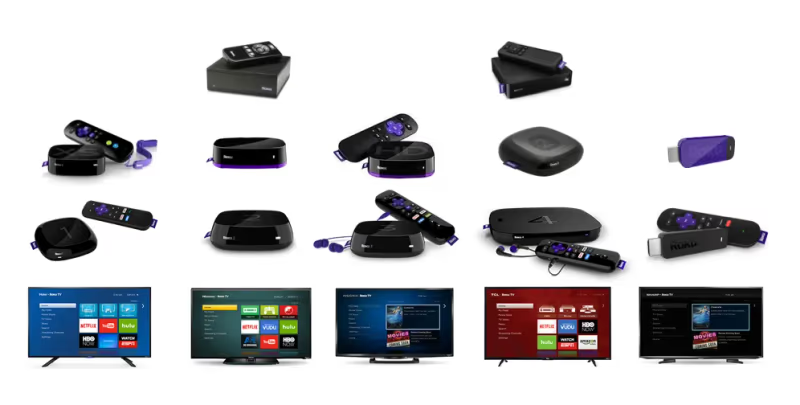
Before downloading DAZN, visit Roku’s compatibility checker to confirm your device supports the app.
#Fix DAZN Error Codes on Roku
If DAZN isn’t loading content or displaying error codes, here are some troubleshooting tips:
-
Check your internet connection speed — DAZN recommends at least 3Mbps
-
Reboot your Roku device
-
Delete and reinstall the DAZN channel
-
Clear cached data for DAZN
-
Ensure you’re running the latest Roku OS version
For additional support, visit DAZN’s Roku help page or contact their customer service.
#How Do You Cancel DAZN on Roku?
Ready to cancel your DAZN subscription? You can do it right from your Roku in under a minute.
-
Open the DAZN channel and select your profile
-
Choose Account Details
-
Click Cancel Subscription and confirm
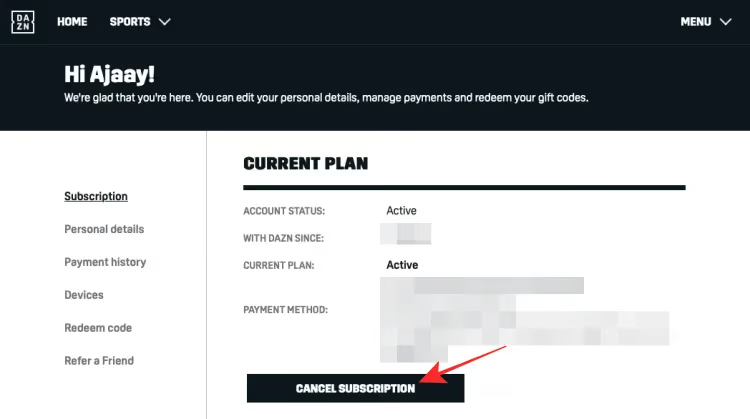
Just be aware that currently active subscriptions aren’t refundable if you’ve already paid for the current period.
#Don’t Have DAZN Anymore? Remove the Channel
Without an active DAZN account, here’s how to remove the channel from your Roku interface:
-
Go to your Roku Home Screen
-
Scroll down and select Settings
-
Choose Channel Store
-
Select My Channels
-
Highlight DAZN and click Remove Channel
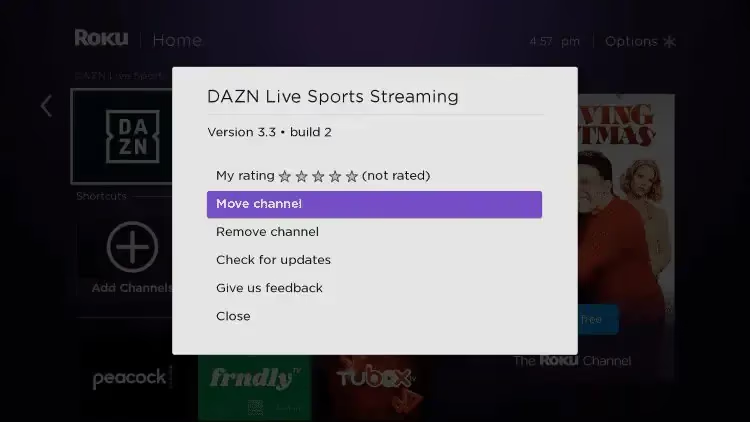
And that’s it! The DAZN icon will vanish from your Roku Home screen.
DAZN also works great on other devices like Firestick, DirecTV and various smart TVs brands including Sony, LG, Vizio and Hisense.
#Frequently Asked Questions
#Can I watch DAZN for free on Roku?
No. A paid subscription is required to stream any content. DAZN occasionally offers free trial periods for new subscribers, so check their website before committing to a full-price plan.
#What sports leagues does DAZN cover on Roku?
DAZN carries live and on-demand coverage of Serie A, La Liga, NFL Game Pass, boxing, MMA, cricket, and more. The lineup varies by country, so visit DAZN’s website for the full schedule in your region.
#Can I download DAZN shows to watch offline on Roku?
No. Roku devices don’t support offline downloads for any streaming app, including DAZN. You need an active internet connection for all playback. If you want offline viewing, use the DAZN mobile app on iOS or Android instead.
#Does DAZN stream in 4K on Roku?
Select events are available in 4K on compatible Roku devices like the Roku Ultra. Your internet speed also matters. DAZN recommends at least 8Mbps for 4K playback.
#Why does DAZN keep buffering on my Roku?
Buffering usually comes down to internet speed. Run a network speed test from your Roku under Settings > Network > Check Connection. If your speed is below 3Mbps, try connecting your Roku via Ethernet instead of Wi-Fi. Restarting your router can also help.
#How do I turn on subtitles in DAZN on Roku?
Open the DAZN channel and go to Settings > Subtitles to enable closed captioning. Multiple languages are available during live broadcasts, though the options depend on the specific event.
#Is DAZN available on Roku in every country?
No. DAZN on Roku is currently limited to the United States, Canada, Germany, and Switzerland. If you’re outside these countries, the DAZN channel won’t appear in your Roku Channel Store. You can still access DAZN through other devices or a web browser in supported regions.
#Can I share my DAZN account across multiple Roku devices?
Yes. You can sign into DAZN on multiple Roku devices with the same account. However, DAZN limits the number of simultaneous streams depending on your subscription tier. Most plans allow two concurrent streams at a time.
#Bottom Line
Installing DAZN on your Roku device lets you stream exclusive live sports from around the world. Follow the steps above to get set up with an account, troubleshoot issues, or manage your subscription.
With thousands of events annually across dozens of sports, there’s always something worth watching. Get started with DAZN on Roku today.
Some users experience technical difficulties with DAZN freezing or not loading on certain devices like Apple TV and Samsung smart TVs.