Trying to stream Crackle on your Apple TV but constantly getting error messages? Videos not loading or app crashing unexpectedly? Don’t worry, you’re not alone. Many users face issues with Crackle on Apple TV. We’ll walk you through the top fixes to try when Crackle stops working on your Apple TV. Follow these troubleshooting tips and you’ll be streaming your favorite Crackle shows in no time.
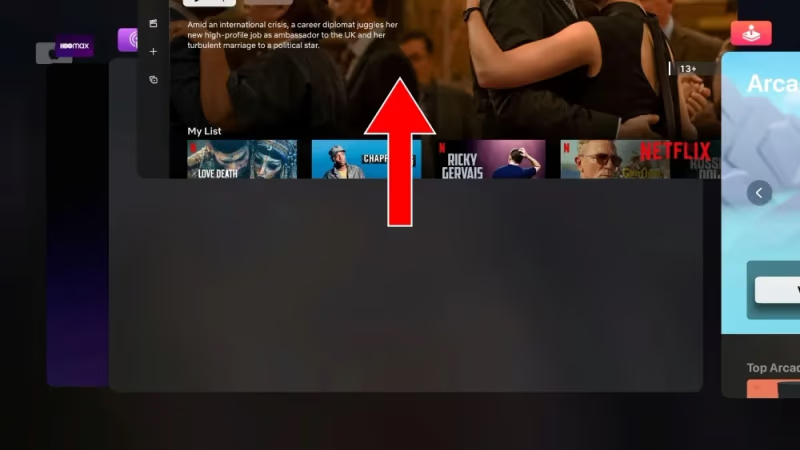
- Force quit and restart — double-press the Home button, swipe up on Crackle, then reopen the app to clear temporary glitches
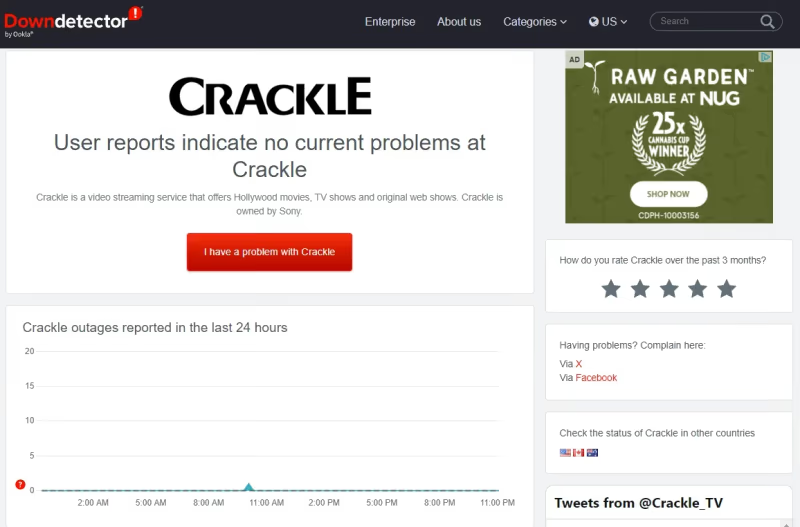
- Check Crackle server status — visit Downdetector to confirm Crackle isn’t experiencing an outage before troubleshooting your device
- Minimum 3 Mbps required — run a speed test on your Apple TV under Settings > Network > Test Connection to rule out slow internet
- Reinstall the app — deleting and re-downloading Crackle from the App Store fixes corrupted installs that cause crashes or blank screens
- Update tvOS — outdated Apple TV software breaks app compatibility, so install the latest version from Settings > System > Software Updates
#What Are the Common Crackle Errors on Apple TV?
Before jumping into the fixes, here are some of the common Crackle errors reported by Apple TV users:
-
“App Unavailable” or “The app is currently unavailable” error
-
Crackle app crashes or doesn’t load
-
Videos freeze or fail to play
-
Thumbnails don’t load
-
Crackle opens but it’s completely blank
#How Do You Fix Crackle Not Working on Apple TV?
Most Crackle issues on Apple TV can be fixed in a few minutes. Work through these troubleshooting tips one-by-one until Crackle starts working again:
#1. Check if Crackle Service is Down
First, check Downdetector to see if Crackle is down or having an outage. If yes, you’ll have to wait until the issues get resolved on Crackle’s end.
#2. Force Quit and Reopen the Crackle App
Sometimes, force closing the misbehaving Crackle app and reopening it is enough to fix loading issues. Just double press the home button and swipe up on the Crackle app.
#3. Try Other Apps to Test Connectivity
Launch other streaming apps on your Apple TV – like Netflix, Hulu etc. If they load fine, then the issue lies with Crackle app. But if none of the apps open, your Apple TV likely has connectivity problems.
#4. Check Your Internet Connection Speed
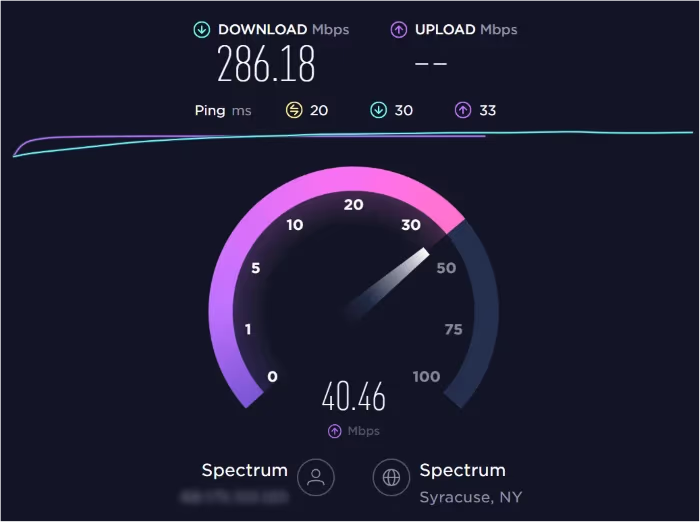
Run a speed test on your phone to ensure you have the minimum 3 Mbps speed needed for Crackle. Slow/unstable connections can prevent videos from loading properly.
#5. Verify Apple TV Has Internet Connectivity
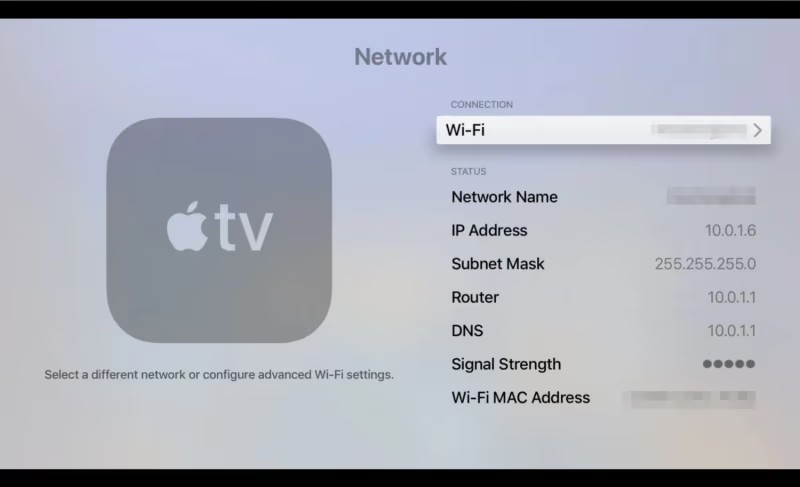
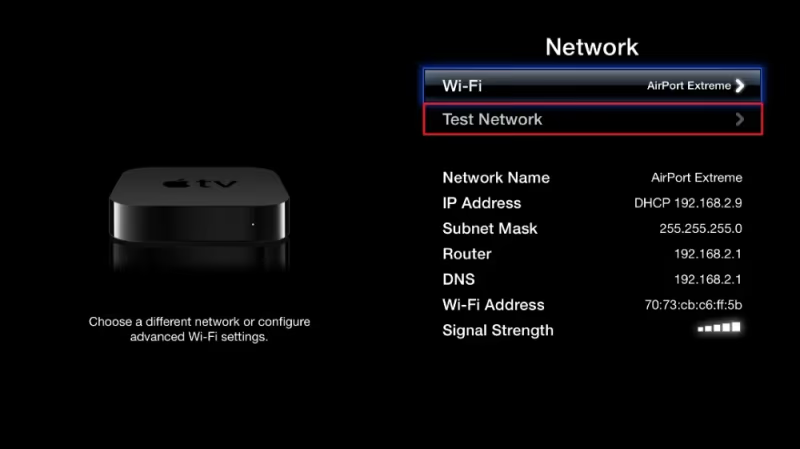
Navigate to Settings > Network and confirm status shows “Connected”. If not, you’ll have to get your Apple TV back online before Crackle can work.
#6. Test Connection Speed on the Apple TV
Go to Settings > Network > Test Connection to check the actual speed on your Apple TV. If it’s too slow, improve your Wi-Fi router placement or switch to wired Ethernet.
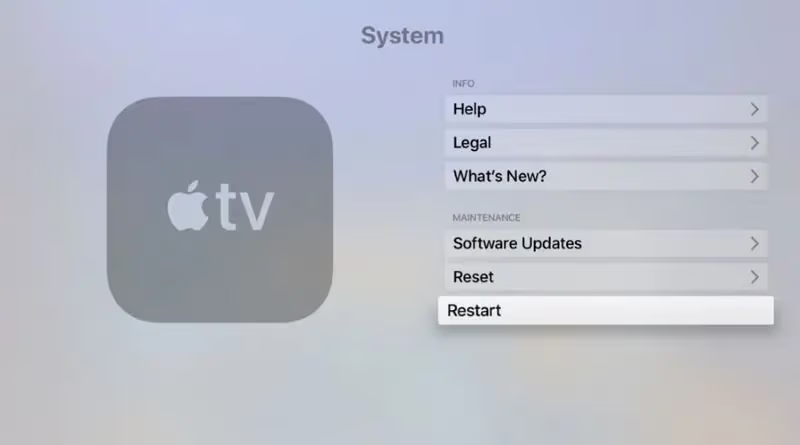
#7. Restart Your Apple TV
Rebooting the Apple TV can clear up software glitches preventing Crackle from working correctly. Just go to Settings > System > Restart.
#8. Sign Out and Sign Back Into Crackle
Incorrect login credentials can stop Crackle from loading. Sign out completely, close the app, relaunch and sign in afresh with the right details.
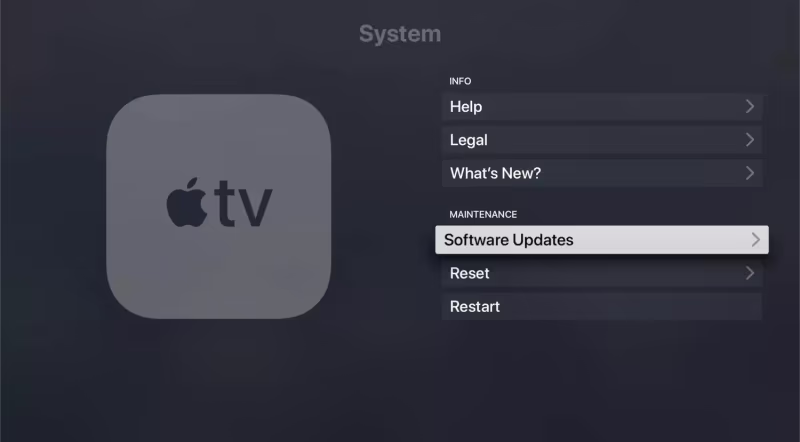
#9. Update Your Apple TV Software
An outdated OS version can break app compatibility. Install the latest Apple TV updates from Settings > System > Software Updates.
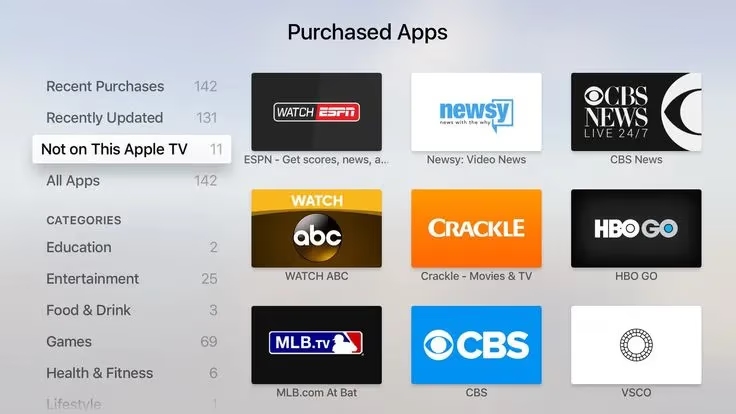
#10. Reinstall the Crackle App
Glitchy app installs often get fixed with a clean reinstallation. Delete and re-download the Crackle app from the App Store.
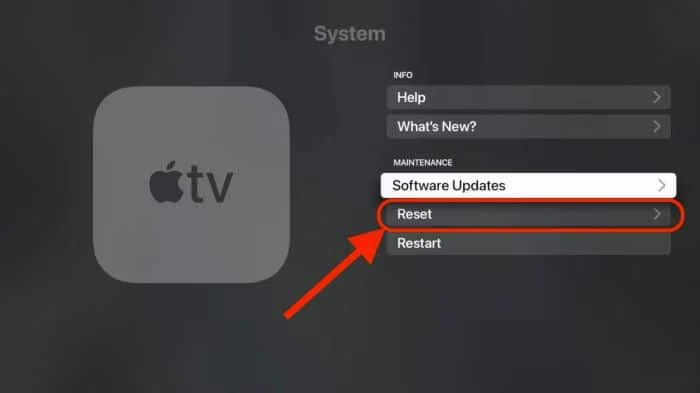
#11. Reset Apple TV to Factory Settings
If all else fails, reset your Apple TV device back to factory settings. This will wipe its storage clean to give you a fresh start.
#12. Contact Apple Support
For recurring Crackle issues limited to your Apple TV, contact Apple support. Especially if it’s still under warranty – hardware faults could be the culprit.
#Frequently Asked Questions
#Why does the Crackle app keep crashing on my Apple TV?
Force quit Crackle, reboot your Apple TV, and check for app or tvOS updates. Reinstalling the app from the App Store also fixes persistent crashes. An outdated tvOS version is one of the most common causes of compatibility problems.
#Why does Crackle say “Video Unavailable” when I try to play something?
This error points to a connection problem between your Apple TV and Crackle’s content servers. Check your Wi-Fi signal strength near the Apple TV and run a speed test. Moving your router closer or switching to a wired Ethernet connection often resolves it.
#Crackle was working fine yesterday, so what went wrong?
Sudden failures are almost always caused by a Crackle server outage or a temporary ISP disruption. Check Downdetector first, then restart your router and Apple TV.
#How do I get 5.1 surround sound on Crackle with Apple TV?
Apple TV 4th generation and newer models support Dolby Digital 5.1 on select Crackle content. Make sure your soundbar or AV receiver is also 5.1 compatible, and check that the audio output setting on your Apple TV is set to Auto or Dolby Digital.
#Why are some movies or shows missing from Crackle on Apple TV?
Crackle’s content library varies by platform because of licensing agreements. A title available on the Crackle website may not appear in the Apple TV app. Content also rotates monthly, so a movie you watched last week could be removed without notice.
#Does the Crackle app work on all Apple TV models?
Yes, Crackle runs on Apple TV HD, Apple TV 4K, and older 3rd-generation models. Older hardware does not support 4K or HDR playback, though.
#Do I need a faster internet plan to stop Crackle from buffering?
Crackle only needs 3 Mbps for standard streaming. Buffering is usually caused by inconsistent speeds rather than a slow plan. If your measured speed regularly drops below 3 Mbps, upgrading your plan or switching to a 5 GHz Wi-Fi band can help.
#Can I use a VPN with Crackle on Apple TV?
Crackle is a free, ad-supported service available in the US. Using a VPN may cause playback errors or block access entirely because Crackle detects non-US IP addresses. Turn off your VPN before launching the app if you run into loading issues.
#Bottom Line
Start with the quickest fixes first: force quit Crackle, restart your Apple TV, and check Downdetector for server outages. If the problem persists, test your internet speed, reinstall the app, and update tvOS. A factory reset is the last resort, but it solves stubborn issues that nothing else can fix.
If you have other devices, you can learn how to sign up for and use Crackle on Amazon Fire TV, Google Chromecast, Roku, Android TV, iPhone/iPad, Android Phone/Tablet, Mac, Windows, PlayStation, Xbox, LG Smart TV, Samsung Smart TV, Sony Smart TV, and VIZIO Smart TV.
-
If Crackle is not working, then you won’t be able to use it properly, but this guide could help. Check out more tips for getting Crackle on Firestick.
-
To start fixing this problem, check your internet connection, and perform a power cycle for your device. Read our Crackle review for more background.
-
Visit our extensive Streaming Hub for more easy-to-follow information on this topic.
-
For more useful video streaming guides, check out our detailed Video Streaming Fix webpage.