Starz works on almost every streaming device, and the setup process takes under five minutes. This guide walks through the activation steps for Roku, Apple TV, Xbox, smart TVs, iPhones, and Android devices so you can start watching right away.
- Starz costs $8.99/month with a free 7-day trial and no cable subscription required
- 4 simultaneous streams are included with every Starz subscription
- Supported on 10+ device types including Roku, Apple TV, Fire TV, Xbox, Samsung, LG, and phones
- Offline downloads available on mobile devices with a 30-day expiration window
- Same login works everywhere so you only need one account across all your devices
#What Is Starz and What Does It Offer?
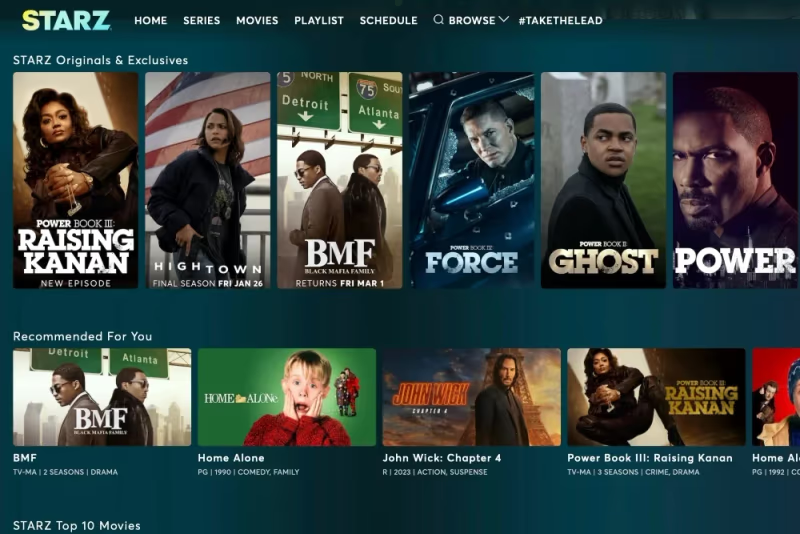 Starz is an American premium cable and satellite television network owned by Lionsgate. It has original programming along with theatrically released motion pictures from Walt Disney Pictures and Sony Pictures.
Popular Starz original series include:
- Power
- Outlander
- American Gods
- Spartacus
- Black Sails
Unlike HBO or Showtime, Starz does not require a cable subscription. You can access Starz as a standalone streaming service on many devices for $8.99 per month. That gives you unlimited on-demand access to stream Starz series and movies without cable. You can also download shows for offline viewing.
#How Do You Create a Starz Account?
Activating Starz requires signing up for a paid subscription or starting the free 7-day trial. Here are the steps:
-
Go to Starz.com and click “Try Free” to begin your 1-week free trial. No payment details needed upfront.
-
Enter your email address and create a password. Use a valid email you can access.
-
Select your preferred platform to start watching immediately. For example, Roku, Fire TV, iPhone, etc.
-
Log in on the selected device. Use the credentials you just created to sign into the Starz app.
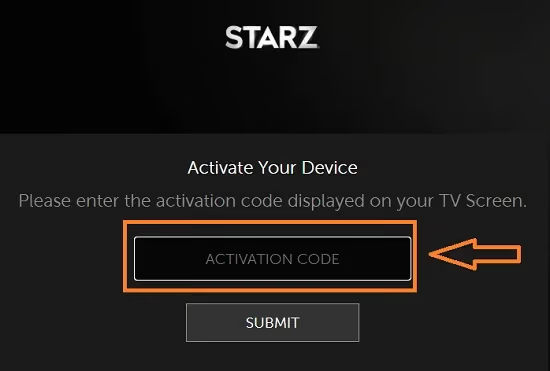
Once logged in to the Starz app, you have full access to stream movies, download shows, and more. After the 7-day trial ends, you will be auto-billed $8.99 per month unless you cancel beforehand.
Tip: Starz often runs introductory deals like $5 per month for 3 months. Check their latest pricing before signing up.
#How to Add Starz on Roku
Roku makes adding Starz quick and painless:
- Turn on your Roku device and from the Home screen select Streaming Channels.
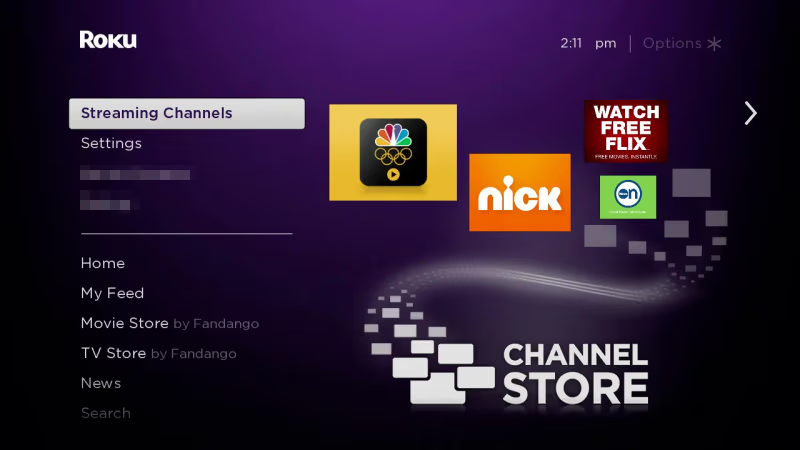
- Search for and select the Starz channel.
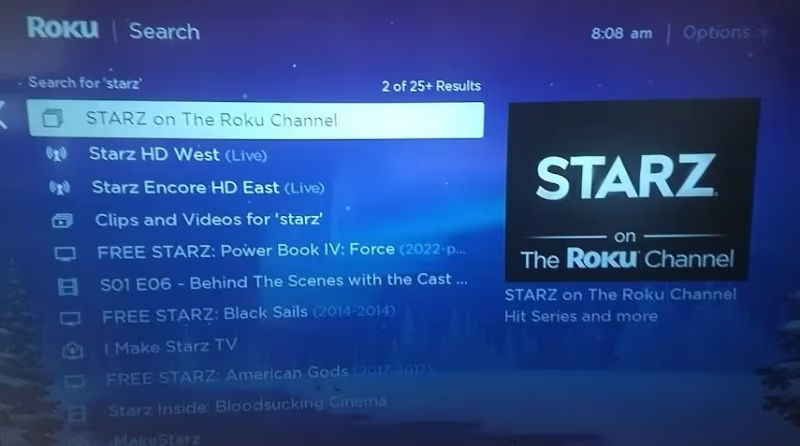
-
Select Add Channel and click OK to confirm.
-
Launch the newly added Starz channel from your list of channels.
-
Enter your Starz login credentials from when you signed up on Starz.com.
-
Start streaming your favorite Starz movies and originals!
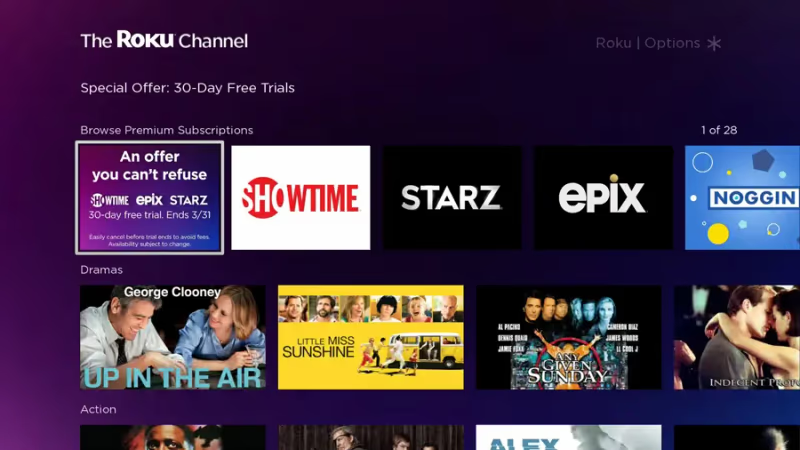
Within a minute you can sign into Starz and access on-demand content on your Roku. If you already have a Roku but are comparing devices, check out our Apple TV vs Roku breakdown.
Pro Tip: Starz supports offline downloads on Roku devices so you can watch shows later without Wi-Fi or data.
#How Do You Set Up Starz on Apple TV?
Apple fans can get Starz running on the latest Apple TV models (4th gen or later). For a deeper look at the Starz experience on Apple TV, see our full Starz on Apple TV guide.
Follow these steps:
- Using your Apple TV, open the App Store.
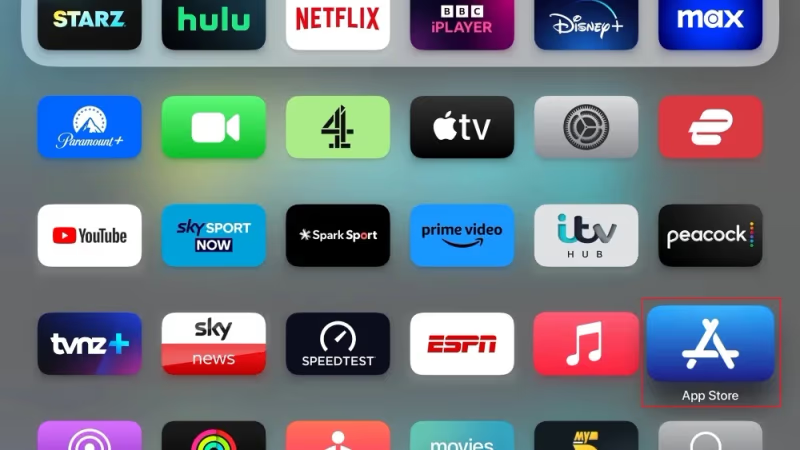
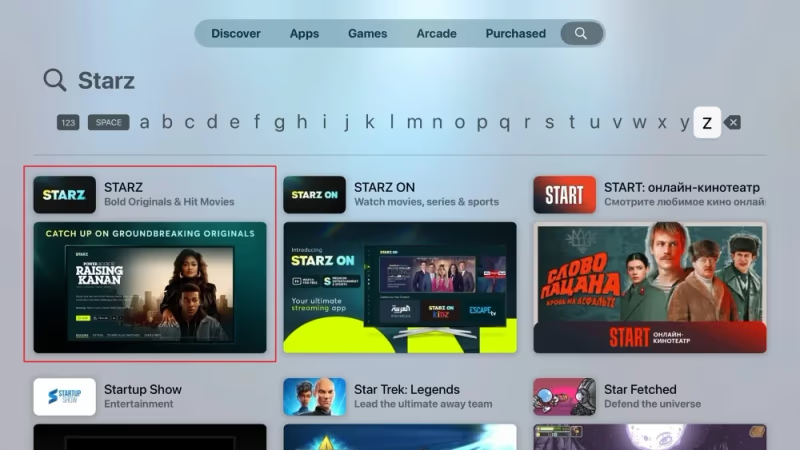
- Search for and download the Starz application.
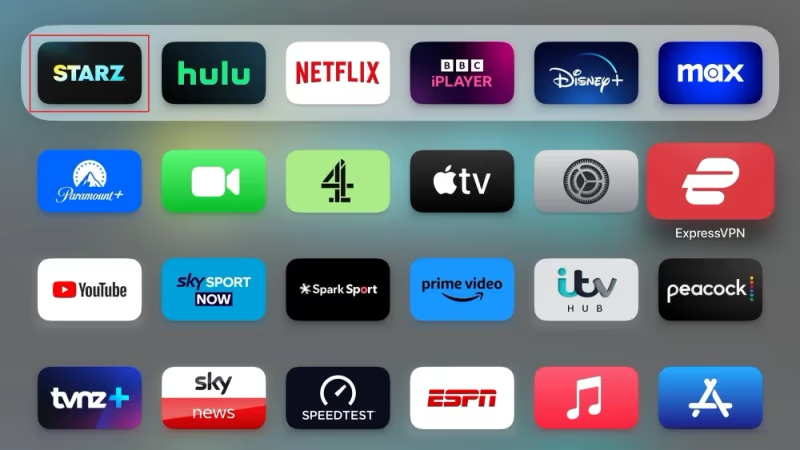
- Launch the newly installed Starz app from your home screen.
- Sign in using the same Starz credentials you set up at activation.

- Start streaming Starz originals, old favorites, and new releases!
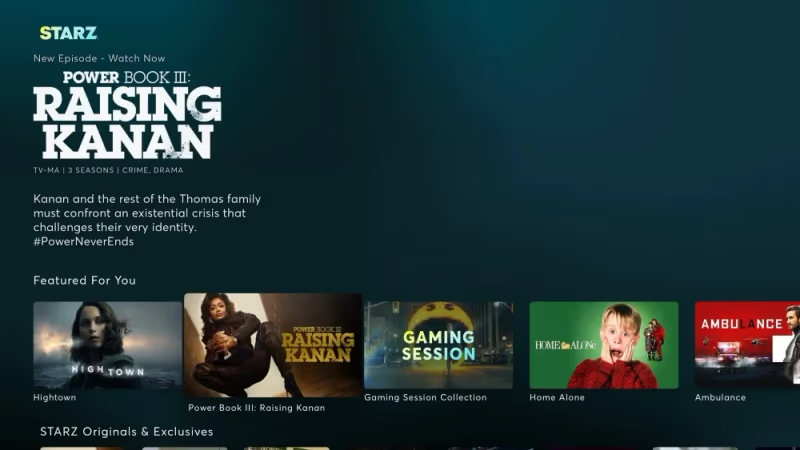
If you run into glitches, refer to our guide on fixing Starz app issues on Apple TV.
#Activating Starz on Xbox Consoles
Gamers can also stream Starz on Xbox One and Xbox 360.
Xbox Starz activation process:
-
Power up your Xbox and sign in to your profile.
-
Navigate to the Microsoft Store.
-
Search for and download the Starz Play app.
-
Once installed, launch the Starz Play application.
-
Log in using your existing Starz account credentials.
-
Start streaming Starz movies and original programming!
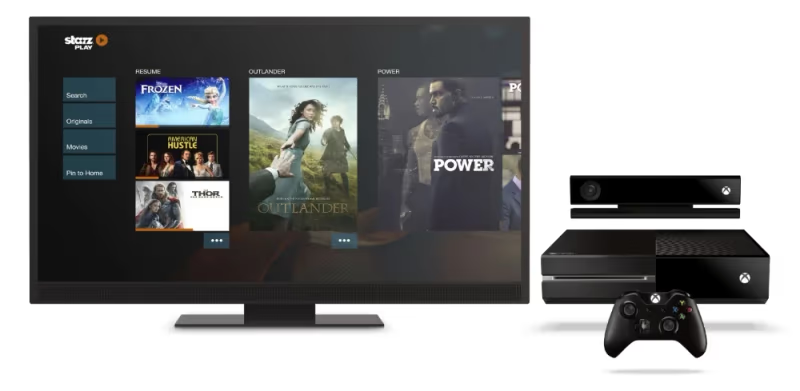
Between gaming sessions you can catch up on hit Starz shows like American Gods and Power right from your Xbox dashboard.
#Watching Starz on Smart TVs
Modern smart TVs have app stores built in for quick access to streaming services. Here is how to load Starz on your smart TV:
-
Turn on your smart TV and launch the app store.
-
Search for and select the Starz Play app to install.
-
Open the newly added Starz Play app.
-
Sign in with your current Starz username and password.
-
Start watching Starz on-demand and live content!
Starz has certified app support on smart TV models from Samsung, Sony, LG, and Vizio. If you run into problems on a Samsung TV, check out our troubleshooting guide for fixing Starz app issues on Samsung TVs.
#Adding Starz to Your iPhone
Getting Starz on your iPhone only takes a moment through the App Store.
-
On your iPhone, open the App Store.
-
Search for and download the Starz application.
-
Launch the newly added Starz app from your home screen.
-
Enter the same Starz login from initial signup to connect your iPhone.
-
Start streaming unlimited Starz content!
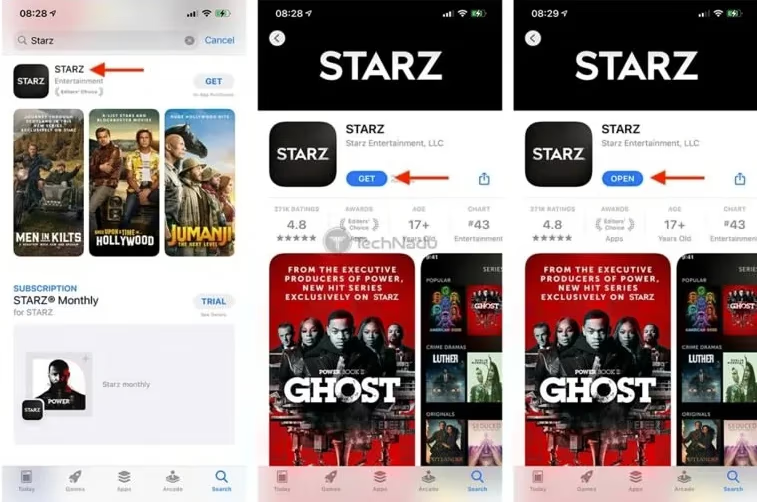
You now have on-the-go access to stream or download Starz content on your iPhone. Downloads expire after 30 days, so plan your offline viewing accordingly.
#Enabling Starz on Android Phones and Tablets
Android users can tap into the entire Starz lineup using the Google Play Store.
-
Open the Google Play Store app on your Android phone or tablet.
-
Search for and select the Starz application to install.
-
Open the newly added Starz app from your device’s app drawer.
-
Sign in with your existing Starz account to activate your Android.
-
Start watching Starz live streams, originals, and on-demand content!
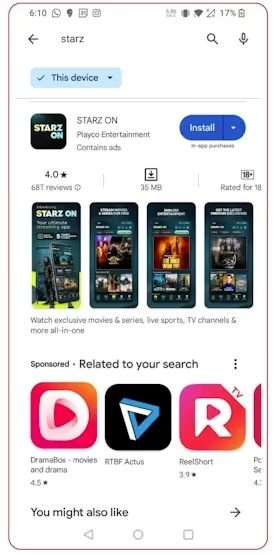
Your Android device is now ready to stream Hollywood movies and Starz original hits.
#Which Devices Support Starz?
Beyond the platform instructions above, Starz apps can be added to a wide range of streaming devices.
Supported Starz platforms:
- Roku
- Apple TV
- Amazon Fire TV
- Android TV
- Xbox One
- Android and iOS phones/tablets
- Web browsers
- Chromecast
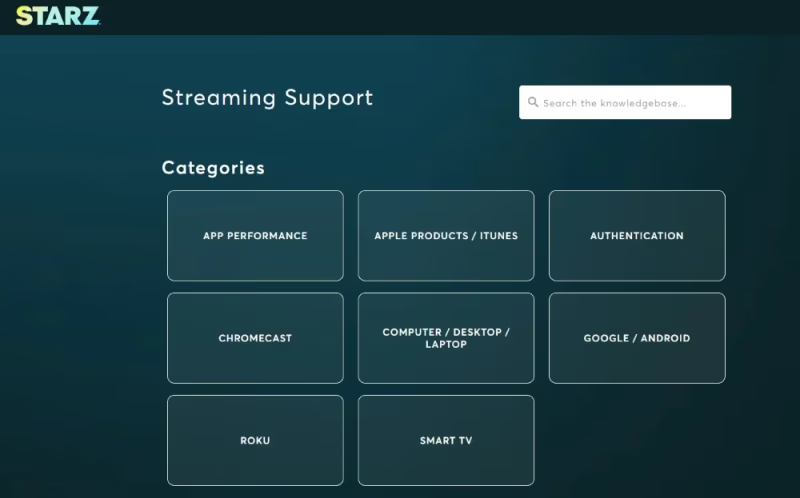
Smart TVs with direct Starz app support include models by:
- Samsung
- Sony
- Hisense
- Sharp
- Vizio
If your device is not listed, casting from a phone or tablet to your TV is a reliable workaround.
#How Does Starz Compare to Other Premium Networks?
Wondering how Starz stacks up against other premium entertainment services? Check out these comparisons:
- Starz vs Starz Encore: what is the difference between the two?
- Starz vs Showtime: how the two premium networks compare on price, shows, and movies
- Starz vs Cinemax: which service fits your streaming preferences better
#Tips for Getting the Most Out of Starz
Now that you have Starz activated, here are some tips worth knowing:
- Use offline downloads for trips or limited Wi-Fi. Shows expire after 30 days.
- Check the Starz schedule online for air dates and times of new originals.
- Try bundling Starz as an Amazon Prime add-on for a potentially discounted combo rate.
- You can get Starz as an add-on through services like Sling TV, DISH, and DirecTV. The standalone option stays the most flexible.
- Use the built-in subscription management in your device’s app store or Starz account page to control billing dates and cancellation.
#Bottom Line
Starz runs on practically every major streaming device, and activation follows the same pattern everywhere: create an account, install the app, and log in. The $8.99/month subscription includes 4 simultaneous streams and offline downloads, making it a solid value for fans of Starz originals and movie content. Pick your preferred device from the guides above and you can be streaming within five minutes.
#Frequently Asked Questions
#Can I activate Starz on multiple devices at once?
Yes. Your Starz login supports up to 4 concurrent streams. You can enable Starz across phones, streaming sticks, tablets, and computers with the same account.
#What is the difference between Starz and StarzPlay?
Starz Play was the former name of the Starz streaming service. Any references to StarzPlay mean the same Starz streaming platform available today as a standalone app. The branding changed but the content library remained identical.
#Does Starz require a cable or satellite subscription?
No. Starz works as a standalone streaming service. You sign up directly at Starz.com and stream using the credentials you create during registration. No cable provider login is needed.
#What internet speed do I need for Starz streaming?
Starz recommends at least 3 Mbps for standard definition. For the best HD 1080p experience, you want speeds above 10 Mbps. If your stream buffers frequently, try switching from Wi-Fi to a wired Ethernet connection on devices that support it.
#Can I watch Starz outside the United States?
The Starz streaming service and offline downloads are restricted to the United States only. Content licensing agreements prevent access from other countries.
#Is the Starz app free to download?
The app itself is free to install on any supported device. Full access to Starz content requires a paid subscription starting at $8.99 per month after the 7-day free trial ends.
#How do I cancel my Starz subscription?
Visit your account page on Starz.com to cancel directly. You can also cancel through your mobile app store’s subscription settings. For a full walkthrough, see our guide on how to cancel a Starz subscription.
#Does Starz support 4K or HDR content?
Starz streams most content in HD (1080p). As of 2026, the service does not offer native 4K or HDR playback. If 4K quality is a priority, services like Netflix, Disney+, and Apple TV+ include 4K libraries with their standard plans.